Save 1%
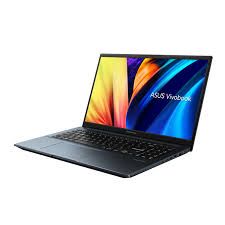


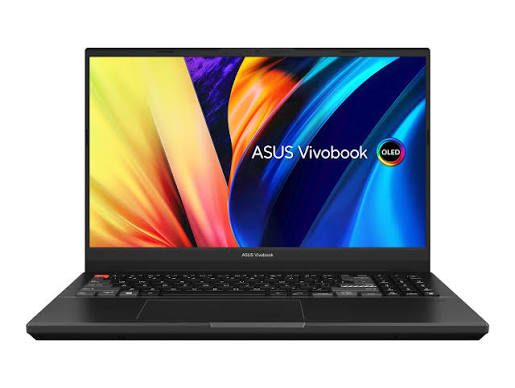
Select an image to view it. Click the main image to enlarge.
Asus Vivobook Pro 15 OLED K6500ZH | 15.6-inch 2.8K OLED | Intel® Core™ i7-12650H | GTX 1650 Max Q Price in Kenya
In stock
KES 169,000.00
KES 170,000.00
You save KES 1,000.00
Buy ASUS Vivobook Pro 15 OLED K6500ZH in Kenya. OLED picture quality for visual content work. Check fit and order from Reisen Seo.
View product detailsNeed help choosing?
Talk to our team at +254 714 804 532
Product details
ASUS Vivobook Pro 15 OLED K6500ZH 15.6-Inch Creator Laptop
ASUS Vivobook Pro 15 OLED K6500ZH 15.6-Inch Creator Laptop is intended for buyers in Kenya who need a reliable, accurately identified laptop for a defined job—not an impressive-sounding name without the correct fit. The right choice begins with an understanding of what this particular item does and which other components complete the installation. For quotation and ordering, use the exact model or item identity shown below. A strong deployment is one that works safely, meets the intended user need and can still be maintained after the installer leaves.
A practical application is a photography and design editing workstation, but the same product may also be considered for a small-business content creation laptop. When comparing options, start with the manufacturer-defined role, the available interfaces and the site requirements. Avoid confusing an advertised speed class with delivered throughput, a mounting accessory with a complete installation, or a model family with a confirmed SKU. Where several versions exist, purchasing the correct version is more valuable than any generic claim of premium performance.
Key Features and Benefits
· OLED picture quality for visual content work is one reason to consider K6500ZH for a photography and design editing workstation. The selection check is to resolve GTX 1650 Max-Q claim against manufacturer part label. Hardware is only one part of that decision: the location, counterpart equipment and the tasks staff expect to perform determine whether the purchase adds real value. A clear plan also helps separate essential accessories from optional upgrades.
· For a small-business content creation laptop, the practical value is 15.6-inch balance for desk and home use. Before purchase, confirm native panel resolution and refresh rate. Compare the expected use with the actual ports, power or physical requirements on the item rather than assuming a higher-tier label automatically suits the site. Record the result in a short bill of materials so that the installer can deliver a functioning system.
· The feature worth examining here is dedicated-graphics-oriented creator product family, especially when planning a student learning video editing and visual production. An important buying step is to verify i7-12650H and Windows-installed processor identity. This prevents a familiar failure: ordering the main unit while overlooking the supporting connection, mounting or operating requirement. The result should be a usable installation, not merely a delivered box.
· With ASUS Vivobook Pro 15 OLED K6500ZH 15.6-Inch Creator Laptop, useful selection for media workflows when exact GPU matches applications should be evaluated as part of a complete project. Careful specification matching is essential: check RAM soldered/upgrade arrangements and storage capacity. For an installation that will be supported over several years, also document the model identity and test criteria. This makes upgrades and fault isolation more predictable.
How to Buy ASUS Vivobook Pro 15 OLED K6500ZH 15.6-Inch Creator Laptop
Buying ASUS Vivobook Pro 15 OLED K6500ZH 15.6-Inch Creator Laptop begins with the exact model name and a clear use case. The four decisions in the graphic lead from product identity through compatibility and the complete bill of materials to ordering and acceptance. They also prevent the common mistake of treating a standalone device or accessory as a finished network or installation.

Four-step purchase process: product identity, compatibility, required accessories and final acceptance.
Key Specifications
|
Parameter |
Details |
|
Product family |
Vivobook Pro 15 OLED K6500, 12th Gen Intel generation |
|
Submodel |
K6500ZH |
|
Display family |
15.6-inch OLED configurations including 2.8K panels |
|
Processor family |
12th-generation Intel Core variants, including i7 on some SKUs |
|
Graphics |
GPU differs by series and SKU; do not equate K6500ZH with GTX 1650 Max-Q without factory confirmation |
|
Memory / SSD |
Capacity and upgrade possibilities depend on exact model suffix |
This table highlights the technical identity of ASUS Vivobook Pro 15 OLED K6500ZH 15.6-Inch Creator Laptop for Kenyan buyers. Pay particular attention to product family and vivobook pro 15 oled k6500, 12th gen intel generation; also resolve GTX 1650 Max-Q claim against manufacturer part label. For applicable factory or regional variants, match the equipment label to the selected model before installation.
What the Specifications Mean for Buyers
Product family. Vivobook Pro 15 OLED K6500, 12th Gen Intel generation. Check the exact model suffix and factory sticker. A family code identifies a product line, not every possible component and included accessory. In this purchase, resolve GTX 1650 Max-Q claim against manufacturer part label.
Submodel. K6500ZH. Check the exact model suffix and factory sticker. A family code identifies a product line, not every possible component and included accessory. In this purchase, confirm native panel resolution and refresh rate.
Display family. 15.6-inch OLED configurations including 2.8K panels. Verify native resolution, refresh rate, panel type and any color or HDR features against the precise SKU. Two laptops in one chassis family can have very different displays. In this purchase, verify i7-12650H and Windows-installed processor identity.
Processor family. 12th-generation Intel Core variants, including i7 on some SKUs. CPU naming helps characterize the platform, but sustained performance also depends on cooling, power policy and workload. Confirm the actual processor in the machine being supplied. In this purchase, check RAM soldered/upgrade arrangements and storage capacity.
Graphics. GPU differs by series and SKU; do not equate K6500ZH with GTX 1650 Max-Q without factory confirmation. An exact graphics model matters for gaming performance, graphics memory and creative software. Check the GPU through system information and distinguish the laptop GPU from similarly named desktop cards. In this purchase, resolve GTX 1650 Max-Q claim against manufacturer part label.
Memory / SSD. Capacity and upgrade possibilities depend on exact model suffix. Find out how much RAM is already installed and whether a later upgrade is technically possible. Soldered memory must not be advertised as a user-replaceable module. In this purchase, confirm native panel resolution and refresh rate.
Product Architecture and Technical Functions

Product form and role in the proposed installation.
Performance, Capacity, and Product Selection

Manufacturer numbers where relevant, or a product-specific technical selection guide.
Heat, power and battery expectations
Gaming-class processors and GPUs can draw much more power during demanding work than they do while browsing. Expect performance to vary between AC power and battery operation, and keep vents unobstructed. Use the correct manufacturer-rated power adapter. A portable laptop is not guaranteed to deliver desktop-like gaming speed while unplugged. Battery life depends on screen settings, workload and cell health; compare practical use rather than assuming an advertising estimate applies to every application. Periodic cleaning and sensible thermal settings support long-term reliability. For the K6500ZH purchase, also consider resolve GTX 1650 Max-Q claim against manufacturer part label.
Security and ongoing care
Configure strong account protection, enable appropriate device encryption where supported, keep recoverable backups and install official operating-system and manufacturer updates. Avoid driver packs from random download sites. For employees, establish policies for administrator rights, endpoint protection, secure Wi-Fi and lost-device response. Gaming platforms and creator applications also benefit from careful storage management. Clean vents with appropriate procedures and monitor battery wear. These practices preserve value long after a product description has helped with the buying decision. For the K6500ZH purchase, also consider confirm native panel resolution and refresh rate.
Screen and color decisions
Display quality is more than diagonal size. Check native resolution, refresh rate, panel technology, brightness and color coverage for the exact suffix. An OLED panel can be attractive for photo and video review, while a high-refresh LCD may suit competitive gaming. Screen coatings and reflection control influence comfort in bright rooms. Look for dead pixels, uneven brightness and color-management settings on arrival. If color-accurate work matters, use a controlled workflow and an appropriate calibration tool rather than assuming factory settings are perfect. For the K6500ZH purchase, also consider verify i7-12650H and Windows-installed processor identity.
Ports and external devices
Check the physical ports instead of assuming every USB-C connector supports charging, DisplayPort video output or Thunderbolt. Confirm HDMI version, external display limits, USB speeds, card reader and wired Ethernet from the exact SKU documentation. A dock can simplify a desk setup but may not pass through every GPU mode or charging profile. If using a high-refresh monitor, test the proposed cable and port combination. Also verify headset, webcam, external SSD and network connectivity against real accessories before business deployment. For the K6500ZH purchase, also consider verify i7-12650H and Windows-installed processor identity.
Exact model suffix controls the purchase
A laptop family name is not a complete hardware specification. CPU, discrete GPU, display resolution, refresh rate, RAM, storage, keyboard layout and preinstalled OS can vary between regional suffixes. Ask for a photo of the actual factory model label and, where appropriate, a screenshot of the installed hardware information. Compare that exact code with the manufacturer’s model page. This is especially important for gaming laptops: two machines with similar outer shells may have very different gaming capabilities, screen quality and upgrade opportunities. For the K6500ZH purchase, also consider resolve GTX 1650 Max-Q claim against manufacturer part label.
Real-World Applications in Kenya
Photography and design editing workstation
Consider a photography and design editing workstation. In that setting, the main requirement is not merely to purchase ASUS Vivobook Pro 15 OLED K6500ZH 15.6-Inch Creator Laptop, but to decide exactly how it contributes to a working service. OLED picture quality for visual content work can be relevant, provided the selected accessories, connected equipment and installation conditions match. A buyer should be able to explain which problem the unit solves and how successful operation will be measured.
For this deployment, confirm native panel resolution and refresh rate. Include a short handover test and a labelled record of the installed item. For K6500ZH, check the actual installed GPU and full part number before choosing the laptop for graphics-heavy work. A realistic design separates what the product directly provides from functions supplied by other devices, service plans or contractor work.
Small-business content creation laptop
Consider a small-business content creation laptop. In that setting, the main requirement is not merely to purchase ASUS Vivobook Pro 15 OLED K6500ZH 15.6-Inch Creator Laptop, but to decide exactly how it contributes to a working service. 15.6-inch balance for desk and home use can be relevant, provided the selected accessories, connected equipment and installation conditions match. A buyer should be able to explain which problem the unit solves and how successful operation will be measured.
For this deployment, verify i7-12650H and Windows-installed processor identity. Include a short handover test and a labelled record of the installed item. Do not guarantee SSD, RAM, panel refresh rate or preinstalled software from family-level naming. A realistic design separates what the product directly provides from functions supplied by other devices, service plans or contractor work.
Student learning video editing and visual production
Consider a student learning video editing and visual production. In that setting, the main requirement is not merely to purchase ASUS Vivobook Pro 15 OLED K6500ZH 15.6-Inch Creator Laptop, but to decide exactly how it contributes to a working service. Dedicated-graphics-oriented creator product family can be relevant, provided the selected accessories, connected equipment and installation conditions match. A buyer should be able to explain which problem the unit solves and how successful operation will be measured.
For this deployment, check RAM soldered/upgrade arrangements and storage capacity. Include a short handover test and a labelled record of the installed item. For K6500ZH, check the actual installed GPU and full part number before choosing the laptop for graphics-heavy work. A realistic design separates what the product directly provides from functions supplied by other devices, service plans or contractor work.
Installation Planning: What Needs to Fit

Site decisions that affect installation and long-term service.
Resolve GTX 1650 Max-Q claim against manufacturer part label. Relate this to the stated product family specification: Vivobook Pro 15 OLED K6500, 12th Gen Intel generation. Ask the seller or installing technician to demonstrate the relevant connector, rating or model marking where applicable. This check should be performed before a purchase order is finalized, because a mismatch often means extra site visits, replacement accessories or avoidable rework. A written answer is more useful than an unsupported promise that it will work with every system.
Confirm native panel resolution and refresh rate. Relate this to the stated submodel specification: K6500ZH. Ask the seller or installing technician to demonstrate the relevant connector, rating or model marking where applicable. This check should be performed before a purchase order is finalized, because a mismatch often means extra site visits, replacement accessories or avoidable rework. A written answer is more useful than an unsupported promise that it will work with every system.
Verify i7-12650H and Windows-installed processor identity. Relate this to the stated display family specification: 15.6-inch OLED configurations including 2.8K panels. Ask the seller or installing technician to demonstrate the relevant connector, rating or model marking where applicable. This check should be performed before a purchase order is finalized, because a mismatch often means extra site visits, replacement accessories or avoidable rework. A written answer is more useful than an unsupported promise that it will work with every system.
Check RAM soldered/upgrade arrangements and storage capacity. Relate this to the stated processor family specification: 12th-generation Intel Core variants, including i7 on some SKUs. Ask the seller or installing technician to demonstrate the relevant connector, rating or model marking where applicable. This check should be performed before a purchase order is finalized, because a mismatch often means extra site visits, replacement accessories or avoidable rework. A written answer is more useful than an unsupported promise that it will work with every system.
Compatibility Matrix and Essential Checks

Practical compatibility checks before making a purchase.
The compatibility matrix highlights four checks that should be settled before ordering ASUS Vivobook Pro 15 OLED K6500ZH 15.6-Inch Creator Laptop. It does not imply that the product works with every device, every power input, every mounting arrangement, or every software version. The installer should record the matching counterpart equipment and use the manufacturer instructions for the chosen version.
How to Install ASUS Vivobook Pro 15 OLED K6500ZH 15.6-Inch Creator Laptop
1. Identify full K6500ZH part number and model stickers. For a photography and design editing workstation, check each result before moving to the next step. Avoid changing unrelated connections or settings before the current stage is functioning.
2. Inspect OLED panel and color mode before installation. For a small-business content creation laptop, check each result before moving to the next step. Avoid changing unrelated connections or settings before the current stage is functioning.
3. Check CPU and graphics in the operating system. For a student learning video editing and visual production, check each result before moving to the next step. Avoid changing unrelated connections or settings before the current stage is functioning.
4. Install official ASUS chipset and display drivers. For a photography and design editing workstation, check each result before moving to the next step. Avoid changing unrelated connections or settings before the current stage is functioning.
5. Configure brightness, color management and screen care features. For a small-business content creation laptop, check each result before moving to the next step. Avoid changing unrelated connections or settings before the current stage is functioning.
6. Test representative creative applications and back up original assets. For a student learning video editing and visual production, check each result before moving to the next step. Avoid changing unrelated connections or settings before the current stage is functioning.
How to Verify and Handover ASUS Vivobook Pro 15 OLED K6500ZH 15.6-Inch Creator Laptop
7. Identify full K6500ZH part number and model stickers. For handover, confirm native panel resolution and refresh rate. Record the result and resolve any discrepancy before calling the installation complete.
8. Inspect OLED panel and color mode before installation. For handover, verify i7-12650H and Windows-installed processor identity. Record the result and resolve any discrepancy before calling the installation complete.
9. Check CPU and graphics in the operating system. For handover, check RAM soldered/upgrade arrangements and storage capacity. Record the result and resolve any discrepancy before calling the installation complete.
10. Install official ASUS chipset and display drivers. For handover, resolve GTX 1650 Max-Q claim against manufacturer part label. Record the result and resolve any discrepancy before calling the installation complete.
11. Configure brightness, color management and screen care features. For handover, confirm native panel resolution and refresh rate. Record the result and resolve any discrepancy before calling the installation complete.
12. Test representative creative applications and back up original assets. For handover, verify i7-12650H and Windows-installed processor identity. Record the result and resolve any discrepancy before calling the installation complete.
Correct Connection and Installation Diagram

Typical connection path using appropriate equipment and accessories.
This connection diagram places ASUS Vivobook Pro 15 OLED K6500ZH 15.6-Inch Creator Laptop in a practical equipment chain for a photography and design editing workstation. The installation should follow the exact manufacturer instructions, not the pictorial proportions of the schematic. In particular, confirm native panel resolution and refresh rate; test the relevant connections and retain a basic drawing for future support.
What's in the Box
|
Parameter |
Details |
|
Laptop unit |
1 unit |
|
Other supplied equipment |
Dependent on exact country/SKU and seller package |
The box for ASUS Vivobook Pro 15 OLED K6500ZH 15.6-Inch Creator Laptop should be checked against the seller’s current itemized packing list. Related items such as color-accurate external monitor and usb-c portable drive are recommended only when they match the installation; they are not automatically included. Check physical parts and quantities against the exact model or retail bundle before payment.
Important Limitations and Practical Considerations
For K6500ZH, check the actual installed GPU and full part number before choosing the laptop for graphics-heavy work. This matters particularly when the installation has existing equipment or a strict budget. Match the limitation to the planned use case and choose additional components only when they solve a specific requirement. Keep performance targets realistic and record which party is responsible for system design, mounting, commissioning and final testing.
Do not guarantee SSD, RAM, panel refresh rate or preinstalled software from family-level naming. This matters particularly when the installation has existing equipment or a strict budget. Match the limitation to the planned use case and choose additional components only when they solve a specific requirement. Keep performance targets realistic and record which party is responsible for system design, mounting, commissioning and final testing.
Recommended Accessories and Related Products
A complete installation may require compatible items such as color-accurate external monitor, usb-c portable drive, protective laptop bag, and external mouse. The correct choice depends on the exact product variant, the site and the customer’s existing equipment. Accessories should be chosen by their standards and connector requirements, not simply because they appear alongside the main item in a store category.
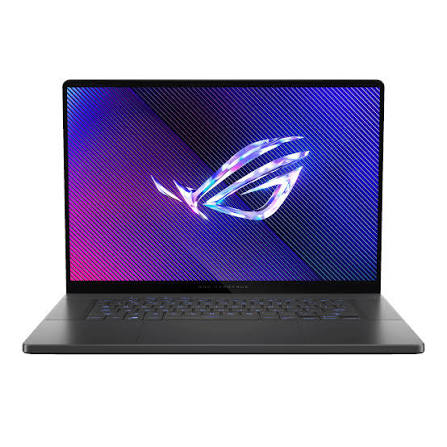
· Related Reisen listing: ASUS ROG Zephyrus G16 (2024) GU605MV | Ultimate Gaming Powerhouse
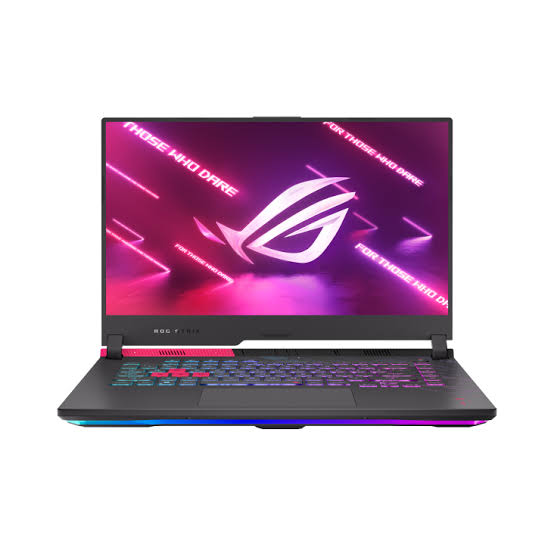
· Related Reisen listing: ASUS ROG Strix G15 G513IC | Gaming Laptop with AMD Ryzen 7 Performance
Manufacturer reference: ASUS specifications / product information
For a quotation, use the Reisen listing for ASUS Vivobook Pro 15 OLED K6500ZH 15.6-Inch Creator Laptop and provide the exact model code, intended location and key compatibility requirements. Ask for the current product price, stock position, delivery scope and any separate commissioning costs. This keeps the order tied to a real customer need and reduces mismatches between a product photograph and the supplied configuration.
Frequently Asked Questions
What is K6500ZH used for?
ASUS Vivobook Pro 15 OLED K6500ZH 15.6-Inch Creator Laptop is intended for applications such as photography and design editing workstation. Its role should be understood from the actual product category and stated interfaces, rather than from an unrelated device with a similar name. OLED picture quality for visual content work is one relevant function.
Is K6500ZH suitable for a business in Kenya?
It can be considered when a business requirement matches the verified capability and the local installation setting. In particular, resolve GTX 1650 Max-Q claim against manufacturer part label. Consider total delivered cost, compatible accessories and after-sales support as part of the decision.
How do I confirm compatibility before ordering?
Compare the complete model or SKU, the required connection, and its power, physical or software conditions. For this product, confirm native panel resolution and refresh rate. If the item is a generic accessory, a photo of the actual supplied item or its packaging may be necessary.
Does the stated specification guarantee performance?
No specification should be treated as a guarantee of every field result. For K6500ZH, check the actual installed GPU and full part number before choosing the laptop for graphics-heavy work. Performance depends on the wider installation and workload. Agree on realistic acceptance tests rather than promising a universal result.
Are the RAM, SSD and display fixed for every unit?
No. The series identifier does not establish the exact supplied configuration. Do not guarantee SSD, RAM, panel refresh rate or preinstalled software from family-level naming. Verify the installed parts and model suffix on the actual laptop.
What else might I need to install it?
Plan compatible accessories and the required labor. Depending on the design, relevant items include color-accurate external monitor, usb-c portable drive, protective laptop bag. Do not assume these are part of the retail carton unless the seller lists them expressly.
Can the product be installed without a technician?
That depends on the installation environment and the experience of the buyer. Follow the exact model documentation and use a qualified technician whenever working at height, with mains power, optical sources, structural fixings, or a live business network. Identify full K6500ZH part number and model stickers.
How can I avoid buying the wrong variation?
Check the product title and the model printed on the hardware against the manufacturer page. Verify i7-12650H and Windows-installed processor identity. Similar product names can conceal different power inputs, features, generations or accessory interfaces.
How should I maintain it after purchase?
Keep the model identity, installation notes and contact details for support. Inspect the physical connection and review operating conditions as appropriate. Test representative creative applications and back up original assets. Maintenance should be based on the manufacturer instructions and the actual site.
Where can I order this product in Kenya?
Use the Reisen listing for ASUS Vivobook Pro 15 OLED K6500ZH 15.6-Inch Creator Laptop to check current quotation, stock information, and delivery or installation options. Ask for the exact model and the relevant accessories—particularly color-accurate external monitor—to be identified on the purchase record. Then confirm the finished scope before paying.
Buying Conclusion
ASUS Vivobook Pro 15 OLED K6500ZH 15.6-Inch Creator Laptop is most valuable when selected for the job it actually performs. Use the technical details, compatibility checks, installation workflow and related accessories above to assemble a realistic purchase plan. Confirm the exact device identity at ordering time, then test the finished installation with the equipment and workload it must support. Reisen can use that clear scope to prepare a relevant quotation rather than relying on a generic product category.
Additional information
| Product | Asus Vivobook Pro 15 OLED K6500ZH | 15.6-inch 2.8K OLED | Intel® Core™ i7-12650H | GTX 1650 Max Q Price in Kenya |
|---|---|
| Category | Gaming laptop Prices in Kenya |
| Price | KES 169,000.00 |
| Availability | In stock |
Keep exploringMore in Gaming laptop Prices in Kenya
Related products