Save 12%
Select an image to view it. Click the main image to enlarge.
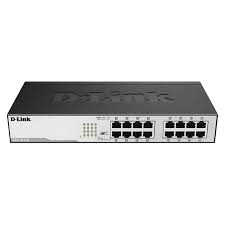
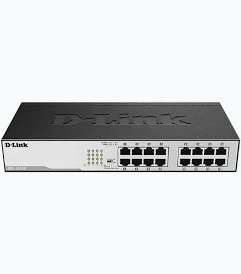
D-LINK-DGS1016D -16 PORT GIGABIT UNMANAGED SWITCH Price in Kenya
In stock
KES 6,599.00
KES 7,500.00
You save KES 901.00
Buy DGS-1016D in Kenya at Reisen. Compare verified features, installation needs, compatibility, and related equipment before ordering online.
View product detailsNeed help choosing?
Talk to our team at +254 714 804 532
Product details
D-LINK-DGS1016D -16 PORT GIGABIT UNMANAGED SWITCH
D-LINK-DGS1016D -16 PORT GIGABIT UNMANAGED SWITCH is listed in the Reisen Kenya catalog. The product described here is a 16-port Gigabit unmanaged switch. The most useful buying decision is whether its actual interfaces, power requirements, performance limits, and operating environment suit the site. This guide explains the model information that can be confirmed from the available documentation and the practical checks that avoid unnecessary replacements or installation delays.
For Kenyan buyers searching for DGS-1016D price in Kenya, the initial hardware cost is only one part of the decision. The full installation may also require suitable power equipment, the correct copper or fiber cables, mounting hardware, rack space, upstream Internet or routing, and a realistic support plan. Compare the exact order code and the supplier quotation before payment; a near-identical model name can represent a very different power budget, port mix, or accessory bundle.
For exact-model details, use the D-Link official DGS-1000 non-PoE comparison. Hardware revisions and regional options still need to match the unit being purchased.
What This Product Does and Who Should Buy It
This unmanaged switch adds wired Ethernet interfaces without a separate switch configuration process. It forwards data, but network services such as DHCP, Internet access, firewall rules and any central policy must be provided elsewhere.
Understanding unmanaged switching
An unmanaged Ethernet switch learns which devices are present through their MAC addresses and forwards traffic without a management console. This simplicity is useful when a buyer only needs additional wired connections. It does not provide a configurable firewall, captive portal, or independently managed VLAN policy. Network addressing normally still comes from the router or DHCP server elsewhere in the network.
Fast Ethernet versus Gigabit
A 10/100 Mbps port is a very different purchase from a 10/100/1000 Mbps port. Both may use the same RJ45 connector, yet a Fast Ethernet unit can become a bottleneck for file transfers, large camera streams, or fast Internet links. Match port rates to the slowest and fastest devices on the site. A Gigabit switch is appropriate only when the connected devices and their cabling can negotiate Gigabit speeds too.
PoE is not included by default
Ordinary unmanaged switches in this group are data switches, not powered camera hubs. An Ethernet cable from one of their ports can carry network traffic, but it will not normally power a PoE camera or access point. If the endpoint requires power over Ethernet, use a manufacturer-compatible injector or a dedicated PoE switch. Power must never be improvised by inserting unrelated voltage into an Ethernet lead.
How to Choose the Right Configuration in Kenya
· Count devices. Confirm it for the physical unit and the actual installation rather than trusting a similar model listing.
· Choose 100M or 1G. Confirm it for the physical unit and the actual installation rather than trusting a similar model listing.
· Confirm no PoE needed. Confirm it for the physical unit and the actual installation rather than trusting a similar model listing.
· Check cable quality. Confirm it for the physical unit and the actual installation rather than trusting a similar model listing.
· Verify link lights. Confirm it for the physical unit and the actual installation rather than trusting a similar model listing.

How to Buy DGS-1016D. Count devices; Choose 100M or 1G; Confirm no PoE needed; Check cable quality; Verify link lights.
Key Specifications
|
Feature |
Verified model information / purchase check |
|
Ports |
16 × 10/100/1000 Mbps Ethernet |
|
Management |
Unmanaged |
|
PoE output |
No PoE output in this model |
|
Switching capacity |
32 Gbps |
|
Power |
Internal AC power supply (model series comparison) |
Model suffixes, hardware revisions, exact accessory packs and regional certifications should be checked against the delivered hardware. Unverified details are intentionally excluded from definitive specifications.
What These Model Details Mean for Your Installation
Ports
Ports: 16 × 10/100/1000 Mbps Ethernet. A port count is useful only after the role of each socket is understood. Distinguish endpoint ports from uplinks and check whether a port supplies PoE, carries Gigabit data, or shares a combo interface. Draw a port schedule for the site before ordering.
Management
Management: Unmanaged. The supported management workflow determines who can configure the device and how a technician recovers it after a fault. Record administrator access and test the practical controls before treating a feature as available to every hardware revision.
PoE output
PoE output: No PoE output in this model. Power planning must be based on the real connected load and the exact input or output standard. A published aggregate wattage must not be mistaken for the amount available independently on every connection. Document the supply used and leave a safe operating margin.
Switching capacity
Switching capacity: 32 Gbps. This number is a technical capacity or signaling specification under documented conditions, not a promise of measured site performance. Actual results also depend on connected devices, cable or radio quality, settings and the wider network.
Power
Power: Internal AC power supply (model series comparison). Power planning must be based on the real connected load and the exact input or output standard. A published aggregate wattage must not be mistaken for the amount available independently on every connection. Document the supply used and leave a safe operating margin.
Installation Architecture and Connections
Plan the complete connection path before drilling, fixing a rack device or energizing the equipment. Identify the upstream router, cable type, source of electrical power and each supported endpoint. The connection layout below distinguishes network traffic from electrical supply so that installers can prepare the right cables and protection.

DGS-1016D installation diagram. The exact power method, endpoint support and cable type must match the installed product.
Understanding the Ports, Performance, and Practical Limits
Evaluate actual usable interface groups rather than relying on a single total port number. Uplinks, combo interfaces, downstream Ethernet sockets and powered ports have different roles. When comparing technical capacity, separate link signaling rates from customer throughput and check whether multiple physical connectors share one logical interface.

DGS-1016D verified capability comparison. Values are counts or stated signaling specifications, not an independent field benchmark.
Sizing the port count
Count the router connection as one occupied port. A nominal 8-port switch will not provide eight downstream client connections if a port is reserved for the uplink. Record workstations, printers, NVRs, access points, and spare capacity. If the estimate is already close to the limit, a 16-port or 24-port model may reduce cable clutter and avoid cascading unnecessary small switches.
Cabling and network layout
Route cables away from likely crush points, moisture, and avoidable electrical interference. Terminate both ends consistently using an accepted pinout standard. Check patch leads with a tester before interpreting a missing link as switch failure. A poorly made cable can negotiate 100 Mbps when the hardware otherwise supports Gigabit, creating confusing performance complaints.
Where a small switch fits
A desk switch is convenient for a reception counter, a small stockroom, classroom workstations, a cashier desk, or a group of nearby devices. It is less suitable as the sole distribution point for a multi-floor network requiring traffic policies, fiber uplinks, or redundant paths. Determine whether the network will need monitoring or VLAN control before committing to a strictly unmanaged product.
Planning Priorities for the Installation
A useful design starts with the customer’s problem and works backward to the hardware. Check the real site conditions, document the required coverage or port count, calculate electrical needs and agree on a support plan before ordering. The following selection framework helps organize those decisions in a practical sequence.

DGS-1016D deployment planning wheel. A qualitative planning framework rather than fabricated chart percentages.
Compatibility with Routers, Switches, Cameras, and Accessories
Compatibility is a chain of requirements. A connector that fits is not proof that two devices share the correct voltage, PoE protocol, optical standard, management method, or supported software features. Check each connection against the intended endpoint and physical hardware before buying or energizing a system.
For a practical comparison of the other end of the installation, review AICO 24-port patch panel in the Reisen catalog. This is useful for understanding the overall system design; exact interoperability or power compatibility still requires separate verification.

DGS-1016D compatibility matrix. Compatibility statements are conditional on the connected devices and revision.
How to Install and Use DGS-1016D
A Step by Step Guide to Installing and Using DGS-1016D
Step 1 — Confirm and document the exact hardware. Read the label on the physical unit and compare it with the quotation, packaging and official documentation where available. Record the serial number, revision and supplied accessories so later support decisions refer to the same product.
Step 2 — Plan the location and connections. Sketch the power path, data path and connected equipment before making permanent mounting holes or terminating cables. Identify access for maintenance and protection from dust, heat, water, accidental knocks or unauthorized tampering.
Step 3 — Check supply ratings and cabling. Verify the power method, matching connector, cable condition and route before applying voltage. Follow manufacturer and electrical-safety instructions. For PoE, confirm whether it is active or passive and calculate available budget.
Step 4 — Connect the minimum working system. Begin with the upstream network and one proven endpoint. Verify link indicators, IP addressing, correct media negotiation and application response before adding the remaining equipment. This isolates wiring and protocol issues.
Step 5 — Configure only supported features. Access documented management tools if the product actually supports them. Otherwise do not look for fictional dashboards on an unmanaged switch, patch panel, PDU, or basic storage device. Change default credentials where applicable.
Step 6 — Run an acceptance test. Test the real use case: network throughput for a switch, stable radio coverage for an AP, recorded footage for a camera, certified cabling for a panel, electrical load for a PDU, or sample restore for storage.
Step 7 — Record the as-built result. Document port assignments, routes, administrative recovery process, actual power loads, cable labels and any deviations from the original plan. Store the record securely for future service.
Onsite Commissioning and Troubleshooting
The strongest test is one that reproduces the customer’s intended use rather than merely showing a power light. Record both a successful baseline and a likely failure mode, so another technician can tell the difference between an endpoint problem, cable problem and network configuration problem.

DGS-1016D onsite verification map. Five areas to inspect during commissioning; no implied statistical values.
Troubleshooting link negotiation
If one workstation is slow, test a known-good cable, check its Ethernet adapter settings, and observe whether the link reports 100 Mbps or 1 Gbps. Swap ports only after recording which port and cable originally failed. A network loop created by connecting two paths without loop protection can disrupt an unmanaged LAN. Avoid connecting patch leads between switch ports merely to fill unused sockets.
Practical upgrade choices
When users begin sharing large files or transferring backups, the switch port speed and uplink architecture matter more than packaging slogans. Compare a lower-cost 100 Mbps unit with a Gigabit model based on current workload, planned lifespan, and expansion. For CCTV deployments, first distinguish the NVR’s network uplink needs from the separate power requirements of each camera.
Real-World Deployment Examples
Reception desk
A compact unmanaged switch can connect a payment terminal, office PC and network printer to the same upstream router where network policies are handled upstream. In a procurement review of DGS-1016D, identify the desired outcome, map the equipment already onsite, and list the minimum test that would prove the system works. This helps compare complete installed cost rather than only the list price. For a Kenya-based installation, also plan practical access for service, delivery logistics, and written handover information.
CCTV equipment room
An unpowered switch can link IP endpoints and an NVR, but cameras requiring PoE need a separate power source. In a procurement review of DGS-1016D, identify the desired outcome, map the equipment already onsite, and list the minimum test that would prove the system works. This helps compare complete installed cost rather than only the list price. For a Kenya-based installation, also plan practical access for service, delivery logistics, and written handover information.
Branch network refresh
Moving a 100Mbps bottleneck to Gigabit can make sense when switches, computers and the uplink are all capable of the new speed. In a procurement review of DGS-1016D, identify the desired outcome, map the equipment already onsite, and list the minimum test that would prove the system works. This helps compare complete installed cost rather than only the list price. For a Kenya-based installation, also plan practical access for service, delivery logistics, and written handover information.
Recommended Accessories and Related Products
A useful accessory solves a real limitation in the proposed installation. Do not order a powered device merely because it appears in a cross-selling block; first check mechanical fit, port standard, voltage, software support, power budget and the customer’s broader system.
For a related part of the same installation, explore DGS-108GL on Reisen to compare port counts, higher-speed uplink options and structured-cabling equipment. Check the linked product’s own specification and configuration before treating it as an exact compatible pair.
For a related part of the same installation, explore DGS-1024D on Reisen to compare port counts, higher-speed uplink options and structured-cabling equipment. Check the linked product’s own specification and configuration before treating it as an exact compatible pair.
For a related part of the same installation, explore CRS312-4C+8XG-RM on Reisen to compare port counts, higher-speed uplink options and structured-cabling equipment. Check the linked product’s own specification and configuration before treating it as an exact compatible pair.
For a separately sourced, relevant comparison where the project needs it, review Tawa’s DGS-108GL Gigabit switch comparison. This is a comparison resource rather than a claimed included accessory or guaranteed identical model.
Advantages and Limitations
· Advantage: 16-port gigabit unmanaged switch can simplify a correctly specified unmanaged installation when its real model and connections match the requirement.
· Advantage: The guidance above gives buyers a traceable way to compare ports, wiring, power and the complete bill of materials before payment.
· Limitation: Connected equipment, cable quality, installation conditions and firmware can limit the achievable result even when the product meets its own specification.
· Limitation: Accessories and compatibility must be confirmed for the exact supplied revision; a similar-looking unit is not a substitute for verification.
What’s in the Box
|
Item / component |
Status for this exact order |
|
Main unit |
Listed product; model and purchased bundle must match quotation |
|
Mounts / brackets |
Confirm included hardware for exact regional package |
|
Power accessories |
Confirm whether included; not assumed |
|
Documentation |
Confirm printed quick start and current online manuals |
Optional transceivers, Ethernet leads, power injectors, camera mounts and rack accessories must not be treated as included unless the exact package documentation confirms them.
Product Guides, Documentation, and Support
Check current installation instructions and supported revisions in the official manufacturer model documentation. A reseller photo or generic wiring video cannot establish the hardware version in your box.
Warranty and Returns
Confirm current written warranty conditions, replacement eligibility, inspection requirements, original packaging requirements and delivery terms with Reisen before ordering. No fixed warranty period or return window is promised here because the exact seller policy for this product has not been verified.
Frequently Asked Questions About DGS-1016D
Can I buy this product in Kenya?
DGS-1016D is listed in the Reisen catalog. Confirm live stock, final quote, payment conditions, delivery coverage and the exact supplied revision at checkout.
Does this product automatically power connected devices?
Only when the actual hardware and appropriate powered ports support the required power standard. A passive panel, unpowered switch or external disk does not deliver Ethernet PoE merely because it has an Ethernet-related role.
Will it work with equipment from another brand?
It may, where protocols, voltage, connector type, firmware, cabling and performance requirements match. Cross-brand support must be tested rather than assumed from a similar port shape.
Does the price include installation?
The catalog hardware listing alone does not establish labor, mounting, cable, transport or configuration charges. Ask for a written installed-system quotation if those services are needed.
What should I test after installation?
Verify the intended result end to end, including link or signal quality, stable electrical supply, correct addressing or data transfers, authorized access and a documented recovery procedure.
What is the main mistake to avoid?
Do not substitute another model or revision for DGS-1016D without comparing the actual function, port layout, power method and manufacturer documents.
How to Order in Kenya
Before placing a purchase order for DGS-1016D, send the exact model code, required quantity, destination county, intended application and expected installation date. Ask Reisen to confirm hardware revision, available stock, package contents, warranty terms and any optional installation accessories. Procurement teams can request a formal quotation and compare the total installed cost, including VAT treatment and delivery arrangements, rather than comparing incomplete hardware-only prices.
Reisen is working toward being a leading eCommerce platform in Kenya and a leading eCommerce platform in Africa through useful technical product information, transparent buying guidance and supportable purchasing decisions. These are business aspirations, not claims of independently proven market leadership.
Additional information
| Product | D-LINK-DGS1016D -16 PORT GIGABIT UNMANAGED SWITCH Price in Kenya |
|---|---|
| Category | Network Switches |
| Price | KES 6,599.00 |
| Availability | In stock |
Keep exploringMore in Network Switches
Related products