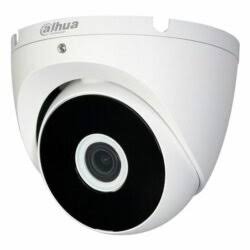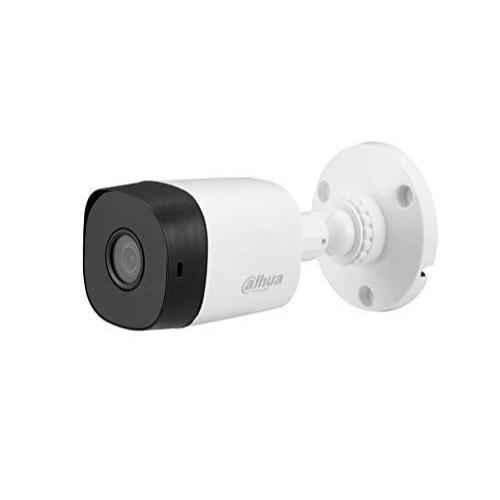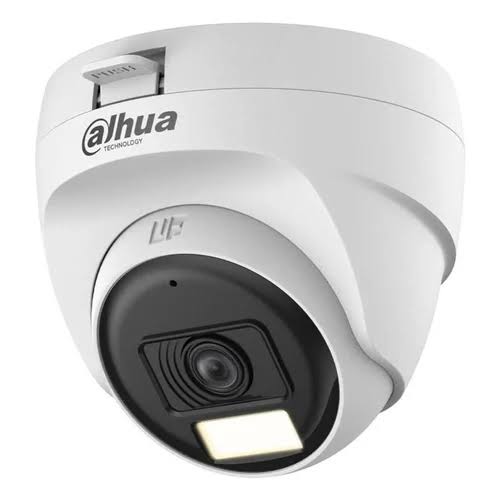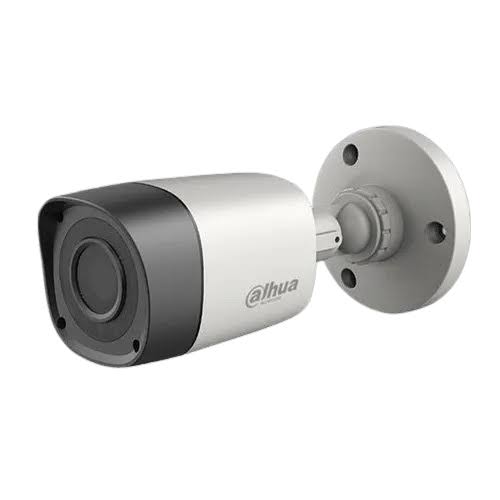
Save 23%
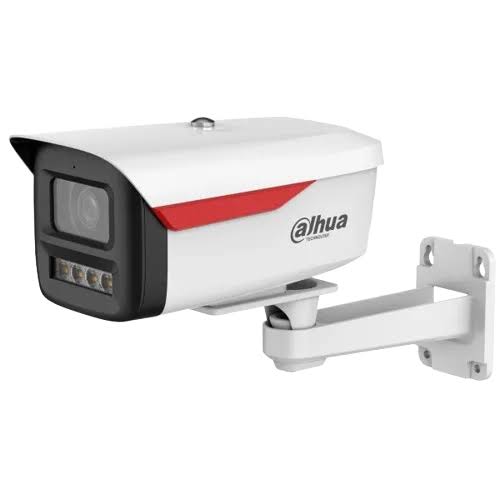
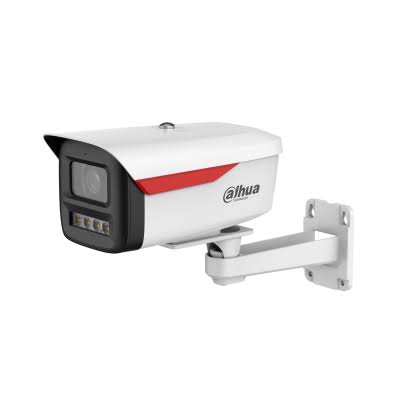
Select an image to view it. Click the main image to enlarge.
DAHUA DH-1PC-HFW2449M-S-B-PRO Price in Kenya
In stock
KES 9,199.00
KES 12,000.00
You save KES 2,801.00
Buy DH-IPC-HFW2449M-S-B-PRO in Kenya at Reisen. Compare verified features, installation needs, compatibility, and related equipment before ordering online.
View product detailsNeed help choosing?
Talk to our team at +254 714 804 532
Product details
DAHUA DH-1PC-HFW2449M-S-B-PRO
DAHUA DH-1PC-HFW2449M-S-B-PRO is listed in the Reisen Kenya catalog. The product described here is a 4MP WizColor bullet IP camera. The most useful buying decision is whether its actual interfaces, power requirements, performance limits, and operating environment suit the site. This guide explains the model information that can be confirmed from the available documentation and the practical checks that avoid unnecessary replacements or installation delays.
For Kenyan buyers searching for DH-IPC-HFW2449M-S-B-PRO price in Kenya, the initial hardware cost is only one part of the decision. The full installation may also require suitable power equipment, the correct copper or fiber cables, mounting hardware, rack space, upstream Internet or routing, and a realistic support plan. Compare the exact order code and the supplier quotation before payment; a near-identical model name can represent a very different power budget, port mix, or accessory bundle.
For exact-model details, use the Dahua official IPC-HFW2449M-S-B-PRO specifications. Hardware revisions and regional options still need to match the unit being purchased.
What This Product Does and Who Should Buy It
This IP camera captures video and delivers encoded streams to authorized viewers or a compatible recording system. It must be placed for the required field of view and powered according to the actual hardware specifications.
Choosing a viewpoint before mounting
A camera is useful only when the chosen lens and mounting point capture the intended event. Decide whether the goal is general activity monitoring, a doorway, a vehicle entrance, or a narrow passage. Review the actual focal length supplied, because two variants of the same model can have different field-of-view widths. Mounting too high may reduce facial detail while mounting too low can invite tampering.
Resolution and evidence needs
A 4MP image can provide more pixel detail than 2MP under comparable conditions, but resolution does not compensate for poor lighting, motion blur, compression settings, or distant subjects. Choose the viewing angle and expected subject distance first. For entry points, test a person at the actual position where identification is required. Use sample footage from both daytime and low-light conditions before final acceptance.
Low-light color and illumination
WizColor and warm-light functions can improve nighttime scene visibility when configured and installed properly. Published illumination ranges are model and lens dependent and are not guarantees of identification at those distances. Direct reflected light can overexpose nearby surfaces; vegetation can cause nuisance motion events. Adjust angles and illumination to the actual scene rather than setting the brightest mode automatically.
How to Choose the Right Configuration in Kenya
· Verify camera SKU. Confirm it for the physical unit and the actual installation rather than trusting a similar model listing.
· Choose lens and view. Confirm it for the physical unit and the actual installation rather than trusting a similar model listing.
· Plan compatible NVR. Confirm it for the physical unit and the actual installation rather than trusting a similar model listing.
· Budget PoE / DC. Confirm it for the physical unit and the actual installation rather than trusting a similar model listing.
· Test day and night. Confirm it for the physical unit and the actual installation rather than trusting a similar model listing.

How to Buy DH-IPC-HFW2449M-S-B-PRO. Verify camera SKU; Choose lens and view; Plan compatible NVR; Budget PoE / DC; Test day and night.
Key Specifications
|
Feature |
Verified model information / purchase check |
|
Image resolution |
4MP |
|
Product family |
WizColor WizSense bullet network camera |
|
Power |
12V DC or PoE (model family) |
|
Weather protection |
IP67 (model family) |
|
Compression |
H.264/H.265 family support; revision-dependent details |
|
Lens |
Fixed focal; confirm supplied focal length |
Model suffixes, hardware revisions, exact accessory packs and regional certifications should be checked against the delivered hardware. Unverified details are intentionally excluded from definitive specifications.
What These Model Details Mean for Your Installation
Image resolution
Image resolution: 4MP. This number is a technical capacity or signaling specification under documented conditions, not a promise of measured site performance. Actual results also depend on connected devices, cable or radio quality, settings and the wider network.
Product family
Product family: WizColor WizSense bullet network camera. Match this detail to the actual job: the room, cabinet, site conditions, compatible endpoints and desired maintenance procedure. It is useful when comparing quotations, but should not be extrapolated into other specifications that the manufacturer did not document.
Power
Power: 12V DC or PoE (model family). Power planning must be based on the real connected load and the exact input or output standard. A published aggregate wattage must not be mistaken for the amount available independently on every connection. Document the supply used and leave a safe operating margin.
Weather protection
Weather protection: IP67 (model family). Match this detail to the actual job: the room, cabinet, site conditions, compatible endpoints and desired maintenance procedure. It is useful when comparing quotations, but should not be extrapolated into other specifications that the manufacturer did not document.
Compression
Compression: H.264/H.265 family support; revision-dependent details. Match this detail to the actual job: the room, cabinet, site conditions, compatible endpoints and desired maintenance procedure. It is useful when comparing quotations, but should not be extrapolated into other specifications that the manufacturer did not document.
Installation Architecture and Connections
Plan the complete connection path before drilling, fixing a rack device or energizing the equipment. Identify the upstream router, cable type, source of electrical power and each supported endpoint. The connection layout below distinguishes network traffic from electrical supply so that installers can prepare the right cables and protection.

DH-IPC-HFW2449M-S-B-PRO installation diagram. The exact power method, endpoint support and cable type must match the installed product.
Understanding the Ports, Performance, and Practical Limits
Evaluate actual usable interface groups rather than relying on a single total port number. Uplinks, combo interfaces, downstream Ethernet sockets and powered ports have different roles. When comparing technical capacity, separate link signaling rates from customer throughput and check whether multiple physical connectors share one logical interface.

DH-IPC-HFW2449M-S-B-PRO verified capability comparison. Values are counts or stated signaling specifications, not an independent field benchmark.
Network and recorder compatibility
An IP camera uses an Ethernet network and may communicate with a compatible NVR; an analog DVR input is not interchangeable. Check ONVIF profiles, manufacturer protocol support, firmware versions, recording resolution, audio support, and detection-event interoperability. A basic ONVIF live video connection does not guarantee every smart event reaches the recorder. Test the full workflow before buying several cameras.
Power and cable integrity
The listed camera family accepts 12V DC and standard PoE, but the supply used must match the delivered hardware revision. Where PoE is selected, calculate switch-port budgets and route cables with weather-protected terminations. Do not use an exposed indoor patch connector outdoors. A surge-conscious deployment may also need suitable grounding and manufacturer-approved protective accessories.
Storage and retention
Continuous recording can consume substantial storage. The actual requirement depends on resolution, codec, frame rate, bitrate, activity, recording schedule, and retention policy. A nominal disk size alone does not establish the number of days of footage. Estimate a bitrate range, calculate daily data use, allow space for system overhead, and verify the actual recorder supports the selected storage configuration.
Planning Priorities for the Installation
A useful design starts with the customer’s problem and works backward to the hardware. Check the real site conditions, document the required coverage or port count, calculate electrical needs and agree on a support plan before ordering. The following selection framework helps organize those decisions in a practical sequence.

DH-IPC-HFW2449M-S-B-PRO deployment planning wheel. A qualitative planning framework rather than fabricated chart percentages.
Compatibility with Routers, Switches, Cameras, and Accessories
Compatibility is a chain of requirements. A connector that fits is not proof that two devices share the correct voltage, PoE protocol, optical standard, management method, or supported software features. Check each connection against the intended endpoint and physical hardware before buying or energizing a system.
For a practical comparison of the other end of the installation, review DH-CS4220-16GT-135 in the Reisen catalog. This is useful for understanding the overall system design; exact interoperability or power compatibility still requires separate verification.

DH-IPC-HFW2449M-S-B-PRO compatibility matrix. Compatibility statements are conditional on the connected devices and revision.
How to Install and Use DH-IPC-HFW2449M-S-B-PRO
A Step by Step Guide to Installing and Using DH-IPC-HFW2449M-S-B-PRO
Step 1 — Confirm and document the exact hardware. Read the label on the physical unit and compare it with the quotation, packaging and official documentation where available. Record the serial number, revision and supplied accessories so later support decisions refer to the same product.
Step 2 — Plan the location and connections. Sketch the power path, data path and connected equipment before making permanent mounting holes or terminating cables. Identify access for maintenance and protection from dust, heat, water, accidental knocks or unauthorized tampering.
Step 3 — Check supply ratings and cabling. Verify the power method, matching connector, cable condition and route before applying voltage. Follow manufacturer and electrical-safety instructions. For PoE, confirm whether it is active or passive and calculate available budget.
Step 4 — Connect the minimum working system. Begin with the upstream network and one proven endpoint. Verify link indicators, IP addressing, correct media negotiation and application response before adding the remaining equipment. This isolates wiring and protocol issues.
Step 5 — Configure only supported features. Access documented management tools if the product actually supports them. Otherwise do not look for fictional dashboards on an unmanaged switch, patch panel, PDU, or basic storage device. Change default credentials where applicable.
Step 6 — Run an acceptance test. Test the real use case: network throughput for a switch, stable radio coverage for an AP, recorded footage for a camera, certified cabling for a panel, electrical load for a PDU, or sample restore for storage.
Step 7 — Record the as-built result. Document port assignments, routes, administrative recovery process, actual power loads, cable labels and any deviations from the original plan. Store the record securely for future service.
Onsite Commissioning and Troubleshooting
The strongest test is one that reproduces the customer’s intended use rather than merely showing a power light. Record both a successful baseline and a likely failure mode, so another technician can tell the difference between an endpoint problem, cable problem and network configuration problem.

DH-IPC-HFW2449M-S-B-PRO onsite verification map. Five areas to inspect during commissioning; no implied statistical values.
Privacy and user access
A CCTV system should collect only the footage needed for its legitimate security purpose and restrict who can view or export recordings. Configure unique administrator credentials and role-based access. Keep cameras and NVR firmware updated under a managed process and prevent guest Wi-Fi devices from reaching the surveillance management network. For audio recording, consider the applicable privacy expectations and policies for the site.
Testing after installation
A successful installation should produce stable daytime video, usable low-light video, sensible motion events, correct time stamps, accessible recordings, and a clear maintenance record. Test each camera in the actual location rather than assuming a factory bench test proves field performance. Confirm rain-protection details, cable strain relief, and the chosen field of view before permanently closing the mount.
Real-World Deployment Examples
Doorway monitoring
At an entrance, mount to capture usable detail without backlighting the subject and verify the night image before accepting the work. In a procurement review of DH-IPC-HFW2449M-S-B-PRO, identify the desired outcome, map the equipment already onsite, and list the minimum test that would prove the system works. This helps compare complete installed cost rather than only the list price. For a Kenya-based installation, also plan practical access for service, delivery logistics, and written handover information.
Parking area
Wide coverage may conflict with the ability to identify a distant vehicle. Lens and camera position should be tested instead of relying on a resolution label. In a procurement review of DH-IPC-HFW2449M-S-B-PRO, identify the desired outcome, map the equipment already onsite, and list the minimum test that would prove the system works. This helps compare complete installed cost rather than only the list price. For a Kenya-based installation, also plan practical access for service, delivery logistics, and written handover information.
Warehouse access
Weather sealing and cable-entry protection matter even when the camera itself has an outdoor protection rating. In a procurement review of DH-IPC-HFW2449M-S-B-PRO, identify the desired outcome, map the equipment already onsite, and list the minimum test that would prove the system works. This helps compare complete installed cost rather than only the list price. For a Kenya-based installation, also plan practical access for service, delivery logistics, and written handover information.
Recommended Accessories and Related Products
A useful accessory solves a real limitation in the proposed installation. Do not order a powered device merely because it appears in a cross-selling block; first check mechanical fit, port standard, voltage, software support, power budget and the customer’s broader system.
For a related part of the same installation, explore DH-CS4226-24ET-240 on Reisen to evaluate an upstream network switch, an NVR-compatible topology or storage needs. Check the linked product’s own specification and configuration before treating it as an exact compatible pair.
For a related part of the same installation, explore DH-CS4220-16GT-135 on Reisen to evaluate an upstream network switch, an NVR-compatible topology or storage needs. Check the linked product’s own specification and configuration before treating it as an exact compatible pair.
For a related part of the same installation, explore DH-CS4228-24GT-240 on Reisen to evaluate an upstream network switch, an NVR-compatible topology or storage needs. Check the linked product’s own specification and configuration before treating it as an exact compatible pair.
For a separately sourced, relevant comparison where the project needs it, review Tawa’s CCTV camera and recorder selection. This is a comparison resource rather than a claimed included accessory or guaranteed identical model.
Advantages and Limitations
· Advantage: 4mp wizcolor bullet ip camera can simplify a correctly specified camera installation when its real model and connections match the requirement.
· Advantage: The guidance above gives buyers a traceable way to compare ports, wiring, power and the complete bill of materials before payment.
· Limitation: Connected equipment, cable quality, installation conditions and firmware can limit the achievable result even when the product meets its own specification.
· Limitation: Accessories and compatibility must be confirmed for the exact supplied revision; a similar-looking unit is not a substitute for verification.
What’s in the Box
|
Item / component |
Status for this exact order |
|
Main unit |
Listed product; model and purchased bundle must match quotation |
|
Mounts / brackets |
Confirm included hardware for exact regional package |
|
Power accessories |
Confirm whether included; not assumed |
|
Documentation |
Confirm printed quick start and current online manuals |
Optional transceivers, Ethernet leads, power injectors, camera mounts and rack accessories must not be treated as included unless the exact package documentation confirms them.
Product Guides, Documentation, and Support
Check current installation instructions and supported revisions in the official manufacturer model documentation. A reseller photo or generic wiring video cannot establish the hardware version in your box.
Warranty and Returns
Confirm current written warranty conditions, replacement eligibility, inspection requirements, original packaging requirements and delivery terms with Reisen before ordering. No fixed warranty period or return window is promised here because the exact seller policy for this product has not been verified.
Frequently Asked Questions About DH-IPC-HFW2449M-S-B-PRO
Can I buy this product in Kenya?
DH-IPC-HFW2449M-S-B-PRO is listed in the Reisen catalog. Confirm live stock, final quote, payment conditions, delivery coverage and the exact supplied revision at checkout.
Does this product automatically power connected devices?
Only when the actual hardware and appropriate powered ports support the required power standard. A passive panel, unpowered switch or external disk does not deliver Ethernet PoE merely because it has an Ethernet-related role.
Will it work with equipment from another brand?
It may, where protocols, voltage, connector type, firmware, cabling and performance requirements match. Cross-brand support must be tested rather than assumed from a similar port shape.
Does the price include installation?
The catalog hardware listing alone does not establish labor, mounting, cable, transport or configuration charges. Ask for a written installed-system quotation if those services are needed.
What should I test after installation?
Verify the intended result end to end, including link or signal quality, stable electrical supply, correct addressing or data transfers, authorized access and a documented recovery procedure.
What is the main mistake to avoid?
Do not substitute another model or revision for DH-IPC-HFW2449M-S-B-PRO without comparing the actual function, port layout, power method and manufacturer documents.
How to Order in Kenya
Before placing a purchase order for DH-IPC-HFW2449M-S-B-PRO, send the exact model code, required quantity, destination county, intended application and expected installation date. Ask Reisen to confirm hardware revision, available stock, package contents, warranty terms and any optional installation accessories. Procurement teams can request a formal quotation and compare the total installed cost, including VAT treatment and delivery arrangements, rather than comparing incomplete hardware-only prices.
Reisen is working toward being a leading eCommerce platform in Kenya and a leading eCommerce platform in Africa through useful technical product information, transparent buying guidance and supportable purchasing decisions. These are business aspirations, not claims of independently proven market leadership.
Additional information
| Product | DAHUA DH-1PC-HFW2449M-S-B-PRO Price in Kenya |
|---|---|
| Category | CCTV Security Cameras |
| Price | KES 9,199.00 |
| Availability | In stock |
Keep exploringMore in CCTV Security Cameras
Related products