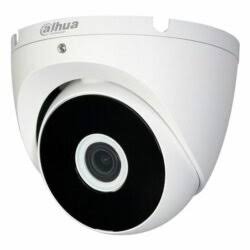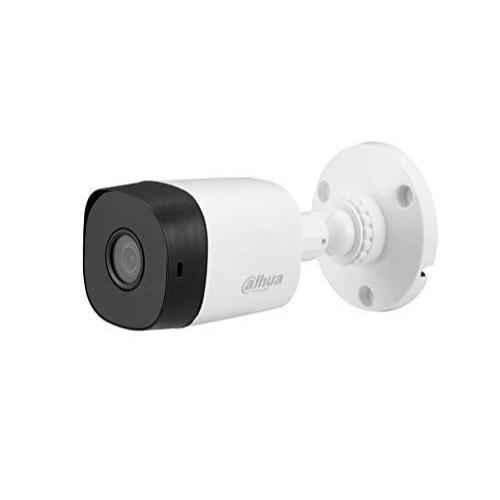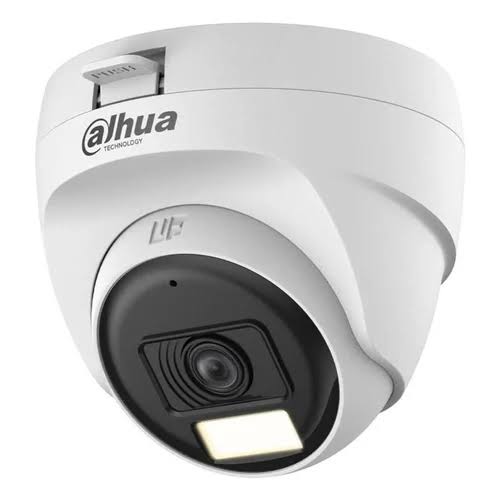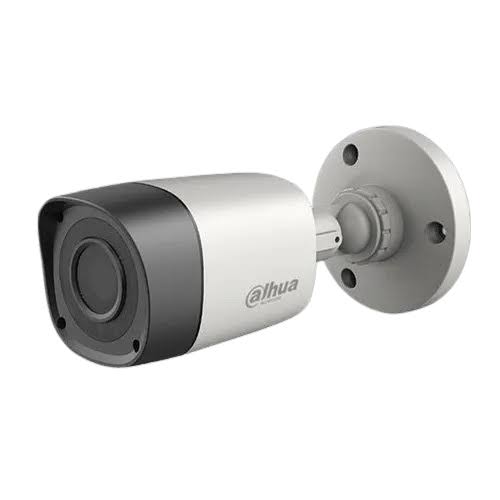
Save 11%
Select an image to view it. Click the main image to enlarge.
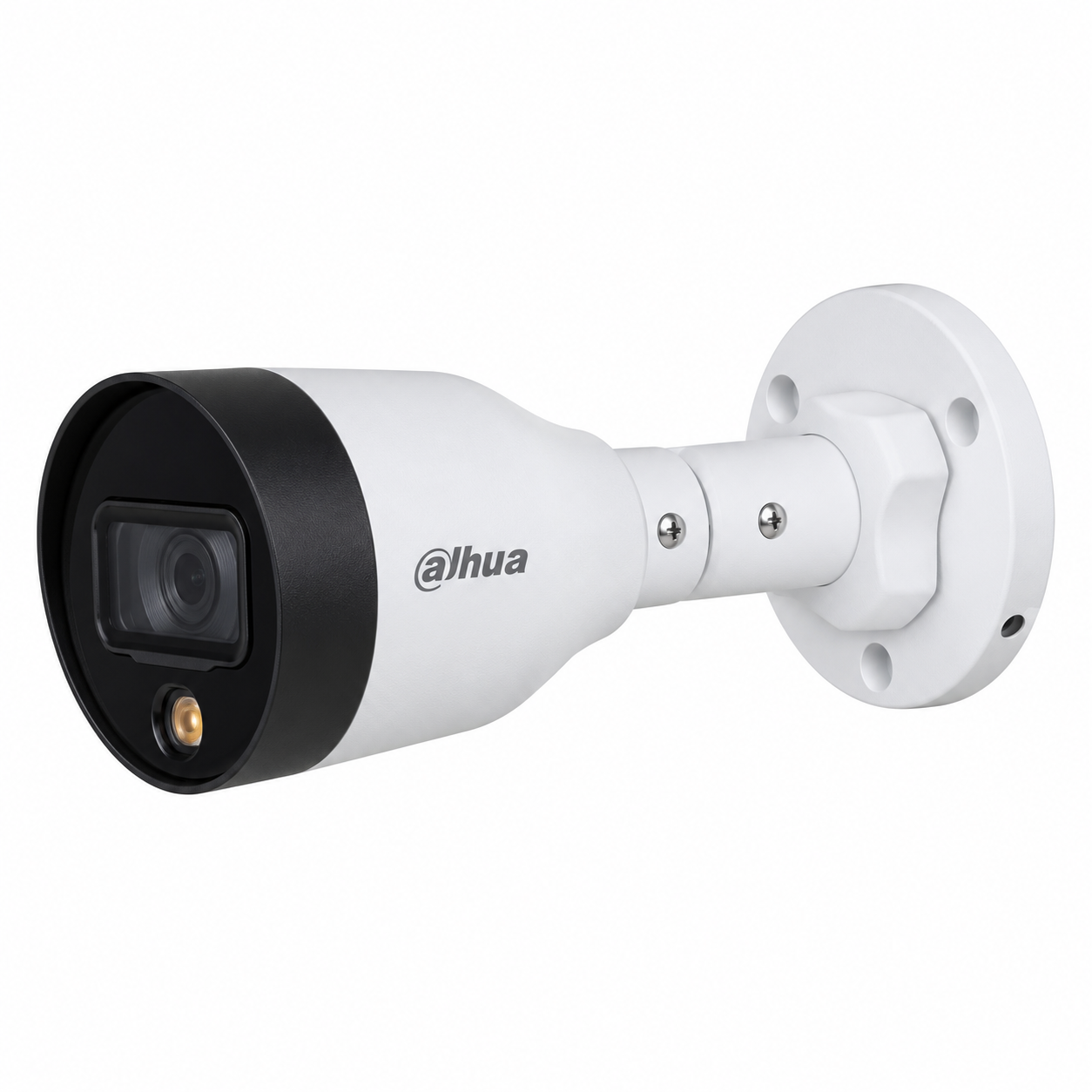
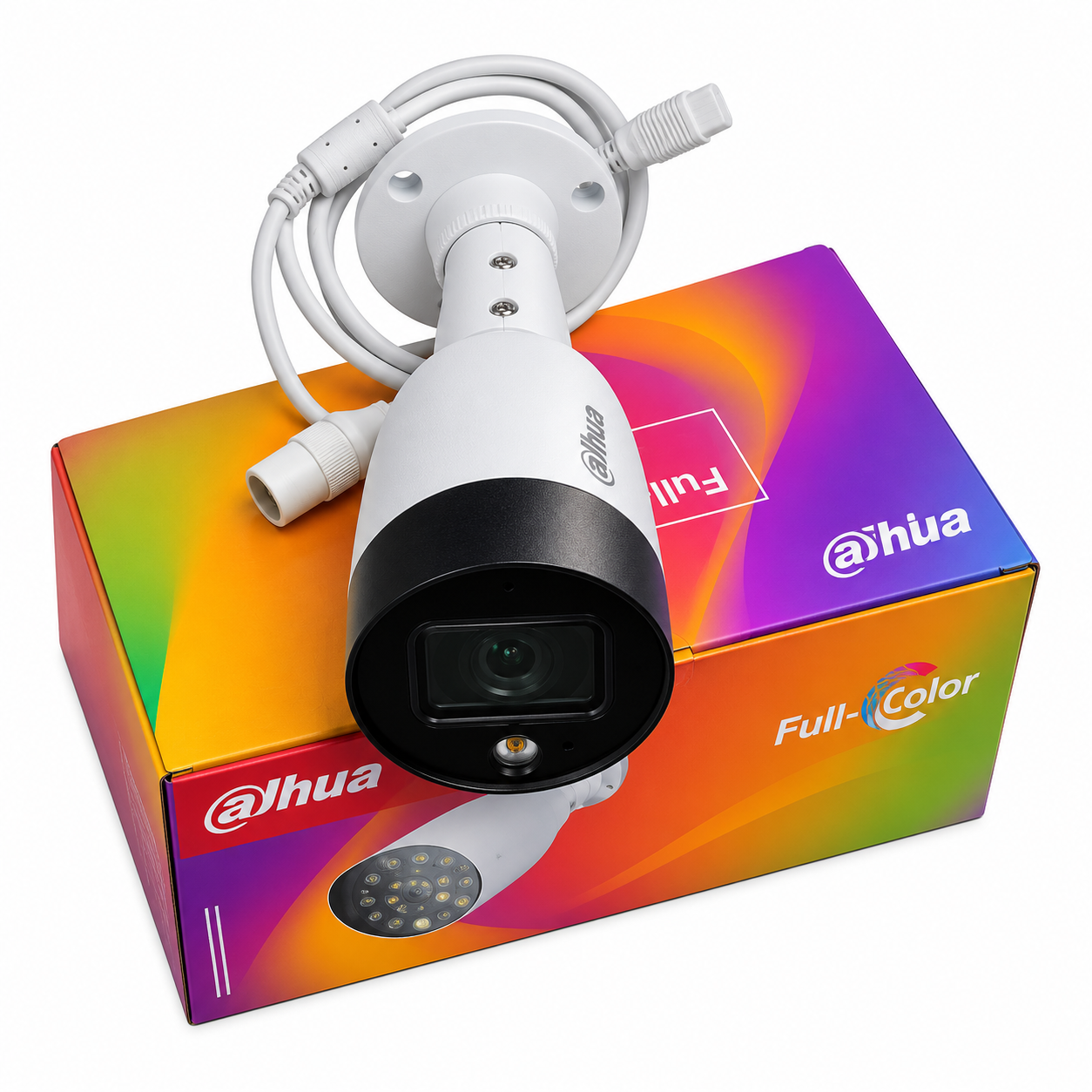
DAHUA DH-IPC-HFW1239SIP-A-LED-0360B Price in Kenya
In stock
KES 4,000.00
KES 4,500.00
You save KES 500.00
Buy DH-IPC-HFW1239SIP-A-LED-0360B in Kenya at Reisen. Compare a Dahua IP bullet camera and the related cabling and video recording options.
View product detailsNeed help choosing?
Talk to our team at +254 714 804 532
Product details
DAHUA DH-IPC-HFW1239SIP-A-LED-0360B Price in Kenya
Overview
DAHUA DH-IPC-HFW1239SIP-A-LED-0360B is offered through Reisen for Kenyan buyers planning a IP camera deployment. The strongest purchase case for this listing is a system in which its actual interfaces, recording method and mounting conditions are understood before installation. Important documented model information includes device class: Dahua network bullet-style surveillance camera; lens identifier: 0360B in the listed model code; selection consideration: Frame rate and night range depend on the supplied camera variant. Select the complete installation around the final unit, not around a visually similar product family.
For homes, offices, stores, estates, warehouses, and institutions, a reliable IP surveillance systems installation depends on correct cabling, equipment compatibility, placement, and long-term maintenance. A well-designed security system should be easy to test, troubleshoot, and expand. This guide explains how to plan the purchase of DAHUA DH-IPC-HFW1239SIP-A-LED-0360B with those priorities in mind.
How to Buy DAHUA DH-IPC-HFW1239SIP-A-LED-0360B

Confirm the exact SKU, installation context, and required accessories before ordering.
Key Specifications
The following specification fields help match DAHUA DH-IPC-HFW1239SIP-A-LED-0360B to the correct camera, recorder and supporting installation equipment. Exact hardware editions can differ in features and included accessories; use the full model code when planning a purchase.
|
Item / Specification |
Details |
|
Product model |
DAHUA DH-IPC-HFW1239SIP-A-LED-0360B |
|
Device class |
Dahua network bullet-style surveillance camera |
|
Lens identifier |
0360B in the listed model code |
|
Selection consideration |
Frame rate and night range depend on the supplied camera variant |
Installation Connection Flow

This connection flow shows the supporting equipment classes to review before installation; it does not imply that the accessories are supplied with the product.
Resolution and Technical Planning

The bar graphic compares resolution reference points where model resolution is documented; otherwise it counts editorial planning checks, not a performance claim.
Site Survey Checklist Mix

A chart of twelve practical pre-installation questions, grouped by signal, power, storage and commissioning. These are planning tasks rather than hardware specifications.
Deployment Decisions

The bubbles represent counts of decisions in a sample site-survey framework, not scores assigned to camera performance.
Compatibility Checklist

Use this compatibility matrix to verify the device, power path and selected recording or monitoring equipment before purchase.
Features and Practical Benefits
The most important benefit of correctly specifying DAHUA DH-IPC-HFW1239SIP-A-LED-0360B is predictability. An installer who matches the power source, signal path, and recording or viewing equipment before deployment can avoid common commissioning delays.
Choose equipment based on the actual environment. Busy commercial sites require dependable access, documented configurations, and a clear maintenance plan. A single device is only one part of a complete security installation.
Suitable Applications
For a residential property, DAHUA DH-IPC-HFW1239SIP-A-LED-0360B may be considered as part of an appropriately designed entry-point, perimeter, or common-area security system. Confirm whether the chosen technology and mounting position satisfy the required viewing and privacy needs.
For retail, warehouse, and institutional sites, plan the complete IP surveillance systems arrangement around camera positioning or system endpoint locations, retention policy, safe cabling, and staff access controls. Do not assume that any one product independently provides recording or remote access.
Compatibility and System Planning
DAHUA DH-IPC-HFW1239SIP-A-LED-0360B is sold as an IP network surveillance camera. Match the Ethernet interface, supported streaming format and any applicable power mode to the recording network. The chosen NVR or monitoring platform must accept the actual stream and selected firmware edition. Document camera addressing, permissions and evidence retention.
Power requirements must be matched to the equipment label and official datasheet. A PoE switch is a sensible supporting product only for devices confirmed to accept compatible PoE. A separately powered analog device must never be connected to an assumed PoE supply.
Placement and Cable Routing
Position DAHUA DH-IPC-HFW1239SIP-A-LED-0360B for the required coverage while avoiding glare, accessible cable joints, exposed connectors, and unnecessary cable stress. Survey the route before drilling or pulling cables. Confirm indoor and outdoor suitability of the exact model.
Route properly rated Ethernet cabling from DAHUA DH-IPC-HFW1239SIP-A-LED-0360B to the security network and protect outdoor connections. Where the exact camera supports IEEE PoE, check both switch output standard and remaining shared budget. Test the NVR stream and camera grounding strategy after termination.
How to Install DAHUA DH-IPC-HFW1239SIP-A-LED-0360B
First verify the model number and inspect the supplied unit. Next, survey the installation site, identify suitable mounting points, and confirm the correct upstream equipment and power method.
Route and label the cables, fit the appropriate connectors, and secure the unit without damaging its housing. Connect the intended recorder or application, configure credentials securely, and test viewing, recording, time settings, and recovery after a power cycle.
A Step by Step Guide to Setting Up DAHUA DH-IPC-HFW1239SIP-A-LED-0360B
Step 1: Write down the exact model and hardware revision. Step 2: Check the manufacturer instructions for supply voltage, operating limits, and interfaces. Step 3: Prepare secure mounting and cable routes. Step 4: Connect the correct signal and power pathways.
Step 5: Initialize the device or connected recording system using unique strong credentials. Step 6: Set the correct date and time. Step 7: Test video or data delivery from the actual monitoring position. Step 8: Document configuration and schedule periodic maintenance.
Planning the Supporting Equipment
A complete installation for DAHUA DH-IPC-HFW1239SIP-A-LED-0360B often requires cabling, suitable switching or recording equipment, and protected power. For IP cameras and NVRs, compare the needs of your camera fleet against the available power, port count, and uplink capacity before ordering.
For analog cameras and connectors, concentrate on a suitable recorder, coaxial cable, secure BNC termination, and the correct power supply. The product category alone does not establish compatibility.
Troubleshooting
If DAHUA DH-IPC-HFW1239SIP-A-LED-0360B fails to appear in the viewer, verify power at the device, physical connections, input selection, and the configured network or signal mode. Change one variable at a time and retest before replacing hardware.
If images appear unstable, examine connector quality, supply stability, lighting, cable condition, and recorder configuration. For remote-access problems, review network security and connectivity settings rather than immediately opening public ports.
Pros and Considerations
An advantage of selecting DAHUA DH-IPC-HFW1239SIP-A-LED-0360B from a clearly identified catalog listing is the ability to plan the broader installation around a defined component. Its suitability still depends on the equipment already installed and the project specific needs.
Potential limitations include accessory costs, compatibility constraints, mounting conditions, and the need for professional configuration. Buyers should compare total installed cost rather than treating the device purchase price as the entire project budget.
Buying Advice in Kenya
Before buying DAHUA DH-IPC-HFW1239SIP-A-LED-0360B, ask for confirmation of the exact unit, included accessories, any regional differences, and the seller warranty. Request a complete quote covering cabling, installation, storage, and optional backup power.
For multi-camera projects, test a representative device and document the design before bulk purchasing. This helps reduce mismatched parts, unnecessary returns, and later rework.
For general wired distribution equipment, review network switch options. Confirm the precise interface, power budget, and project role before buying.
If the selected camera model supports standard PoE, examine PoE network switch options. Confirm the precise interface, power budget, and project role before buying.
For larger managed Ethernet deployments, compare UniFi Standard 24 PoE switch. Confirm the precise interface, power budget, and project role before buying.
What the Exact Model Changes
The engineering and buying case for DAHUA DH-IPC-HFW1239SIP-A-LED-0360B is not the same as for every product in its category. Do not assume a motorized zoom lens based on listings for other HFW series cameras. Identify the actual model before choosing power, recorder and mounting accessories. A sensible procurement decision starts from the printed part number and follows through to the actual installation purpose. When a listing omits a suffix or identifies an older edition, compare the physical ports and supported software functions with the equipment already on site. This is especially important in Kenyan projects involving phased upgrades, where the original recorder and cameras may be several years old. A test unit or complete confirmed equipment schedule is often worth more than a small nominal discount on an incompatible part.
Specifications in Everyday Use
The relevant fields for DAHUA DH-IPC-HFW1239SIP-A-LED-0360B include device class (Dahua network bullet-style surveillance camera), lens identifier (0360B in the listed model code), selection consideration (Frame rate and night range depend on the supplied camera variant). These are not interchangeable marketing terms. A resolution figure affects the amount of image detail available to the recorder, while the power specification determines which injector, supply or switch can be used. Camera transport and codec support establish whether an existing platform can receive a stream at all. Mounting and enclosure details determine whether the design will survive a particular environment. Read the specifications as one connected set of system requirements, rather than selecting on a single headline number.
Planning the Total Cost of Ownership
The purchase price of DAHUA DH-IPC-HFW1239SIP-A-LED-0360B is only one element of the project budget. Allow for correctly matched cabling, mounting parts, safe power, recording or monitoring equipment, commissioning and future maintenance. An inexpensive device can lead to a costly installation if it forces rewiring or a recorder replacement. In a larger premises, consider technician access, outage recovery and the availability of replacement parts. For a household, ease of use and reliable notifications can matter more than a long list of advanced settings. Ask for a bill of materials and a clearly defined scope so there is no confusion about what is supplied or installed.
Selecting the recording method
For DAHUA DH-IPC-HFW1239SIP-A-LED-0360B, decide whether video will be stored in a compatible NVR, a supported local recording function, or a larger surveillance platform. The fact that a camera sends network video does not guarantee that every recorder will recognize its codec, features or analytics. Confirm the necessary ONVIF profile or manufacturer integration and compare supported video resolutions against the recorder decode limit. A warehouse may need continuous recording, while a small reception area might use scheduled or event-based policies. Test both live video and archived playback before completing a multi-camera purchase; recording failure is often invisible until someone needs evidence.
Power over Ethernet design
A network camera installation should start with a written port and power budget. If DAHUA DH-IPC-HFW1239SIP-A-LED-0360B supports standard PoE, the switch must provide the correct IEEE power mode and sufficient capacity for the combined cameras. If the exact unit instead requires a DC adapter, order the suitable adapter and plan the location of mains power safely. Consider the extra current that lighting or heating functions may draw on equipment where those features exist. Do not equate a switch having enough ports with having enough power budget. Separate camera VLANs and a well-documented cable map make later diagnosis and replacement easier.
Video quality and storage planning
The practical image from DAHUA DH-IPC-HFW1239SIP-A-LED-0360B depends on more than the advertised pixel count. Frame rate, camera angle, compression, focus, available light and scene movement all change how useful the footage is. A 4MP stream may give an installer more cropping flexibility than 2MP, but storage and network requirements often rise. Record a sample at intended settings and evaluate identification detail at the actual entrance, gate or aisle. If the camera supports H.265, check that the recorder can decode it. Establish a retention policy, then size the surveillance HDD according to measured stream bitrates rather than a single generic estimate.
Secure network commissioning
Treat DAHUA DH-IPC-HFW1239SIP-A-LED-0360B as a network endpoint that requires proper cyber hygiene. Initialize it using current supported firmware, change default credentials, create least-privilege user accounts and disable unnecessary exposed services. Keep camera addresses and VLAN membership in an installation register. Protect remote viewing with an approved application or secured network architecture instead of forwarding broad management ports to the public Internet. Review camera and recorder time settings so timestamps remain meaningful when comparing footage. A security system can undermine physical security if weak credentials make its video accessible to unauthorized parties.
Outdoor cable and enclosure details
Even when the specified version of DAHUA DH-IPC-HFW1239SIP-A-LED-0360B carries a weather rating, the Ethernet connector and any separate power joint still require suitable protection. Avoid placing unprotected RJ45 couplers in outdoor air or leaving downward cable loops that direct water toward the housing. Put cable slack where it will not stress the connector or the waterproof gland. Check the mounting substrate for vibration and service access before drilling. For exposed poles, consider cable routing, lightning and surge precautions appropriate to the site. A neat, testable cable installation improves the long-term value of a reliable camera.
Smart detection without nuisance alarms
If the exact firmware of DAHUA DH-IPC-HFW1239SIP-A-LED-0360B offers people, vehicles or intrusion analytics, configure alerts around the scene instead of relying on factory defaults. Moving trees, headlight beams and reflective gates can generate false triggers. Define detection regions away from busy public footpaths, then test events during daylight and after dark. Review privacy obligations when a camera covers shared or public-facing areas. For a business, useful notifications should direct attention to an actionable event; high alert volume can result in missed incidents. Any analytics claim must be matched to this exact camera revision and the chosen recording platform.
Office and warehouse deployment example
In an office or warehouse project, map DAHUA DH-IPC-HFW1239SIP-A-LED-0360B to a specific risk such as an emergency exit, stock door, receiving bay or cash counter. Decide which scene requires continuous recording and which may be monitored mainly for events. A higher-resolution camera at the loading dock can still be ineffective if a forklift blocks the view or headlights overwhelm the sensor. Survey the exact position and test a short sample recording at the planned settings. Include the camera’s switch port, expected cable length and recorder channel in the network register; the effort pays back when staff need to locate a fault or review an incident.
Model-Specific Acceptance Test
Before accepting DAHUA DH-IPC-HFW1239SIP-A-LED-0360B, run a practical test against the actual installation goal. Confirm device class against the supplied unit: Dahua network bullet-style surveillance camera. Confirm lens identifier against the supplied unit: 0360B in the listed model code. Confirm selection consideration against the supplied unit: Frame rate and night range depend on the supplied camera variant. After the equipment is installed, repeat the scene or signal test under normal operating conditions, check the recording or application path, and confirm that the owner can recover an example event. Note any differences between the installed hardware label and the procurement description before the final handover. These checks provide useful evidence of system readiness without treating unverified product-family features as guarantees.
Recommended Accessories and Related Products
An IP camera project usually involves a recorder, Ethernet cabling, standards-based power and protected connections. For an overview of related equipment, review 305 m Cat6 Ethernet cable. Select the final combination only after checking power, video interfaces, scene requirements and what the seller supplies.
For a small IP-camera network, compare the Dahua eight-channel PoE recorder if its channel capacity and PoE budget suit the complete installation.
Larger sites can compare a Dahua 32-channel NVR option while checking drive capacity, available channels and network bandwidth rather than assuming every recorder is interchangeable.
To compare camera housing styles and image requirements, look at the Dahua 2MP IP dome camera, which represents a different IP dome design rather than an automatically compatible replacement.
Where the camera supports standard PoE, explore PoE injectors; the injector standard and budget must match the actual camera.
A separate managed PoE switch options may be appropriate when the recorder has no powered ports or the camera count exceeds them.
For higher-port-count installations, a D-Link 28-port Gigabit PoE switch offers one switch alternative to assess against the total PoE budget.
For a small standards-based PoE segment, consider the UniFi Lite 8 PoE switch after checking per-port requirements and shared output capacity.
A multi-camera site may require a UniFi Standard 24 PoE switch if its available powered ports and 95 W total budget suit the connected equipment.
Good workmanship begins with structured Ethernet cabling; choose the right grade, jacket and termination for indoor or outdoor routes.
When selecting alternatives to this model, browse CCTV cameras and surveillance equipment and compare the exact camera type rather than simply the price.
For different recorder and camera options in the same ecosystem, review Dahua camera and recorder options while matching model revisions and the planned recording platform.
Projects needing alternative Dahua equipment may also explore Dahua installation products and request a bill of materials matched to the site.
Final Purchase and Handover Checklist
Before checkout, confirm the exact DAHUA DH-IPC-HFW1239SIP-A-LED-0360B model code, its intended scene, available power, signal or network route, and recording or user interface. Confirm which accessories are included and which must be purchased separately. After installation, ask for a short demonstration of the live feed or operating functions, a sample playback where supported, and the correct method for reporting a fault. Keep the original purchase documentation and a safe record of the system configuration. This approach gives customers a usable installation rather than merely a box of equipment. Reisen can help buyers plan suitable networking and security accessories around a complete equipment schedule.
To review the catalog listing for the exact model, see DAHUA DH-IPC-HFW1239SIP-A-LED-0360B on Reisen. Verify the selected variant, final quotation and availability before ordering.
What's in the Box
|
Included Item |
Quantity / Description |
|
Listed product |
1 — DAHUA DH-IPC-HFW1239SIP-A-LED-0360B |
Frequently Asked Questions
What should I check before purchase?
Confirm that DAHUA DH-IPC-HFW1239SIP-A-LED-0360B is the exact requested SKU, that its connections match your system, and that power and accessories are accounted for.
Can I connect this to any DVR or NVR?
No. The recorder must support the appropriate analog or IP connection, encoding format, and applicable channel and firmware requirements.
Does this product include cables and storage?
Do not assume so. Confirm the sales package and any separate equipment needed before payment.
Is this suitable for an outdoor installation?
Only if the exact model and mounting arrangement have a suitable environmental rating. Verify the official datasheet.
Can I manage it remotely?
This depends on the specific device, recorder, app and secure network configuration; not every camera or accessory offers standalone remote access.
How should I choose between alternatives?
Compare system type, resolution where relevant, power, installation location, recording workflow, and total installed cost.
Additional information
| Product | DAHUA DH-IPC-HFW1239SIP-A-LED-0360B Price in Kenya |
|---|---|
| Category | CCTV Security Cameras |
| Price | KES 4,000.00 |
| Availability | In stock |
Keep exploringMore in CCTV Security Cameras
Related products