Save 7%
Select an image to view it. Click the main image to enlarge.
DAHUA DH-PFS3226-24ET-240 Price i Kenya
In stock
KES 26,000.00
KES 28,000.00
You save KES 2,000.00
Buy Dahua DH-PFS3226-24ET-240 in Kenya at Reisen. Compare PoE camera networks, installation needs and related equipment.
View product detailsNeed help choosing?
Talk to our team at +254 714 804 532
Product details
DAHUA DH-PFS3226-24ET-240 Price in Kenya
Product Overview
DAHUA DH-PFS3226-24ET-240 is listed by Reisen for Kenyan buyers considering a PoE network switch. The most important question is how the exact supplied model fits the system already installed or planned. In this case the project should focus on power and traffic continuity, with special attention to PoE budget, device consumption and Ethernet uplink capacity. The useful purchase is the one that completes a dependable working solution, rather than the one with the longest list of loosely related specifications. At a site survey, consider camera wattages, copper links and uplink topology and require stable power and video under full occupancy before accepting the completed installation.
A practical example is A warehouse with more than a dozen distributed PoE cameras and a central uplink toward an NVR. The project should be priced from a written equipment schedule and an identifiable part number. Where a manufacturer publishes different editions within one product family, the buyer needs the correct edition rather than a specification copied from another look-alike unit. The following description explains the documented capabilities, installation decisions, supporting equipment and after-sales questions that matter when purchasing DAHUA DH-PFS3226-24ET-240 in Kenya.
Why Buyers Choose This Product Type
The PoE network switch category addresses a specific infrastructure problem. For DAHUA DH-PFS3226-24ET-240, the greatest benefit comes when the installation has a clear purpose: power and traffic continuity. The product can be one part of a full CCTV, office-network or premises-control solution, but it should not be expected to replace devices with different functions. An analog video balun is not a network switch; a data-only switch does not produce PoE; an XVR and NVR have different input requirements; a staff attendance terminal is not automatically a door-entry controller. Match the real role first and buy the supporting pieces only after their interfaces have been checked.
For customers comparing products in Nairobi or elsewhere in Kenya, commercial value is a combination of functional fit, equipment availability, installation labor and reliable support. A well-specified PoE network switch can reduce repeated site visits because the owner understands the connections and the technician has prepared appropriate accessories. Define what the system must do when it works normally and what a user should see when a fault occurs. That makes later service faster and keeps the buying decision grounded in observable results.

Confirm the full model code, actual device connections, approved power supply, and the equipment required for the intended site before checkout.
Key Specifications
The fields below are specific to the documented model or explicitly labeled as catalog identifiers and related-model evidence. They help customers compare DAHUA DH-PFS3226-24ET-240 with equipment already in place. Read port speed, video format, storage, lens and power details as separate constraints; one convenient connector does not establish complete system compatibility.
|
Specification |
Documented detail or buying check |
|
Catalog product |
DAHUA DH-PFS3226-24ET-240 |
|
Device class |
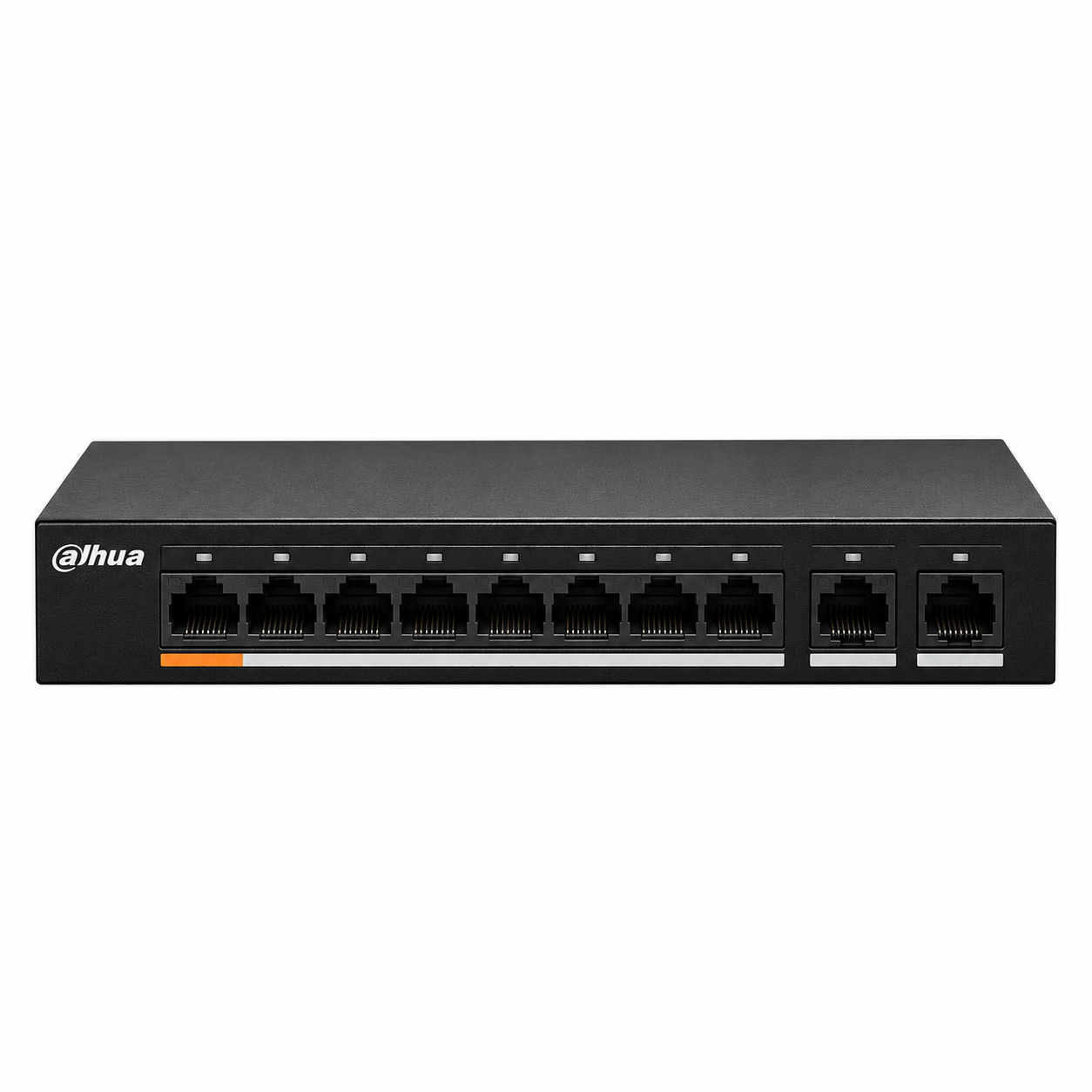
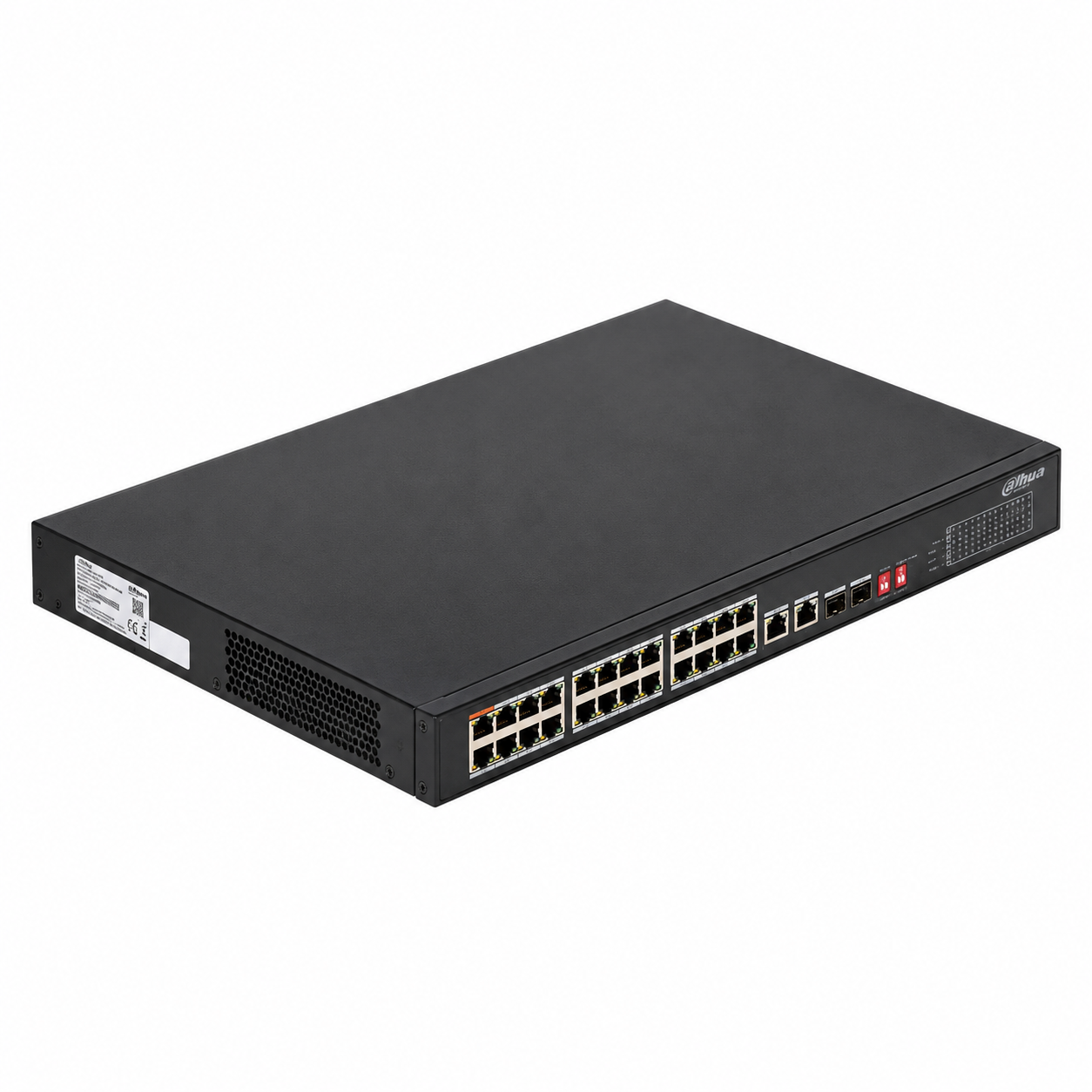
26-port unmanaged switch with 24 PoE access ports |
|
PoE access ports |
24 × 10/100 Mbps Ethernet |
|
Uplinks |
2 × Gigabit Ethernet / SFP combo positions |
|
Shared PoE power budget |
240 W |
|
PoE standards |
IEEE 802.3af, IEEE 802.3at and Hi-PoE |
|
PoE output on ports 1–2 |
Up to 60 W individually, subject to total power budget |
|
PoE output on ports 3–24 |
Up to 30 W individually, subject to total power budget |
|
Switching capacity |
8.8 Gbps |
|
Power input |
100–240 V AC |
Understanding the Specifications in Practice
Device class: What Buyers Should Know
The device class entry is described as 26-port unmanaged switch with 24 PoE access ports. For DAHUA DH-PFS3226-24ET-240, this is useful when a buyer compares the intended job with the actual unit. The number or descriptor should be interpreted within its technical context rather than turned into a promise about an entire installation. Check whether the related cable, recorder, power source and mounting arrangement can support this part of the specification before selecting accessories.
PoE access ports: What Buyers Should Know
For this model, poe access ports is stated as 24 × 10/100 Mbps Ethernet. The practical effect depends on how the product is connected and managed at the premises. An installer should use the official information for the exact edition and then test a realistic task after setup. If a site is reusing existing components, photograph the relevant labels and check compatibility before purchasing replacements. This prevents apparently similar hardware from being treated as interchangeable without evidence.
Uplinks: What Buyers Should Know
The listed uplinks is 2 × Gigabit Ethernet / SFP combo positions. That information helps define the bill of materials, but it does not replace field testing. Make sure the installation team understands whether the value describes capacity, an interface, a camera characteristic, or an ordering identifier. For reliable service, the user should know what part of this requirement to check when a fault occurs. Customer-facing documentation should preserve the exact model terminology.
Shared PoE power budget: What Buyers Should Know
The shared poe power budget entry is described as 240 W. For DAHUA DH-PFS3226-24ET-240, this is useful when a buyer compares the intended job with the actual unit. The number or descriptor should be interpreted within its technical context rather than turned into a promise about an entire installation. Check whether the related cable, recorder, power source and mounting arrangement can support this part of the specification before selecting accessories.
PoE standards: What Buyers Should Know
For this model, poe standards is stated as IEEE 802.3af, IEEE 802.3at and Hi-PoE. The practical effect depends on how the product is connected and managed at the premises. An installer should use the official information for the exact edition and then test a realistic task after setup. If a site is reusing existing components, photograph the relevant labels and check compatibility before purchasing replacements. This prevents apparently similar hardware from being treated as interchangeable without evidence.
PoE output on ports 1–2: What Buyers Should Know
The listed poe output on ports 1–2 is Up to 60 W individually, subject to total power budget. That information helps define the bill of materials, but it does not replace field testing. Make sure the installation team understands whether the value describes capacity, an interface, a camera characteristic, or an ordering identifier. For reliable service, the user should know what part of this requirement to check when a fault occurs. Customer-facing documentation should preserve the exact model terminology.
PoE output on ports 3–24: What Buyers Should Know
The poe output on ports 3–24 entry is described as Up to 30 W individually, subject to total power budget. For DAHUA DH-PFS3226-24ET-240, this is useful when a buyer compares the intended job with the actual unit. The number or descriptor should be interpreted within its technical context rather than turned into a promise about an entire installation. Check whether the related cable, recorder, power source and mounting arrangement can support this part of the specification before selecting accessories.
Switching capacity: What Buyers Should Know
For this model, switching capacity is stated as 8.8 Gbps. The practical effect depends on how the product is connected and managed at the premises. An installer should use the official information for the exact edition and then test a realistic task after setup. If a site is reusing existing components, photograph the relevant labels and check compatibility before purchasing replacements. This prevents apparently similar hardware from being treated as interchangeable without evidence.
Power input: What Buyers Should Know
The listed power input is 100–240 V AC. That information helps define the bill of materials, but it does not replace field testing. Make sure the installation team understands whether the value describes capacity, an interface, a camera characteristic, or an ordering identifier. For reliable service, the user should know what part of this requirement to check when a fault occurs. Customer-facing documentation should preserve the exact model terminology.
Technical Comparison and Capacity Planning

Where numeric model specifications are documented, values are labeled accordingly. Otherwise the bars describe sample planning checks and are not device benchmarks.
Suitable Applications and Real-World Deployment
The most directly relevant application is A warehouse with more than a dozen distributed PoE cameras and a central uplink toward an NVR. In that situation, the customer should begin with the position of existing equipment, the route of the cable or signal, and the expected operating hours. Assign a named owner who can approve passwords, storage and access to any protected information. A short pre-installation checklist makes procurement more predictable and reduces the likelihood that an accessory will be missing when the technicians arrive.
Other potential settings include a home, an office, a retail store, a school, a warehouse or a professional service facility, provided the specific PoE network switch is suited to the work. A smaller premises may value a straightforward standalone setup; a multi-building site may need documented management, power backup and a larger recorder or network topology. Product suitability must always be assessed against the exact interfaces and site plan. A building type by itself does not prove the device can meet the relevant coverage or performance requirement.
Connection and Installation Topology

A conceptual signal or workflow diagram shows the categories of supporting equipment. It is not a claim that accessories are supplied or physically compatible by default.
Installation Site Survey
Inspect the premises before fixing the position of DAHUA DH-PFS3226-24ET-240. The survey should account for camera wattages, copper links and uplink topology, distance to power and network equipment, access for servicing, and the day-to-day environment. In a CCTV project, note camera direction, glare, nearby lights and cable protection. For switching or routing, check available port capacity, upstream bandwidth and heat. For attendance and entry control, account for staff movement, safe exit and appropriate handling of credentials. The exact device dictates which checks matter most; the goal is always to discover installation risks before labor and materials are committed.

The pie chart groups twelve ordinary project-review questions. It is an illustrative planning aid rather than a manufacturer specification or performance claim.
Establishing a measurable requirement
A buyer should describe the job in terms of a real outcome before ordering DAHUA DH-PFS3226-24ET-240. For this product, the key objective is power and traffic continuity. Begin with a list of monitored spaces or connected users, the existing infrastructure and the people who will operate the installation. Assign a clear acceptance test: stable power and video under full occupancy. A written requirement avoids the common mistake of buying whichever listing contains the biggest number. The right purchase has to fit the available connections and day-to-day workflow. This matters in Kenya, where a customer may be extending a working installation rather than starting with an empty building.
Evaluating the site before checkout
A short site inspection often reveals cost and compatibility questions that are invisible in an online catalog. For DAHUA DH-PFS3226-24ET-240, inspect camera wattages, copper links and uplink topology and record any uncertainty before buying long cable runs or mounting hardware. Measure the distance to the relevant power point, look for moisture and heat exposure, and establish who will maintain the system. The installer should review whether the product serves a small standalone project or a network shared with other tenants. The survey becomes the basis of a realistic materials list and avoids a delivery with missing support items.
Balancing specifications with daily use
The technical fields in a datasheet should translate into an easier working system, not merely a longer feature list. For DAHUA DH-PFS3226-24ET-240, prioritize PoE budget, device consumption and Ethernet uplink capacity. A useful specification is one you can test in the installed environment. Compare how the equipment will be used on an ordinary day and what operators will do after a fault. If a model edition is no longer manufactured, check the availability of documentation, firmware and replacement components. Choosing a correctly matched older product can be sensible for an upgrade, but unsupported assumptions about newer model features are not.
Building a complete materials list
A complete installation bill should distinguish the listed unit from separate supplies, complementary devices and optional upgrades. For DAHUA DH-PFS3226-24ET-240, that supporting plan is built around IP cameras, Cat6 copper runs, network uplink, a recorder and optional secure cabinet. Verify power adapters, termination items, mounting parts and drive or network capacity as applicable. Avoid counting marketing examples as contents of the retail box. In multi-site procurement, ask the supplier to confirm model codes and kit quantities before payment. A well-defined bill of materials makes quotations comparable and reduces disputes over whether an accessory was included or charged as additional installation work.
Installation workmanship
Good field workmanship determines how well the documented specification performs at the premises. Plan a serviceable route, protect outdoor joints and label cable ends. For DAHUA DH-PFS3226-24ET-240, check that every part of camera wattages, copper links and uplink topology is physically secure and electrically suitable. Poor crimps, unsupported cable bends, wrong adapters and obstructed ventilation can cause problems that resemble hardware failure. Set aside a small commissioning allowance for a night or peak-load test where relevant. Record the final position and settings so a future technician can recover the design without rebuilding the project from memory.
Security and access to the system
Decide who owns the system administration account before equipment is installed. Every device, from a network recorder to an entry controller, can become an operational liability if passwords are shared informally. Use unique credentials, supported firmware and access only for people who need it. For DAHUA DH-PFS3226-24ET-240, agree on the intended user or technician roles and document the supported method of update and recovery. A secure network design may require more capable routing or managed switching, and that need should be included in the purchase decision rather than improvised after installation.
Service continuity
The buyer should know what happens after electricity or Internet connectivity is interrupted. For DAHUA DH-PFS3226-24ET-240, identify which functions remain local and which rely on outside network services. Where the product is part of a CCTV installation, test how the recorder resumes recording and whether cameras reconnect automatically. In other installations, confirm configuration recovery and the behavior of any connected doors or staff records. A correctly sized UPS may protect important equipment, but capacity and runtime must be calculated for the actual total load. Avoid offering a guaranteed uptime figure without evidence.
Handover and training
A useful handover is a brief demonstration rather than a pile of packaging. Ask the installer to show the owner how to recognize a fault, review the normal operating state and perform an approved restart. For DAHUA DH-PFS3226-24ET-240, the acceptance proof should include stable power and video under full occupancy. Give the owner a component list, a secure record of settings and a simple way to request support. Confirm that only authorized staff know how to change credentials or export recordings. This reduces avoidable service calls and makes a future network expansion easier to plan.
Comparing complete costs
The sticker price of one box rarely represents the entire installation cost. For DAHUA DH-PFS3226-24ET-240, consider required cable, adapters, storage, related equipment and the technician’s time. An apparently inexpensive model may be unsuitable if it forces a recorder replacement or a rewiring project. On the other hand, the existing infrastructure may make a modest product the best value. Compare quotes based on the same documented scope and ask whether taxes, delivery and service are included. Choose the solution that fits the site’s real requirements, not a headline performance figure with limited practical relevance.
Scalability and upgrade path
A customer planning more cameras, rooms, users or network segments should consider the next expansion stage now. With DAHUA DH-PFS3226-24ET-240, record the current use and decide what additional resources may be required later: spare ports, disk bays, higher power budgets, additional lenses or staff-management capability. Not every product is designed for expansion; that limitation is a buying consideration rather than a defect. Keep model and firmware identities in the equipment register so the next procurement decision is based on the actual installed system.
Why model suffixes matter
Product families may contain visually similar devices with different interfaces or software capabilities. For DAHUA DH-PFS3226-24ET-240, compare the full code with the manufacturer information before ordering. A suffix can change lens size, region, storage arrangement, power options or included functions. The item shown in a search result is not necessarily identical to the unit offered by a local supplier. When uncertain, request a clear photograph of the physical rating label and the specific manufacturer document, then update the bill of materials. Avoid treating compatibility as confirmed merely because brand and model family match.
Making a responsible final buying decision
The strongest purchase decision combines manufacturer evidence, site measurements and an acceptance test. For DAHUA DH-PFS3226-24ET-240, focus on PoE budget, device consumption and Ethernet uplink capacity and define an observable result: stable power and video under full occupancy. Confirm the exact supplied hardware, installation conditions, who will support it, and any necessary safety or privacy controls. A carefully selected camera, switch, recorder or networking device should make the completed system simpler to operate. A buyer can ask Reisen about availability and supporting products, then compare the confirmed specification with the written project plan before paying.
Model-Specific Deployment Decisions
Calculating the actual PoE budget
For DAHUA DH-PFS3226-24ET-240, begin with the documented shared power budget and subtract the maximum practical draw of each planned camera, access point or other powered device. A port rating is only an upper limit for that individual socket; it does not multiply the total available power. For example, a 36 W four-port switch cannot deliver four continuous 30 W loads. Allow some margin for startup conditions and equipment changes. Confirm the PoE standards supported by each device rather than assuming any product with an RJ45 connector can be powered. Test the heaviest expected combination before signing off the installation.
Understanding port speed and uplinks
An access port and an uplink may run at different speeds. On a CCTV deployment, several cameras share the uplink toward the NVR, so the sum of video traffic and network overhead matters. A switch with Fast Ethernet camera ports is not equivalent to a fully Gigabit switch, even when it has one or more Gigabit uplinks. The recorded bitrate, not the camera’s advertised megapixels alone, determines ordinary traffic. If a business also needs high-speed file transfers or Wi-Fi backhaul on the same equipment, evaluate a different switch category. Identify the interface speed of every port group before purchasing.
Cabling, installation and safety
Run each camera cable over a properly terminated link using suitable copper cable. Keep cable joins protected from water and stress; PoE does not make wet joints safe. Mount the switch where it can ventilate, remain accessible for service and connect to a safe power source. In rack installations, separate equipment heat from stored materials and leave service loops for replacement. Where the switch has a long-reach mode, understand the documented tradeoff between distance and port data rate. Always test an actual remote camera before using extended mode across a large building.
Commissioning a multi-camera PoE switch
A completed installation requires more than visible port LEDs. Confirm each connected camera receives the right power class, negotiates a stable data link and appears on the intended NVR. Reboot one camera and verify reconnection; test simultaneous load on all occupied PoE ports. If the switch supports a watchdog function, identify its operating rules before enabling it, since an automatic port restart may affect a slow-starting device. Label the ports with camera locations and record the spare power headroom. This inventory prevents a later technician from using the last available watts without realizing the risk.
When a managed switch is worth the upgrade
Unmanaged PoE switching is simple and often fits a small, dedicated CCTV segment. Larger businesses may need port diagnostics, monitoring, access controls, VLANs, traffic priorities and central administration. Those features require an appropriate managed or smart-managed model and someone capable of maintaining it. Do not promise VLAN configuration on an unmanaged device. If the project will be shared with office data and guest Wi-Fi, consider a professional segmentation plan rather than assuming that a large PoE port count provides security by itself.
Continuity and support
A switch is a central dependency: one power outage may affect every connected camera. Protect the unit with properly sized power backup if continuous surveillance matters, and document the restart procedure. Keep spare ports and a reasonable power allowance for equipment replacement. During periodic maintenance, inspect cable connections, cabinet temperature, fan or ventilation condition and any device fault indicators. A buyer comparing PoE switches should price the complete solution including cabinets, cable, storage and support—not only the headline number of powered ports.
PoE camera deployment example
For a security installation, DAHUA DH-PFS3226-24ET-240 should be selected against the sum of camera power demands and simultaneous network traffic. List each camera, its expected maximum input wattage, cable length and destination NVR channel. Compare these values with the switch’s port-level and shared limits, then keep spare capacity for planned growth. When a long-distance PoE mode is used, test the actual throughput and image feed. The customer should receive a labeled port map so failed cameras can be traced without disconnecting unrelated working equipment.
Site-Survey Priorities

Bubble area reflects counts of example survey questions grouped by site needs, compatibility and operations; these are not ratings of device performance.
How to Install or Set Up DAHUA DH-PFS3226-24ET-240
First identify the exact hardware edition and read the applicable manufacturer installation instructions. Unpack the listed product and confirm the device label against the order. Check the proposed support equipment—IP cameras, Cat6 copper runs, network uplink, a recorder and optional secure cabinet—before energizing anything. Create a cable or circuit schedule with permanent labels and verify power, ventilation and mounting conditions. Where the device connects to an existing recorder or network, record that host model and interface. Do not invent default network credentials or reset working equipment simply to follow a generic guide.
A Step by Step Guide to Setting Up DAHUA DH-PFS3226-24ET-240
Step 1: Confirm the unit
Inspect the chassis and serial/model label, compare with the procurement record, and obtain the correct manual for the physical edition. For DAHUA DH-PFS3226-24ET-240, document the result and do not accept a passing indicator light as a substitute for a real application test. If the issue cannot be resolved using official guidance, escalate it to an appropriately qualified installer instead of experimenting with unsupported firmware or wiring.
Step 2: Survey the installation position
Check camera wattages, copper links and uplink topology, safe power access, environmental exposure and the service route before drilling or terminating cable. For DAHUA DH-PFS3226-24ET-240, document the result and do not accept a passing indicator light as a substitute for a real application test. If the issue cannot be resolved using official guidance, escalate it to an appropriately qualified installer instead of experimenting with unsupported firmware or wiring.
Step 3: Prepare the required accessories
Confirm IP cameras, Cat6 copper runs, network uplink, a recorder and optional secure cabinet, counting each adapter, termination, mount or drive as a separately supplied item unless official packaging says otherwise. For DAHUA DH-PFS3226-24ET-240, document the result and do not accept a passing indicator light as a substitute for a real application test. If the issue cannot be resolved using official guidance, escalate it to an appropriately qualified installer instead of experimenting with unsupported firmware or wiring.
Step 4: Install the hardware
Mount or position the unit according to the appropriate instructions. Avoid unsupported bends, loose connectors and unsafe electrical adaptations. For DAHUA DH-PFS3226-24ET-240, document the result and do not accept a passing indicator light as a substitute for a real application test. If the issue cannot be resolved using official guidance, escalate it to an appropriately qualified installer instead of experimenting with unsupported firmware or wiring.
Step 5: Make the correct connection
Use only the interface and supply mode supported by the actual device. Confirm the other endpoint and the documented signaling or network standard. For DAHUA DH-PFS3226-24ET-240, document the result and do not accept a passing indicator light as a substitute for a real application test. If the issue cannot be resolved using official guidance, escalate it to an appropriately qualified installer instead of experimenting with unsupported firmware or wiring.
Step 6: Configure the basic operation
Initialize the supported product or connected system, set a secure administrator credential, check time settings and complete required enrollment or device addressing. For DAHUA DH-PFS3226-24ET-240, document the result and do not accept a passing indicator light as a substitute for a real application test. If the issue cannot be resolved using official guidance, escalate it to an appropriately qualified installer instead of experimenting with unsupported firmware or wiring.
Step 7: Check a normal workload
Perform stable power and video under full occupancy; also check how the installed system behaves when all expected devices or users are active. For DAHUA DH-PFS3226-24ET-240, document the result and do not accept a passing indicator light as a substitute for a real application test. If the issue cannot be resolved using official guidance, escalate it to an appropriately qualified installer instead of experimenting with unsupported firmware or wiring.
Step 8: Verify a failure and recovery
Where safe, simulate one disconnected endpoint or an authorized reboot and confirm that the normal service returns without data loss. For DAHUA DH-PFS3226-24ET-240, document the result and do not accept a passing indicator light as a substitute for a real application test. If the issue cannot be resolved using official guidance, escalate it to an appropriately qualified installer instead of experimenting with unsupported firmware or wiring.
Step 9: Document and hand over
Record device model, protected configuration details, site labels, the support contact and the agreed method for authorized troubleshooting. For DAHUA DH-PFS3226-24ET-240, document the result and do not accept a passing indicator light as a substitute for a real application test. If the issue cannot be resolved using official guidance, escalate it to an appropriately qualified installer instead of experimenting with unsupported firmware or wiring.
Compatibility and Buying Decision Matrix

These are practical pre-purchase checks designed to prevent mismatched signals, power modes, accessories and software editions.
Recommended Accessories and Related Products
Customers purchasing DAHUA DH-PFS3226-24ET-240 should think about the complete system rather than a disconnected main unit. The most appropriate supporting products depend on IP cameras, Cat6 copper runs, network uplink, a recorder and optional secure cabinet. A linked alternative is a buying comparison or possible supporting category, not a guarantee that two products can be installed together. Verify electrical standards, data interfaces, mounting and software compatibility with the exact supplied model before ordering.
A wired installation may require properly rated 305 m Cat6 Ethernet cable; verify copper composition, cable length and the actual interface before ordering.
Smaller IP camera sites can compare the Dahua eight-channel PoE network recorder against required channels, storage and the total PoE load.
A different camera form factor to evaluate is the Dahua 2MP IP dome camera; check whether it fits the intended lens, placement and recorder.
Planning Procurement, Installation and Future Upgrades
For a large installation, document how many units, cables, power feeds and management locations are needed. A project involving DAHUA DH-PFS3226-24ET-240 may also benefit from buying a representative unit first, testing it with the actual recorder or network, and then placing the remainder of the order. This is particularly useful where a manufacturer has published multiple editions. Agree on who supplies consumables and which commissioning tasks are included in labor. Save the model and site test results so a later upgrade can use verified evidence rather than the memory of the original installer.
For future expansion, compare the total installed system instead of choosing another component solely by port count or advertised resolution. With DAHUA DH-PFS3226-24ET-240, the appropriate next purchase depends on PoE budget, device consumption and Ethernet uplink capacity, the actual site distances and the capacity already consumed. The buyer should keep the existing model identifiers available when reviewing associated equipment, since a cheaper accessory can lead to additional technician visits if it does not match the underlying installation.
For suitable standard-PoE installations, consider the UniFi Lite 8 PoE switch while checking the total budget and per-port standard.
Where the project requires more powered ports, review the UniFi 24-port PoE switch and calculate aggregate camera consumption before specifying it.
If an IP camera needs independent standards-based power, browse PoE injectors and match voltage and IEEE compatibility to the device.
For future expansion, compare the total installed system instead of choosing another component solely by port count or advertised resolution. With DAHUA DH-PFS3226-24ET-240, the appropriate next purchase depends on PoE budget, device consumption and Ethernet uplink capacity, the actual site distances and the capacity already consumed. The buyer should keep the existing model identifiers available when reviewing associated equipment, since a cheaper accessory can lead to additional technician visits if it does not match the underlying installation.
Reliable network construction begins with structured Ethernet cabling selected for the site and termination method.
For a secure shared equipment location, evaluate network cabinets with enough space for ventilation, service access and future expansion.
If the network needs additional switch ports, compare network switch alternatives and distinguish Gigabit, Fast Ethernet and PoE models.
For future expansion, compare the total installed system instead of choosing another component solely by port count or advertised resolution. With DAHUA DH-PFS3226-24ET-240, the appropriate next purchase depends on PoE budget, device consumption and Ethernet uplink capacity, the actual site distances and the capacity already consumed. The buyer should keep the existing model identifiers available when reviewing associated equipment, since a cheaper accessory can lead to additional technician visits if it does not match the underlying installation.
For CCTV network isolation and access planning, consult the MikroTik CCTV network separation guide when deciding how to protect recorder and camera traffic.
For broader model comparisons, review Dahua camera and recorder options and select the exact camera, recorder or terminal type required.
Troubleshooting and Maintenance
Equipment does not power on
Inspect the documented power source, adapter rating, electrical outlet and relevant cable joints without opening the device. An RJ45 port does not imply PoE support. On a shared power source, check total consumption, not only one device. The next step for DAHUA DH-PFS3226-24ET-240 is to compare the finding with manufacturer documentation and the original commissioning test, then log any hardware replacement before returning the system to service.
No picture, connection or usable record
Trace camera wattages, copper links and uplink topology from one end to the other. Confirm correct signal format, addressing or user workflow as applicable. Test one known working endpoint and avoid resetting the whole network to diagnose a single failed connection. The next step for DAHUA DH-PFS3226-24ET-240 is to compare the finding with manufacturer documentation and the original commissioning test, then log any hardware replacement before returning the system to service.
Intermittent performance
Look for damaged copper connectors, poor ventilation, unstable supply, weak wireless coverage or a full hard drive depending on product type. Compare behavior under ordinary load and after a controlled restart. The next step for DAHUA DH-PFS3226-24ET-240 is to compare the finding with manufacturer documentation and the original commissioning test, then log any hardware replacement before returning the system to service.
Remote access or management fails
Check supported application versions, network addressing, account permissions and time synchronization. A local recording or attendance device may still function when an Internet-dependent service is unavailable. The next step for DAHUA DH-PFS3226-24ET-240 is to compare the finding with manufacturer documentation and the original commissioning test, then log any hardware replacement before returning the system to service.
Incorrect or missing events
Review the actual feature settings, recording schedule or enrollment procedures. Confirm the time zone, storage state and user role before assuming that a device has lost information. The next step for DAHUA DH-PFS3226-24ET-240 is to compare the finding with manufacturer documentation and the original commissioning test, then log any hardware replacement before returning the system to service.
Advantages and Considerations
One advantage of DAHUA DH-PFS3226-24ET-240 is the possibility of selecting equipment for the specific role of a PoE network switch, rather than overspending on features the site does not need. The documented specification fields make it easier to decide which existing components may be reused. However, every installation has limitations: power, software version, cable quality, site environment and project scale can reduce what is achievable. A responsible buyer compares these constraints before ordering. For hardware with incomplete model suffixes, the main consideration is confirming the precise SKU rather than assuming a similarly named item will perform the same way.
What's in the Box
|
Item |
Quantity |
Package description |
|
Main listed product |
1 |
DAHUA DH-PFS3226-24ET-240; exact physical edition to match order |
Warranty, Returns and Support
Before paying for DAHUA DH-PFS3226-24ET-240, confirm the seller’s applicable warranty terms, serial-number requirements, return conditions and availability of local service. Manufacturer families may have different regional warranty arrangements, and a retail promise must not be assumed without confirmation. Retain purchase documentation and a record of the installed hardware. If an accessory is purchased separately, check its own warranty and electrical compatibility. For an installation with personal data or recorded footage, protect that information before equipment is returned or replaced.
Frequently Asked Questions
What is DAHUA DH-PFS3226-24ET-240?
It is a PoE network switch listed by Reisen. The documented role is power and traffic continuity; verify the specific model edition before comparing closely named variants.
Who should buy this equipment?
A buyer planning A warehouse with more than a dozen distributed PoE cameras and a central uplink toward an NVR. should consider it if the complete design and required connections match the intended job.
What is the main compatibility check?
For this product, inspect camera wattages, copper links and uplink topology and check the supported interface, power and system requirements before installation.
Does it include accessories or cables?
Only items confirmed in the actual sales package should be treated as included. The accessories recommended in this description are not automatically supplied with the product.
Can it be used with any recorder or network device?
No. Compatibility depends on the actual signaling method, hardware edition, supported formats, operating power and any network management requirements.
Does the product support PoE?
Do not infer power delivery from the presence of an Ethernet port. Use the exact model’s published power specification and ensure the supply or switch is compatible.
How should the installation be tested?
Use a real site acceptance test: stable power and video under full occupancy. Confirm the result under ordinary operating conditions before signing the job complete.
How do I plan future expansion?
Check PoE budget, device consumption and Ethernet uplink capacity, current occupied capacity and the likely number of additional devices or users. Include any additional power, storage and management needs.
Can staff view or manage it remotely?
Only if the exact product, attached platform and enabled software support the required function. Use secure access methods rather than exposing default credentials or management ports.
What maintenance is needed?
Protect the physical installation, inspect cables and power connections, review supported updates, and periodically repeat the normal operating test.
What is the price in Kenya?
Request the current Reisen selling price or quotation. Cost depends on stock, seller terms and any separately required installation accessories.
Where can I buy the exact model?
Use the matching Reisen product listing and verify the full model code, supplied accessories and availability before making payment.
Buying Summary
Choose DAHUA DH-PFS3226-24ET-240 when the documented model, connected equipment and site conditions meet the project requirement. The buyer should focus on power and traffic continuity and confirm stable power and video under full occupancy before final handover. Budget for any separate components and keep an accurate record of the hardware that was delivered. A carefully checked installation is better value than a collection of individually plausible products with uncertain compatibility. Reisen can provide a starting point for reviewing the listed model and related networking or security equipment.
For the current product listing, see DAHUA DH-PFS3226-24ET-240 on Reisen. Confirm the precise hardware edition and final order details.
Additional information
| Product | DAHUA DH-PFS3226-24ET-240 Price i Kenya |
|---|---|
| Category | CCTV Security Cameras |
| Price | KES 26,000.00 |
| Availability | In stock |
Keep exploringMore in CCTV Security Cameras
Related products