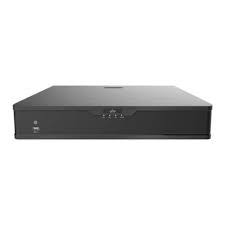
Select an image to view it. Click the main image to enlarge.
DAHUA NVR 304-32S Price in Kenya
In stock
Contact us for a price
Buy DAHUA NVR 304-32S in Kenya at Reisen. Compare system compatibility, installation needs, accessories and buying guidance before ordering.
View product detailsNeed help choosing?
Talk to our team at +254 714 804 532
Product details
DAHUA NVR 304-32S
DAHUA NVR 304-32S is listed in the Reisen catalog as a IP recorder. When buying this equipment in Kenya, start with the exact model printed on the unit and its packaging, because revisions and closely named variants can have materially different connections, supported resolutions, power requirements, and supplied accessories. The information below explains how to evaluate and install the listing responsibly without assuming an unverified variant.
For offices, residences, institutions, shops, and other Kenyan sites, the right decision is not based on the name alone. The NVR must suit the existing camera and network design, physical installation environment, power supply, recording or connectivity plan, and future maintenance needs. Before placing an order, establish these requirements with a technician or project manager and compare them against the precise manufacturer datasheet.
Where a project involves several contractors or an existing security system, have the network installer, CCTV specialist and site representative agree on the interface requirements before purchasing DAHUA NVR 304-32S. This avoids mismatched expectations about cabling, maintenance responsibility, recording access and handover documents.
Benefits and Practical Buying Considerations
System compatibility
A IP recorder adds value only where the existing or planned equipment can communicate with it. Confirm matching video protocols, interfaces, supported resolutions, port modes, firmware generations, and network discovery requirements. A similar-looking connector does not establish interoperability.
Reliable everyday operation
Good installation practices reduce avoidable faults: suitable cable routes, clean terminations, surge protection where appropriate, proper ventilation for active equipment, and correctly sized power supplies. The requirements differ between a network recorder and the broader system it serves.
Installation planning
The safest approach begins with a clear sketch of equipment locations, cable lengths, network topology, and service access. Position equipment so that users can inspect status indicators, safely disconnect power, and replace cables without disturbing unrelated devices.
Scalability
Count the present devices and make realistic allowances for growth. For recorders this includes channel use and storage; for switching it includes port capacity and power budget; for cameras it includes recorder compatibility and available mounting positions.
After-sales service
Keep the exact part number, seller invoice, firmware version, and installation notes. These records make troubleshooting and warranty discussions more accurate and reduce the likelihood of replacing a healthy device because of a wiring or configuration issue.

How to Buy: Check the Exact Model — A practical purchasing sequence for the exact catalog model.
Key Specifications
|
Specification |
Detail |
|
Catalog model |
DAHUA NVR 304-32S |
|
Listed product type |
IP recorder |
|
Reisen product listing |
https://reisenseo.com/shop/dahua-nvr-304-32s |
|
Operating location |
Kenyan residential, commercial or institutional installations as appropriate |
|
Compatibility requirement |
Confirm using exact manufacturer model/revision and connected-equipment specifications |
|
Installation method |
According to official mounting, electrical and connection instructions |
|
Recording media |
Select surveillance HDD by manufacturer compatibility and estimated storage demand |
|
Selling price |
Request a current quotation; catalog 0.00 is not a confirmed selling price |
The verified numeric entries above are included only for models with sufficiently specific manufacturer documentation. Where the current listing does not establish a specification, inspect the exact hardware and its official datasheet rather than relying on specifications for a similarly named device.
Why These Specifications Matter
Channels and connected devices
Plan the number of active endpoints and expansion needs before selecting equipment. A channel count alone does not establish decoding performance, supported bitrates, or usable recording duration.
Power requirements
Identify voltage, electrical polarity, power budget, and whether power travels through Ethernet or a separate supply. Never substitute passive PoE for standards-based PoE without explicit manufacturer support.
Cabling choices
Choose the right physical medium for the actual interfaces. HDCVI coaxial links, twisted-pair Ethernet links, and fiber uplinks are not interchangeable simply because they are used in the same surveillance system.
Data management
Set a retention policy that matches the purpose of the installation. Storage varies with resolution, frame rate, compression, motion activity, recording schedule, and drive capacity.
Security and access
Use individual authorized credentials, change default passwords, update supported firmware carefully, and limit internet exposure. Remote access should be configured only after local operation is stable.

Planning Considerations — Qualitative Guide — A qualitative planning aid; not a substitute for the product datasheet.

Equipment Selection: Application Split — A qualitative planning aid; not a substitute for the product datasheet.

Supporting Components and Connections — A qualitative planning aid; not a substitute for the product datasheet.
Suitable Applications in Kenya
Small shops and retail counters
In small shops and retail counters, DAHUA NVR 304-32S may be considered as one part of a properly designed system. Check physical placement, availability of secure power, cable route, data protection expectations, and whether the planned IP camera fits the intended site. The installer should document operating conditions and review suitability before purchase. Avoid assuming that one model is appropriate for every layout or local environment.
Offices and reception areas
In offices and reception areas, DAHUA NVR 304-32S may be considered as one part of a properly designed system. Check physical placement, availability of secure power, cable route, data protection expectations, and whether the planned IP camera fits the intended site. The installer should document operating conditions and review suitability before purchase. Avoid assuming that one model is appropriate for every layout or local environment.
Apartments and residential compounds
In apartments and residential compounds, DAHUA NVR 304-32S may be considered as one part of a properly designed system. Check physical placement, availability of secure power, cable route, data protection expectations, and whether the planned IP camera fits the intended site. The installer should document operating conditions and review suitability before purchase. Avoid assuming that one model is appropriate for every layout or local environment.
Schools, clinics and institutional premises
In schools, clinics and institutional premises, DAHUA NVR 304-32S may be considered as one part of a properly designed system. Check physical placement, availability of secure power, cable route, data protection expectations, and whether the planned IP camera fits the intended site. The installer should document operating conditions and review suitability before purchase. Avoid assuming that one model is appropriate for every layout or local environment.
Warehouses, workshops and logistics facilities
In warehouses, workshops and logistics facilities, DAHUA NVR 304-32S may be considered as one part of a properly designed system. Check physical placement, availability of secure power, cable route, data protection expectations, and whether the planned IP camera fits the intended site. The installer should document operating conditions and review suitability before purchase. Avoid assuming that one model is appropriate for every layout or local environment.
How to Set Up DAHUA NVR 304-32S
The following sequence is a high-level commissioning checklist, not a replacement for the manufacturer manual. A qualified installer should use the exact instructions and electrical ratings for DAHUA NVR 304-32S, particularly when connecting mains power, outdoor equipment, elevated mounts, or security-sensitive systems.
A Step by Step Guide to Setting Up DAHUA NVR 304-32S
Step 1: Verify the part number
Read the product label and identify its hardware revision. Download the matching official installation manual and confirm the listed accessories.
Step 2: Plan the connection scheme
List connected devices, the expected camera streams, cable distances, needed power equipment and access to the network or recorder.
Step 3: Prepare the site
Select a secure position with adequate access, suitable temperature and moisture conditions, and a safe cable path.
Step 4: Make power connections
Disconnect power while wiring, verify output voltage and power budget, and follow manufacturer instructions. Do not use a different injector type without compatibility evidence.
Step 5: Connect signal and data cables
Install the appropriate network cable, test terminations, label endpoints, and ensure cables are not damaged or tightly bent.
Step 6: Complete initial configuration
Use the matching setup interface where the model offers one. Set authorized credentials, correct date/time, and only supported recording or network options.
Step 7: Validate every connected endpoint
Check image or data availability, power stability, error logs and system behavior under normal load.
Step 8: Document and hand over
Record the model, serial number, firmware version, port map, storage details and authorized service contact.

Installation and Commissioning Flow — Confirm each stage against the exact model manual.
Compatibility and System Integration
Existing infrastructure
Before adding DAHUA NVR 304-32S to an existing site, compare connector types, protocol generations, available switch ports, recorder channels and power supply arrangements. In particular, a IP recorder cannot be assumed to work with every third-party installation.
Networking and IP addressing
Where Ethernet networking is used, plan address assignment, network separation, secure administration and bandwidth. Do not assume every model has a web interface or wireless capabilities.
Storage and recording
Where the product forms part of a recording system, define the recording schedule, expected number of streams and storage redundancy or backup needs before selecting hard drives.
Installation accessories
Choose network cable and other supporting items only after checking whether the supplied package contains them and whether the accessory matches the exact connector and power standard.
Recommended Accessories and Related Products
For IP surveillance wiring, compare the available options in the CCTV PoE switch selection. An appropriate switch is useful when network cameras require standards-based Ethernet power, but each camera’s input specification and the switch’s available PoE budget must be checked before ordering.
For expanded installations, the PoE network switch range includes several port-count and management options. Choose by real endpoint count, port speed and electrical demand instead of treating all PoE labels as interchangeable.
A growing multi-camera system may warrant comparison with 16-port PoE models. Check cable distances, uplinks, switching capacity and the complete power budget before changing the topology.
Other practical accessories to budget for may include a correctly specified surveillance hard drive, labeled network cable, surge-protection equipment, secure mounting hardware, a monitoring display, and suitable backup power. These are project recommendations—not a claim that these items are supplied with DAHUA NVR 304-32S.
What's in the Box
|
Item |
Package status / buying guidance |
|
DAHUA NVR 304-32S |
Main catalog item; confirm exact manufacturer SKU and condition |
|
Power supply or adapter |
Check the seller’s actual kit contents and the device power requirements |
|
Mounting accessories |
Confirm bracket, screws and other pieces against the manufacturer packing list |
|
Documentation |
Electronic or printed documentation depends on market package |
|
Cabling or storage media |
Not assumed to be included; request an itemized quotation |
Troubleshooting and Maintenance
No power or intermittent resets
Inspect source voltage, power rating, connector condition and cabling. If PoE is used, review the switch budget and standards.
No image, connection or recording
Check actual data path and protocol compatibility, channel/port assignment, configuration and authorized user access.
Poor picture or unreliable data
Inspect physical cables, connectors, interference sources, focus where applicable, and video or network parameters supported by the model.
Unexpected network access failure
Verify IP assignment, VLAN or switch port settings where relevant, credentials, and firewall restrictions.
Short recording history
Compare storage installed, actual recording schedule, codec settings, and retention requirement.
Recurring faults
Record timestamped symptoms and logs, apply updates only from trusted channels, and escalate to a qualified installer or the authorized vendor.

Maintenance Priorities: Planning Map — An illustrative checklist for after-installation care.
Pros, Limitations, and Buying Advice
The principal advantage of considering DAHUA NVR 304-32S is its fit within the Dahua surveillance ecosystem and the opportunity to standardize documentation and service workflows. This is conditional: the exact model must satisfy the project requirements, and a product family name does not prove compatibility, cybersecurity features, or performance.
The key limitation of the current Reisen listing is that the catalog title alone does not establish the complete technical profile or boxed accessories for every regional variant. A prudent buyer should request a current datasheet, itemized quotation, exact model photo and warranty terms before committing to a large installation. This is particularly important for the catalog items with apparent typing differences or incomplete suffixes.
Frequently Asked Questions
Is this the right model for my CCTV project?
Compare DAHUA NVR 304-32S with the precise camera, recorder, network and power requirements. Ask for the official datasheet for the exact SKU.
Does the listed price include everything needed?
No complete installed-system price is established by the uploaded catalog. Ask for the current selling price and separate costs for storage, installation, cabling and accessories.
Can I use this device with another brand?
Cross-brand interoperability depends on actual interfaces and protocols, hardware revision and firmware. It must be checked rather than assumed.
Does this product include a hard drive or memory card?
The catalog does not establish bundled storage. Request the exact package list from the seller.
Can I install it outdoors?
Outdoor suitability depends on the exact enclosure rating, electrical conditions and manufacturer guidance; do not assume suitability from the product category.
Does it support PoE?
Check the exact device and whether it uses IEEE 802.3af/at/bt, manufacturer-specific power, passive PoE or a separate DC input.
How do I plan cable lengths?
Measure routes with service slack and respect the medium, manufacturer limitations, interference environment and standards.
Is remote access available?
Availability and secure deployment depend on the exact model and supported software. Avoid exposing a device directly to the internet without security review.
What about warranty and returns?
Request the seller’s current written warranty and return conditions; no specific period is established here.
How can I obtain a quotation in Kenya?
Request the current stock status, exact model identification, itemized accessories and installation scope through Reisen.
Planning a Complete Installation Around This Product
Camera stream and bandwidth budgeting
A network recorder may accept several camera connections but still have limits on aggregate input bandwidth, decoding and playback. Count real streams and evaluate each camera at the resolution and frame rate intended for normal use. Include additional overhead for live viewing and remote clients. Verify on the exact NVR datasheet whether a desired combination of streams is supported simultaneously.
PoE topology and power budgeting
Where a recorder has integrated PoE ports, calculate each camera power demand and compare the sum with the total NVR PoE budget. When using an external switch, validate the uplink architecture and make sure camera discovery is not blocked by an unexpected private camera network. Match standard PoE output to the actual camera input and allow a practical reserve for startup demand.
Storage installation and drive maintenance
Select a surveillance-rated drive from the supported compatibility list and configure recording schedules only after the storage has been recognized by the recorder. Assign authorized staff to review health notifications, failed writes and disk replacement procedures. When preserving evidence, follow appropriate workplace and privacy rules and do not assume that normal cyclic recording is a backup.
Final Procurement Checklist for Kenyan Buyers
Confirm a complete written quotation
Ask for a quotation explicitly identifying DAHUA NVR 304-32S, the supply condition, available stock, lead time, applicable tax treatment and whether installation is included. Request separate line items for surveillance hard drive, network cable, professional labor, mounting materials and any software licensing that the confirmed device requires. A transparent comparison is more useful than a superficially low equipment-only quote that leaves essential components outside the scope.
Discuss service, warranty and training
Before authorizing the project, establish who supplies first-line technical support, how faults are reported, what proof of purchase is required and which installation activities might affect the warranty. For DAHUA NVR 304-32S, ensure the site owner receives a clear operating demonstration, credentials are transferred securely, and a responsible person understands routine maintenance. Warranty duration and return rights should be taken from the seller’s actual written terms, not inferred from the brand.
Record the completed system design
For a smooth handover, produce a simple document showing the final position of DAHUA NVR 304-32S, cable labels, connected equipment, normal operating power arrangements and the person authorized to make future changes. Include a copy of key settings, supported firmware information where applicable, and an agreed procedure for reviewing recorded footage or network problems. This makes expansion and troubleshooting much easier without encouraging unauthorized access or unnecessary changes.
Conclusion
DAHUA NVR 304-32S should be selected as part of a planned, documented installation rather than on a model name alone. The best purchase decision matches the exact hardware to the intended application, a realistic power and cabling design, secure configuration, ongoing maintenance and an itemized quotation. Reisen can serve as a starting point for comparing this equipment with the broader project requirements.
Additional information
| Product | DAHUA NVR 304-32S Price in Kenya |
|---|---|
| Category | CCTV Security Cameras |
| Price | Contact us for a price |
| Availability | In stock |
Keep exploringMore in CCTV Security Cameras
Related products