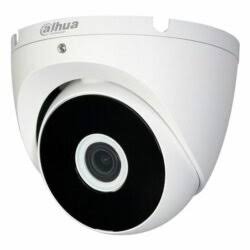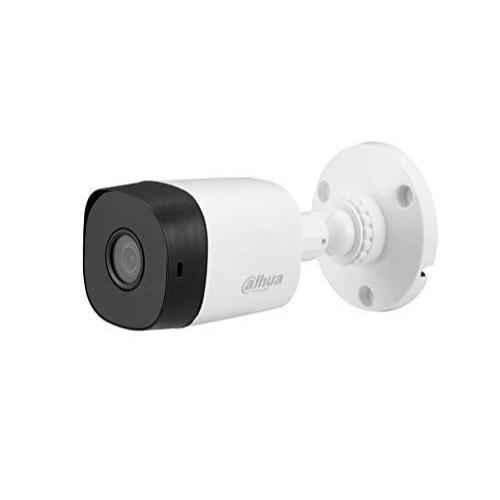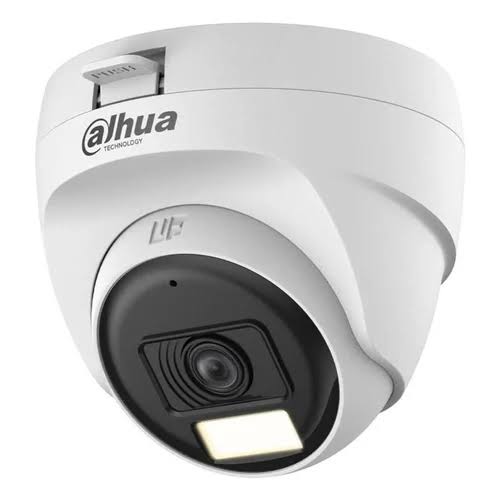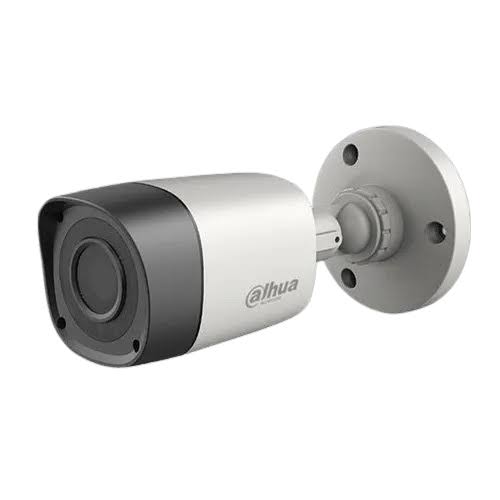
Save 24%
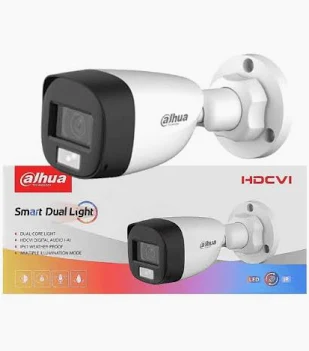
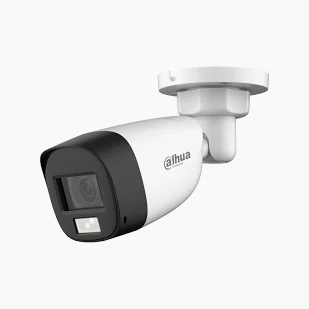
Select an image to view it. Click the main image to enlarge.
DH-HAC-HFW1200CLP-IL-A-0360B-S6 Price in Kenya
In stock
KES 3,500.00
KES 4,600.00
You save KES 1,100.00
Buy Dahua DH-HAC-HFW1200CLP-IL-A-0360B-S6 in Kenya at Reisen. Explore coaxial CCTV surveillance equipment, installation considerations, and compatible accessories.
View product detailsNeed help choosing?
Talk to our team at +254 714 804 532
Product details
Dahua DH-HAC-HFW1200CLP-IL-A-0360B-S6
Dahua DH-HAC-HFW1200CLP-IL-A-0360B-S6 is listed by Reisen as a hdcvi security camera for coaxial CCTV surveillance. This buying guide explains its deployment role, compatibility checks, installation approach, operating considerations, and the information a buyer should establish before selecting equipment for a home, office, institution, or commercial facility in Kenya.
Security systems are only as dependable as their planning. The model identifier DH-HAC-HFW1200CLP-IL-A-0360B-S6 should be checked against the label on the product and the intended installation design before deployment. Evaluate the supporting ecosystem—compatible XVR recorders, coaxial cabling, camera power, and mounts—rather than purchasing a single device in isolation. The right combination of cables, power, recording, configuration, and maintenance usually matters more than any one marketing specification.
Overview and Practical Benefits
A surveillance or access-control system should be planned as a complete set of matching equipment. Review the Dahua product range for potential camera or security-system alternatives while checking the exact model and recording or controller compatibility.
The Dahua DH-HAC-HFW1200CLP-IL-A-0360B-S6 belongs in conversations about coaxial CCTV surveillance. For CCTV installers and property owners, the value of a correctly selected device lies in easier system planning, appropriate integration, and an installation that can be maintained after handover. A simple installation in a small shop and a distributed installation at an institution have different requirements even when they include the same equipment model.
When comparing options, start with video format, lens, illumination type, audio support, and recorder compatibility. Each item changes real-world performance or installation effort. For example, a correctly specified power source prevents unexplained interruptions, while a compatible recording or control platform avoids a device that cannot be configured through the chosen software.
A suitable security deployment should make daily operation straightforward. Authorized users need to understand how to access the system, investigate events, replace a failed component, and receive support. Document the installed model, serial number, software version, network address when applicable, and the administrator account recovery procedure in a secure project record.
Key Features and Buying Considerations
Application fit: Coaxial cctv surveillance is the primary buying context for this listing. Review the site layout, expected users, daily activity, and what the system must do during a normal working day. That practical requirement is a more reliable selection criterion than choosing the highest-sounding model name.
Integration: The planned supporting equipment may include compatible XVR recorders, coaxial cabling, camera power, and mounts. Check electrical characteristics, protocol support, connector types, firmware compatibility, and mounting hardware. Do not assume two Dahua devices interoperate simply because they share a brand name.
Serviceability: Leave access for safe maintenance and cable identification. Label critical links at both ends, keep a simple wiring diagram, and record configuration changes. These practices reduce downtime and let a different technician diagnose faults without rebuilding the installation from memory.
Cybersecurity: Change default passwords, give individual users the least access they need, keep firmware current using verified vendor releases, and avoid exposing management pages directly to the internet. For remotely viewed security systems, use an approved and secured connection method.
Local purchasing: Kenyan buyers should confirm the exact stock-keeping unit, package accessories, appropriate voltage, warranty terms, and dispatch details before payment. The listing is a product reference, not a guarantee that every advertised peripheral or service is included.

How to Buy DH-HAC-HFW1200CLP-IL-A-0360B-S6
A practical five-stage purchasing checklist for Reisen customers in Kenya.
Key Specifications
|
Item |
Details |
|
Manufacturer |
Dahua Technology |
|
Catalog model |
DH-HAC-HFW1200CLP-IL-A-0360B-S6 |
|
Product application |
coaxial CCTV surveillance |
|
Imaging resolution |
2 MP (1920 × 1080) |
|
Video technology |
HDCVI |
|
Illumination |
Smart dual light, model family |
|
Microphone |
Check exact -A variant before final installation |
|
Primary installation question |
video format, lens, illumination type, audio support, and recorder compatibility |
|
Interoperability |
Confirm using the exact Dahua datasheet and intended counterpart devices |
|
Power and supplied accessories |
Match the label and retail package to the installation plan |
|
Warranty |
Confirm applicable Reisen sales terms at checkout |
|
Price |
Confirm current selling price with Reisen |
Understanding the Specifications
Model identification is essential. The DH-HAC-HFW1200CLP-IL-A-0360B-S6 designation may include a generation code, port count, image family, network capability, or regional suffix, but a model label must never be treated as a substitute for the full datasheet. Search by the exact full label, including letters after hyphens, before ordering replacement parts or writing a bill of materials.
The specification table highlights the most important procurement checks for this exact product family. For hdcvi security camera procurement, verify the power input, interface count, physical mounting, environmental limits, and software version that apply to your specific unit. A field not shown in the table is not a claim that the feature is absent.
Bandwidth and storage figures, where relevant, must be interpreted at the system level. A recorder with several camera inputs still depends on the resolution and bitrate of each camera, event schedules, disk size, remote-client usage, and the strength of the network link. The same careful approach applies to switches, access systems, and door stations: supported interfaces do not replace a complete load calculation or compatibility test.

HDCVI Security Camera Selection Priorities
Editorial priority scale for checking five procurement concerns, not a product benchmark.
Best Use Cases in Kenya
Cable selection can affect the reliability of the whole installation. Compare structured cabling equipment for the appropriate Ethernet or fiber run, then check material, distance, environmental rating, and connector requirements.
Residential properties: Coaxial cctv surveillance may be part of a broader home safety plan when the underlying model has the required interfaces. A home installation should prioritize straightforward controls, clear handover notes, surge-aware wiring, secure passwords, and equipment positioned where it can be maintained.
Retail stores and small offices: Focus on incident review, reliable day-to-day operation, and a clear responsibility for monitoring. A well-organized installation should keep exposed cables to a minimum, prevent accidental disconnection, and make it easy to identify the components responsible for a failed video feed or entry point.
Schools, clinics, and institutions: Larger deployments often need documented user permissions, retention policies, and equipment ownership. Consider privacy and restricted spaces as carefully as camera or access-device placement. A technically working system is not automatically an appropriate system if its use lacks defined boundaries.
Warehouses and commercial compounds: Long cable routes, multiple buildings, heat, dust, moisture, and power disturbances may require extra engineering. Survey the site first and decide where devices, network cabinets, batteries, and maintenance access points will be located. Avoid extending cable runs beyond the rating of the selected transmission method.
Installers and resellers: Correct model matching helps prevent returns and costly site revisits. The field technician, purchasing team, and customer should agree on what is included before equipment is dispatched, especially if supporting power or mounting items are sold separately.

Five Areas of Deployment Planning
The equal segments represent five topics to review; they are not performance or market-share data.
Compatibility and System Design
Before pairing the Dahua DH-HAC-HFW1200CLP-IL-A-0360B-S6 with an existing installation, identify every endpoint that will connect to it. These may include compatible XVR recorders, coaxial cabling, camera power, and mounts. Record the actual connectors, protocol versions, available power budget, software versions, and cable medium. This avoids the common problem of discovering incompatible components only after the installer arrives on site.
Where networking is involved, prepare a basic IP address plan and decide how devices will be separated from guest or staff networks. Use managed access to administrative interfaces, and configure time synchronization so event timestamps remain meaningful. A correct time zone is important when reviewing footage, access logs, or event notifications.
Where video recording is involved, confirm the camera signal format, input count, storage policy, and the intended route for live viewing. Analog coaxial CCTV hardware and network IP camera hardware are not interchangeable without compatible recorder inputs or conversion equipment. For intercom and access systems, test unlock control and visitor communication before declaring the installation complete.
For power, use the voltage, current capacity, polarity, and PoE standard specified for the exact device. A 24V passive injector cannot be substituted casually for a standards-based PoE source, and supplying the wrong voltage can damage equipment. Use properly rated components and local electrical safety practices.

Compatibility Verification Matrix
Five compatibility checks to complete before integrating the device into a system.
How to Set Up the Dahua DH-HAC-HFW1200CLP-IL-A-0360B-S6
A Step by Step Guide to Setting Up the Dahua DH-HAC-HFW1200CLP-IL-A-0360B-S6
Step 1: Survey the installation site. Identify the task, connection points, cable route, available power, maintenance access, and any exposure to weather or accidental damage. For DH-HAC-HFW1200CLP-IL-A-0360B-S6, confirm the device-specific menu choices in the manual rather than copying settings from another revision.
Step 2: Inspect the exact product. Verify the full model and revision on its label, check the enclosure, and match all connectors and mounting requirements to the design. For DH-HAC-HFW1200CLP-IL-A-0360B-S6, confirm the device-specific menu choices in the manual rather than copying settings from another revision.
Step 3: Prepare the required accessories. Source the approved supply, correctly specified cables, installation hardware, and compatible recorder, switch, controller, or endpoint. For DH-HAC-HFW1200CLP-IL-A-0360B-S6, confirm the device-specific menu choices in the manual rather than copying settings from another revision.
Step 4: Install and connect safely. Mount the product securely where applicable, route cables without crushing or tight bends, and power it using the verified input method. For DH-HAC-HFW1200CLP-IL-A-0360B-S6, confirm the device-specific menu choices in the manual rather than copying settings from another revision.
Step 5: Configure and test. Use authorized setup tools, assign secure credentials, test communication with connected equipment, and confirm the required function works. For DH-HAC-HFW1200CLP-IL-A-0360B-S6, confirm the device-specific menu choices in the manual rather than copying settings from another revision.
Step 6: Document and hand over. Save a secure configuration backup if supported, label installed connections, explain daily use, and record maintenance instructions. For DH-HAC-HFW1200CLP-IL-A-0360B-S6, confirm the device-specific menu choices in the manual rather than copying settings from another revision.

HDCVI Security Camera Installation Workflow
A simplified installation sequence for the device category.
Installation Tips and Common Mistakes
Never begin permanent mounting before checking signal and power at the intended point. Temporary bench testing can reveal configuration or compatibility issues while the equipment is still easy to access. Test the complete workflow, not just whether a power indicator turns on.
Keep communications cables away from sources of strong electromagnetic interference and follow the cable manufacturer’s termination, bend-radius, and outdoor-exposure instructions. Protect external penetrations against water entry. Any connection outside the building must also meet applicable lightning and surge-protection requirements.
Give each security device a clear name reflecting its physical location rather than a default numbering scheme. Record which users are allowed to view, configure, or export information. When a customer needs mobile access, explain the security implications of sharing passwords or leaving a service exposed to the public internet.
Avoid mixing unsupported firmware or loading a firmware image intended for a different hardware revision. Back up a working configuration when the product supports it. Keep installer and owner credentials separate, and make sure the owner can reach the system without depending indefinitely on the original installer.

Deployment Support Areas
Illustrative grouping of the service tasks that keep a security installation maintainable.
What’s in the Box
The package should be checked against the seller’s packing list and product label before installation. The main device is the listed item; optional accessories and mounting materials should not be assumed to be included.
|
Item |
Details |
|
Main item |
1 × Dahua DH-HAC-HFW1200CLP-IL-A-0360B-S6 |
|
Power adapter or cable |
Confirm with Reisen for this exact package |
|
Mounting hardware |
Confirm with Reisen for this exact package |
|
Quick-start guide |
Confirm with Reisen for this exact package |
|
Other accessories |
Only items explicitly identified in the supplied package |
Maintenance and Troubleshooting
If the Dahua DH-HAC-HFW1200CLP-IL-A-0360B-S6 stops responding, check the simplest causes first: power at the source, loose connectors, damaged cables, incorrect interface selection, or a changed configuration. Record the symptoms and the time they occurred before restarting equipment, because those observations can help identify an intermittent fault.
If a network connection fails, verify link status, address allocation, gateway settings, and any VLAN or access-control rules. A lit Ethernet port shows a physical connection but does not establish that the application protocol or permissions are correct. Check the correct network segment and avoid changing several settings at once.
If a video, entry, or recording function does not work, test one component at a time. Start with the intended endpoint, then the connecting medium, and finally the controller or recording platform. Confirm that the correct input type and required feature license, if applicable, are supported by the exact model.
If reliability deteriorates over time, examine heat buildup, dust, moisture, unstable electrical supply, damaged termination, and outdated software. Keep devices ventilated as specified and do not obstruct access panels. Fault-finding should be carried out by a qualified installer whenever mains power or high-mounted hardware is involved.
Buying Advice, Warranty, and Support
Buyers searching for Dahua DH-HAC-HFW1200CLP-IL-A-0360B-S6 in Kenya should compare the full model code and the practical installation requirements, not merely the product photo or a generic category title. Ask for confirmation of compatibility if your current system uses an older firmware release or a different generation of recorder, access controller, or camera.
Check the invoice for the exact stock item, condition, and any separately charged installation services. Clarify delivery, returns, and warranty coverage under the current Reisen terms before completing the order. A warranty should not be described as a fixed number of months unless the seller or manufacturer confirms it for the specific unit.
The Reisen catalog page for this item is https://reisenseo.com/shop/dh-hac-hfw1200clp-il-a-0360b-s6. Use that page as the product reference when requesting a quotation or confirming the available accessories. Confirm the current selling price and availability directly before placing the order.
Frequently Asked Questions
Is this product suitable for my existing Dahua system?
Compatibility depends on the exact model, interface, revision, firmware, and supporting devices. Compare the relevant manufacturer specifications or ask the installer to test the proposed pairing.
Does the package include everything needed for installation?
Not necessarily. The model is the main listed item; power supplies, cables, storage, brackets, and other accessories must be checked against the actual retail package.
Can the device be installed outdoors?
Do not assume outdoor suitability based on its appearance. Confirm the model’s environmental protection and operating limits before choosing an exposed location.
Can I manage or view the system remotely?
Remote functions depend on the device category, firmware, enabled network services, and security configuration. Use authorized features and a secured access method.
How should I determine the correct power source?
Read the exact label and official documentation for the required voltage, current, polarity, and any applicable PoE standard. Do not substitute a generic injector without checking.
What should I check before buying?
Verify the complete model suffix, intended application, connection and power requirements, package contents, stock condition, and the current quoted price.
Can a local technician install the equipment?
A qualified installer familiar with the relevant CCTV, networking, or access-control category can help with safe cabling, integration, configuration, and owner handover.
Why Buy from Reisen?
Reisen serves customers looking for security and networking products in Kenya. For the Dahua DH-HAC-HFW1200CLP-IL-A-0360B-S6, the most valuable purchasing outcome is a verified match between the catalog model and the customer’s actual installation plan. Before ordering, describe your project, the devices you already own, and any special compatibility questions.
An organized purchase also includes a realistic view of supporting materials. Budget for cables, approved power supplies, appropriate storage or controller hardware, installer labor, surge protection where necessary, and the time required for configuration and user handover. Purchasing the correct parts together helps avoid repeat site visits.
Conclusion
The Dahua DH-HAC-HFW1200CLP-IL-A-0360B-S6 is an option to consider for coaxial CCTV surveillance when its exact specifications fit the project. Make your selection using verified compatibility, suitable power, sound installation practice, and clear ongoing maintenance responsibilities rather than unsupported assumptions about the model.
For pricing, availability, and package-content confirmation, consult Reisen using the exact model identifier. A documented installation and secure configuration will usually provide greater long-term value than buying isolated equipment without a system plan.
Long-Term Ownership and Upgrade Planning
For Dahua DH-HAC-HFW1200CLP-IL-A-0360B-S6, retain the purchase invoice, installation record, and any compatible configuration backup in an accessible but secure location. Before adding devices to the same system, compare the existing deployment with the requirements of the new equipment. This is especially important when a site expands to more buildings, additional users, or longer operating hours. Document spare capacity and expected maintenance needs early to make future upgrades easier.
For organizations, assign responsibility for periodic inspection, firmware review, and access-permission checks. Keep a register of devices that have been replaced or taken out of service so former credentials can be revoked. When an installer changes, a clear handover record helps the new team support the system without unnecessary downtime.
Recommended Accessories and Related Products
A complete installation may need supporting equipment in addition to Dahua DH-HAC-HFW1200CLP-IL-A-0360B-S6. The following options help you plan the surrounding system; check connection types, power budgets, and the exact model specifications before selecting accessories.
When assembling a wider security system, browse Dahua surveillance equipment and related solutions. Explore additional surveillance components. This is a related purchasing consideration, not a guarantee of compatibility with the product on this page.
For IP camera data traffic, compare network switches selected for CCTV deployments. Network distribution for IP camera systems. This is a related purchasing consideration, not a guarantee of compatibility with the product on this page.
When a network device is designed for Power over Ethernet, review PoE switch choices for powered network devices. Power delivery for PoE-capable IP cameras. This is a related purchasing consideration, not a guarantee of compatibility with the product on this page.
For the physical connection layer, compare structured cabling and Ethernet cable options. Ethernet cable for IP camera links. This is a related purchasing consideration, not a guarantee of compatibility with the product on this page.
Choose accessories based on the installation design and the exact product version. In particular, match PoE standard and power budget, port speed, cable type, mounting conditions, and any recorder or management-platform requirements before buying.
Additional information
| Product | DH-HAC-HFW1200CLP-IL-A-0360B-S6 Price in Kenya |
|---|---|
| Category | CCTV Security Cameras |
| Price | KES 3,500.00 |
| Availability | In stock |
Keep exploringMore in CCTV Security Cameras
Related products