Save 14%
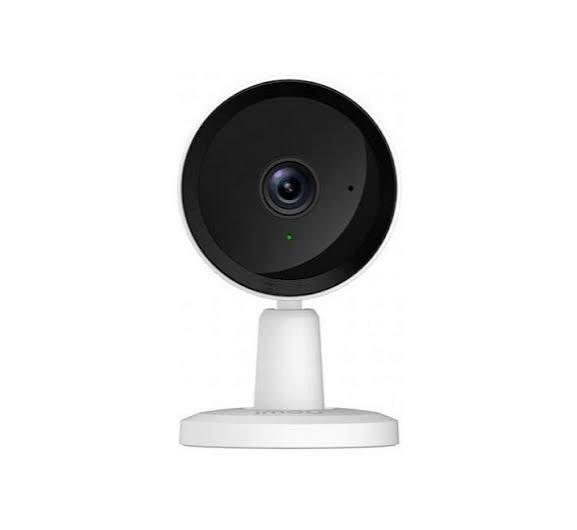
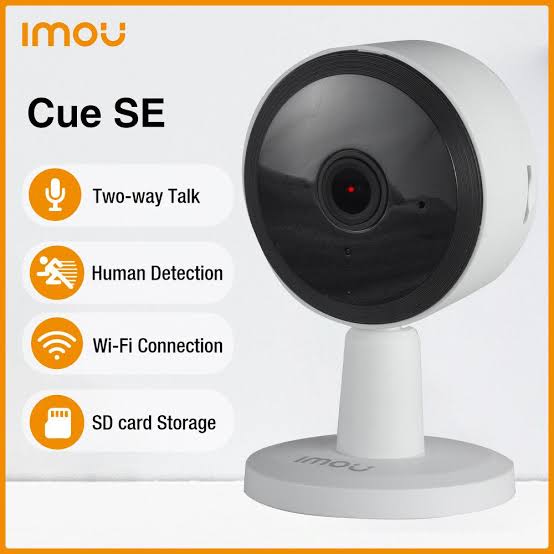
Select an image to view it. Click the main image to enlarge.
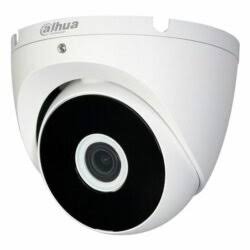
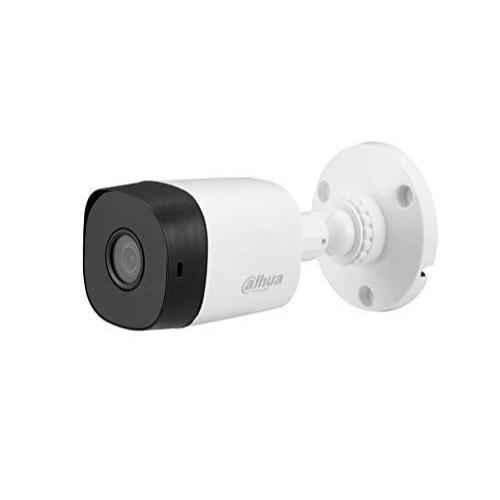
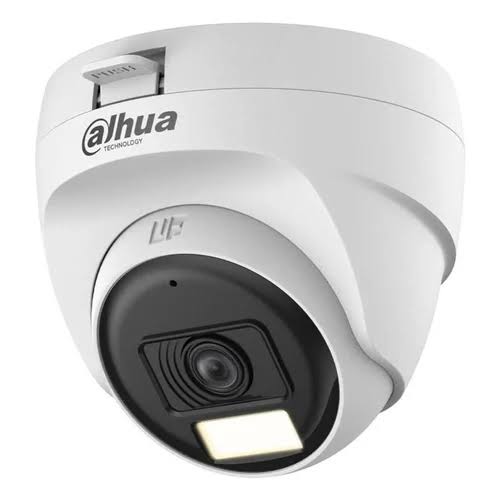
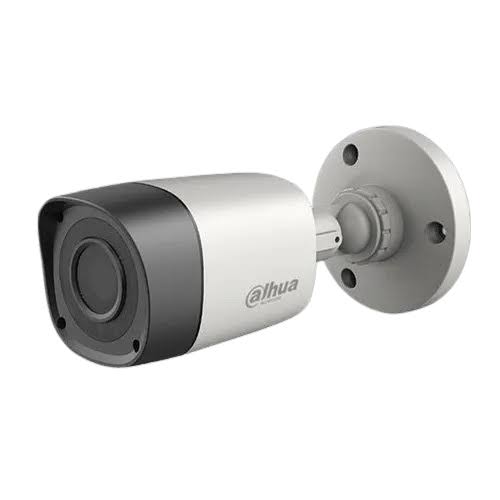
IMOU 1MP Network Camera IPC-C11EP Price in Kenya
In stock
KES 2,500.00
KES 2,900.00
You save KES 400.00
Buy IMOU IPC-C11EP 1MP Network Camera in Kenya. Choose compact indoor monitoring and confirm the supplied model’s networking and recording features.
View product detailsNeed help choosing?
Talk to our team at +254 714 804 532
Product details
IMOU 1MP Network Camera IPC-C11EP Price in Kenya
IMOU 1MP Network Camera IPC-C11EP is listed on Reisen as a cctv security cameras product for customers shopping in Kenya. This guide explains the intended job of the product, the most important buying checks, how it fits within a practical installation, and what must be confirmed before ordering. It is written for homeowners, small businesses and CCTV installers.
The strongest reason to buy IMOU 1MP Network Camera IPC-C11EP is not simply a model label or a headline specification. It is whether the device or accessory supports security observation and video recording in the actual environment. A well-selected product reduces avoidable compatibility problems, unnecessary accessories, repeated site visits and difficult troubleshooting.
When comparing the IMOU 1MP Network Camera IPC-C11EP price in Kenya, include the complete installation rather than the listed unit alone. A project may require compatible cabling, power hardware, mounting hardware, transceivers, patching, configuration or labour. Manufacturer technical claims and seller-specific terms should be checked independently; this description does not promise stock or an unverified price.
Key Benefits and Practical Value
A surveillance or access-control system should be planned as a complete set of matching equipment. Review the Dahua product range for potential camera or security-system alternatives while checking the exact model and recording or controller compatibility.
Brand: IMOU. This detail matters because it helps an installer plan the real connection, avoid buying an unsuitable accessory, and decide if the proposed installation can be supported by the hardware. Treat the stated interface or feature as one part of the overall design rather than proof of a particular real-world throughput or coverage result.
Model: IPC-C11EP. This detail matters because it helps an installer plan the real connection, avoid buying an unsuitable accessory, and decide if the proposed installation can be supported by the hardware. Treat the stated interface or feature as one part of the overall design rather than proof of a particular real-world throughput or coverage result.
Advertised resolution: 1MP. This detail matters because it helps an installer plan the real connection, avoid buying an unsuitable accessory, and decide if the proposed installation can be supported by the hardware. Treat the stated interface or feature as one part of the overall design rather than proof of a particular real-world throughput or coverage result.
Camera type: Network camera. This detail matters because it helps an installer plan the real connection, avoid buying an unsuitable accessory, and decide if the proposed installation can be supported by the hardware. Treat the stated interface or feature as one part of the overall design rather than proof of a particular real-world throughput or coverage result.
Network connection: Check exact submodel Wi-Fi/Ethernet support. This detail matters because it helps an installer plan the real connection, avoid buying an unsuitable accessory, and decide if the proposed installation can be supported by the hardware. Treat the stated interface or feature as one part of the overall design rather than proof of a particular real-world throughput or coverage result.
Storage and cloud: Confirm supported options and region. This detail matters because it helps an installer plan the real connection, avoid buying an unsuitable accessory, and decide if the proposed installation can be supported by the hardware. Treat the stated interface or feature as one part of the overall design rather than proof of a particular real-world throughput or coverage result.
Power input: Confirm on equipment label. This detail matters because it helps an installer plan the real connection, avoid buying an unsuitable accessory, and decide if the proposed installation can be supported by the hardware. Treat the stated interface or feature as one part of the overall design rather than proof of a particular real-world throughput or coverage result.
IMOU 1MP Network Camera IPC-C11EP can be assessed against three priorities: compatibility with existing equipment, the resources needed for deployment and the possibility of future network changes. Buyers should check these points before comparing one seller listing with another, especially where a model family has multiple revisions or similarly named versions.

How to Buy IMOU 1MP Network Camera IPC-C11EP
Five practical steps to assess and purchase IMOU 1MP Network Camera IPC-C11EP from Reisen in Kenya.
Key Specifications
|
Specification |
Details |
|
Catalogue product |
IMOU 1MP Network Camera IPC-C11EP |
|
Listed category |
CCTV Security Cameras |
|
Brand |
IMOU |
|
Model |
IPC-C11EP |
|
Advertised resolution |
1MP |
|
Camera type |
Network camera |
|
Network connection |
Check exact submodel Wi-Fi/Ethernet support |
|
Storage and cloud |
Confirm supported options and region |
|
Power input |
Confirm on equipment label |
|
Mounting |
Follow supplied manual |
|
Installation consideration |
Viewing angle, lighting, mounting location, network security and storage |
|
Regional or revision details |
Confirm the supplied version, included accessories and exact label before installation |
|
Reseller warranty terms |
To be confirmed with Reisen for the actual supplied unit |
IMOU 1MP Network Camera IPC-C11EP Table Summary
Table-based visual summary highlighting core verified specifications for IMOU 1MP Network Camera IPC-C11EP.

IMOU 1MP Network Camera IPC-C11EP Bubble Chart
Bubble chart visualising selected quantified highlights from the verified specifications for IMOU 1MP Network Camera IPC-C11EP.

IMOU 1MP Network Camera IPC-C11EP Pie Chart
Pie chart showing the mix of documented specification areas for IMOU 1MP Network Camera IPC-C11EP based on the product description data.

IMOU 1MP Network Camera IPC-C11EP Bar Graph
Bar graph presenting selected quantified highlights or normalized technical indicators for IMOU 1MP Network Camera IPC-C11EP.

Detailed Features and What They Mean
Brand
The catalogue and technical notes identify brand as IMOU. For IMOU 1MP Network Camera IPC-C11EP, this is most useful when the proposed equipment is compared with the rest of the network or installation. It should be verified against the exact label and revision at delivery where variations are known to exist.
In practice, the installer should write down the required connection or performance target, the chosen accessory, and a clear test that proves it works. This prevents a specification from becoming an unsupported promise. For buyers in Kenya, the correct match often saves more time than selecting equipment purely because of a larger numerical rating.
Model
The catalogue and technical notes identify model as IPC-C11EP. For IMOU 1MP Network Camera IPC-C11EP, this is most useful when the proposed equipment is compared with the rest of the network or installation. It should be verified against the exact label and revision at delivery where variations are known to exist.
In practice, the installer should write down the required connection or performance target, the chosen accessory, and a clear test that proves it works. This prevents a specification from becoming an unsupported promise. For buyers in Kenya, the correct match often saves more time than selecting equipment purely because of a larger numerical rating.
Advertised resolution
The catalogue and technical notes identify advertised resolution as 1MP. For IMOU 1MP Network Camera IPC-C11EP, this is most useful when the proposed equipment is compared with the rest of the network or installation. It should be verified against the exact label and revision at delivery where variations are known to exist.
In practice, the installer should write down the required connection or performance target, the chosen accessory, and a clear test that proves it works. This prevents a specification from becoming an unsupported promise. For buyers in Kenya, the correct match often saves more time than selecting equipment purely because of a larger numerical rating.
Camera type
The catalogue and technical notes identify camera type as Network camera. For IMOU 1MP Network Camera IPC-C11EP, this is most useful when the proposed equipment is compared with the rest of the network or installation. It should be verified against the exact label and revision at delivery where variations are known to exist.
In practice, the installer should write down the required connection or performance target, the chosen accessory, and a clear test that proves it works. This prevents a specification from becoming an unsupported promise. For buyers in Kenya, the correct match often saves more time than selecting equipment purely because of a larger numerical rating.
Network connection
IP surveillance deployments benefit from a separate switch-power calculation. Explore CCTV PoE switch choices when planning network-camera infrastructure; analog camera models do not become PoE cameras simply because they are part of a CCTV system.
The catalogue and technical notes identify network connection as Check exact submodel Wi-Fi/Ethernet support. For IMOU 1MP Network Camera IPC-C11EP, this is most useful when the proposed equipment is compared with the rest of the network or installation. It should be verified against the exact label and revision at delivery where variations are known to exist.
In practice, the installer should write down the required connection or performance target, the chosen accessory, and a clear test that proves it works. This prevents a specification from becoming an unsupported promise. For buyers in Kenya, the correct match often saves more time than selecting equipment purely because of a larger numerical rating.
Storage and cloud
The catalogue and technical notes identify storage and cloud as Confirm supported options and region. For IMOU 1MP Network Camera IPC-C11EP, this is most useful when the proposed equipment is compared with the rest of the network or installation. It should be verified against the exact label and revision at delivery where variations are known to exist.
In practice, the installer should write down the required connection or performance target, the chosen accessory, and a clear test that proves it works. This prevents a specification from becoming an unsupported promise. For buyers in Kenya, the correct match often saves more time than selecting equipment purely because of a larger numerical rating.
Power input
The catalogue and technical notes identify power input as Confirm on equipment label. For IMOU 1MP Network Camera IPC-C11EP, this is most useful when the proposed equipment is compared with the rest of the network or installation. It should be verified against the exact label and revision at delivery where variations are known to exist.
In practice, the installer should write down the required connection or performance target, the chosen accessory, and a clear test that proves it works. This prevents a specification from becoming an unsupported promise. For buyers in Kenya, the correct match often saves more time than selecting equipment purely because of a larger numerical rating.
Mounting
The catalogue and technical notes identify mounting as Follow supplied manual. For IMOU 1MP Network Camera IPC-C11EP, this is most useful when the proposed equipment is compared with the rest of the network or installation. It should be verified against the exact label and revision at delivery where variations are known to exist.
In practice, the installer should write down the required connection or performance target, the chosen accessory, and a clear test that proves it works. This prevents a specification from becoming an unsupported promise. For buyers in Kenya, the correct match often saves more time than selecting equipment purely because of a larger numerical rating.

IMOU 1MP Network Camera IPC-C11EP — Key Decisions
A structured buying checklist highlighting important parameters for the camera.
Practical Applications in Kenya
When planning an IP-based network, select the switch by its IEEE PoE standard and total power budget rather than port count alone. Compare PoE switch selection before deciding how to power compatible access points or cameras.
Office or institutional installation
For an office or institution, IMOU 1MP Network Camera IPC-C11EP can be considered where security observation and video recording is part of the design. The installer should document an equipment list, expected service levels and the connection path between existing devices. This makes the installation easier to hand over.
An installation checklist should also record device identity, relevant revision, the responsible technician and the evidence of successful commissioning. That record is valuable if equipment is moved, replaced or expanded later.
Small business and growing networks
A growing business may value a structured installation that can be maintained by another technician. Before purchase, assess viewing angle, lighting, mounting location, network security and storage. Confirm whether the listed model allows expansion or whether a different size is more appropriate.
An installation checklist should also record device identity, relevant revision, the responsible technician and the evidence of successful commissioning. That record is valuable if equipment is moved, replaced or expanded later.
Professional installation and maintenance
For a technician, proper planning includes identifying connectors, accessories, cable lengths, site environment and the tools required for acceptance testing. Avoid assuming that an accessory normally sold with similar equipment is included in this package.
An installation checklist should also record device identity, relevant revision, the responsible technician and the evidence of successful commissioning. That record is valuable if equipment is moved, replaced or expanded later.
Remote sites or distributed facilities
Where the installation is at a branch office or remote site, think about safe powering, access for maintenance and how faults will be diagnosed. Confirm the exact environmental rating before exposing IMOU 1MP Network Camera IPC-C11EP to outdoor conditions or unsuitable power arrangements.
An installation checklist should also record device identity, relevant revision, the responsible technician and the evidence of successful commissioning. That record is valuable if equipment is moved, replaced or expanded later.
Connection and Network Planning
Begin by drawing how IMOU 1MP Network Camera IPC-C11EP will sit between the upstream service and downstream equipment. The drawing should show viewing angle, lighting, mounting location, network security and storage, together with where traffic or signals enter and leave the system. For passive equipment the drawing should follow the physical cable path; for active equipment it should identify management and user connections separately.
Label both ends of cables, maintain suitable bend radii and protect connections from physical strain. Where the product is electrically powered, check the specified voltage and powering method before attaching a supply. Where network services are configured, record management access and avoid factory-default credentials.

IMOU 1MP Network Camera IPC-C11EP — Typical Connection or Deployment
Illustrative arrangement for using IMOU 1MP Network Camera IPC-C11EP in a suitable network or installation.
Compatibility and Related Accessories
Compatibility for IMOU 1MP Network Camera IPC-C11EP must be evaluated by interface type, operating standard and installation environment. A familiar connector shape does not, by itself, prove that a power method, optical signal or cable category is compatible. Always compare the complete specification of both devices.
For a reliable purchase, identify what is already owned and what must be bought separately. Common items to check include suitable patch leads, power supplies, PoE hardware, fibre modules, brackets, rack shelves, dust covers and testing tools. The relevant choice depends on whether this product is a camera.
Where a network is linked to a Starlink service, the product must still perform its ordinary network function correctly. Starlink connectivity does not remove requirements for supported Ethernet interfaces, correct routing, stable power or compliant cabling. For passive accessories, a Starlink-specific promise is generally unnecessary.
If a manufacturer supplies regional variants or revised hardware, match the offered SKU to the actual deployment. This is especially important for Wi-Fi regulatory behaviour, powering methods, optical connectors, included accessories and management compatibility.

IMOU 1MP Network Camera IPC-C11EP — Compatibility Checklist
Pre-purchase checks for compatible equipment, environment, and accessories.
How to Choose Between This Product and Alternatives
Choose IMOU 1MP Network Camera IPC-C11EP when its confirmed interfaces, capacity and physical characteristics match the job. A lower-cost alternative may be suitable if the planned installation has fewer requirements; a higher-capacity device can be justified where extra ports, additional rack space or more robust management features are necessary.
Compare alternatives on the complete specification rather than one prominent number. For example, a 10G uplink is not the same thing as a 10G subscriber port; a 42U cabinet is not automatically stronger than a shorter cabinet; and an outdoor-marketed cable still needs a verified jacket type and correct termination.
Advantages
The chief advantage is that IMOU 1MP Network Camera IPC-C11EP provides a defined approach to security observation and video recording. Its value improves when it is deployed within a documented, tested installation rather than as a stand-alone purchase.
Limitations
The chief limitation is that IMOU 1MP Network Camera IPC-C11EP cannot compensate for an unsuitable network design or accessories. A listing alone does not verify all hardware revisions, package contents, power arrangements or long-term seller commitments.
How to Install and Set Up IMOU 1MP Network Camera IPC-C11EP
A Step by Step Guide to Install and Set Up IMOU 1MP Network Camera IPC-C11EP
Step 1: Confirm the model and job
Check that the delivered item is IMOU 1MP Network Camera IPC-C11EP, and compare its labels with the original order. Identify whether the planned purpose and installed location match the product.
If this step does not pass inspection, correct the underlying connection or compatibility issue before proceeding. Do not mask faults by changing unrelated settings or assuming a higher bandwidth rating will solve physical-layer problems.
Step 2: Prepare the tools and site
Gather the necessary compatible parts and safe tools. Check the planned cable routing, ventilation, working space, mounting surface and available power where applicable.
If this step does not pass inspection, correct the underlying connection or compatibility issue before proceeding. Do not mask faults by changing unrelated settings or assuming a higher bandwidth rating will solve physical-layer problems.
Step 3: Inspect connections and accessories
Before making connections, inspect packaging and interfaces. Confirm voltage, connector types, optical or copper cable ratings and physical mounting requirements without guessing from appearance.
If this step does not pass inspection, correct the underlying connection or compatibility issue before proceeding. Do not mask faults by changing unrelated settings or assuming a higher bandwidth rating will solve physical-layer problems.
Step 4: Mount or position the equipment
Choose a suitable location and secure the product according to the relevant hardware guidance. Avoid tension on connectors, crushed cable routes and blocked access for service.
If this step does not pass inspection, correct the underlying connection or compatibility issue before proceeding. Do not mask faults by changing unrelated settings or assuming a higher bandwidth rating will solve physical-layer problems.
Step 5: Connect the supported interfaces
Connect upstream and downstream cables using the correct standard and powering arrangement. Do not treat passive PoE as interchangeable with 802.3af/at or mix fibre and copper media without the correct converter.
If this step does not pass inspection, correct the underlying connection or compatibility issue before proceeding. Do not mask faults by changing unrelated settings or assuming a higher bandwidth rating will solve physical-layer problems.
Step 6: Complete the applicable configuration
For configurable devices, use the appropriate vendor-documented management method to set access, services and any required security features. For passive products, complete physical termination and labelling instead.
If this step does not pass inspection, correct the underlying connection or compatibility issue before proceeding. Do not mask faults by changing unrelated settings or assuming a higher bandwidth rating will solve physical-layer problems.
Step 7: Run acceptance tests
Confirm physical connection, power safety and expected signal or service behaviour. Test the actual path used by the customer rather than relying only on status LEDs.
If this step does not pass inspection, correct the underlying connection or compatibility issue before proceeding. Do not mask faults by changing unrelated settings or assuming a higher bandwidth rating will solve physical-layer problems.
Step 8: Record and hand over the installation
Label relevant cables, note the model and revision, store approved settings securely and explain basic maintenance responsibilities to the owner.
If this step does not pass inspection, correct the underlying connection or compatibility issue before proceeding. Do not mask faults by changing unrelated settings or assuming a higher bandwidth rating will solve physical-layer problems.

IMOU 1MP Network Camera IPC-C11EP — Installation Workflow
An installation workflow for planning, connecting, testing, and documenting IMOU 1MP Network Camera IPC-C11EP.
Troubleshooting and Routine Maintenance
No connection or unexpected operation
Check power where required, correct termination, matching interface standards and the intended connection path. Work from the physical layer upward.
Poor performance or intermittent results
Inspect cable damage, distance, connector seating, interference or environmental conditions as applicable. Compare a local test with the intended service outcome.
Uncertain model compatibility
Read the complete product label and confirm the device variant. Record firmware/hardware revision where applicable and use the correct vendor guidance.
Preventive maintenance
Keep the installation clean and organised. Inspect visible damage, cable strain, ventilation and connection labelling at appropriate service intervals.
Warranty and Return Policy
For IMOU 1MP Network Camera IPC-C11EP, warranty coverage and return eligibility depend on the confirmed terms provided by Reisen at purchase. Before payment, request the applicable warranty duration, procedure for reporting defects, return conditions, exclusion details and support contact. No unverified replacement guarantee or fixed return window is implied here.
Retain the invoice, the exact model identification and a record of installation. In the event of a problem, describing the symptom, installation conditions and tests already performed helps a supplier distinguish a genuine equipment fault from incompatible accessories or an installation issue.
Product Guides and Documents
Keep the manufacturer model datasheet or installation manual matching IMOU 1MP Network Camera IPC-C11EP and its exact revision. Check relevant safety, operating environment, connector and power information. Where a current PDF is not confirmed for the supplied variant, ask the seller to provide the correct official document rather than using instructions for a superficially similar product.
Installation Manuals
Use the original vendor manual for mounting requirements, connector diagrams, reset procedures and any firmware-specific configuration. Installation steps above are a planning guide, not a substitute for model-specific safety instructions. Consult a trained technician for electrical, fibre-optic, elevated-mount or other specialised work.
What's in the Box?
The saved Reisen catalogue identifies IMOU 1MP Network Camera IPC-C11EP but does not establish an exact manufacturer packing list for every batch. The supplied item should match the invoice and product model. Confirm whether mounting brackets, power equipment, fibre adaptors, patch leads, manuals, screws or other accessories are included. Do not assume optional extras are supplied.
Frequently Asked Questions
Where can I buy IMOU 1MP Network Camera IPC-C11EP in Kenya?
You can enquire through the Reisen product listing for current price, availability and the exact supplied configuration. Verify accessory and delivery needs before placing an order.
What should I check before purchasing IMOU 1MP Network Camera IPC-C11EP?
Check the model number, the features in the Key Specifications table, compatible accessories and the site conditions. The most useful requirement is the one specific to your installation.
Can IMOU 1MP Network Camera IPC-C11EP be installed without specialist support?
Simple physical connections may be manageable with correct instructions. Complex routing, fibre work, rack infrastructure, telephone distribution and security system design should be handled by a suitably trained installer.
Does IMOU 1MP Network Camera IPC-C11EP include accessories?
The exact box contents have not been confirmed from the catalogue entry. Request an itemised packing confirmation from Reisen before you order.
What warranty applies to IMOU 1MP Network Camera IPC-C11EP?
Confirm the current Reisen warranty and return terms for the actual unit. An assumed manufacturer warranty or general marketplace policy should not replace verified seller terms.
How can I check compatibility with my existing equipment?
Match the relevant network standard, port or connector type, power method and operating conditions. Where possible, supply the exact model numbers of the equipment you already use.
Buying IMOU 1MP Network Camera IPC-C11EP from Reisen
If you are searching for IMOU 1MP Network Camera IPC-C11EP price in Kenya, compare the full product identification, deployment requirements and ongoing service needs. A successful purchase is one that arrives with the right compatibility and installation plan, rather than one selected on the basis of a single price figure.
Reisen aims to become a leading eCommerce platform in Kenya and a leading eCommerce platform in Africa by supplying clear technical information and helping customers make informed purchasing decisions. These are service ambitions, not independently verified market-share rankings.
Product listing: IMOU 1MP Network Camera IPC-C11EP
Other security camera on Reisen: IMOU Bullet 2C 4MP IPC-F42P-D Wi-Fi Baby Monitor Camera
Recommended Accessories and Related Products
A complete installation may need supporting equipment in addition to IMOU 1MP Network Camera IPC-C11EP Price in Kenya. The following options help you plan the surrounding system; check connection types, power budgets, and the exact model specifications before selecting accessories.
When assembling a wider security system, browse Dahua surveillance equipment and related solutions. Explore additional surveillance components. This is a related purchasing consideration, not a guarantee of compatibility with the product on this page.
For IP camera data traffic, compare network switches selected for CCTV deployments. Network distribution for IP camera systems. This is a related purchasing consideration, not a guarantee of compatibility with the product on this page.
When a network device is designed for Power over Ethernet, review PoE switch choices for powered network devices. Power delivery for PoE-capable IP cameras. This is a related purchasing consideration, not a guarantee of compatibility with the product on this page.
For the physical connection layer, compare structured cabling and Ethernet cable options. Ethernet cable for IP camera links. This is a related purchasing consideration, not a guarantee of compatibility with the product on this page.
Choose accessories based on the installation design and the exact product version. In particular, match PoE standard and power budget, port speed, cable type, mounting conditions, and any recorder or management-platform requirements before buying.
Additional information
| Product | IMOU 1MP Network Camera IPC-C11EP Price in Kenya |
|---|---|
| Category | CCTV Security Cameras |
| Price | KES 2,500.00 |
| Availability | In stock |
Keep exploringMore in CCTV Security Cameras
Related products