Save 24%

Select an image to view it. Click the main image to enlarge.
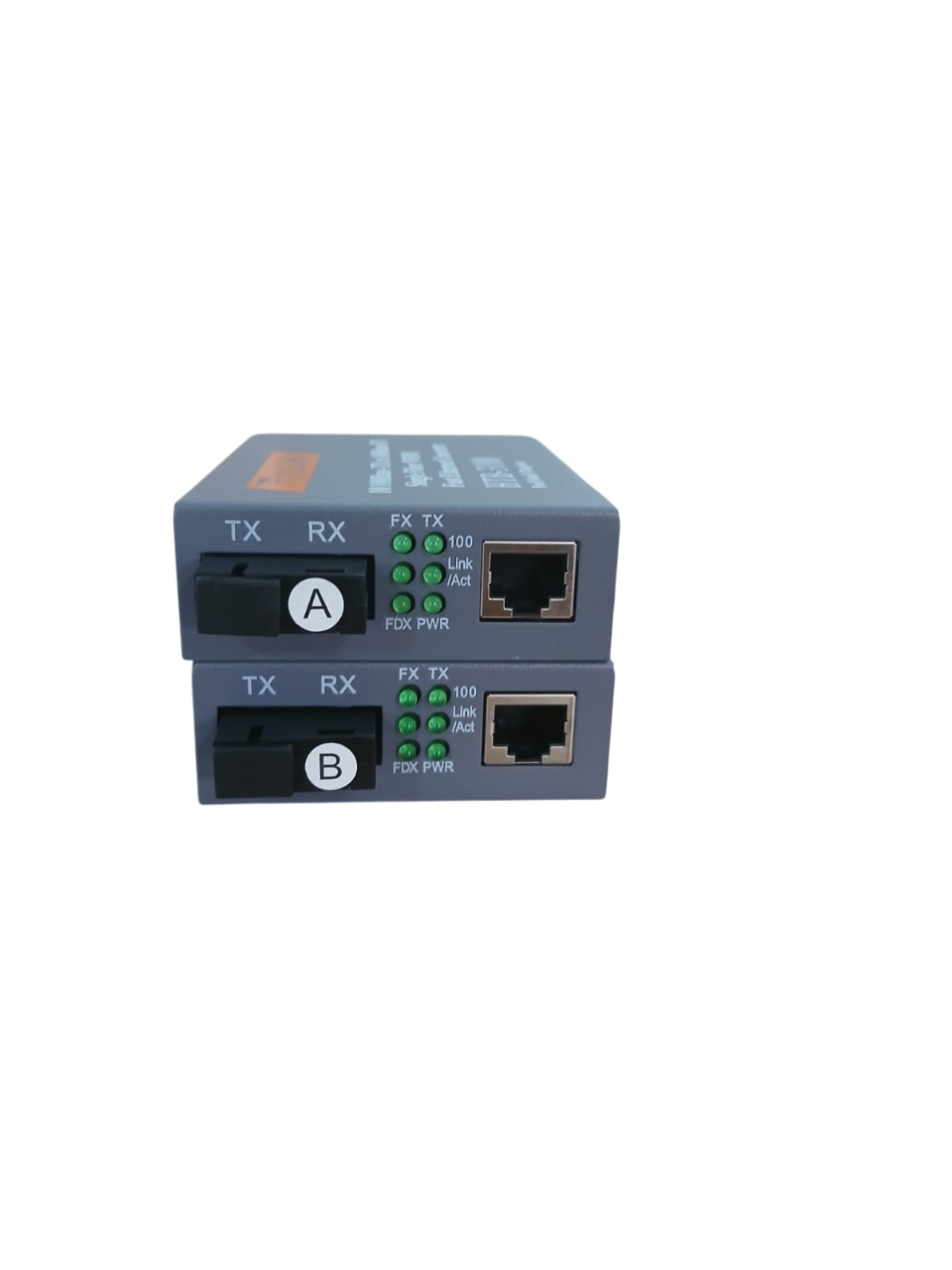
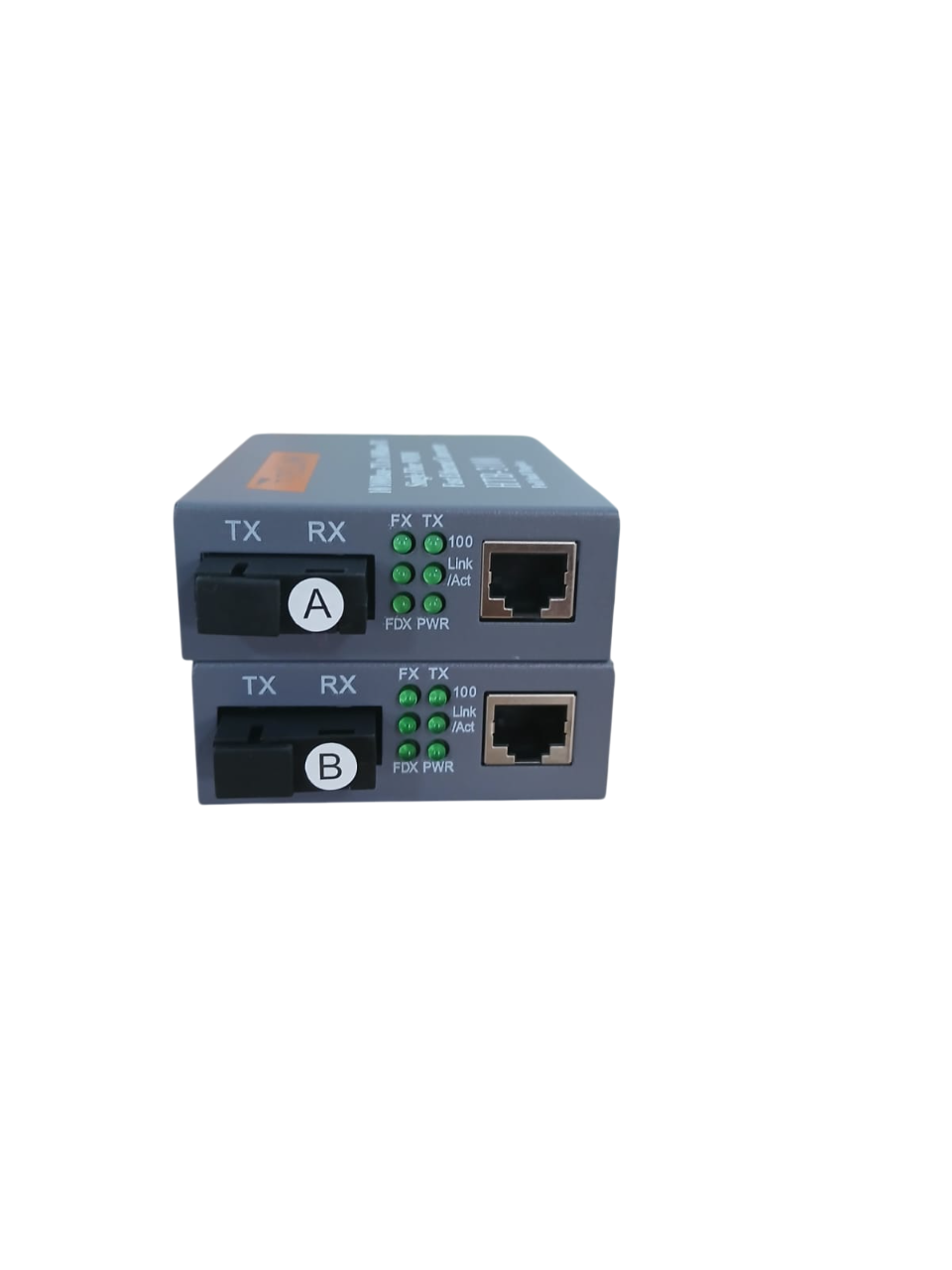
Netlink Gigabit Single-mode Media Converter Price in Kenya
In stock
KES 1,300.00
KES 1,700.00
You save KES 400.00
Buy Netlink Gigabit Single-Mode Media Converter in Kenya at Reisen SEO. Extend Ethernet over fiber with a correctly matched optical connection.
View product detailsNeed help choosing?
Talk to our team at +254 714 804 532
Product details
Netlink Gigabit Single-Mode Media Converter Price in Kenya
The Netlink Gigabit Single-Mode Media Converter provides a connection between compatible Gigabit Ethernet equipment and single-mode fiber infrastructure. It is useful for extending networks between buildings, offices, warehouses, and equipment rooms while retaining existing copper Ethernet switches or endpoints.
A typical installation uses a converter at each end of the fiber. Alternatively, a compatible optical interface on a switch can serve as the remote endpoint.
Confirm the complete model number before ordering. Netlink offers different Gigabit converter configurations. The product name alone does not confirm transmission distance, connector type, wavelengths, power requirements, or whether the connection uses one fiber strand or two. Netlink’s product catalog distinguishes single-fiber and dual-fiber variants. www.netlink.com.cn
Explore the Reisen SEO networking catalog to select the converter and accessories required for your installation.
Key Specification
| Specification | Details |
|---|---|
| Brand | Netlink |
| Product type | Gigabit Ethernet-to-fiber media converter |
| Intended optical medium | Single-mode fiber |
| Ethernet capability | Gigabit; confirm supported copper negotiation rates |
| Exact model code | Confirm before purchase |
| Fiber arrangement | Single-fiber BiDi or dual-fiber, depending on model |
| Optical connector | Model-dependent |
| Transmit and receive wavelengths | Must match the remote endpoint |
| Transmission distance | Model-dependent |
| Optical power budget | Confirm from the exact datasheet |
| Power supply | Use the specified adapter |
| PoE output | Not assumed; verify explicitly |
| Package contents | Confirm individual unit or matched pair and included adapters |
The local Netlink listing identifies the product as a Gigabit single-mode converter but does not supply a complete model code or detailed optical specifications. Tawa
Extend Ethernet Connections Over Fiber
A media converter changes the physical transmission medium between electrical Ethernet signaling and optical fiber signaling.
For example, one converter can connect to a switch in an office, while another connects to a switch in a separate warehouse. The fiber provides the connection between those locations.
This approach can preserve existing network equipment when only a few connections need optical conversion. It does not automatically provide routing, internet access, or firewall protection.
For an exact product-category comparison, view the Netlink Gigabit Single-Mode Media Converter at Tawa.
Understand Single-Fiber and Dual-Fiber Versions
“Single-mode” describes the fiber type. It does not establish the number of strands required.
| Configuration | How it operates | What to verify |
|---|---|---|
| Single-fiber BiDi | Sends and receives over one strand using different wavelengths | Complementary transmit/receive wavelengths |
| Dual-fiber | Uses separate transmit and receive strands | Compatible optics and correct transmit-to-receive pairing |
| Converter to an optical switch port | Uses compatible optics at the remote switch | Rate, optical standard, wavelengths, power levels, and fiber arrangement |
A BiDi A-side unit generally needs the corresponding B-side unit. Confirm the actual wavelength pair rather than relying only on an A/B label.
Two devices with the same brand and Gigabit description are not necessarily compatible.
Select the Correct Distance Rating
A stated distance rating is only part of the selection process. The installed route also introduces losses through fiber, connectors, patch panels, and splices.
Check:
- Transmitter output.
- Receiver sensitivity.
- Receiver overload limit.
- Expected route losses.
- An appropriate engineering margin.
A longer-distance model is not automatically better for a short route. Excessive received optical power can also cause problems.
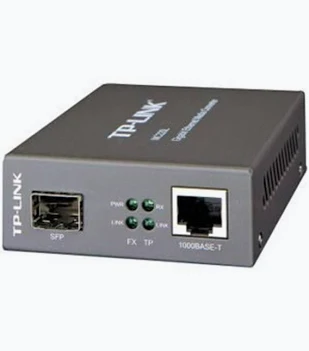
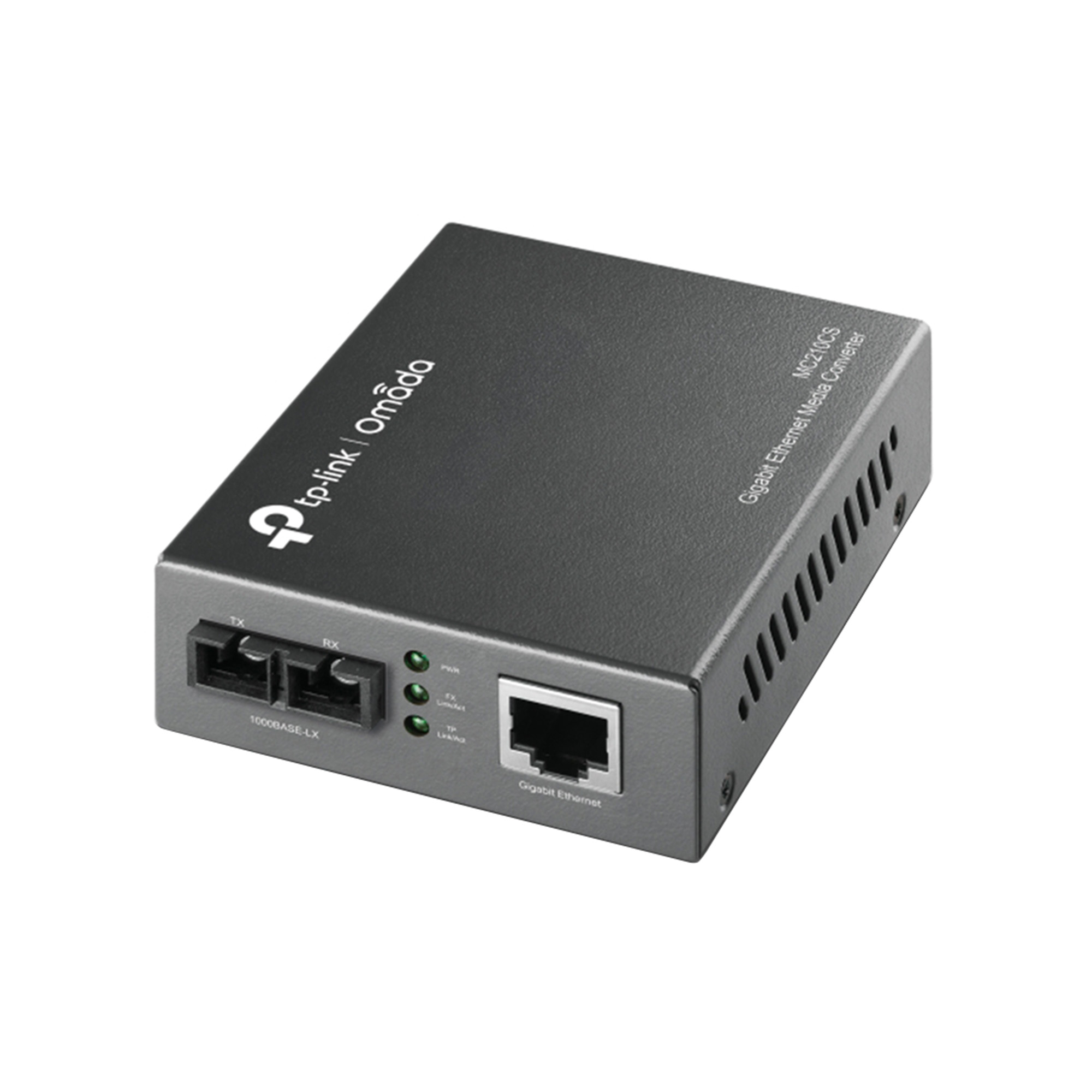
For a related Gigabit single-mode option, compare the TP-Link MC210CS at Tawa. Its specifications must be assessed separately rather than transferred to the Netlink product.
Practical Network Performance
The converter is one component of the connection. Actual transfer rates also depend on the switches, copper cables, endpoint adapters, storage systems, and network load.
Check that the copper interfaces negotiate at the intended speed. A converter connected to a slower Ethernet port cannot remove that bottleneck.
Also verify lower-speed compatibility where older equipment is involved. Copper-side auto-negotiation does not resolve an incompatible optical rate at the other end.
Recommended Applications
| Environment | Practical use |
|---|---|
| Office compound | Connect buildings over a suitable fiber route |
| School | Extend the network between equipment locations |
| Warehouse | Connect remote switches to the main network |
| Surveillance installation | Carry traffic from remote camera-network equipment |
| Business premises | Add fiber connectivity without replacing every switch |
| Remote equipment room | Convert a small number of Ethernet connections |
For an alternative using a separately selected optical module, review the MikroTik FTC21. Confirm its interface and module requirements before choosing it.
How to Set Up the Netlink Gigabit Single-Mode Media Converter
1. Identify the Complete Model
Read the label on each unit and obtain the relevant datasheet.
Compare Ethernet speed, optical rate, connector type, wavelengths, fiber arrangement, distance rating, and power requirements.
For BiDi equipment, confirm the complementary pair before installation.
2. Check the Fiber Infrastructure
Confirm that the installed cable is single-mode and that the required strands are available.
Review the route, terminations, connector condition, and documented losses. Outdoor installations require suitable cable and protection.
3. Choose Compatible Patch Cords
Match the converter’s connector to the fiber termination or patch panel.
Do not mate APC and UPC connector end faces directly. Similar connector shapes do not establish optical compatibility.
Where different connectors are required at opposite ends, use a correctly specified hybrid patch cord.
4. Position and Power the Units
Place each converter in a protected location appropriate to its environmental rating. Allow ventilation and avoid cable strain.
Use the specified power adapter. Voltage, polarity, connector size, and current capacity must be suitable.
If uninterrupted service matters, provide appropriate backup power at both active endpoints.
5. Connect Copper Ethernet
Connect the converter to the intended switch, router, or endpoint using suitable Ethernet cabling.
Verify that the connected port supports the required speed and check its negotiated rate.
6. Connect the Fiber
Inspect and clean connectors with appropriate equipment before mating them.
For dual-fiber links, maintain transmit-to-receive pairing. For BiDi links, use the confirmed complementary endpoints.
Never look into a fiber connector or optical port.
7. Check Link Indicators
Use the exact unit’s documentation to interpret its LEDs.
Verify power, copper link, and optical link status. If the optical connection remains down, investigate compatibility and physical connections before changing IP settings.
8. Test Communication
Check that the connected devices have correct addressing and can communicate across the link.
An unmanaged converter normally needs no management IP address. The endpoints still require suitable addressing, gateways, and access policies.
Confirm VLAN transparency, supported frame size, or other special requirements from the exact converter documentation.
9. Measure Optical Power and Test Traffic
Where required, measure received power and compare it with the receiver’s permitted range.
Run sustained traffic in both directions and check for packet loss, interface errors, and unexpected speed limitations.
An illuminated link indicator alone does not prove reliable performance.
10. Label and Document
Label converters, power adapters, patch cords, and fiber strands.
Record model codes, wavelengths, port assignments, and test results so replacements can be matched correctly.
Troubleshooting Common Problems
| Problem | Checks to perform |
|---|---|
| Unit does not power on | Adapter specification, socket, connector, and device condition |
| Copper link unavailable | Cable, endpoint power, supported rates, and negotiation |
| Optical link unavailable | Matching optics, wavelengths, cleanliness, continuity, and pairing |
| BiDi pair fails | Complementary transmit and receive wavelengths |
| Link indicators on but traffic fails | Addressing, VLANs, firewall policies, and upstream configuration |
| Slow transfers | Negotiated speeds, errors, congestion, and endpoint limits |
| Intermittent service | Optical levels, damaged fiber, connectors, and power stability |
Advantages
- Adds fiber connectivity to compatible Gigabit Ethernet equipment.
- Can preserve existing copper switches and endpoints.
- Useful for targeted network extensions.
- Offers flexibility where only a few links need conversion.
- Can simplify the connection between separate network locations.
Disadvantages
- Optical compatibility must be established carefully.
- Requires power at every active endpoint.
- Adds devices and adapters to maintain.
- Model suffixes can represent important differences.
- Does not automatically provide PoE, routing, or GPON compatibility.
- Fiber troubleshooting requires suitable tools and technical knowledge.
Frequently Asked Questions
Do I need two converters?
Usually, unless the remote equipment has a directly compatible optical interface.
Can it connect to a Fast Ethernet fiber converter?
Do not assume so. The optical rates and standards must match.
Can it replace an ISP’s GPON ONT?
No. An ordinary Ethernet converter does not perform GPON registration or ONT functions.
Does it power an IP camera?
Only a model explicitly providing compatible PoE output can supply suitable power.
Is it plug and play?
An unmanaged version may require no software configuration, but correct optical pairing, power, and network settings are still necessary.
Order from Reisen SEO
Contact Reisen SEO for the current Netlink Gigabit Single-Mode Media Converter price in Kenya, exact model, availability, warranty terms, and package contents.
Provide the required speed, fiber distance, available strands, connector details, and remote equipment model so a compatible solution can be quoted.
Additional information
| Product | Netlink Gigabit Single-mode Media Converter Price in Kenya |
|---|---|
| Category | Media Converters |
| Price | KES 1,300.00 |
| Availability | In stock |
Keep exploringMore in Media Converters