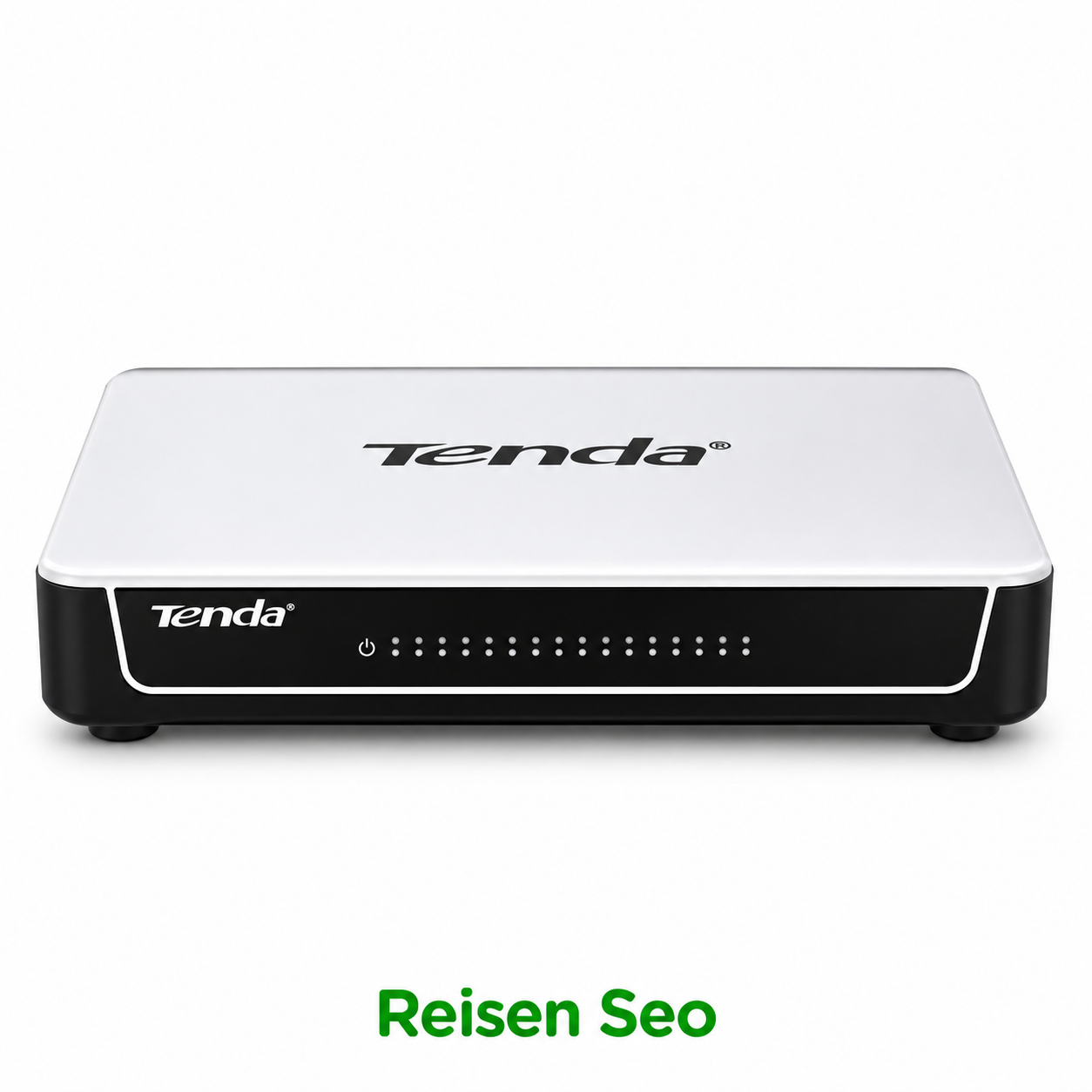
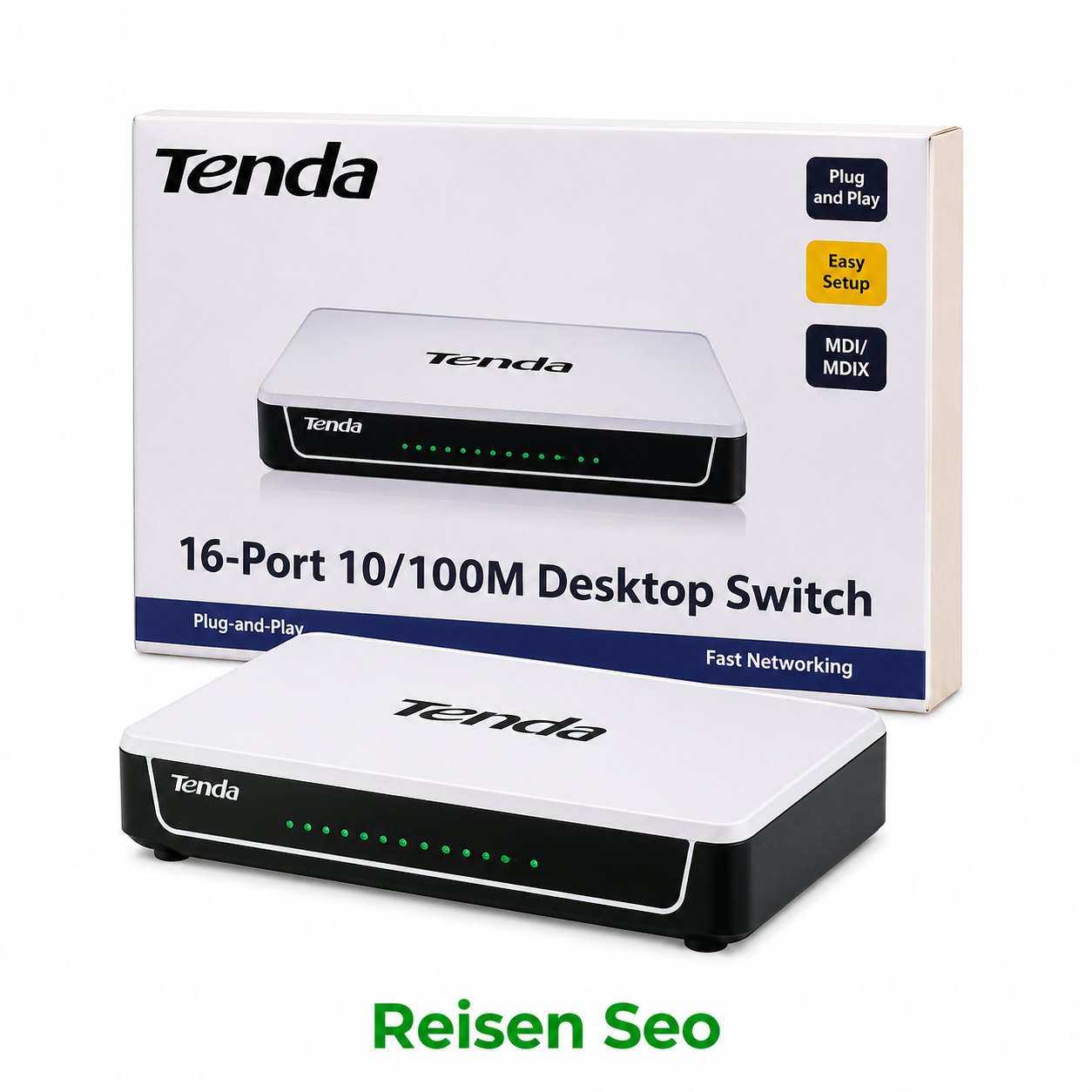
TENDA 16 PORT 10/100 FAST DESKTOP SWITCH Price in Kenya
In stock
KES 2,599.00KES 3,500.00
You save KES 901.00
Buy TENDA 16 PORT 10/100 FAST DESKTOP SWITCH in Kenya. Compare verified features, compatibility, installation guidance and related equipment at Reisen.
Overview of TENDA 16 PORT 10/100 FAST DESKTOP SWITCH
A compact Ethernet switch adds wired connections to a local network. Its suitability depends on the port rate, whether the port count leaves room for an uplink, and whether the connected devices need Power over Ethernet. A Fast Ethernet switch is not a gigabit switch; it should be selected for actual endpoint traffic rather than merely the number of sockets.
The listing says Tenda 16-port 10/100 Fast Ethernet but omits a model identifier. Tenda S16 is an example fitting that broad description, yet it is not defensible to label the catalog item S16 without confirming the SKU. The technical table therefore distinguishes catalog facts from a reference model.
The Reisen catalog snapshot lists this product at KSh 2,600. This is a displayed catalog price, not a promise about current stock, tax treatment or final delivery costs. Confirm the applicable price and package contents before checkout.
Ports / nominal speed: 16 × 10/100 Mbps, per catalog title. This is a description taken from the Reisen catalog, not a substitute for an independent acceptance test. Treat it as a purchasing starting point and verify the supplied goods against the written quotation.
SKU / revision: Not provided in catalog. This aspect has not been established for the exact catalog item. Request the printed label or datasheet and use that verified specification in the purchase order, especially when the installation depends on it.
PoE capability: Not established; do not assume PoE. This aspect has not been established for the exact catalog item. Request the printed label or datasheet and use that verified specification in the purchase order, especially when the installation depends on it.
Management capability: Not established for this listing. This aspect has not been established for the exact catalog item. Request the printed label or datasheet and use that verified specification in the purchase order, especially when the installation depends on it.
Tenda S16 reference: 16 × 10/100 Mbps, unmanaged (illustrative comparison, not SKU confirmation). This aspect has not been established for the exact catalog item. Request the printed label or datasheet and use that verified specification in the purchase order, especially when the installation depends on it.
Technical Graphic — Product-specific illustration with verified details and clear buyer checks.
Practical Applications in Kenya
Small-site planning
Consider several office PCs and a printer on one desk. The main selection issue is sixteen-port distribution, not simply the advertised name or price. For Tenda 16-port Fast Ethernet switch, document the existing hardware, the site conditions and the exact operational requirement before ordering. Where the item is only one component of a larger installation, specify the upstream and downstream equipment and the person responsible for configuration. If an important rating is absent from the listing, obtain it from the product label or manufacturer rather than relying on a seller’s generalized description. Record a test that would prove the finished installation solves the customer’s problem, and include it in the handover checklist.
Professional deployment
Consider a low-traffic local camera network using separate power injectors. The main selection issue is uplink congestion, not simply the advertised name or price. For Tenda 16-port Fast Ethernet switch, document the existing hardware, the site conditions and the exact operational requirement before ordering. Where the item is only one component of a larger installation, specify the upstream and downstream equipment and the person responsible for configuration. If an important rating is absent from the listing, obtain it from the product label or manufacturer rather than relying on a seller’s generalized description. Record a test that would prove the finished installation solves the customer’s problem, and include it in the handover checklist.
Upgrade and replacement
Consider an extension of an existing router LAN with a known uplink speed. The main selection issue is exact SKU confirmation, not simply the advertised name or price. For Tenda 16-port Fast Ethernet switch, document the existing hardware, the site conditions and the exact operational requirement before ordering. Where the item is only one component of a larger installation, specify the upstream and downstream equipment and the person responsible for configuration. If an important rating is absent from the listing, obtain it from the product label or manufacturer rather than relying on a seller’s generalized description. Record a test that would prove the finished installation solves the customer’s problem, and include it in the handover checklist.
Service and procurement
Consider a small deployment where unmanaged operation is preferred over configurable VLANs. The main selection issue is desktop placement, not simply the advertised name or price. For Tenda 16-port Fast Ethernet switch, document the existing hardware, the site conditions and the exact operational requirement before ordering. Where the item is only one component of a larger installation, specify the upstream and downstream equipment and the person responsible for configuration. If an important rating is absent from the listing, obtain it from the product label or manufacturer rather than relying on a seller’s generalized description. Record a test that would prove the finished installation solves the customer’s problem, and include it in the handover checklist.
Engineering and Compatibility Considerations
Understanding the port rate
A 10/100 Mbps Ethernet port can negotiate at 10 or 100 Mbps, not at 1 Gbps. This may suit modest printers, desk devices or low-rate security endpoints but could constrain aggregation of multiple traffic sources. A switch with five sockets typically leaves fewer for endpoints after one port is used to connect to the router or upstream switch.
PoE is a separate feature
Do not confuse ordinary Ethernet switching with Power over Ethernet. The listed Dahua SF1005L and SF1008L are non-PoE devices, and the Tenda model names here do not establish PoE capability. IP cameras, wireless access points and IP phones may require a separate compatible injector, PoE switch or DC adapter. Check the endpoint’s power method rather than assuming a powered switch supplies electricity through every RJ45 port.
Topology and uplink planning
For a small site, connect one switch port to the gateway or upstream network and use the remaining ports for endpoints. Avoid creating accidental cable loops, particularly on unmanaged switches without configurable loop protection. The slowest path between endpoints and servers can determine application performance; a 100 Mbps uplink shared by several busy devices can be a bottleneck even if each device appears lightly loaded on its own.
Compatibility Matrix — Verify ports, input ratings, wiring standards, and exact-model support before ordering.
Understanding Ratings, Capacity, and Real-World Performance
Published ratings are valuable when they describe a known exact model or a verifiable catalog measurement. They are not interchangeable with real deployment outcomes. A channel count does not guarantee playback performance, a port count does not certify power delivery, a cable length is not a tested transmission reach, and a nameplate current is not an endorsed continuous field load. Read each number in the context of its measured quantity and operating conditions.
For Tenda 16-port Fast Ethernet switch, the most important distinction is sixteen-port distribution versus uplink congestion. An installation should be sized for the actual requirement rather than assuming the highest headline value is always achievable. Keep the exact model and physical revision on the final bill of materials, and use a test that verifies the customer’s expected result.
Verified Data — A manufacturer-grounded comparison or clear disclosure that numerical measurements are unavailable.
Installation Planning and Commissioning
When to move to managed switching
If the project needs port-specific VLANs, link aggregation, traffic visibility or policy control, choose a managed model designed for those functions. Plug-and-play unmanaged switches will not provide the same controls. Compare devices on forwarding rate, port speed, total port count, PoE budget and management features rather than looking only at price.
Cabling and power quality
Use properly terminated Ethernet cabling and the correct manufacturer-specified power adapter. If a link repeatedly negotiates at 10 Mbps or drops, test the cable and endpoint first. Keep a small desktop switch ventilated, away from water and heat, and label the uplink and active ports for future maintenance.
Planning Relationships — Three interdependent installation checks; circle sizes represent no measured performance.
How to Connect TENDA 16 PORT 10/100 FAST DESKTOP SWITCH
Use the procedure below as a structured planning and commissioning framework for Tenda 16-port Fast Ethernet switch. It is not a substitute for the exact equipment manufacturer’s manual, electrical safety rules or a competent installer’s site assessment. Where the catalog does not state a rating, resolve that missing information before carrying out the affected step.
A Step by Step Guide to Connect TENDA 16 PORT 10/100 FAST DESKTOP SWITCH
1. Count real ports. Reserve the uplink as well as connections for PCs, cameras, phones and appliances.
2. Check link rates. Review whether 100Mbps Fast Ethernet is enough or whether Gigabit/2.5GbE is needed.
3. Inspect PoE requirements. Do not expect non-PoE hardware to power endpoints that require 802.3af/at.
4. Place the device safely. Use dry, ventilated mounting and the correct manufacturer-rated power adapter.
5. Attach the uplink. Connect the switch to the intended router or upstream network without creating a loop.
6. Connect endpoints. Use tested Ethernet cables and readable port labels.
7. Verify operation. Confirm addressing and effective application throughput, not only Link/Act LEDs.
8. Record design choices. Note switch model, port map and any limits requiring a future managed or Gigabit upgrade.
Decision Wheel — Four purchasing checkpoints presented as categories rather than invented performance percentages.
Comparisons and Alternative Buying Decisions
The simplest useful comparison is not a list of unrelated brands. Compare required port or channel count, wiring method, electrical standards, mounting, configuration and the cost of the complete installation. A part is only an alternative when it actually solves the same problem.
For a related option within the Reisen catalog, compare Dahua five-port Fast Ethernet switch. Check the two product types against the same requirement rather than assuming either is interchangeable.
When assessing alternatives to Tenda 16-port Fast Ethernet switch, compare total installed cost as well as the advertised purchase price. Depending on the category, that can include cabling and termination work, proper power distribution, managed network equipment, compliant accessories, storage, installation labor and ongoing support. The right option is the one with documented compatibility and room for the site’s actual growth.
How to Buy — Model-specific checks to complete before purchasing and commissioning.
Key Specifications
Specification
Verified value or explicit limit
Ports / nominal speed
16 × 10/100 Mbps, per catalog title
SKU / revision
Not provided in catalog
PoE capability
Not established; do not assume PoE
Management capability
Not established for this listing
Tenda S16 reference
16 × 10/100 Mbps, unmanaged (illustrative comparison, not SKU confirmation)
What's in the Box
Item
Manufacturer / pack status
Main product or ordered cable quantity
Confirm exact unit, length or pack on delivery
Power adapter, connectors, brackets, disks and documentation
Not established by this catalog; confirm item by item
Recommended Accessories and Related Products
Choose supporting components only after checking the exact interfaces and ratings. A relevant accessory can reduce installation labor or simplify maintenance, but a product category name is not compatibility certification. The right accessories may include properly terminated cabling, model-specific mounts, rated power hardware, storage, or appropriate network switching depending on this product’s actual role.
When planning the full system, start with Dahua eight-port Fast Ethernet switch. That listing can help identify a complementary item or a sizing alternative, subject to separate compatibility confirmation.
You can also review UniFi U7 Pro Wall Wi-Fi 7 access point. Its usefulness depends on your actual wiring scheme and the difference between product categories.
For a system requiring standards-based powering of compatible network endpoints, browse CCTV PoE switches in Kenya. The switch must meet the device’s PoE class and total power-budget requirements.
If staff, guest and CCTV networks need separation, the MikroTik office VLAN planning guide explains how routing, managed switching and access policies work together. Do not expect VLAN configuration on an unmanaged switch.
Troubleshooting and Long-Term Maintenance
Buyer checklist and commissioning
Confirm the exact SKU and hardware revision, port count, per-port speed, whether PoE is supported, adapter inclusion and mounting method. After installation, inspect link indicators, verify addressing and run realistic transfers through the uplink. A working LED proves physical negotiation, not necessarily adequate end-to-end throughput.
Keep a simple service record for Tenda 16-port Fast Ethernet switch: purchase reference, part number, serial or batch where supplied, last verification, installation point, cable endpoints and the first observable symptom of any failure. Diagnostic notes should identify which part of the complete system has been tested, rather than immediately blaming the newest device. This approach reduces unnecessary part replacements and helps a supplier provide meaningful support.
Frequently Asked Questions
Is it a Gigabit switch?
If this listing specifies 10/100 Mbps ports, the per-port negotiation limit is 100 Mbps. Select Gigabit equipment when needed for high-speed transfers or aggregate traffic.
Does the switch power CCTV IP cameras?
Only if its exact model explicitly supports PoE and meets the camera’s power needs. These cataloged Fast Ethernet switches should not be assumed to supply PoE.
How many usable client ports remain?
Subtract any ports used for upstream connection or additional links. A five-port switch typically leaves four direct endpoint ports with one uplink.
Does it need software configuration?
Manufacturer-confirmed unmanaged models operate without a web configuration interface. Do not expect advanced VLAN or port-security controls.
Can it work with a Wi-Fi router?
Yes, a compatible Ethernet switch can extend wired ports from a router LAN, provided addressing and uplinks are correctly connected.
Can I create VLANs with this device?
An unmanaged switch does not provide configurable VLAN port membership. Use an appropriate managed switch when network segmentation is required.
Why is the network slow through the switch?
Check negotiated link speeds, damaged cables, upstream congestion and device capabilities. A 100 Mbps uplink can constrain several busy endpoints.
Does a 0.00 price mean free?
No. An unpublished catalog amount requires a current seller quotation and stock confirmation.
Buying Summary
Buy Tenda 16-port Fast Ethernet switch for a clearly defined installation need, not for the most attractive headline rating. Cross-check the confirmed information in the table, the relevant model documentation, and the site-specific prerequisites. If the listing lacks the exact manufacturer part number, obtain it in writing before using unverified specifications in a formal quotation. A sound purchase leaves the installer able to explain both why the product suits the work and what would cause it to be rejected at delivery.
Field Planning Notes Before Ordering
For a switch purchase order, make a small port schedule before selecting the chassis. A five-port unit with one router uplink offers four immediately available connections to other local devices; an eight-port unit with the same single uplink offers seven. If the project is expected to add cameras, phones or printers, account for those before the equipment is installed. A sixteen-port switch provides more physical sockets, but a shared 100 Mbps uplink may still restrict traffic when several endpoints are active. This arithmetic describes port allocation, not a promise that each application will perform at any specific speed.
Do not let low purchase cost obscure the difference between non-PoE Fast Ethernet and a powered, managed network. A Wi-Fi 7 access point using PoE+ cannot obtain its required standards-based power from an ordinary 10/100 desktop switch. Similarly, a small unmanaged switch cannot be configured to isolate guest VLANs in the way a managed switch can. Write a requirement checklist with endpoint count, nominal Ethernet speeds, required PoE classes, management features and preferred mounting before comparing models. Test the actual link negotiation and application throughput after installation, and record the switch name, port map and power adapter used.
For Tenda 16-port Fast Ethernet switch, the buying decision is strongest when the installer links each promised capability to a manufacturer specification and each installation outcome to a documented test. Keep that evidence with the final quotation, even when the equipment appears simple to configure.
Additional information
Product
TENDA 16 PORT 10/100 FAST DESKTOP SWITCH Price in Kenya