Save 25%
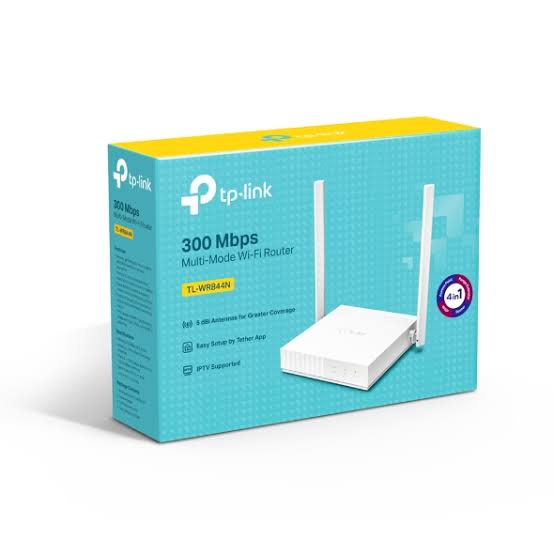
Select an image to view it. Click the main image to enlarge.
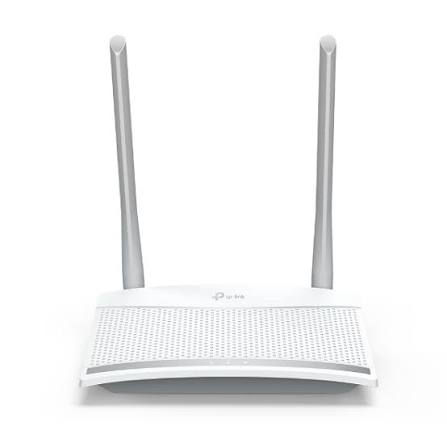
TPLINK TL-WR844N 300 Mbps Multi-Mode Access Point/ Wi-Fi Router Price in Kenya
In stock
KES 1,500.00
KES 2,000.00
You save KES 500.00
Buy TP-Link TL-WR844N in Kenya. Get a 300Mbps 2.4GHz Wi-Fi router with router, access point, range extender, and WISP operating modes.
View product detailsNeed help choosing?
Talk to our team at +254 714 804 532
Product details
TP-Link TL-WR844N 300Mbps Multi-Mode Wi-Fi Router Price in Kenya
The TP-Link TL-WR844N is a compact 2.4GHz Wi-Fi router for everyday browsing, messaging, connected devices, and general home or small-office use.
Its operating modes allow it to serve different roles as a network changes. Use it to share an Ethernet internet connection, add Wi-Fi to an existing network, extend compatible wireless coverage, or connect through a supported wireless internet service.
Key Specification
| Feature | Specification |
|---|---|
| Model | TL-WR844N |
| Wireless generation | Wi-Fi 4 |
| Frequency band | 2.4GHz |
| Advertised wireless rate | Up to 300Mbps |
| Antennas | Two fixed antennas |
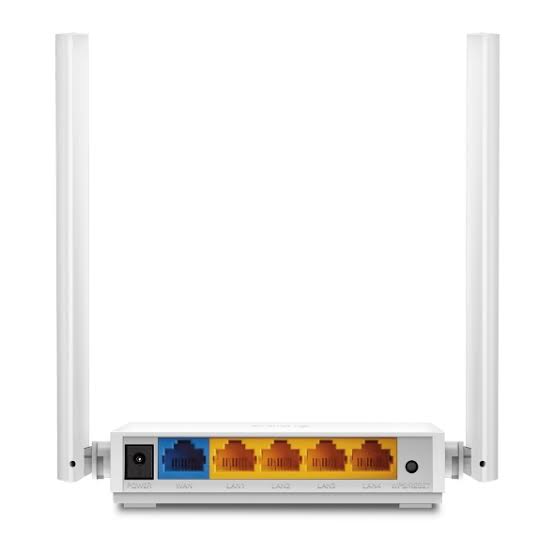
| WAN interface | One 10/100Mbps port |
| LAN interfaces | Four 10/100Mbps ports |
| Operating modes | Router, access point, range extender, WISP |
| Typical connection types | Dynamic IP, static IP, PPPoE |
| Installation environment | Indoor |
Features can vary with hardware revision and firmware. The 300Mbps wireless figure does not remove the speed limit of its 10/100Mbps Ethernet interfaces. TP-Link Egypt
Features and Practical Benefits
Four operating modes: Adapt the device to the required role instead of assuming every installation needs router mode.
Wired device connections: Connect suitable computers, printers, or other Ethernet equipment through its LAN ports.
Everyday wireless access: Provides a basic 2.4GHz wireless network for compatible devices.
Useful secondary access point: Access-point mode can add wireless coverage where an Ethernet connection already exists.
Guest and access-management options: Supported firmware provides tools for managing guest access and household usage. Confirm feature availability on the supplied revision.
For an existing business network requiring more advanced routing, compare the MikroTik hEX E50UG at Orbitlink Solutions. A separate wireless access point would be needed where the selected router has no Wi-Fi.
How to Set It Up
- Choose the operating mode. Decide whether the device will route, provide an access point, repeat wireless coverage, or use WISP mode.
- Position it correctly. Keep it in an open indoor location, away from dense obstructions and major interference sources.
- Connect power. Use the supplied power adapter.
- Connect your computer or phone. Follow the label and quick-start instructions to access the setup interface.
- Set administrator credentials. Use a strong password and install firmware intended for the exact hardware version.
- Configure the connection. In router mode, enter the ISP’s Dynamic IP, static IP, or PPPoE settings as applicable.
- Set wireless security. Create a network name and strong password using supported secure settings.
- Test and save. Check browsing, wired connectivity, and wireless coverage. Save a configuration backup where supported.
In access-point mode, allow the upstream router to provide routing and addressing. In extender mode, place the unit where it still receives a usable signal from the main network.
Advantages and Disadvantages
Advantages
- Multiple operating modes.
- Simple indoor deployment.
- Four wired LAN connections.
- Useful for basic networking requirements.
Disadvantages
- No 5GHz band.
- Fast Ethernet ports limit wired performance.
- Not intended for heavy enterprise workloads.
- Wireless repeating can reduce available capacity.
Troubleshooting and FAQs
The Wi-Fi connects but internet access fails.
Check the WAN cable, ISP settings, upstream connection, and selected operating mode.
Can it deliver a 300Mbps internet plan through Ethernet?
Its 10/100Mbps ports prevent full use of such a connection.
Can it accept a SIM card?
No cellular modem or SIM function should be assumed for this model.
Should it be connected behind another router?
Use access-point mode when the aim is simply to add Wi-Fi and avoid unnecessary additional routing.
Browse Reisen SEO’s router range and wireless access points. For a separate basic Gigabit switch, compare the TL-SG1005D at Network Switch Kenya.
Order the TL-WR844N from Reisen SEO for a basic indoor wireless installation.
Additional information
| Product | TPLINK TL-WR844N 300 Mbps Multi-Mode Access Point/ Wi-Fi Router Price in Kenya |
|---|---|
| Category | Routers |
| Price | KES 1,500.00 |
| Availability | In stock |
Keep exploringMore in Routers
Related products