

Save 3%
Select an image to view it. Click the main image to enlarge.
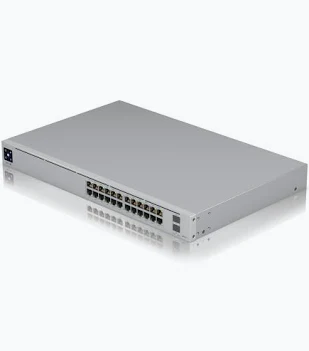
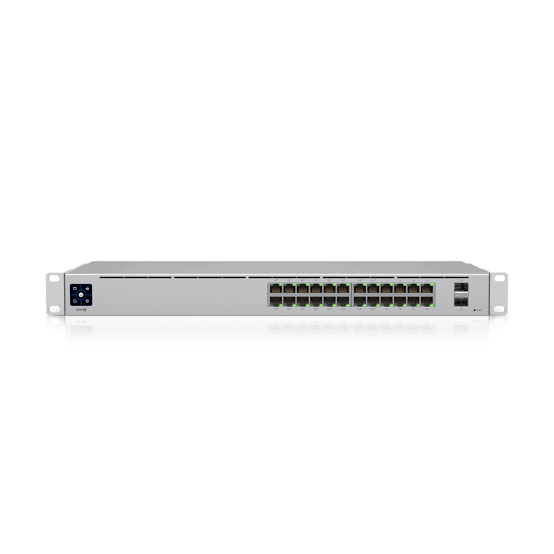
Ubiquiti Standard 24 PoE Switch USW-24-POE Price in Kenya
In stock
KES 65,000.00
KES 67,000.00
You save KES 2,000.00
Buy Ubiquiti USW-24-POE Switch in Kenya at Reisen. Features 24 Gigabit ports, 16 PoE+ ports, 2 SFP uplinks, and a 95W PoE budget.
View product details- Category
- Network Switches
- Availability
- 22 available
Need help choosing?
Talk to our team at +254 714 804 532
Product details
Ubiquiti Standard 24 PoE Switch USW-24-POE Price in Kenya
UniFi USW-24-PoE is a network switches product listed in the Reisen Kenya catalogue. It is designed for a managed office switching cabinet. Buyers comparing UniFi USW-24-PoE options in Kenya should examine the exact model label, physical and network compatibility, accessories and installation requirements rather than relying solely on the headline price.
Reisen presents Ubiquiti Standard 24 PoE Switch USW-24-POE Price in Kenya as a product for customers planning their next equipment purchase. A good buying decision begins with the job itself: the devices already installed, the expected operating environment, how the equipment will connect or function, and who will maintain it. The most valuable specification is the one that prevents an unsuitable purchase.
This guide explains UniFi USW-24-PoE in practical language for installers, homeowners, technicians and procurement teams in Kenya. It separates confirmed catalogue information from specifications that still require the manufacturer datasheet or supplied SKU to be checked. When a value is unknown, the description identifies the verification step instead of supplying an unsupported number.
Main Benefits for Kenyan Buyers
· 24-port switch planning: this is a key decision area when selecting UniFi USW-24-PoE for a managed office switching cabinet. Confirm how the actual revision handles it, record what has been tested, and select complementary accessories before installation.
· Poe load budgeting: this is a key decision area when selecting UniFi USW-24-PoE for a managed office switching cabinet. Confirm how the actual revision handles it, record what has been tested, and select complementary accessories before installation.
· Vlan design: this is a key decision area when selecting UniFi USW-24-PoE for a managed office switching cabinet. Confirm how the actual revision handles it, record what has been tested, and select complementary accessories before installation.
· Sfp uplinks: this is a key decision area when selecting UniFi USW-24-PoE for a managed office switching cabinet. Confirm how the actual revision handles it, record what has been tested, and select complementary accessories before installation.
Count endpoint connections and reserve room for uplinks and growth. A switch increases available ports; it does not create extra internet bandwidth. Check each endpoint’s Ethernet speed and whether powered devices need PoE before selecting a model.
Compare ownership and deployment costs alongside the listing. A purchase can involve accessories, cabling, software, configuration, power protection, labour and ongoing maintenance. Price comparisons are most useful when they cover a genuinely equivalent item and do not assume that every installation needs the same supporting parts.
How to Buy UniFi USW-24-PoE

A five-stage buying checklist for verifying the exact UniFi USW-24-PoE, matching accessories and obtaining a Reisen quotation.
Key Specifications
|
Specification |
Details / Verification Note |
|
Catalogue product |
Ubiquiti Standard 24 PoE Switch USW-24-POE Price in Kenya |
|
Product category |
Network Switches |
|
Exact model / variant |
UniFi USW-24-PoE |
|
Model |
USW-24-PoE |
|
Gigabit Ethernet ports |
24 × 1GbE RJ45 |
|
PoE-capable ports |
16 ports with PoE+/PoE allocation (model dependent verify) |
|
SFP uplinks |
2 × 1G SFP |
|
PoE budget |
95 W (standard USW-24-PoE model; verify SKU) |
|
Management |
UniFi Network |
|
Mounting |
Rackmount |
|
Use |
Managed Gigabit access switching |
|
Regional / hardware revision |
Match the nameplate, package and manufacturer documents |
|
Warranty / returns |
Confirm the seller’s current written terms before purchase |
Only the values identified as confirmed should be used as fixed sales claims. Any entry marked “verify” or “confirm” must be checked against the correct model revision before publication or ordering.
UniFi USW-24-PoE Specification Coverage Bar Chart

Counts of specification fields recorded in the Reisen buying table, grouped by connectivity, performance, installation and other topics. This is a document coverage chart, not a device benchmark.
Detailed Features and Their Practical Value
Model
Model: USW-24-PoE. For UniFi USW-24-PoE, this field helps the buyer judge whether the product matches the intended task. In a real deployment, check the connected equipment and operating conditions rather than treating a single catalogue number as a complete design.
For procurement, record the value alongside the device revision and the project requirement. Where the specification refers to a power method, optical standard, networking interface or mechanical part, a small mismatch may prevent the entire installation from operating. A technician should check this point during acceptance rather than after equipment has already been mounted.
Gigabit Ethernet ports
Gigabit Ethernet ports: 24 × 1GbE RJ45. For UniFi USW-24-PoE, this field helps the buyer judge whether the product matches the intended task. In a real deployment, check the connected equipment and operating conditions rather than treating a single catalogue number as a complete design.
For procurement, record the value alongside the device revision and the project requirement. Where the specification refers to a power method, optical standard, networking interface or mechanical part, a small mismatch may prevent the entire installation from operating. A technician should check this point during acceptance rather than after equipment has already been mounted.
PoE-capable ports
PoE-capable ports: 16 ports with PoE+/PoE allocation (model dependent verify). For UniFi USW-24-PoE, this field helps the buyer judge whether the product matches the intended task. In a real deployment, check the connected equipment and operating conditions rather than treating a single catalogue number as a complete design.
For procurement, record the value alongside the device revision and the project requirement. Where the specification refers to a power method, optical standard, networking interface or mechanical part, a small mismatch may prevent the entire installation from operating. A technician should check this point during acceptance rather than after equipment has already been mounted.
SFP uplinks
SFP uplinks: 2 × 1G SFP. For UniFi USW-24-PoE, this field helps the buyer judge whether the product matches the intended task. In a real deployment, check the connected equipment and operating conditions rather than treating a single catalogue number as a complete design.
For procurement, record the value alongside the device revision and the project requirement. Where the specification refers to a power method, optical standard, networking interface or mechanical part, a small mismatch may prevent the entire installation from operating. A technician should check this point during acceptance rather than after equipment has already been mounted.
PoE budget
PoE budget: 95 W (standard USW-24-PoE model; verify SKU). For UniFi USW-24-PoE, this field helps the buyer judge whether the product matches the intended task. In a real deployment, check the connected equipment and operating conditions rather than treating a single catalogue number as a complete design.
For procurement, record the value alongside the device revision and the project requirement. Where the specification refers to a power method, optical standard, networking interface or mechanical part, a small mismatch may prevent the entire installation from operating. A technician should check this point during acceptance rather than after equipment has already been mounted.
Management
Management: UniFi Network. For UniFi USW-24-PoE, this field helps the buyer judge whether the product matches the intended task. In a real deployment, check the connected equipment and operating conditions rather than treating a single catalogue number as a complete design.
For procurement, record the value alongside the device revision and the project requirement. Where the specification refers to a power method, optical standard, networking interface or mechanical part, a small mismatch may prevent the entire installation from operating. A technician should check this point during acceptance rather than after equipment has already been mounted.
Mounting
Mounting: Rackmount. For UniFi USW-24-PoE, this field helps the buyer judge whether the product matches the intended task. In a real deployment, check the connected equipment and operating conditions rather than treating a single catalogue number as a complete design.
For procurement, record the value alongside the device revision and the project requirement. Where the specification refers to a power method, optical standard, networking interface or mechanical part, a small mismatch may prevent the entire installation from operating. A technician should check this point during acceptance rather than after equipment has already been mounted.
Use
Use: Managed Gigabit access switching. For UniFi USW-24-PoE, this field helps the buyer judge whether the product matches the intended task. In a real deployment, check the connected equipment and operating conditions rather than treating a single catalogue number as a complete design.
For procurement, record the value alongside the device revision and the project requirement. Where the specification refers to a power method, optical standard, networking interface or mechanical part, a small mismatch may prevent the entire installation from operating. A technician should check this point during acceptance rather than after equipment has already been mounted.
UniFi USW-24-PoE Installation Checklist Pie Chart

Five equally weighted planning areas in a suggested installation checklist: identity, compatibility, site, configuration and testing. Equal sections are editorial checklist steps, not measured engineering proportions.
UniFi USW-24-PoE Specification Bubble Chart

Bubble sizes reflect the count of available specification fields for each category. These are document counts, not market share or product performance estimates.
Practical Applications and Deployment Scenarios
Office wired endpoint expansion
UniFi USW-24-PoE may be used in office wired endpoint expansion when the installation meets its actual electrical, physical and networking requirements. The project team should first list essential functions and then assess cable reach, mounting, accessories, management and expected servicing. The same model may be suitable in one building but inconvenient in another because local conditions differ.
For Kenyan projects, plan realistic sourcing and support. Document which components are supplied, who will perform commissioning, and how the system will be tested after installation. These details often matter more than a broad “best product” claim because they determine how reliably the equipment can be deployed and maintained.
CCTV and access-control network
UniFi USW-24-PoE may be used in cctv and access-control network when the installation meets its actual electrical, physical and networking requirements. The project team should first list essential functions and then assess cable reach, mounting, accessories, management and expected servicing. The same model may be suitable in one building but inconvenient in another because local conditions differ.
For Kenyan projects, plan realistic sourcing and support. Document which components are supplied, who will perform commissioning, and how the system will be tested after installation. These details often matter more than a broad “best product” claim because they determine how reliably the equipment can be deployed and maintained.
Small business network cabinet
UniFi USW-24-PoE may be used in small business network cabinet when the installation meets its actual electrical, physical and networking requirements. The project team should first list essential functions and then assess cable reach, mounting, accessories, management and expected servicing. The same model may be suitable in one building but inconvenient in another because local conditions differ.
For Kenyan projects, plan realistic sourcing and support. Document which components are supplied, who will perform commissioning, and how the system will be tested after installation. These details often matter more than a broad “best product” claim because they determine how reliably the equipment can be deployed and maintained.
Port allocation and capacity
Count endpoint connections and reserve room for uplinks and growth. A switch increases available ports; it does not create extra internet bandwidth. Check each endpoint’s Ethernet speed and whether powered devices need PoE before selecting a model.
Cable and power planning
Use good Ethernet cabling, label both ends, keep cables tidy and avoid constricted cooling. For a managed switch, document management IP, VLAN membership and firmware; for an unmanaged switch, focus on physical connection tests and loop avoidance.
UniFi USW-24-PoE Specification Summary Table

Visual table presenting six model-specific fields from the documented specifications, including clearly marked items that require verification.
Compatibility, Accessories and Purchase Checklist
· Confirm the delivered model is exactly UniFi USW-24-PoE, including any suffix that changes interfaces, wireless technology, lens, output or power requirements.
· Check upstream and downstream devices for compatible connectors, protocol, power method, physical fitting and management support.
· Confirm every separately purchased accessory: mounting hardware, cable, adapter, module, splitter, controller licence or protection device as relevant.
· Ask for documentation for the exact supplied revision. Do not assume a visually similar device has the same specification.
· Confirm the applicable Reisen warranty, support arrangement, return conditions, price and current stock before payment.
The chosen accessories can be just as important as UniFi USW-24-PoE. For instance, a correct connector with the wrong optical polish or PoE voltage can leave an installation unusable. A buyer should identify the existing system first and only then choose the additional components. For cost-sensitive work, compare the price of the complete installed solution rather than the initial hardware listing alone.
How to Choose This Product Instead of Alternatives
Select UniFi USW-24-PoE when its confirmed capabilities address the primary technical requirement and there is a documented installation route. An alternative may be preferable if the project requires a different number of ports, a higher verified data rate, stronger environmental protection, a different connector, easier management or compatibility with hardware already owned.
A useful comparison records four things for each option: confirmed specification, fit with current equipment, complete acquisition cost and consequences for future growth. Treat theoretical rates, maximum splitter counts and advertising terminology cautiously. Real installations must be validated under site conditions.
Advantages and Limitations
Advantages
· 24-port switch planning can make the product suitable for a properly designed application when the relevant capability has been verified on the supplied unit.
· Poe load budgeting can make the product suitable for a properly designed application when the relevant capability has been verified on the supplied unit.
· Vlan design can make the product suitable for a properly designed application when the relevant capability has been verified on the supplied unit.
Limitations and Points to Verify
· Poe load budgeting deserves a practical test or datasheet check before the purchase is treated as final.
· Vlan design deserves a practical test or datasheet check before the purchase is treated as final.
· Sfp uplinks deserves a practical test or datasheet check before the purchase is treated as final.
No single product suits every installation. Cable type, topology, environmental limitations and support arrangements need to be considered in the same decision. Do not interpret an unverified specification as a confirmed capability, and do not assume the package includes related accessories unless the supplier confirms them.
How to Connect and Set Up UniFi USW-24-PoE
A Step by Step Guide to Connect and Set Up UniFi USW-24-PoE
Check the exact item
Inspect the delivered device and confirm the actual model is UniFi USW-24-PoE. Review the product label, hardware revision and any supplier documentation. Set aside accessories that do not match the intended connections.
Plan the installation
Define the intended use: a managed office switching cabinet. Map cable routes, mounting or working space, environmental factors and the required performance or workflow. Identify safety requirements before installation.
Check the interfaces and power
Match the actual connectors, supply voltage, optical or networking standards and compatible accessories. Verify that the correct adapter or transceiver is available instead of inferring compatibility from the appearance of the connector.
Prepare and install
Install or position UniFi USW-24-PoE according to the appropriate manufacturer instructions. Protect the equipment and cable routes from mechanical damage, excessive heat, moisture and poor cable handling as applicable.
Connect and configure
Make the approved connections. For managed or app-based devices, apply documented authentication and configuration settings; for passive equipment, perform the corresponding physical installation and continuity checks. Do not invent a software menu for hardware that has none.
Test and troubleshoot
Verify the actual operating outcome, not just the presence of power. Check connectivity, optical signal, image, call, or continuity as appropriate. Compare measurements to the project acceptance standard rather than an arbitrary internet example.
Label and hand over
Record the model, configuration, serial/revision details, installed accessories, cable labels, test results and maintenance instructions. Explain who will provide help if there is a fault.
UniFi USW-24-PoE Installation Workflow

Illustrative five-step process tailored to the device family; consult the exact manufacturer installation manual and product revision.
Troubleshooting and Maintenance
No power or no operation
Check the correct power method and manufacturer instructions. Do not substitute an adapter with a similar connector but different voltage.
Poor or interrupted service
Inspect the network path, cable integrity, signal or link status and operating environment. Test in smaller sections to find the failing component.
Unexpected compatibility errors
Recheck the exact model, hardware revision, endpoint standards, authentication requirements and supported accessory list.
After installation
Keep connections clean and strain-free, back up managed configurations, and record maintenance actions for the next technician.
Warranty and Return Policy
Confirm the current warranty period, claim procedure, eligibility, return condition and any special exclusions directly with Reisen before purchase. These conditions can depend on the supplied item, distributor and usage. No fixed warranty period or unconditional return promise is stated here without verified seller policy.
Product Guides, Documents and Installation Manuals
Request the official model-specific product datasheet and installation or user guide for UniFi USW-24-PoE. The catalogue listing alone does not establish every technical field. Manufacturer manuals are especially important for configuration menus, passive optical loss budgets, camera storage options, PoE pinouts and fibre installation procedures.
Keep a local copy of the applicable revision and record any recommended firmware version or safety notices. The technical research supporting this draft is not a warranty or substitute for the instructions included with the delivered device.
What's in the Box?
The exact retail package for UniFi USW-24-PoE has not been independently verified from the supplied catalogue export. Before shipping, request confirmation of the main product, compatible power accessory where applicable, supplied mounting parts, manuals, cable accessories and any modules or extras. Do not assume optional network components are supplied merely because they appear in example installations.
Frequently Asked Questions
What is UniFi USW-24-PoE used for?
It is listed in Reisen’s Network Switches category and is intended for a managed office switching cabinet. Verify the actual revision and intended site requirements before installation.
Where can I buy UniFi USW-24-PoE in Kenya?
You can review the Reisen listing and request a current quotation, compatibility check and availability confirmation for UniFi USW-24-PoE.
What accessories does UniFi USW-24-PoE require?
The requirements depend on the exact version and installation. Confirm appropriate cables, power, mounts, modules and supporting devices from the manufacturer guide and the supplier.
Can UniFi USW-24-PoE be installed without specialist help?
Simple items may be straightforward for a trained user, but network configuration, fibre optic work, powered outdoor equipment and electrical safety can require qualified installers.
What should I check before comparing prices?
Compare the exact model, genuine specifications, included accessories, warranty and delivery. Do not compare a standalone device against a fully configured kit as though they are identical.
Does UniFi USW-24-PoE include everything needed for installation?
The included accessories have not been confirmed for the exact Reisen stock. Ask for a package checklist and verify any extras separately.
Buy UniFi USW-24-PoE in Kenya from Reisen
When choosing UniFi USW-24-PoE, make the buying decision around the project requirements, not only a generic product label. Reisen can be contacted through its product catalogue for the latest available stock, confirmed pricing and model-specific accessories. The product page is available at https://reisenseo.com/shop/ubiquiti-standard-24-poe-switch-usw-24-poe.
Reisen aims to become a leading eCommerce platform in Kenya and a leading eCommerce platform in Africa by helping customers make informed hardware decisions. Clear technical comparisons, responsible installation guidance and transparent verification help make equipment purchases more useful over the full life of a network or security system.
Additional information
| Product | Ubiquiti Standard 24 PoE Switch USW-24-POE Price in Kenya |
|---|---|
| Category | Network Switches |
| Price | KES 65,000.00 |
| Availability | In stock |
Keep exploringMore in Network Switches
Related products

Tp-link SF-1008D 8-Port Desktop Switch Price in Kenya
Buy TP-Link TL-SF1008D 8-Port Desktop Switch in Kenya. Expand your wired network with 10/100Mbps ports, plug-a...
KES 1,100.00
View

Tp-link TL-SF1016D 16-Port Desktop Switch Price in Kenya
Buy TP-Link TL-SF1016D 16-Port Desktop Switch in Kenya. Expand your wired network with 10/100Mbps ports, easy...
KES 2,500.00
View
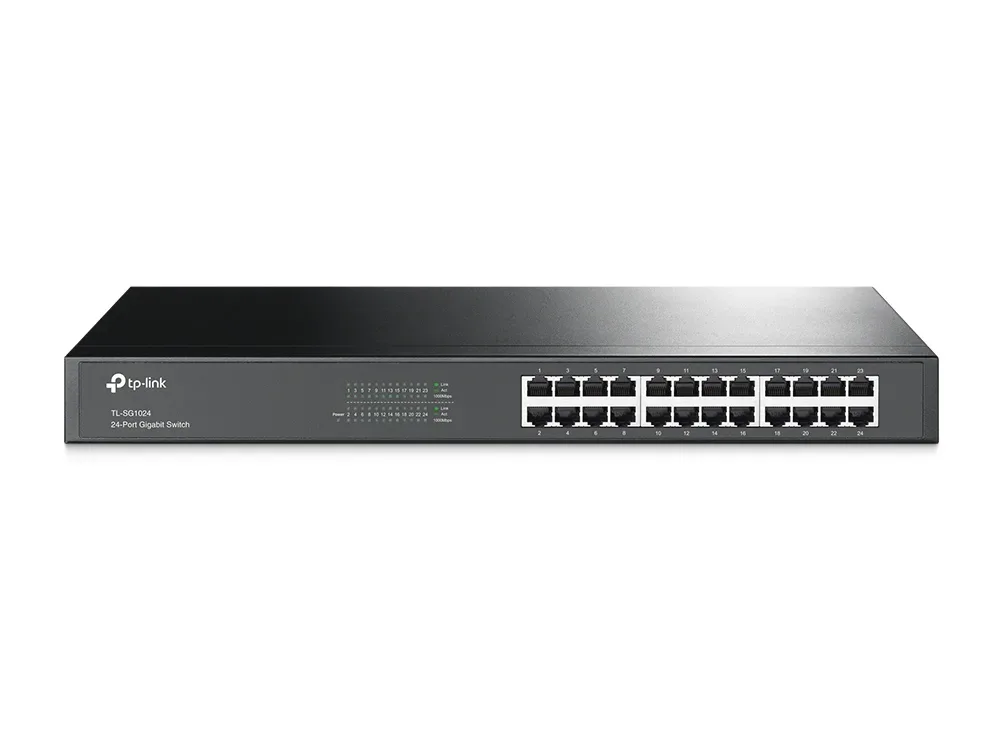
TP-Link 24-Port Gigabit Rackmount Switch TL-SG1024D Price in Kenya
Buy TP-Link TL-SG1024D 24-Port Gigabit Switch in Kenya. Expand your wired network with plug-and-play setup, fa...
KES 10,500.00
View