
Save 8%


Select an image to view it. Click the main image to enlarge.
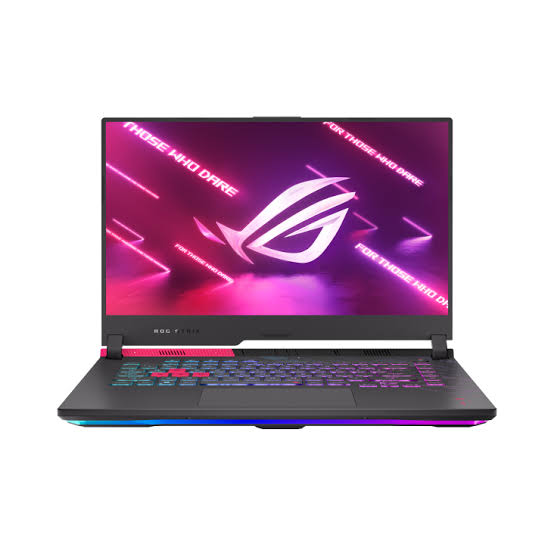
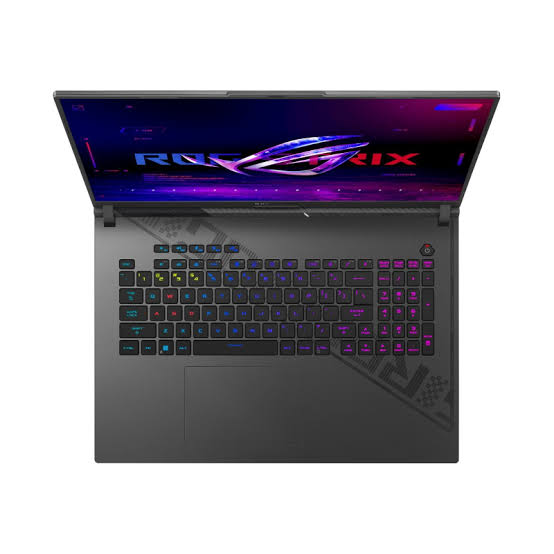
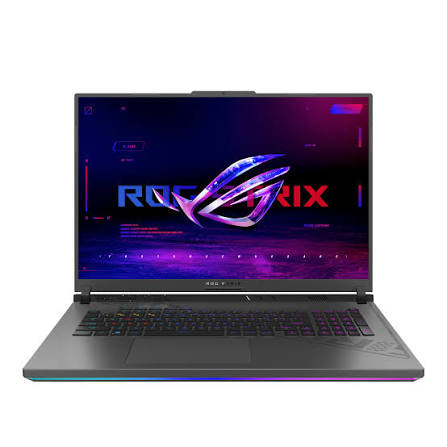
ASUS ROG Strix 18 | Core i9 13980HX, RTX 4080 Gaming Laptop Price in Kenya
In stock
KES 36,999.00
KES 39,999.00
You save KES 3,000.00
Buy ASUS ROG Strix G18 RTX 4080 gaming laptop in Kenya. Compare 18-inch gaming hardware and purchase requirements at Reisen SEO.
View product details- Category
- Gaming laptop Prices in Kenya
- Availability
- 1111 available
Need help choosing?
Talk to our team at +254 714 804 532
Product details
ASUS ROG Strix G18 (2023) Core i9-13980HX RTX 4080 Gaming Laptop Price in Kenya
Explore ASUS ROG Strix G18 (2023) Core i9-13980HX RTX 4080 Gaming Laptop through this detailed Kenyan buying guide. The ASUS ROG Strix G18, G814 family is evaluated with special attention to large-format high-performance gaming, physical size and suspicious catalog pricing. Its suitability depends on the actual supplied configuration, the tasks you want to complete and the accessories required for daily use. The information below helps you compare options, make an informed purchase and set up the product responsibly.
Key Features and Buyer Benefits
· Product identity: ASUS ROG Strix G18, G814 family.
· Processor: Intel Core i9-13980HX (seller listing; official G814JZ option).
· Graphics: NVIDIA GeForce RTX 4080 Laptop GPU (seller listing; official G814JZ option).
· Memory: Not given.
· Storage: Not given.
· Display: 18-inch ROG Strix G18 family; exact panel not given.

Figure 587.1: How to Buy for ASUS ROG Strix G18, G814 family.
Key Specifications
|
Field |
Details |
|
Product |
ASUS ROG Strix G18 (2023) Core i9-13980HX RTX 4080 Gaming Laptop |
|
Manufacturer / family |
ASUS ROG Strix G18, G814 family |
|
Processor |
Intel Core i9-13980HX (seller listing; official G814JZ option) |
|
Graphics |
NVIDIA GeForce RTX 4080 Laptop GPU (seller listing; official G814JZ option) |
|
Memory |
Not given |
|
Storage |
Not given |
|
Display |
18-inch ROG Strix G18 family; exact panel not given |
|
Product reference |
https://reisenseo.com/shop/asus-rog-strix-18-core-i9-13980hx-rtx-4080-gaming-laptop |
|
Market |
Kenya; confirm stock, price, warranty and delivery before ordering |
What to Know About ASUS ROG Strix G18, G814 family
ASUS documents G814-series Strix G18 configurations with i9-13980HX and RTX 4080, but the full suffix is essential.
The displayed KES 36,999 price is not consistent with a typical RTX 4080 gaming laptop and warrants manual correction.

Figure 587.2: Product Identity for ASUS ROG Strix G18, G814 family.
Product Overview and Buyer Value
The ASUS ROG Strix G18 (2023) Core i9-13980HX RTX 4080 Gaming Laptop is listed for buyers in Kenya who want a clearly identified device rather than a vague promise of performance. Its primary purchasing value depends on large-format high-performance gaming, physical size and suspicious catalog pricing. A well-informed buyer should assess the precise hardware configuration, not just the family name printed in a product advertisement. That is especially important where a manufacturer sells several models under the same marketing label. Start with the exact identifier, review what the seller actually supplies, and decide whether the expected applications justify the cost. The right purchase is one that works reliably in the buyer’s environment rather than one chosen solely from the most impressive component name.
In practice, ASUS ROG Strix G18, G814 family should be evaluated against daily workload, working conditions and long-term support. A student working from home has different requirements from a designer, network administrator, gaming enthusiast or office procurement manager. The listing provides a starting point, but RAM, storage type, display, operating system, battery health, bundled accessories, and model revision all affect usability. This page explains the practical questions to ask before ordering ASUS ROG Strix G18 (2023) Core i9-13980HX RTX 4080 Gaming Laptop, how to inspect the equipment, and how to avoid paying for a specification that is absent from the actual unit.
Exact Model Identity and Configuration
The product identity available for this entry is ASUS ROG Strix G18, G814 family. The processor information is Intel Core i9-13980HX (seller listing; official G814JZ option); the graphics information is NVIDIA GeForce RTX 4080 Laptop GPU (seller listing; official G814JZ option). Memory is described as Not given, while the listed storage is Not given. The display information is 18-inch ROG Strix G18 family; exact panel not given. These statements are deliberately separated: a model-family specification does not prove that every retail unit includes the same processor, panel, SSD, memory layout, charger or software license. An exact manufacturer SKU, product number or machine-type identifier is a more reliable reference than a shortened online storefront title.
For ASUS ROG Strix G18 (2023) Core i9-13980HX RTX 4080 Gaming Laptop, an accurate identity check should reconcile the packaging label, device information screen, warranty lookup and merchant invoice. Buyers should not accept a photograph of a visually similar model as evidence of the supplied specification. Where the seller offers customized or refurbished hardware, verify which components were replaced and whether the system recognizes them correctly. Recording the actual serial number and product code at handover also makes future service simpler. This is an important step for anybody buying multiple units for a company, school or managed fleet.
Processor Performance and Workload Planning
The processor detail currently associated with ASUS ROG Strix G18, G814 family is Intel Core i9-13980HX (seller listing; official G814JZ option). Treat that as the first part of a workload assessment, not a complete performance guarantee. Actual responsiveness depends on the processor generation, power limits, available memory, storage speed and sustained cooling. Short bursts of activity may feel fast even on compact hardware, while prolonged exports, compiles or multitasking can expose limitations. Buyers should consider whether their main applications use a few fast cores, many threads or an accelerator outside the CPU.
For ASUS ROG Strix G18 (2023) Core i9-13980HX RTX 4080 Gaming Laptop, a useful seller demonstration is to open the operating system’s hardware information and run a representative task while connected to the supplied charger. Observe responsiveness, excessive fan noise, interruptions and obvious thermal throttling rather than relying entirely on a synthetic benchmark. Software versions, background processes and power settings make published benchmark figures imperfect buying tools. A laptop that runs a typical office workflow smoothly may still be an unsuitable choice for demanding 3D rendering, and a powerful gaming laptop may be unnecessary for email and spreadsheet work.
Graphics Capabilities and Realistic Expectations
The available graphics detail is NVIDIA GeForce RTX 4080 Laptop GPU (seller listing; official G814JZ option). A dedicated NVIDIA graphics processor and an integrated graphics solution serve different buyer needs; neither should be assumed from a promotional image. For modern games, check the exact GPU, available video memory, laptop GPU power limits, supported rendering features and the resolution at which you intend to play. For business applications, compatibility with external displays and stable drivers may be more important than gaming performance. Graphics memory alone is not a useful measure of overall speed.
When evaluating ASUS ROG Strix G18, G814 family, ask the seller to show the installed GPU in the operating system and, where relevant, run a workload compatible with your intended software. Verify that the machine can switch between integrated and discrete graphics as expected. Do not assume the mobile GPU performs identically to the desktop card with a similar product name. If the product description does not establish an exact GPU, avoid choosing it for a demanding 3D application until the seller confirms the actual model. This protects buyers from paying a premium for an unsupported graphics claim.
RAM, Storage and Everyday Responsiveness
The catalog currently describes memory as Not given and storage as Not given. These two components affect different aspects of usability. RAM provides working space for applications, browser tabs and active files; drive capacity determines how much software and data can be kept locally. Drive technology also matters: an SSD generally feels more responsive for operating-system startup and file access than an older mechanical hard drive. For ASUS ROG Strix G18, G814 family, do not assume the amount of memory describes the number of memory modules or proves that future upgrades are supported.
Before purchase, request a screenshot showing installed memory and storage and ask whether there is a second drive bay or memory slot on the exact retail revision. A storage upgrade can be valuable for large video libraries, engineering files, games and archived business records, but it is not a substitute for sufficient RAM. Leave free storage space for updates and backups. If the laptop is refurbished, inspect its drive health and confirm that existing user data has been securely removed. Buyers should budget for dependable backups rather than treating internal storage as a complete data-protection plan.

Figure 587.3: Application Workflow for ASUS ROG Strix G18, G814 family.
Screen Size, Clarity and Ergonomics
The screen information presently available is 18-inch ROG Strix G18 family; exact panel not given. Buyers should consider resolution, brightness, refresh rate, viewing angles and surface finish separately. A faster refresh rate can improve the feel of supported games, whereas office users may place greater weight on readable text and eye comfort. A wide color gamut is valuable only if the real panel supports it and the user's creative applications can make use of color-managed workflows. A marketing family may include several panel options, so do not assume the highest available screen specification is installed.
To inspect ASUS ROG Strix G18 (2023) Core i9-13980HX RTX 4080 Gaming Laptop, display a neutral background and examine dead pixels, uneven illumination, flicker and the hinge mechanism. Check whether screen scaling is comfortable at the resolution you expect to use. If the laptop will be connected to external displays, verify video ports, cable standards and the screen refresh rate available through the chosen connection. For working from home, consider ergonomics: a separate keyboard, mouse and a monitor positioned at comfortable eye level can make long sessions more productive than relying exclusively on the built-in screen.
Design, Keyboard, Touchpad and Portability
The practical design of ASUS ROG Strix G18, G814 family matters as much as its processor or storage. Consider carrying weight, desk footprint, charger size, ventilation clearance, keyboard feel, touchpad accuracy and the durability of common contact points. Gaming models often prioritize sustained cooling and performance, while business notebooks focus on flexibility and manageability. Convertible models add a touch interface and hinge mechanism that should be inspected carefully. A buyer who travels daily may reasonably prefer lower weight and longer unplugged operation to an otherwise faster but bulkier configuration.
Ask to inspect the lid, screen frame, hinges, palm rest and underside for signs of impact or previous repair. Test each commonly used key and check for uneven response, especially where a laptop is advertised as used or refurbished. Verify that the charging connector is not loose, that ventilation openings are clean, and that the display stays in position. For ASUS ROG Strix G18 (2023) Core i9-13980HX RTX 4080 Gaming Laptop, the exact design revision should be checked against the serial label because accessories, keyboard layouts and docking arrangements can vary across manufacturing regions.
Connectivity, External Screens and Accessories
For ASUS ROG Strix G18, G814 family, examine the physical connections on the supplied unit before choosing external peripherals. USB-A, USB-C, HDMI, audio jacks, wired Ethernet and card readers are not universal across every laptop model or revision. USB-C is particularly easy to misunderstand: the connector shape does not prove support for video output, fast data transfers, Thunderbolt or charging. A compatible dock must support the device’s actual data and display capabilities. An external monitor also needs the correct input, cable rating, operating mode and refresh-rate settings.
A useful buying exercise is to write down the accessories you already own and check them one by one. An office may require a wired network connection, printer, headset, barcode scanner and second monitor, while a home user may need only a mouse and storage drive. For ASUS ROG Strix G18 (2023) Core i9-13980HX RTX 4080 Gaming Laptop, choose an adapter based on the precise port and power specification rather than a generic “fits all laptops” promise. Ask the seller to demonstrate the essential connection if it is a deal-breaker. Also check that replacement chargers meet the manufacturer's electrical specifications.
Battery, Charging and Thermal Care
A laptop battery is a consumable component, and its current health can differ substantially from the original manufacturer's rating. For ASUS ROG Strix G18, G814 family, ask about remaining capacity, cycle count where available and whether the supplied charger is genuine and correctly rated. Gaming performance on battery may differ from plugged-in performance because the system manages power and heat. Business buyers should evaluate enough unplugged runtime for their own meetings rather than rely on an ideal laboratory battery estimate. Poor ventilation, accumulated dust and excessive heat can shorten the working life of components.
Keep ASUS ROG Strix G18 (2023) Core i9-13980HX RTX 4080 Gaming Laptop on a stable surface that does not block cooling intakes. Use the manufacturer's charging and battery-care recommendations, and avoid storing the device in hot vehicles or humid spaces. When checking a used laptop, operate it long enough to detect unexpected shutdowns, unusual fan noise, battery swelling or a charger that becomes abnormally hot. Replacement batteries must match the model’s voltage and connector specifications. If the laptop is to run for hours every day, account for electricity, cooling and periodic servicing rather than focusing on purchase price alone.

Figure 587.4: Compatibility Matrix for ASUS ROG Strix G18, G814 family.
Operating System, Drivers and Data Security
The precise operating-system edition and license status for ASUS ROG Strix G18, G814 family must be verified on the actual unit. Some catalog advertisements mix factory specifications with software that a retailer has installed later. Check activation, secure-boot support, required application compatibility and whether there are manufacturer drivers available for the chosen operating system. For managed offices, review organizational security requirements, encryption and account management before enrolling a new computer. Do not assume that an old or refurbished model receives the same update support as a recently released machine.
When the device is delivered, create a new user account, remove unwanted preinstalled software, apply relevant security patches and configure recovery options. Verify that the webcam, speakers, microphone, Bluetooth, keyboard and wireless networking work after updates. Install applications from trustworthy sources and do not disable security settings merely to run unknown software. For ASUS ROG Strix G18 (2023) Core i9-13980HX RTX 4080 Gaming Laptop, record the device identifier for service, set a strong screen lock and back up essential documents. These steps reduce the risk of avoidable setup problems and make the equipment easier to maintain over time.
Practical Applications in Kenya
Potential uses for ASUS ROG Strix G18 (2023) Core i9-13980HX RTX 4080 Gaming Laptop include PC gaming and game development, streaming and recorded gameplay, GPU-accelerated creative workflows and schoolwork and intensive multitasking. Each scenario imposes a different bottleneck: online collaboration needs reliable audio and connectivity, local file work needs responsive storage, and specialist software may require a certain GPU or RAM level. A small Nairobi office may evaluate serviceability and peripheral compatibility first; a university student may value mobility and a clear display; and a creative team may demand reliable color management and export performance. The best purchase decision follows the workload, not a universal ranking.
If multiple employees or students will use ASUS ROG Strix G18, G814 family, standardize the actual configuration and document accessories before procurement. Confirm that each unit has enough ports and storage for the assigned role and that spare chargers and support options are available. The same hardware can appear to perform differently after installation of resource-heavy background tools, so consider software deployment as part of the setup. For buyers comparing local offers, insist on quotations that state exact hardware identity, condition, warranty terms and any return policy rather than relying on the product photograph alone.
Limitations, Trade-Offs and Buyer Expectations
Every model has limits. For ASUS ROG Strix G18 (2023) Core i9-13980HX RTX 4080 Gaming Laptop, the central consideration is large-format high-performance gaming, physical size and suspicious catalog pricing, but a product should also be judged on what it cannot do economically or comfortably. A slim gaming laptop may have less thermal headroom than a thick desktop replacement; an entry-level business notebook may be unsuitable for complex 3D software; and a convertible can prioritize flexibility over serviceability. Without an exact SKU, even seemingly simple questions about screen quality, memory upgrade limits or charger rating may have more than one valid answer.
Buyers should therefore distinguish confirmed details from assumptions. If a retailer has upgraded storage, the fitted component may differ from the original factory drive. If a product is older, replacement batteries and warranty coverage may require special attention. Do not infer reliability from the manufacturer name alone, and do not compare prices without matching condition, included accessories and model codes. A good description of ASUS ROG Strix G18, G814 family is one that helps a buyer recognize these trade-offs before purchase, reducing returns and misunderstandings later.
Comparing Similar Models and Price Offers
When comparing ASUS ROG Strix G18 (2023) Core i9-13980HX RTX 4080 Gaming Laptop with another listing, create a simple side-by-side record of CPU model, GPU model, installed RAM, actual storage technology, screen specification, condition, charger, warranty and total price. Differences that look minor in a product title can affect everyday use. Conversely, two pages with nearly identical names and hardware details may actually describe the same equipment. A more expensive listing is not automatically better when the retail SKU and service terms are unknown. Comparison should begin with identity and then move to the workload that matters most.
For ASUS ROG Strix G18, G814 family, avoid benchmarking one unit against a completely different generation merely because both include “Core i7” or an “RTX” badge. Laptop parts are subject to different power envelopes and cooling policies; memory layouts and display quality also matter. If the seller cannot identify the exact unit, ask for a written configuration breakdown. Where two quotations still appear equivalent, consider after-sales support, the ability to test the device, return terms, and the seller’s willingness to correct errors. The lowest sticker price can become expensive if an essential accessory or hardware feature is missing.

Figure 587.5: Setup Workflow for ASUS ROG Strix G18, G814 family.
How to Verify This Product Before Buying
Start by writing down the complete ASUS ROG Strix G18, G814 family identity shown in this description. Request clear photographs of the actual product label and, where available, the manufacturer product code. Ask the seller to demonstrate the processor, memory, storage and graphics information in the operating system. Confirm screen resolution and the ports needed for your existing accessories. For a preowned device, check storage health, battery condition, keyboard response, connectivity, hinges and charger operation. Record all agreed specifications on the invoice to avoid a disagreement after delivery.
Next, clarify whether the quote covers the device alone or any accessories and setup service. Ask what the warranty applies to, when it begins, and how a claim is handled. Do not treat a box photograph as proof of its contents. If the unit is intended for a company, test it against security policies and application requirements before bulk procurement. The buyer should be able to explain in one sentence why ASUS ROG Strix G18 (2023) Core i9-13980HX RTX 4080 Gaming Laptop is the right choice for the intended work. When that answer depends on an unverified component, resolve the uncertainty before paying.
How to Set Up and Test the Device
When ASUS ROG Strix G18 (2023) Core i9-13980HX RTX 4080 Gaming Laptop arrives, inspect the exterior and compare the serial or product-number label with the invoice before removing protective packaging. Connect the manufacturer-rated power supply, start the system and confirm that it boots normally. Review the installed processor, RAM, graphics and drives in the operating-system hardware tools. Set up a user account, choose appropriate regional settings and apply security updates. Check Wi-Fi, Bluetooth, audio, camera and the relevant physical connectors. These basic tests reveal more about practical usability than a short demonstration of the desktop screen alone.
After the initial check, install the applications that matter to the user and complete a realistic trial task. Open a large spreadsheet, join a test video meeting, work with representative files or run a suitable game depending on the device’s intended use. Watch for unexpected restarts, excessive heat, errors or driver instability. Configure backups before moving valuable files to the machine. Keep the invoice, charger details and recorded product identifier together. Following this procedure provides an organized handover and makes later troubleshooting much easier.
Maintenance, Cleaning and Long-Term Ownership
For long-term value from ASUS ROG Strix G18, G814 family, establish a simple maintenance routine. Keep operating-system and manufacturer updates current, review storage capacity regularly, and avoid installing software from unfamiliar download pages. Clean the keyboard and screen with materials approved for electronics, and keep liquid away from vents and connectors. Backup frequency should reflect how costly the files would be to recreate. For shared machines, create separate user accounts and manage access according to the organization’s policies rather than allowing everyone to use a single administrator account.
If the unit begins to slow down, troubleshoot methodically before replacing parts. Check available storage, background applications, drive health, memory pressure and cooling, then test wireless connectivity separately. Do not force an incompatible charger or open the enclosure without understanding warranty and safety implications. For ASUS ROG Strix G18 (2023) Core i9-13980HX RTX 4080 Gaming Laptop, retain a record of any upgraded components and the date each was installed. Preventive care is usually less disruptive than attempting emergency repairs after data loss or a hardware failure during a deadline.
What’s in the Box
A photograph of the ASUS ROG Strix G18, G814 family package does not establish the contents of the unit being sold. Request an itemized packing list, check it against the actual box during handover and have any promised optional accessories recorded on the receipt. Exact components can vary by retail SKU, region, replacement parts and whether the item is new or refurbished.
|
Field |
Details |
|
Primary device |
ASUS ROG Strix G18, G814 family |
|
Power supply / charger |
Match original electrical rating and connector |
|
Documentation |
Confirm manufacturer paperwork and warranty details |
|
Optional peripherals |
Only items listed on the invoice are included |

Figure 587.6: Package Checklist for ASUS ROG Strix G18, G814 family.
Frequently Asked Questions
What is the main advantage of this product?
ASUS ROG Strix G18 (2023) Core i9-13980HX RTX 4080 Gaming Laptop is worth considering when its configuration and practical design suit the buyer’s actual needs, especially large-format high-performance gaming, physical size and suspicious catalog pricing.
How can I confirm the exact model?
Compare the manufacturer label and product number with the invoice and verify the installed features. The family identifier is ASUS ROG Strix G18, G814 family.
Is the advertised price guaranteed?
No. Prices can change with stock, exchange rates, product condition and bundle contents. Request a current written quotation before paying.
Are accessories and power supplies included?
Included items depend on the exact retail package and seller agreement. Check the box and the invoice before accepting delivery.
What should I inspect during collection?
Check the model number, external condition, operation, power accessories, and all features essential to your intended application.
Can I order from a different county in Kenya?
Ask the seller about current delivery coverage, fees, lead times and the procedure for handling transport damage.
How do I avoid ordering the wrong version?
Use the complete model or SKU and verify connection requirements instead of relying on a family name or a generic product photograph.
Order and Related Purchasing Information
For a precise quotation, use the product page for ASUS ROG Strix G18 (2023) Core i9-13980HX RTX 4080 Gaming Laptop. Ask for current price, verified model number, condition, availability, and the exact contents of the supply package. Check complementary storage, charging, installation and connectivity accessories only after confirming compatibility with the supplied revision. The most useful order is one that makes every essential detail explicit before payment.
Explore additional product categories at Reisen SEO and compare models using the full specification rather than promotional naming alone.
Additional information
| Product | ASUS ROG Strix 18 | Core i9 13980HX, RTX 4080 Gaming Laptop Price in Kenya |
|---|---|
| Category | Gaming laptop Prices in Kenya |
| Price | KES 36,999.00 |
| Availability | In stock |
Keep exploringMore in Gaming laptop Prices in Kenya
Related products
ASUS TUF Gaming F15 FX507Z (2022) | Rugged Gaming Laptop for Every Adventure Price in Kenya
Buy ASUS TUF F15 FX507Z 2022 Gaming Laptop in Kenya. Practical gaming and productivity chassis for 2022 genera...
KES 134,900.00
View
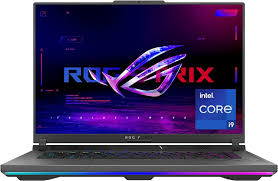
ASUS ROG Strix SCAR G614JV (2023) | Gaming Laptop for Ultimate Performance Price in Kenya
Buy ASUS ROG Strix G16 G614JV RTX 4060 in Kenya. RTX 4060 mobile graphics in verified G614JV configurations. C...
KES 244,900.00
View
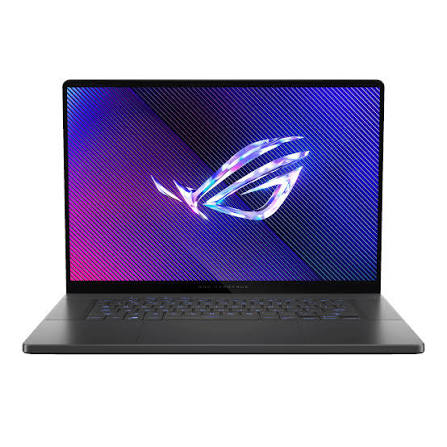
ASUS ROG Zephyrus G16 (2024) GU605MV | Ultimate Gaming Powerhouse Price in Kenya
Buy ASUS Zephyrus G16 GU605MV OLED in Kenya. Thin premium 16-inch OLED gaming/creator design. Check fit and or...
KES 363,199.00
View