Select an image to view it. Click the main image to enlarge.
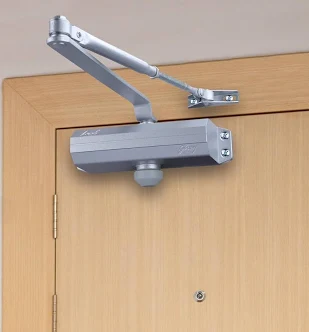
Door Closer Price in Kenya
In stock
Contact us for a price
Buy a door closer in Kenya from Reisen for controlled door closing. Match the door weight, width, swing, mounting position, and supplied accessories.
View product detailsNeed help choosing?
Talk to our team at +254 714 804 532
Product details
Door Closer Price in Kenya
Door Closer fills a defined role in a compatible access-control door system. Select the exact supplied part from the door, frame, control circuit, and required operating behavior. Check physical fit and any electrical rating before installation, then test the complete door rather than only the accessory.
Request a current Door Closer quotation from Reisen. Confirm the exact item, quantity, supplied package, taxes, warranty, and delivery terms. Include the required supporting parts and installation work so the order covers the intended working setup.

Choose the exact item, confirm the full quote, then agree payment and fulfillment.
Key Specifications
|
Feature |
Details |
|
Model or product |
Door Closer |
|
Purpose |
Return a compatible door toward its closed position |
|
Door match |
Weight, width, swing and mounting must suit exact closer |
|
Adjustment |
Confirm supported closing and latch controls |
|
Fire door use |
Requires appropriate product and door-assembly approval |
|
Power |
Confirm supplied type; do not assume powered operation |
|
Package |
Confirm body, arm, mounting template and fixings |
Control closing movement without confusing it with locking
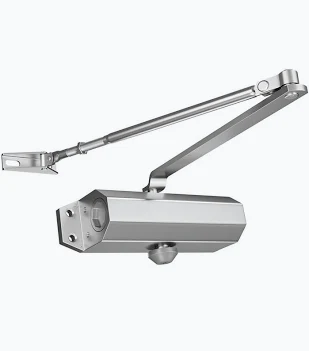
A door closer helps return a suitable door toward its closed position. The catalogue label does not identify a particular force size, weight rating, arm type, or adjustment range. Choose the exact supplied closer for the door’s width, mass, swing, frame, and expected use. A very strong closer is not automatically a better choice: opening effort and controlled movement still need to suit the approved door design and its users. A weak or mismatched closer may fail to bring the latch or magnetic-lock faces into the intended position.
Check the mounting template and approved arm arrangement before drilling. Regular arm, parallel arm, and top-jamb layouts can have different fit requirements, and not every closer supports every layout. Confirm overhead clearance and whether the door can reach its required angle without hitting the closer. Repair worn hinges, dragging leaves, and damaged frames before using adjustment to compensate. Follow the maker’s limits when changing closing and latch speed; do not remove an adjustment screw or force an unsupported setting.
The closer does not make an access decision or act as the electric lock. It should work with those parts so the door closes predictably after entry or exit. For a fire door, the exact closer and installation must be suitable for the approved assembly and applicable requirements. Do not assume a generic closer has the necessary approval. Confirm whether the body, arm, template, and fixing set are included in the offered package.
Compatibility

Check fit, interfaces, power and the complete intended role.
Match the whole installation: intended role, physical fit, power, signal, software, and the equipment at the other end. Similar connectors or product names alone do not establish a working combination.

Conceptual roles only. Use the exact maker drawing and complete approved installation design.
Choose the accessory as part of a complete door system
An access-control door is a system made from several parts. The terminal or controller, lock, power supply, mounting hardware, exit devices, door condition, and cabling each have a role. A single accessory does not make the whole door secure or safe to use. Start with the intended door behavior and the exact equipment already installed. Then choose a compatible part for the role that is missing or needs replacement.
Record the door material, frame, swing direction, usage, and location. A busy office entrance and a quiet internal store room can need different hardware and service plans. Check how people enter, leave, and gain access during a power failure. These decisions belong to the complete design. Do not assume a part is suitable because it appears in the same catalogue category as the lock.
Match physical fit before drilling
Measure the actual mounting surface and available clearance. Check the supplied drawing, hole pattern, depth, and fixing method. Door and frame materials need suitable support. A component that fits a photograph may not fit the real opening. Keep the template tied to the exact model being supplied rather than a look-alike with a different body or contact arrangement.
Check movement through the full door travel. Hardware must not collide with the frame, pinch cables, or prevent the door from reaching its intended closed position. Use appropriate fixings and do not remove structural material casually to make an unsuitable part fit. A trained door installer should assess uncertain surfaces and any effect on an approved fire-door assembly.
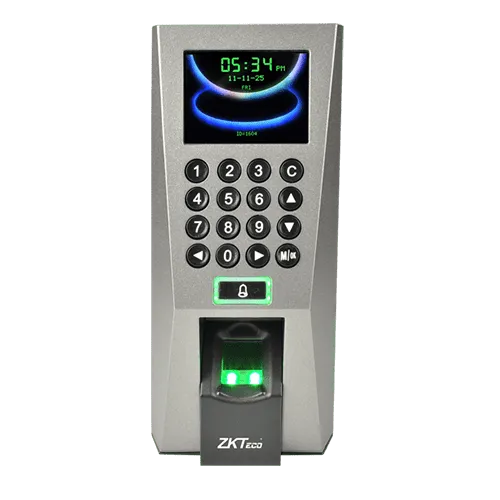
Start the product comparison with door closer listing and F18 access terminal. Start with the exact required role and check the supplied drawing or cable specification. A related system part is not an automatic substitute.
Keep control signals separate from lock power
An electrical contact can signal a controller or switch a permitted load, depending on its rating and the circuit design. Those are not automatically the same job. Check voltage, current, contact type, and the connected load before wiring. A relay or button does not create power by itself. The lock still needs a suitable supply and an approved release arrangement.
Normally open, normally closed, and common terminals have specific roles. Use the exact diagram and verify behavior rather than relying on cable color. Inductive loads may require the protection specified by the equipment maker. Use the correct isolating or relay arrangement where needed. Do not exceed a small signal contact's rating by placing an unverified lock load directly through it.
Preserve the required exit behavior
Normal request-to-exit, emergency release, authorized override, and mechanical closing are different functions. One should not be substituted for another just because both can affect the door. The design must provide the required safe exit behavior for the premises. Have a competent installer confirm the applicable door and life-safety requirements before the access system is commissioned.
Test the complete sequence, including normal entry, ordinary exit, power failure, and the required emergency release. Do not depend only on a controller display or a single successful entry test. A reader accepting a credential does not prove that occupants can leave as intended. Keep the emergency path understandable and serviceable, with clear labels where the design requires them.
For another system option, review ZL lock brackets and request-to-exit button. These choices belong to different parts of the door workflow. Match the actual controller, mechanical fit, and approved release design.
Check the door condition before changing controls
A sagging leaf, misaligned latch, damaged frame, or worn hinge can make good access hardware appear faulty. Inspect the mechanical door first. A lock should meet its matching part correctly when the door reaches the intended position. Forcing a closer or lock to compensate for a damaged door can create unreliable operation and shorten the life of other parts.
Check closing movement with the approved hardware installed. There should be no avoidable cable drag or mounting interference. Ask which adjustments belong to the accessory and which require repair of the door itself. Keep a clear responsibility for that work. The useful result is a door that moves properly and performs its intended control sequence without staff needing to push or pull it into place each time.
Use suitable power and cable routes
Low voltage does not mean every thin cable is suitable. The route length, conductor size, current, and voltage drop can affect operation. A supply at the correct nominal voltage may still leave too little voltage at the lock under load. Plan the supply and cable together. Keep lock power, data, and signal roles distinct and label terminations clearly.
Protect cable at moving joints and through sharp edges. Use suitable door loops, containment, and strain relief where needed. Avoid hiding unsupported joins where they cannot be serviced. Keep spare cores identified and insulated. Do not treat an access-control cable as a mains cable or substitute an ordinary alarm cable for Ethernet because both have multiple conductors.
For a different layout, explore key-operated control and emergency door-release component. Keep normal control, authorized override, and required emergency release distinct. Check each contact and circuit against its own guide.
Commission one function at a time
Before live use, verify each component against the correct diagram. A meter and a controlled functional test can identify a wrong contact or power path more clearly than repeated resets. Check normal state, active state, and recovery. For key-operated parts, verify the returned or maintained position. For resettable release parts, follow the correct test and reset method.
Then test the full door workflow with the owner present. Include the intended users and the staff responsible for daily checks. Record what each control does and who may adjust it. Do not leave the system in a temporary test state. Any bypass used during commissioning must be removed or managed through the approved design before handover.
Plan access rights and key ownership
Where a terminal or keyed control is used, define who can authorize access and who can change settings. Limit administrative credentials and keep physical keys under a clear issue process. Remove access when a person no longer needs it. A well-fitted door can still be poorly controlled if shared administrator codes or untracked duplicate keys are left in circulation.
For a biometric terminal, protect enrollment records and exported information. Use the supported software and appropriate local access controls. Avoid publishing the terminal's management interface to the internet as a shortcut. Keep the purpose of each user record clear and handle it under the site's privacy and retention process. Hardware capacity alone does not decide which data should be collected or how long it should remain.
The complete parts plan may also include 4-core control cable and 6-core cable option. Cable choices need the correct conductor count, size, material, and route rating. Extra cores do not prove greater current capacity.
Maintain the system after the first successful test
Schedule inspections around the door's use and the maker's guidance. Check loose fixings, alignment, damaged cables, covers, and normal release behavior. A heavily used entrance may need attention sooner than an occasional internal door. Changes in closing force, buzzing, repeated failed release, or intermittent operation should be investigated before they become a daily workaround.
Use suitable replacement parts and keep the exact model and circuit record. A part with the same appearance can have a different contact rating or mounting pattern. Record authorized changes after service and repeat the relevant safety and function tests. The next technician should be able to identify the supply, controller, release path, and mechanical hardware without guessing from wire colors.
Order the complete working parts set
Send photographs and measurements of the door, frame, existing lock, controller, and supply when asking for a quotation. Include any model labels and describe the problem or desired behavior. State whether the purchase is a replacement or a new installation. This helps Reisen check the correct accessory and the supporting parts needed for the site.
Confirm the exact package, current stock, warranty, and installation scope before payment. A bracket set, switch body, terminal, or closer may be supplied without every fixing, cable, lock, or power accessory needed by the door. Keep the approved drawing and final parts list with the invoice. A clear order reduces missed items and makes the handover easier to verify.
For the wider installation, review Dahua KTP03 intercom system and network switching for compatible access systems. An intercom or network component changes the wider system design. It does not by itself replace a mechanical part or create a safe exit arrangement.
Quick Brand Comparison
|
Door-system choice |
What to compare |
|
Exact supplied accessory |
Drawing, function, fit and any electrical rating |
|
Another accessory supplier |
Same approved role and verified compatibility |
|
ZKTeco terminal |
Authentication and supported controller interfaces |
|
Dahua intercom system |
Different entry workflow and separate door design |
Compare the complete role and installed package. A change of brand or model can change the supporting parts, service, management, and setup work. Start with the task the site needs and keep useful existing equipment in the decision. A similar name is not enough to prove a matched replacement.
How to Set Up Door Closer
1. Survey the complete door
Record the door and frame material, swing, condition, usage, lock, controller, supply, and current exit arrangements. Confirm the exact accessory model and drawing. Define its intended function before installation. A bracket, closer, normal exit control, and emergency release are different parts of the door design.
2. Confirm fit and ratings
Measure clearance, mounting points, body depth, and movement. Check electrical contacts or supply ratings where relevant. Obtain the maker’s guide and required accessories. Have a competent installer verify the door and required exit behavior, including any implications for an approved fire-door assembly.
3. Isolate and prepare the work
Schedule safe access and isolate the relevant electrical circuit before wiring. Keep the premises’ required safe exit arrangements available during work. Protect the door finish and connected equipment. Repair underlying hinge, frame, or alignment faults rather than using the new accessory to force a damaged door into position.
4. Fit the exact approved parts
Use the supplied drawing and correct fixings for the actual surface. Keep moving clearances and any permitted armature movement. Route cable through suitable protected entries and support it. Do not drill from a template for a look-alike part or modify rated hardware casually to make it fit.
5. Wire or adjust the intended function
For electrical parts, follow the exact contact and supply diagram and verify normal and active states. Keep signal inputs separate from unverified lock loads. For mechanical parts, use only the supported adjustment range and mounting arrangement. Do not substitute a normal controller command for a required independent emergency release.
6. Test normal operation
Check entry, normal exit, closing, alignment, and recovery as relevant to the accessory. Test with the complete door rather than only a loose component on a bench. For terminal changes, verify authorized access and the removal of access. Check that no cable or mounting part obstructs movement.
7. Verify the safety sequence
Have the installer test the required power-failure and emergency-release behavior under the approved site design. Use the maker’s safe test procedure. Restore any test state and verify normal operation afterward. Do not declare the full door compliant merely because one accessory or reader has operated successfully.
8. Hand over and maintain
Record the exact model, circuit, key issue where relevant, settings, and test results. Explain normal use, permitted adjustment, and the correct test or reset process. Keep drawings and spare-part details. Recheck the relevant door functions after repairs or changes, and schedule inspection around actual usage and maker guidance.
Advantages
· Fills a defined role in a compatible door system.
· Can make daily operation clearer when selected and labeled correctly.
· Can replace a matched worn or missing system part.
· Supports a recorded installation and maintenance plan.
Disadvantages and Limits
· The generic name does not prove physical or electrical fit.
· Other lock, power, mounting and release parts may be separate.
· Required exit behavior must be verified for the complete door.
· A competent installation and functional test are necessary.
Troubleshooting
Begin with the exact failed function: alignment, normal entry, ordinary exit, power, or required emergency release. Inspect the mechanical door and the relevant contact or supply path through a safe controlled procedure. Do not leave a bypass as a permanent fix. Have a competent installer restore and test the complete approved behavior before returning the door to service.
Frequently Asked Questions
Is the listed name enough to prove compatibility?
No. Match the exact supplied model, drawing, physical fit, and any electrical rating to the door system. Similar-looking parts can use different dimensions, contacts, mechanisms, or approvals. Send the existing lock, controller, supply, and door details so the replacement is selected by function and fit.
Will this one item make a complete access-control door?
No. The useful door system includes appropriate mechanical hardware, control, power, cabling, normal exit, and required emergency release. Some parts may already be present. Prepare an itemized list and test the complete sequence rather than treating one successful component test as proof of the whole installation.
Can a signal contact switch any lock directly?
No. Check the contact voltage, current, load type, and exact circuit diagram. A low-current controller input is different from a lock-power path. Use the approved supply, relay, and protection arrangement where needed. A button or switch does not generate electrical power by itself.
Does a normal exit control replace emergency release?
Do not treat them as the same function. The required exit and emergency behavior must follow the complete approved door design and applicable site requirements. Have a competent installer verify the arrangement. A normal controller request opening the lock during a test is not enough to prove the emergency path.
Can I choose hardware only from the door’s appearance?
No. Door and frame material, width, mass, swing, condition, clearance, and use can affect the choice. Check the actual drawing and mounting support. A part suited to one timber or metal door may not suit a glass or aluminum assembly or a door with specific fire-performance requirements.
What should be tested after installation?
Test the relevant normal operation, door movement, entry, ordinary exit, power-failure response, and required emergency release. Verify the system recovers to its intended normal state. Record the result and remove temporary test states. A terminal display or a moving switch alone cannot prove the completed door behaves correctly.
How should replacements and service be handled?
Keep the exact model, drawing, ratings, circuit record, and key issue details where relevant. Use matched approved replacements and repeat the affected tests after work. Schedule inspection around actual usage and maker guidance. Do not leave a permanent workaround simply because it made an intermittent fault disappear briefly.
What should I send to Reisen for a quote?
Send door and frame photographs, measurements, existing model labels, supply details, and the intended behavior or fault. State whether the job is new or a replacement. Confirm the supplied parts, current stock, warranty, delivery, and installation scope so the accessory fits the whole system.
Why Shop with Reisen
Reisen brings network, security, and supporting accessories into one catalogue, which makes a complete parts list easier to prepare. Ask the team to confirm the exact product, package, and stock before payment. A clear quotation helps you spot missing items and avoid buying the wrong accessory for a familiar-looking device. Keep the order tied to the real installation.
Technical questions are easier to answer when the team has the current equipment labels, site details, and intended result. Share those details and ask for the available installation and after-sales support. Confirm delivery charges, timing, return conditions, and warranty terms in writing. Keep the agreed information with the invoice so later help can start from a clear purchase record.
Complete the Setup with Reisen
For another component in the door system, review ZKTeco F18 Biometric Fingerprint Access Control. Match its own interfaces, ratings, package, and intended function to the site. It is a related planning choice rather than proof that the 2 products can be substituted directly.
For another component in the door system, review ZL Brackets. Match its own interfaces, ratings, package, and intended function to the site. It is a related planning choice rather than proof that the 2 products can be substituted directly.
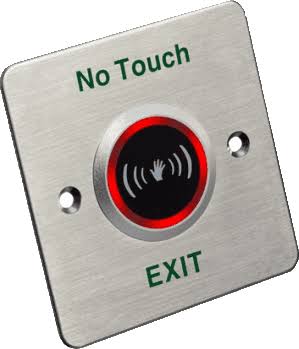
For another component in the door system, review Exit Button. Match its own interfaces, ratings, package, and intended function to the site. It is a related planning choice rather than proof that the 2 products can be substituted directly.
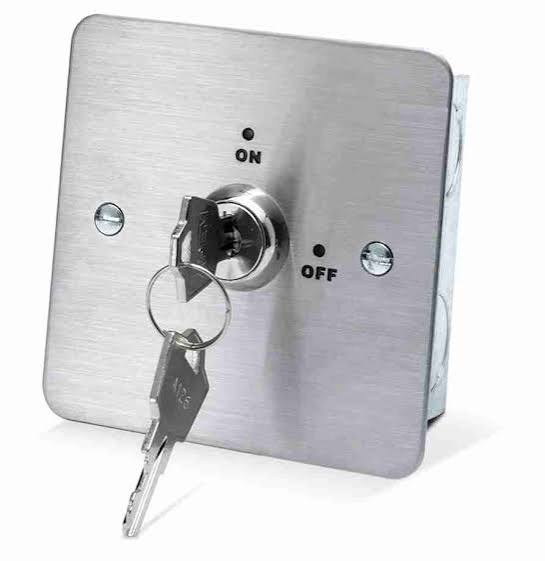
For another component in the door system, review Keyswitch. Match its own interfaces, ratings, package, and intended function to the site. It is a related planning choice rather than proof that the 2 products can be substituted directly.
For another component in the door system, review Exit Break Glass. Match its own interfaces, ratings, package, and intended function to the site. It is a related planning choice rather than proof that the 2 products can be substituted directly.
For a compatible low-voltage wiring route, read 4-Core Alarm Cable. Match its own interfaces, ratings, package, and intended function to the site. It is a related planning choice rather than proof that the 2 products can be substituted directly.
If the door system uses an IP management network, the RB951Ui-2HnD router is a separate network component. Its Ethernet connection does not power arbitrary door hardware or replace the required lock supply and emergency release design.
Browse the Reisen equipment shop for the rest of the parts list. Keep one clear order record with the main product, compatible accessories, and installation work. Check existing parts before adding duplicates or assuming a required accessory is already included.
Contact Reisen sales and support with the exact product, quantity, location, and existing system details. Ask for the current stock and complete quotation. Confirm taxes, delivery, warranty, and setup scope in writing before payment so the agreed package is easy to verify.
Order the Right Package
Send the full product name, model or required accessory drawing, quantity, and delivery location. Add the existing equipment and target installation date. Confirm the current price and stock, then agree payment and collection or delivery. Keep the final package list and invoice together so the delivered parts can be checked before the installation begins.
Additional information
| Product | Door Closer Price in Kenya |
|---|---|
| Category | Access Control |
| Price | Contact us for a price |
| Availability | In stock |
Keep exploringMore in Access Control
Related products