Save 58%


Select an image to view it. Click the main image to enlarge.
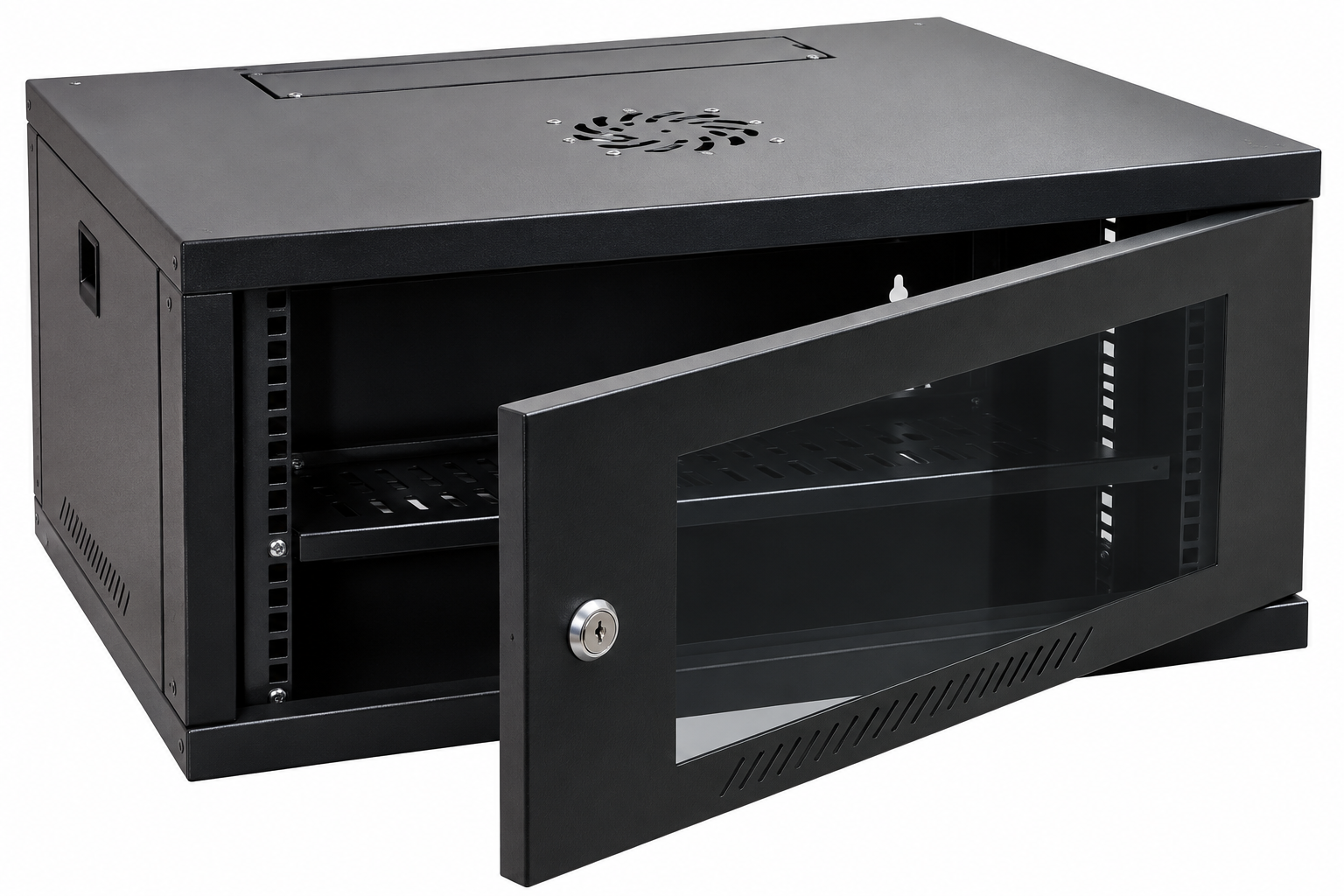
Fans For Wall-mount Cabinets 4U-12U Price in Kenya
In stock
KES 500.00
KES 1,200.00
You save KES 700.00
Buy fans for compatible 4U–12U wall-mount cabinets in Kenya from Reisen SEO. Improve cabinet airflow with the correct size and voltage.
View product detailsNeed help choosing?
Talk to our team at +254 714 804 532
Product details
Fans for Wall-mount Cabinets 4U–12U Price in Kenya
Fans for Wall-mount Cabinets 4U–12U helps plan ventilation for a compatible small wall cabinet. Choose the accessory by its real frame size, mounting opening, electrical input, and airflow route. It is useful when the cabinet and room need a verified air exchange path for the installed devices. Confirm the exact supplied package before fitting it to an existing enclosure.
Request a current Cabinet fans 4U–12U quotation from Reisen. Confirm the exact model, quantity, package, taxes, warranty, and delivery terms. Include any supporting parts and installation work so the quoted price matches the complete job rather than the main item alone.

Choose the exact model, confirm the quote, then agree payment and fulfillment.
Key Specifications
|
Feature |
Details |
|
Model or range |
Cabinet fans 4U–12U |
|
Purpose |
Ventilation accessory for a compatible cabinet |
|
Cabinet range |
4U–12U listing; physical fit must be checked |
|
Electrical input |
Match the actual fan voltage, current and frequency |
|
Fan size and mounting |
Confirm frame, cutout, hole spacing and depth |
|
Airflow and noise |
Confirm exact supplied fan ratings |
|
Control method |
Confirm direct, switched or thermostat operation |
|
Package |
Confirm number of fans, guards, cables and fixings |
A fit-first cabinet ventilation accessory
This listing is for fans associated with 4U–12U wall-mount cabinets. It does not establish one frame size, supply voltage, fan count, or airflow rating. Match the delivered accessory to the actual enclosure opening and power design. Send the cabinet label and measurements when requesting a quote. A fan can help a suitable air path, but it cannot create intake openings or remove heat from an already hot room. Include guards, fixings, wiring, and control parts in the package check. A replacement also needs to match depth and hole spacing, not only the square size seen from the outside. After installation, verify airflow and equipment conditions with the cabinet door closed and the normal devices operating. This makes the purchase about a working ventilation arrangement rather than an untested motor.
Compatibility

Check the exact model and the full installation before connecting equipment.
Match the complete installation, including the physical connection, power, software, and intended role. Similar names or connectors do not prove compatibility.

Conceptual airflow route. Fan direction and position must follow the actual enclosure design; no fixed cooling result is implied.
Help a small cabinet exchange warm air
A cabinet fan is a ventilation accessory for a suitable enclosure. It can help move warm air out and support a planned intake route. This is useful when switches, routers, recorders, or power equipment share a compact cabinet. The fan must fit the cabinet opening and electrical design. The 4U–12U label describes a cabinet range in the listing; it is not the fan's frame size or a promise of universal fit.
Start with the heat source. Count the devices inside and note where they draw and discharge air. A nearly empty cabinet may not need the same fan arrangement as a crowded one. Read the equipment temperature limits and inspect the room. The right fan choice begins with the full installation rather than a guess based on how warm the door feels.
Match the mounting cutout and hole pattern
Measure the intended fan position before ordering. Check the width, height, frame depth, cutout, and spacing between fixing holes. A square frame that looks close in a photograph may still need a different opening. A fan that fits the roof on one cabinet might not fit another cabinet of the same U height. Ask for a drawing or measure the actual supplied enclosure.
Also check space on both sides of the panel. Cable plugs, rails, shelves, and the wall may interfere with the fan body or guard. Leave room for the lead without pinching it under a panel. Use the correct fixings so the panel stays sound. Drilling or cutting a loaded powered cabinet is not an ordinary plug-in task and should be planned by the installer.
Start the size and package comparison with matching fan-range listing and 22U 600 × 800 cabinet. Match the actual supplied dimensions and mounting details; a similar name alone does not prove the same fit.
Read the power label before connecting it
Fans can use different AC or DC inputs. Check the exact voltage, current, frequency where relevant, connector, and supply arrangement on the delivered unit. Do not infer the input from the cabinet size or cable color. A fan requiring mains power must not be connected through an improvised low-voltage adapter, and a low-voltage fan must not be connected directly to mains.
Include the supply and control parts in the order. Some packages are bare fans; others may include a cable, guard, switch, or tray. Confirm which parts come with this listing. Keep terminals and wiring protected as required by the design. A qualified electrical installer should handle mains connections and any changes to the cabinet's electrical supply.
Plan an intake as well as an exhaust
A fan cannot move useful air through a sealed enclosure without a suitable path for replacement air. Identify the existing vents and check that they stay clear after devices and cables are installed. Avoid placing the intake where dust, water, or a hot neighboring exhaust can enter. Air should pass through the area that needs cooling rather than taking an easy short route around it.
Use the airflow direction marked on the fan or stated in its guide. Do not rely on the visible side alone. Reversing supply wires is not a safe general method of changing fan direction. Plan the mounting orientation and approved controls correctly. Check airflow after the door is closed, because an open door can hide a poor ventilation path.
For another enclosure arrangement, review 22U 600 × 1000 cabinet and 32U 600 × 600 cabinet. More depth and more height solve different space limits. Keep door access and the supported equipment weight in the comparison.
Separate airflow from room cooling
A ventilation fan exchanges air with the room. It does not cool below the intake air temperature in the way an air conditioner can. A very hot room can still leave equipment too hot even when the fan is running. Improve the room conditions, cabinet position, or device load when the wider heat problem requires it.
Keep the cabinet away from direct sun, wet areas, and blocked corners. A wall cabinet often sits high where room air may be warmer. Leave the required access and clearance around it. Review the full environment at the time the equipment is busiest. A short morning check can miss an afternoon heat problem in an enclosed office or store room.
Choose airflow ratings for the actual resistance
A stated airflow figure often refers to defined test conditions. Guards, filters, vent openings, and a crowded enclosure can reduce delivered flow. More fan speed does not always fix a poor path. Ask for the exact rating and conditions instead of applying a number taken from a different fan model. Keep comparisons tied to the actual package offered.
Noise also depends on mounting and resistance. A fan touching a loose panel can create a rattle even when the motor is sound. A high-speed fan may be unsuitable beside a quiet desk or reception area. Compare the need for airflow with the occupied room and service plan. The best choice gives adequate ventilation without creating an avoidable daily nuisance.
Other enclosure formats include 600 × 800 server rack and 12U cabinet option. Check the full drawing, accessory list, and usable rail range before deciding which package suits the room.
Use guards and supported cable routing
A suitable guard helps prevent accidental contact with moving blades where access is possible. Confirm whether the supplied fan includes the required guards and fixings. Do not leave loose cable ties or wiring where they can touch the rotor. Route the lead along a supported path and keep it away from sharp metal edges and hot parts.
Check that opening the cabinet door or removing a panel will not pull on the fan cable. Leave controlled service slack without allowing a loop to drop into the blades. Keep any plug accessible for safe isolation. A simple label showing the fan supply and control path makes later maintenance easier and reduces the chance of unplugging the wrong device.
Decide how the fan will be controlled
The correct control method depends on the fan and cabinet design. A direct supply, approved switch, or suitable thermostat can each belong in a planned system. Do not assume speed control or temperature control is built into a basic fan. Verify the controller's electrical ratings and compatibility before adding it to the quote.
If temperature control is used, place the sensor where it represents the intended hot area without touching a device exhaust in a misleading way. Choose a setting based on equipment limits and the design, not a random number. Test that the fan starts, stops, and restarts as intended. Keep the control instructions with the cabinet records.
Install while the equipment is safely isolated
Plan a maintenance period and shut down affected equipment correctly. Isolate the relevant electrical supply before work. Check the panel, hole pattern, fan orientation, and fixing length with the cabinet empty or safely protected. Avoid dropping metal parts into live equipment. Follow the actual fan and enclosure instructions rather than an unrelated online installation sequence.
Tighten fixings evenly and only as specified. Over-tightening can distort a frame or damage the panel. Check that blades move freely before power is restored where the guide permits that check. Replace removed guards and covers. The final installation should not expose electrical connections or moving parts that the enclosure design was meant to protect.
The wider rack plan can involve 42U deep cabinet option and MikroTik CRS326 equipment option. An enclosure and the devices placed inside it need separate fit checks. Measure the chassis, support parts, connectors, and airflow needs.
Test the cabinet under a normal workload
After restoring power, verify fan operation and the direction of air movement. Listen for rubbing, rattling, or repeated starting. Check that nearby cables remain clear when the door moves. Then observe the cabinet while the normal equipment workload runs. A fan that spins on an empty bench has not yet proved useful ventilation in the finished cabinet.
Record a simple baseline of room and cabinet conditions using suitable measurements. Do not promise a fixed temperature drop. Changes depend on room air, heat load, vent path, and the actual fan. If a hotspot remains, inspect the layout rather than adding fans without a plan. A blocked device vent may be the real cause.
Maintain airflow as the network grows
Dust can build up on vents, guards, and any fitted filters. Clean using a method suitable for the fan and nearby equipment after proper isolation. Do not spray liquid into a powered fan or cabinet. Check fixings and cable routing during routine service. A change in sound can signal rubbing, a loose panel, or bearing wear.
Each added device changes the heat load. Review ventilation when a new switch, recorder, or power unit is installed. Spare U space does not guarantee spare cooling capacity. Keep a record of the fan model and input rating so replacements match. A replacement should be checked for electrical and physical fit rather than bought only because it looks the same size.
Buy the complete compatible accessory package
Send Reisen a cabinet label or drawing, a photograph of the intended opening, and the required supply details. Include the number of fans needed and whether guards, control parts, cables, or a tray are already present. This allows a useful quotation for the actual job. It also avoids an installer arriving with a bare motor when the site needs a complete fitted assembly.
Confirm the supplied quantity, warranty terms, and current stock. Keep the invoice and label details in the cabinet file. The value of the accessory lies in a correctly matched and tested ventilation path. A larger claimed airflow figure is less useful than a fan that fits, receives the right power, and can be serviced safely in the cabinet you own.
For local network equipment, explore UniFi Standard 24 equipment option and TP-Link 16-port equipment option. These are equipment choices, not proof of cabinet or fan fit. Check their installed depth, power demand, mounting support, and cooling route.
Quick Brand Comparison
|
Ventilation choice |
What changes |
|
Matched cabinet fan |
Frame, cutout, input and airflow direction |
|
Fan tray assembly |
Tray fit and supplied wiring or controls |
|
Passive vents |
Heat load and clear intake or exhaust route |
|
Room cooling |
Ambient temperature for the full cabinet |
Compare the installed role and complete package. A different model can change the support parts, management, power, or service needed. Keep the equipment that already works in the comparison and identify the specific limit the new purchase should solve.
How to Set Up Cabinet fans 4U–12U
1. Measure the cabinet opening
Confirm the cabinet model and intended fan position. Measure frame size, cutout, hole spacing, depth, and clearance inside and outside the panel. The 4U–12U description does not prove universal fit. Ask for the actual fan drawing and confirm the required number of fans before ordering.
2. Check electrical requirements
Read the delivered fan label and guide. Match AC or DC input, voltage, current, frequency where needed, connector, and approved supply. Confirm whether cables, guards, control parts, and fixings are included. Have a qualified person plan any mains wiring or changes to the cabinet supply.
3. Plan the air route
Identify intake vents, exhaust position, and nearby heat sources. Follow the marked airflow direction. Keep the route away from dust and water entry. Check that the fan will move air through the equipment area when the door is closed rather than circulating air through one short gap.
4. Isolate the installation
Schedule downtime and shut down affected equipment correctly. Isolate the relevant supply before opening the panel or fitting wiring. Protect equipment from dropped fixings and metal debris. Do not drill or cut a live loaded cabinet as a shortcut to make an unsuitable fan fit.
5. Fit the approved hardware
Mount the fan with suitable fixings and orientation. Use the specified guard and check that no cable touches the blades. Route the lead with strain relief and edge protection. Tighten evenly without distorting the frame. Confirm panel clearance before replacing the door or cover.
6. Set approved controls
Connect only the supported supply and controller. If a thermostat is part of the design, check its sensor position and electrical rating. Do not assume a bare fan has built-in speed or temperature control. Verify that guards and electrical covers are back in place before power is restored.
7. Test under normal load
Check startup, airflow direction, noise, and vibration. Inspect cable clearance with the door moving and closed. Observe the cabinet with its normal equipment active. Record suitable room and cabinet temperature readings. A spinning fan is not proof that the hottest device now has adequate ventilation.
8. Plan routine service
Record the fan label, input, control settings, and fixing arrangement. Inspect vents and any filters during service. Clean after appropriate isolation using a suitable method. Recheck the heat plan whenever devices are added. Replace a worn fan with a physically and electrically matched unit rather than a look-alike.
Advantages
· Can support a planned cabinet ventilation route.
· Can replace a correctly matched worn ventilation part.
· Helps maintain airflow when intakes and exhausts stay clear.
· Can be included in a measured maintenance plan.
Disadvantages and Limits
· Physical fit is not universal across 4U–12U cabinets.
· Input rating and supplied parts must be confirmed.
· Does not cool below room temperature.
· Noise, dust, and routine service remain part of ownership.
Troubleshooting
For no rotation, isolate and verify the actual supply, controller, and fan rating. For rattling, check approved fixings, frame alignment, and loose nearby panels. For continued heat, inspect the intake route and room conditions before selecting another motor. Do not put fingers or tools near a running blade. Damaged electrical wiring needs proper repair rather than a temporary taped connection.
Frequently Asked Questions
Will it fit every 4U–12U cabinet?
No. The range in the listing does not identify one universal opening. Match the fan frame, cutout, hole pattern, depth, and panel clearance against the actual cabinet. Ask for a drawing and package details rather than choosing only from the cabinet U height.
What voltage does it use?
Confirm the label on the exact supplied fan. AC and DC fan versions need different supplies and wiring. Check voltage, current, frequency where relevant, connector, and approved control method. Never apply a guessed input because a similar fan online uses that rating.
Are guards and cables included?
Confirm the offered package before payment. A listing may refer to a bare fan or a fuller accessory assembly. Ask about fan quantity, guards, fixings, leads, controller, and any tray. The installed system needs all required parts even when the hardware price covers only the fan.
Will it cool the cabinet below room temperature?
Ordinary ventilation exchanges air with the room. It does not provide below-ambient refrigeration. A hot room, blocked intake, or high equipment load may need a wider change. Test the finished cabinet with the door closed and devices working under their normal load.
Should air blow in or out?
Use the designed intake and exhaust route and the fan direction marked by the maker. There is no single answer for every enclosure. Do not reverse wiring as a general direction control. Check where replacement air enters and whether it crosses the equipment that needs cooling.
Can it run from Ethernet PoE?
Do not assume this. A cabinet fan needs the input specified on its label and an approved supply arrangement. An Ethernet injector does not turn an arbitrary fan into a PoE device. Any conversion or controller must be explicitly suitable for the fan and installation.
How often should it be cleaned?
Set inspection intervals around the room conditions, dust load, and equipment plan. Follow the fan and cabinet guidance. Isolate correctly before cleaning and use a suitable method. Review airflow whenever new devices are added, because spare rack height does not prove spare cooling capacity.
What information helps Reisen select the right fan?
Send the cabinet model, opening measurements, intended location, supply rating, and photos of the mounting area. State the number of fans and required guards or controls. Ask for confirmed physical and electrical details, current stock, warranty, and the complete package before ordering.
Why Shop with Reisen
Reisen brings equipment and supporting accessories into one catalogue, which helps you plan the complete purchase. Ask the team to confirm the exact model, package, current stock, and installation scope before payment. A written bill of materials makes missing parts easier to spot. It also gives everyone a clear record of what the order should include.
Share the equipment already in use and the result the site needs. This makes questions about fit, service, power, and setup easier to answer. Confirm the current warranty, delivery, return, and technical support terms in writing. Keep those terms with the invoice rather than relying on a general statement copied from another product.
Complete the Setup with Reisen
For nearby rack sizes, compare 22U Network Cabinet With Mesh 600mm × 600mm and 22U Data Cabinets Networking Racks 600mm × 800mm. Check the exact rails, door arrangement, rated load, and package before selecting an alternative.
If the equipment needs a different footprint, review 22U Data Cabinets Networking Racks 600mm × 1000mm and 32U Data Cabinets Network Racks 600mm × 600mm. Check the exact rails, door arrangement, rated load, and package before selecting an alternative.
For another cabinet layout, explore 32U Data Cabinets Server Racks 600mm × 800mm and 32U Data Cabinets Server Racks 600mm × 1000mm. Check the exact rails, door arrangement, rated load, and package before selecting an alternative.
A suitable shelf and power plan may support equipment such as MikroTik hAP lite RB941-2nD. Measure the actual case and connectors. A catalogue connection does not guarantee rack fit or electrical capacity.
A suitable shelf and power plan may support equipment such as MikroTik CCR1009-7G-1C-1S+PC Cloud Core Router. Measure the actual case and connectors. A catalogue connection does not guarantee rack fit or electrical capacity.
Browse the Reisen equipment shop for supporting parts. Keep one bill of materials so the main product, accessories, installation work, and service can be checked together before the order is placed.
Contact Reisen sales and support with the exact model, quantity, delivery area, and existing equipment. Ask for the current package, stock, taxes, warranty, and support terms in writing so the final quotation is clear.
Order the Right Package
Send the full product name, model, quantity, delivery location, and target installation date. List the parts already available and ask which compatible accessories are still needed. Confirm the current quote and stock, then agree the payment and collection or delivery process. Keep the quotation and model labels together so the delivered goods can be checked against the order.
Before installation, make sure the site and supporting equipment are ready for the agreed work. Test the completed setup at handover and save its layout or settings where relevant. A useful purchase connects the selected hardware with the actual service, safe installation, and clear ownership needed to keep it working.
Additional information
| Product | Fans For Wall-mount Cabinets 4U-12U Price in Kenya |
|---|---|
| Category | Network Cabinets |
| Price | KES 500.00 |
| Availability | In stock |
Keep exploringMore in Network Cabinets
Related products