
Save 7%

Select an image to view it. Click the main image to enlarge.
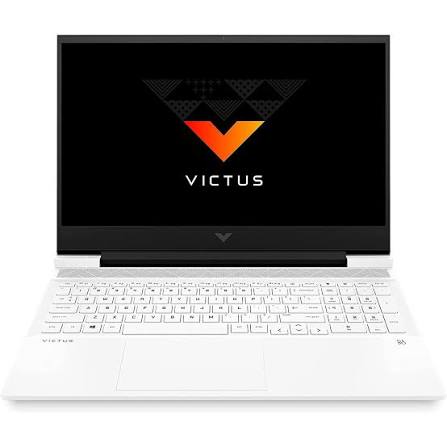
HP Victus 16-e0xxx Gaming Laptop | 16.1" 144Hz FHD | AMD Ryzen 5 5600H | GTX 1650 Price in Kenya
In stock
KES 94,900.00
KES 102,000.00
You save KES 7,100.00
Buy HP Victus 16-e0xxx in Kenya. Compare GTX 1650, storage, display options and genuine configuration details. Request the exact model and a current Reisen.
View product details- Category
- Gaming laptop Prices in Kenya
- Availability
- 11111 available
Need help choosing?
Talk to our team at +254 714 804 532
Product details
HP Victus 16-e0xxx 16.1-inch Ryzen 5 5600H GTX 1650 Gaming Laptop
The HP Victus 16-e0xxx 16.1-inch Ryzen 5 5600H GTX 1650 Gaming Laptop is a budget-aware option for Kenyan shoppers who want to match a laptop to real applications rather than purchase by a marketing label alone. Its listed configuration centers on AMD Ryzen 5 5600H, NVIDIA GeForce GTX 1650, and the installed solid-state drive capacity. This combination deserves attention if your day includes FHD gaming and mixed school or office work. A useful buying decision starts with the exact installed hardware, the model sticker and the games or professional programs you actually intend to run. That is especially important for laptop families where the processor, screen and graphics power limit can change with the full product number.
Consider the needs of a student studying and occasional esports sessions. They will not get the same outcome from every variant described as Victus 16-e0xxx. A larger screen may help during editing, while a lighter chassis may be easier to carry, and a higher GPU class may help with supported 3D workloads. The value proposition is accessible PC gaming combined with ordinary laptop productivity. Buyers should decide which games actually matter and avoid paying for theoretical performance they do not need. At Reisen SEO, our aim is to make the technical choice understandable: compare what is documented, determine which additional specification matters to your task and request a precise unit-level confirmation before ordering.
Key Features and Benefits
· AMD Ryzen 5 5600H: select for the computing demands of FHD gaming and mixed school or office work.
· NVIDIA GeForce GTX 1650: choose graphics by actual application requirements, not an untested FPS figure.
· The installed solid-state drive capacity: plan for game installations, Windows files and project backups.
· 16.1-inch FHD, 144Hz panel option: check panel size, resolution and refresh rate before ordering.
· Victus 16-e0xxx: match its full manufacturer identifier to the supplied accessories and service options.
How to Buy HP Victus 16-e0xxx in Kenya
To buy Victus 16-e0xxx in Kenya, begin with the displayed product name and confirm the full manufacturer part number, processor and graphics identifiers from the unit label or an official specification sheet. Next, discuss your target games, creative software, screen requirements and storage needs. Third, determine whether accessories such as a padded case, external display, mouse or backup drive are required but sold separately. Finally, obtain a current written quotation confirming the exact configuration, supplied power adapter, condition, invoice and collection or shipping arrangements. The four steps above make comparisons with similar products more reliable.

How to buy HP Victus 16-e0xxx: four steps covering model identification, hardware verification, accessories and ordering.
Key Specifications
For Victus 16-e0xxx, these are the main product details to confirm when purchasing. A family-level designation is not the same as a unique manufacturer part number. Review the processor and graphics rows together and treat the installed memory, panel, port layout and charger rating as items to match to the actual supplied system. This is especially useful when a product family is sold in multiple markets or when retailers offer upgraded SSDs that differ from the original factory build.
|
Specification |
Product configuration / buyer check |
|
Brand |
HP |
|
Product family |
Victus 16-e0xxx |
|
Processor |
AMD Ryzen 5 5600H |
|
Graphics |
NVIDIA GeForce GTX 1650 |
|
Graphics memory |
Exact GPU configuration to confirm |
|
SSD |
Exact installed capacity to confirm |
|
System RAM |
Check unit-level installed memory |
|
Display |
16.1-inch FHD, 144Hz panel option |
|
Primary use |
FHD gaming and mixed school or office work |
|
Full vendor SKU |
Match to manufacturer label before ordering |
Understanding the Processor, Graphics and Storage
Processor selection: The specified processor is AMD Ryzen 5 5600H. The AMD Ryzen H-series platform can balance gaming and multicore everyday work; its power behavior is determined by firmware, cooling and workload rather than the processor name alone. In a real purchase, ask what the processor will be doing: compiling large software projects, running video transcodes, processing spreadsheets, or supplying draw calls for games. Laptop CPU labels do not disclose every thermal or firmware limitation. For serious work, compare the actual application's processor requirements and make sure the price difference buys a benefit that matters in day-to-day use.
Graphics decision: The graphics identifier is NVIDIA GeForce GTX 1650. Older and less graphics-intensive PC titles can be sensible targets at moderate settings; advanced RTX-only features, including DLSS, are not supported by the GTX 1650. For a game or editing application, start with its published minimum and recommended requirements and include the resolution at which you hope to work. The same GPU name can perform differently at different power limits and with different cooling designs, so it is misleading to promise a fixed FPS number without controlled testing of the exact laptop. For professional software, check the manufacturer's GPU acceleration support rather than assuming every feature is enabled.
Storage planning for Victus 16-e0xxx: The offer identifies the installed solid-state drive capacity. Storage capacity changes what you can keep locally: operating-system files, games, raw footage, project cache files and recovery images compete for the same space. If you travel or work where Internet access is inconsistent, plan enough free capacity for updates and offline project files. If you expect to upgrade, have the seller confirm the drive form factor and whether there is an additional compatible slot; capacity alone does not prove the system accepts every M.2 SSD.
Display expectations: The product is associated with 16.1-inch FHD, 144Hz panel option. A refresh-rate figure is a panel capability, not a promise that every game will run at that frame rate. Competitive games may benefit from high refresh when the system can deliver enough frames; creative projects may care more about color coverage, resolution and dependable calibration. If you will attach a monitor, check the actual video-output connectors and the display modes they support on this SKU. Never assume a similarly named laptop carries the same panel or outputs.

Hardware overview for HP Victus 16-e0xxx: named CPU, graphics, SSD and memory purchasing checks
Product Architecture and Practical Workloads
A practical way to understand Victus 16-e0xxx is to separate computation, rendering, memory and storage into distinct jobs. AMD Ryzen 5 5600H runs software instructions and handles many background tasks, while NVIDIA GeForce GTX 1650 accelerates supported visual work. System memory holds active application data; the SSD preserves projects between sessions. When an application feels slow, the first job is to identify which resource is constrained. Buying a larger SSD will not automatically fix CPU-bound simulation; conversely, a powerful GPU does not compensate for a full system drive or insufficient active memory.
Gaming Performance: Settings, Limits and Buying Fit
Gaming expectations and settings: Older and less graphics-intensive PC titles can be sensible targets at moderate settings; advanced RTX-only features, including DLSS, are not supported by the GTX 1650. With Victus 16-e0xxx, first set a display resolution that the panel and game support, select a sensible graphics preset and monitor stability. If the game has image-upscaling choices, follow its hardware and driver requirements rather than treating all DLSS versions as interchangeable. Test a demanding scene and a quieter section to understand fluctuations. Background downloads, antivirus scans and overheating can all influence behavior. Performance figures from a desktop graphics card or a different laptop wattage should not be presented as results for this machine.

HP Victus 16-e0xxx capability map: gaming needs, CPU class, GPU family and display considerations without invented benchmarks
For Designers, Editors, Students and Office Teams
Creative and professional workloads: Victus 16-e0xxx can be considered for FHD gaming and mixed school or office work, but the limiting component may differ by application. Video editing can stress storage throughput, CPU decoding, system memory and GPU effects together. Photo editing also benefits from sufficient memory and a well-characterized screen; 3D design may rely on compatibility with a specific graphics API. Ask which programs you will use and whether hardware acceleration is supported for NVIDIA GeForce GTX 1650. If you routinely deliver client work, prioritize backups, color accuracy and stable drivers alongside speed.
Display Selection and Comfortable Workstations
Internal versus external screens: 16.1-inch FHD, 144Hz panel option should be compared with the display size and resolution of the applications you use. An external monitor can turn a portable gaming laptop into a comfortable workstation, especially for source code, spreadsheets, video timelines or game streaming. However, connect it through a video-capable output supported by the actual SKU; a USB-C shaped connector does not automatically guarantee video support or charging. Choose the monitor's resolution and refresh rate in line with both the laptop port and the graphics workload, and check cables carefully.

HP Victus 16-e0xxx supported conceptual workflow from application to processor, GPU and display output
Memory, Storage and Future Upgrades
RAM and active projects for Victus 16-e0xxx: Installed system memory varies among configurations of this laptop family. Memory affects how many browser tabs, editing assets or game resources can remain active before the operating system has to rely more heavily on disk. Compare the memory requirements of your largest regular task and look at whether the platform uses replaceable memory modules or soldered memory. Do not plan an upgrade until the full manufacturer part number and service documentation establish compatible module type, slots and supported capacity.
Power, Cooling and Portable Ownership
Power, heat and battery use with Victus 16-e0xxx: The AMD Ryzen H-series platform can balance gaming and multicore everyday work; its power behavior is determined by firmware, cooling and workload rather than the processor name alone. Discrete laptop GPUs can draw substantially more power during games than while reading documents. Plan to use the manufacturer-rated charger for demanding tasks, maintain airflow around vents and follow safe mains practices. Battery runtime varies sharply with brightness, power profile, background applications and actual hardware. Do not rely on the longest advertised runtime as a guarantee during rendering or gaming. If you commute in Kenya, consider power availability and transport protection alongside the nominal laptop weight.
How to Compare HP Victus 16-e0xxx with Alternative Laptops
Compared with lower-tier systems: The reason to consider HP Victus 16-e0xxx 16.1-inch Ryzen 5 5600H GTX 1650 Gaming Laptop depends on what you already own. For simple browsing, documents and video meetings, dedicated graphics may add cost and power draw without much benefit. For games and creative workloads, NVIDIA GeForce GTX 1650 is more relevant, but only if its exact feature level addresses your software. Compare total package value: installed SSD, RAM, screen characteristics, ports, service history and necessary accessories. The lowest advertised figure is not automatically the lowest total cost once adapters, storage upgrades and essential protection are added.
Compatibility and Accessories to Check
Before connecting accessories to HP Victus 16-e0xxx, verify the exact ports and manufacturer-recommended power rating. A USB-C plug does not guarantee external video, high-speed data and charging all at once. When comparing docks, SSDs, headsets and external displays, check both ends of the connection, available operating-system drivers, connector bandwidth and the physical workspace. Buyers should not assume any accessory is included unless the quotation explicitly lists it. The checklist below separates ordinary purchasing questions from claims of universal compatibility.

HP Victus 16-e0xxx accessory compatibility checklist: monitor, memory, SSD, charger and Wi-Fi prechecks
Buying and Ownership Scenarios
Example purchasing scenario: Imagine a student studying and occasional esports sessions. The first question is which work must run reliably every day and which tasks are occasional. For Victus 16-e0xxx, test the actual application, open several typical project files and check that the screen and peripherals feel comfortable. Measure practical needs without inventing a benchmark: project file size, expected storage consumption, number of simultaneous programs and monitor requirements. Then confirm the seller's delivered specifications in writing. This approach is more dependable than assuming a graphics model number by itself determines every aspect of performance.
How to Set Up HP Victus 16-e0xxx: A Step by Step Guide
1. Step 1: Inspect the exact unit and manufacturer label. For HP Victus 16-e0xxx, compare the chassis identifier against the quoted AMD Ryzen 5 5600H and NVIDIA GeForce GTX 1650.
2. Step 2: Examine included original power adapter and connectors. Use the charger intended for HP Victus 16-e0xxx; confirm its rating for the actual NVIDIA GeForce GTX 1650 configuration.
3. Step 3: Start Windows or installed operating system and record hardware. On HP Victus 16-e0xxx, record the displayed AMD Ryzen 5 5600H CPU label, graphics identification and the installed solid-state drive capacity before importing files.
4. Step 4: Connect to trusted Wi-Fi and install official updates. Use the official HP update channels for HP Victus 16-e0xxx, keeping a recovery route available.
5. Step 5: Check display, sound, keyboard and user input devices. For HP Victus 16-e0xxx, check screen behavior, peripheral recognition and keyboard layout as delivered.
6. Step 6: Verify graphics selection and run a realistic application. On HP Victus 16-e0xxx, compare game requirements with NVIDIA GeForce GTX 1650 and avoid untested frame-rate promises.
7. Step 7: Enable backups and record recovery information. Create separate copies of active HP Victus 16-e0xxx projects, such as those used for FHD gaming and mixed school or office work.
8. Step 8: Test a representative game or project before accepting the unit. Confirm the HP Victus 16-e0xxx system remains stable during a realistic student studying and occasional esports sessions workflow.
Before first use, unpack Victus 16-e0xxx on a clean table, examine the casing and inspect the manufacturer's exact identification sticker. Match the supplied charger and product number to the seller's quotation. Connect power only after checking the plug, cable and adapter for damage. Complete the operating-system setup, then check the CPU and graphics identifiers using the system's native information tools. Record installed memory and SSD capacity. Install updates from the computer manufacturer or trusted operating-system channels and avoid random third-party driver packages that may introduce instability.

HP Victus 16-e0xxx first-start schematic: safe mains source, manufacturer charger, laptop and separately checked peripherals
How to Upgrade and Maintain HP Victus 16-e0xxx: A Step by Step Guide
9. Step 1: Confirm the unique manufacturer model or machine type. The HP Victus 16-e0xxx unit identifier determines which official service manual applies.
10. Step 2: Check official RAM and SSD service guidance. Check HP Victus 16-e0xxx compatibility before buying a memory module or replacement SSD.
11. Step 3: Back up all personal and project files. Preserve the files associated with student studying and occasional esports sessions before servicing HP Victus 16-e0xxx.
12. Step 4: Use the correct tools and electrostatic protection. Use safe service procedures specified for HP, and do not force its casing.
13. Step 5: Test compatible replacement components. For HP Victus 16-e0xxx, compare the exact replacement component with the published unit-level specification.
14. Step 6: Confirm hardware recognition and restore verified backups. Confirm HP Victus 16-e0xxx recognizes the changed device and can open your actual applications afterwards.
To assess an upgrade for Victus 16-e0xxx, first identify the precise SKU or MTM and download its official service documentation. Determine whether memory is socketed, which SSD form factors fit, whether any storage slot is occupied and what disassembly precautions are required. Confirm compatibility with the component supplier rather than relying on a generic 'gaming laptop' claim. Back up important data before opening a system or changing storage. If you are unfamiliar with laptop repair, use qualified service personnel; damage from incorrect modules, static discharge or unsuitable tools can outweigh the value of an upgrade.
Troubleshooting, Care and Long-Term Reliability
Troubleshooting and day-to-day support: If Victus 16-e0xxx slows down, begin by checking storage free space, memory pressure, update activity and the affected application's own diagnostic messages. For game stutter, compare power profiles, drivers, graphics settings and temperature behavior before assuming the GPU is defective. If an external display is blank, test a known-compatible cable and the proper display-input selection. If the laptop does not charge, stop using a damaged adapter and check only the manufacturer-approved replacement rating. Document any repeatable fault and contact the supplier with the exact model and serial information.
What Is in the Box?
|
Item |
What to expect |
|
Laptop |
The selected laptop computer, matching the quotation |
|
Power adapter |
Confirm original compatible adapter and mains lead before payment |
|
Manuals and documents |
Contents and printed inserts differ by region and retailer |
|
Other accessories |
Keyboard, pen, carrying case, mouse, dock or external display only if itemized |
For HP Victus 16-e0xxx, do not assume the product title proves the exact charger wattage, keyboard layout, region-specific documents or bundled accessories. A buyer should reconcile the quotation, supplier packaging list and physical contents before accepting delivery. If any accessory is required for a particular workflow, discuss it during ordering rather than discovering a missing connector later.
Frequently Asked Questions
Is HP Victus 16-e0xxx suitable for games in Kenya?
Fhd gaming and mixed school or office work is a sensible selection use case, but each game has its own requirements. Check the actual graphics variant, memory, display resolution and power configuration before expecting particular frame rates.
Which processor does this listing use?
The HP Victus 16-e0xxx product listing identifies AMD Ryzen 5 5600H. Match the exact identification sticker before you pay. A broader model family may cover multiple CPU configurations.
What dedicated graphics are specified?
The HP Victus 16-e0xxx listing specifies NVIDIA GeForce GTX 1650. Older and less graphics-intensive PC titles can be sensible targets at moderate settings; advanced RTX-only features, including DLSS, are not supported by the GTX 1650. This is not a statement of measured frame rates on this particular unit.
How much SSD storage is included?
The listed specification is the installed solid-state drive capacity. Capacity is different from the number of internal drive bays; request the exact service guide if future expansion matters.
Can I upgrade the RAM or SSD?
Upgrade support depends on the exact HP Victus 16-e0xxx variant. Check whether the memory is replaceable, which drive form factors are accepted and whether the warranty or service procedure imposes conditions.
Will it work with an external monitor?
For HP Victus 16-e0xxx, an external display may be possible through supported video connections, but the exact socket, resolution and refresh-rate compatibility must be checked on the unit. Do not treat USB-C shape as proof of video output.
Can I use it for editing or programming?
That depends on the software. Fhd gaming and mixed school or office work is a relevant use case; compare real application requirements and prioritize storage, RAM, screen quality and the correct GPU-acceleration feature.
How do I get the current Kenya price?
For HP Victus 16-e0xxx, use the Reisen SEO product page and request an updated quotation for the precise unit, including RAM, display, accessories, condition and any installation or support service you require.
What should I verify at collection?
When receiving HP Victus 16-e0xxx, check the brand, full model code, processor, GPU, system memory, SSD, display, compatible charger and paperwork. Run a short hardware and software acceptance test before leaving.
Related Laptops, Accessories and Ordering
Compare with Victus 15 (Product 571) to examine processor, graphics and storage options for a different workload.
Compare with Victus 15 (Product 573) to examine processor, graphics and storage options for a different workload.
See this Reisen SEO product listing and request a written quotation matching the supplied unit and necessary accessories.
For official model documentation, consult HP manufacturer support and match the full model number before selecting upgrades or accessories.
Buyers considering HP Victus 16-e0xxx 16.1-inch Ryzen 5 5600H GTX 1650 Gaming Laptop can use the Reisen SEO product listing as a starting point for an exact-configuration request. Ask us to confirm the processor, graphics model, SSD, installed RAM, screen variant, charger, accessories, current price and collection or delivery options applicable to the unit on offer. We can then help compare related models using the applications you care about, not unsupported promises of frame rates. Choose the configuration that matches your games and professional tools, and request an itemized quotation before committing to the purchase.
Additional information
| Product | HP Victus 16-e0xxx Gaming Laptop | 16.1" 144Hz FHD | AMD Ryzen 5 5600H | GTX 1650 Price in Kenya |
|---|---|
| Category | Gaming laptop Prices in Kenya |
| Price | KES 94,900.00 |
| Availability | In stock |
Keep exploringMore in Gaming laptop Prices in Kenya
Related products
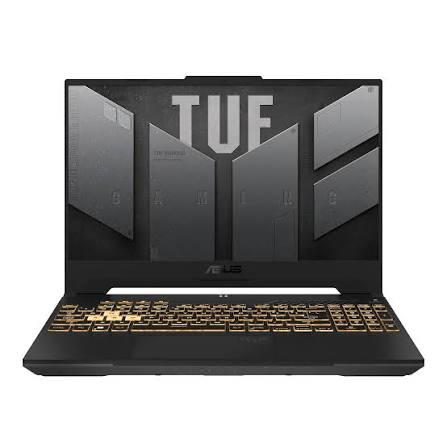
ASUS TUF Gaming F15 FX507Z (2022) | Rugged Gaming Laptop for Every Adventure Price in Kenya
Buy ASUS TUF F15 FX507Z 2022 Gaming Laptop in Kenya. Practical gaming and productivity chassis for 2022 genera...
KES 134,900.00
View
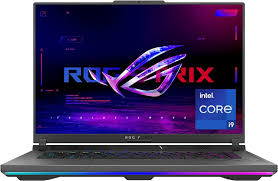
ASUS ROG Strix SCAR G614JV (2023) | Gaming Laptop for Ultimate Performance Price in Kenya
Buy ASUS ROG Strix G16 G614JV RTX 4060 in Kenya. RTX 4060 mobile graphics in verified G614JV configurations. C...
KES 244,900.00
View
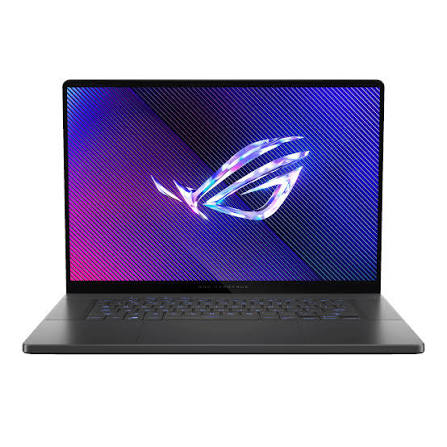
ASUS ROG Zephyrus G16 (2024) GU605MV | Ultimate Gaming Powerhouse Price in Kenya
Buy ASUS Zephyrus G16 GU605MV OLED in Kenya. Thin premium 16-inch OLED gaming/creator design. Check fit and or...
KES 363,199.00
View