
Save 1%
Select an image to view it. Click the main image to enlarge.
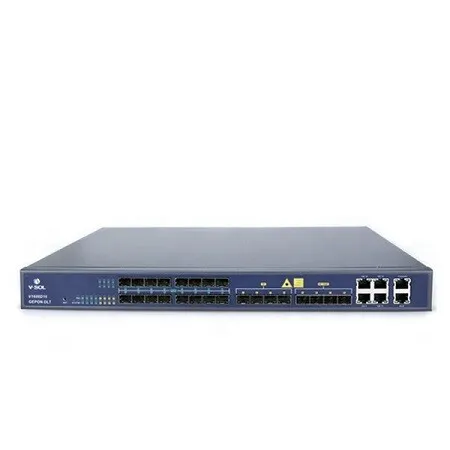
V-Sol 16 Port EPON OLT V1600D16 Price in Kenya
In stock
KES 135,000.00
KES 137,000.03
You save KES 2,000.03
Buy the V-SOL V1600D16 16-port EPON OLT in Kenya at Reisen SEO for managed subscriber access, compatible ONU provisioning, and planned fiber networks.
View product detailsNeed help choosing?
Talk to our team at +254 714 804 532
Product details
V-SOL V1600D16 16-Port EPON OLT Price in Kenya
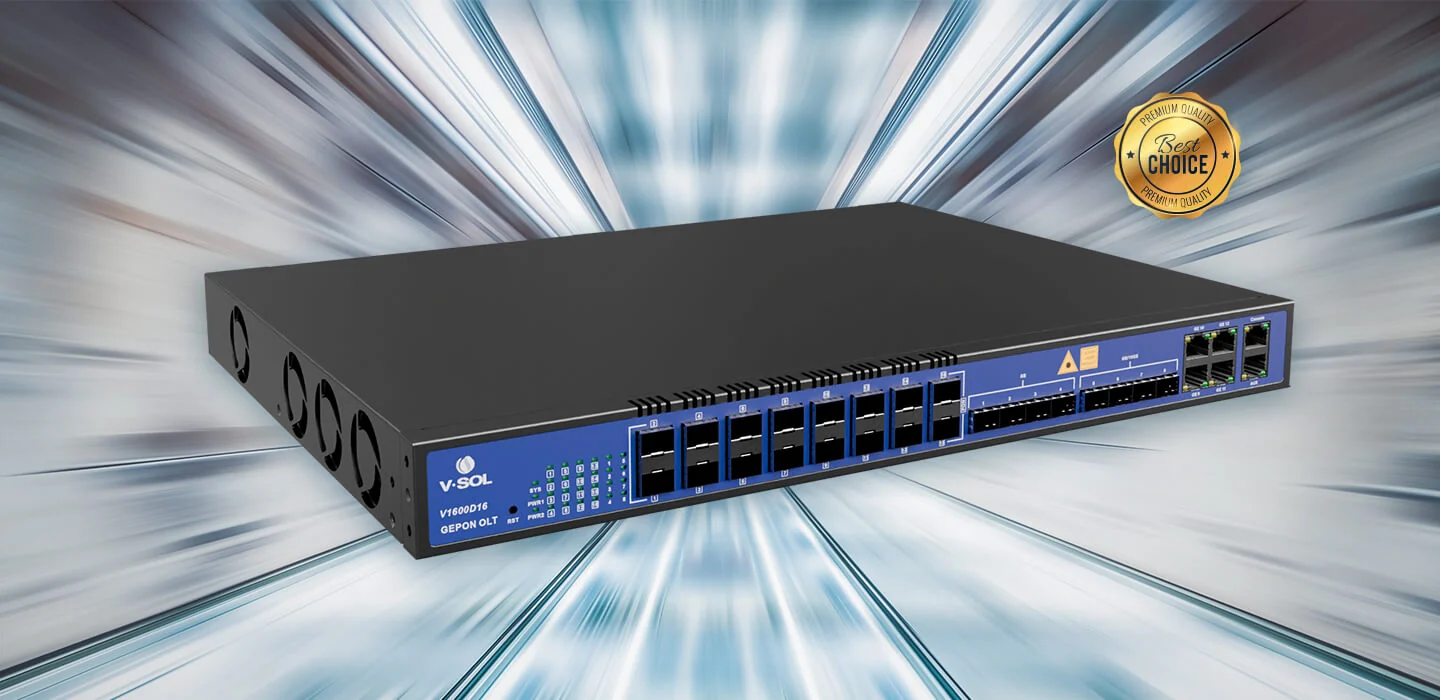
The V-SOL V1600D16 is a 16-port Ethernet Passive Optical Network (EPON) optical line terminal for fibre access networks. It gives internet service providers, institutions and network integrators a practical way to connect multiple passive optical branches to a managed upstream network. The model combines sixteen subscriber-facing EPON SFP slots with copper, 1G SFP and 10G SFP+ uplink interfaces in a 1U rack-mounted chassis.
A buyer searching for the V-SOL V1600D16 price in Kenya is usually planning more than a single hardware purchase. The OLT is one part of a complete optical distribution system. The right purchase also depends on PON optics, splitter ratios, compatible ONUs, the fibre loss budget, upstream equipment and the chosen power configuration. Reisen can be a purchasing starting point, but a quotation should be checked against the full installation requirements rather than the OLT alone.
The manufacturer specifies up to 64 ONUs per EPON port. Across sixteen PON ports that yields a theoretical ceiling of 1,024 ONUs. This is not a guarantee of 1,024 customers receiving dedicated full line-rate service simultaneously: the PON media are shared and practical designs need realistic contention, failure allowance and growth capacity.
Key Benefits for Fibre Network Operators
· Consolidates 16 EPON access branches into one rack-mount unit, which can reduce the number of separate devices needed at an aggregation point.
· Provides four 10G SFP+ uplink slots together with four 1G SFP and four Gigabit RJ45 ports, giving deployment flexibility for aggregation and migration.
· Supports EPON ONU discovery and remote management functions so an operator can plan controlled subscriber provisioning and operational monitoring.
· Includes VLAN, service separation, rate control and Dynamic Bandwidth Allocation features suited to managed access networks.
· Fits a standard 19-inch rack in a 1U form factor, making physical planning easier in a telecom cabinet or equipment room.
· Offers different power configuration options in the manufacturer ordering information, subject to the exact stocked variant.
How to Buy the V-SOL V1600D16 in Kenya
Start with the exact model code and decide whether the deployment is EPON rather than GPON. Prepare a bill of materials that covers optical modules, patch leads, splitters, ONUs, distribution frames, uplink transceivers and power accessories. Ask for a confirmed quote that identifies which parts are supplied and which must be bought separately. Obtain the local seller warranty and delivery terms in writing. Finally, confirm that your installer can test the installed optical paths and provision customer devices.

Figure 141-01: How to Buy V-SOL V1600D16.
Key Specifications
|
Specification |
Verified detail / qualification |
|
Product model |
V-SOL V1600D16 |
|
Access technology |
EPON; IEEE 802.3ah |
|
Physical format |
1U, 19-inch rackmount |
|
EPON subscriber ports |
16 SFP slots |
|
Maximum optical split ratio |
1:64 per EPON port |
|
Theoretical maximum ONU count |
1,024 (16 × 64; planning ceiling only) |
|
Copper uplinks |
4 × 10/100/1000 Mb/s RJ45 |
|
Optical 1G uplinks |
4 × 1G SFP |
|
Optical 10G uplinks |
4 × 10G SFP+ |
|
Dedicated management interfaces |
1 × Fast Ethernet out-of-band and 1 × console |
|
Supported PON optic classes |
PX20, PX20+, PX20++, PX20+++ |
|
EPON line rate |
1.25 Gb/s upstream and downstream, shared per PON |
|
Optical wavelength on referenced PX20++ module |
1490 nm transmit; 1310 nm receive |
|
Reach for referenced PON module |
Up to 20 km, subject to optical budget |
|
Backplane bandwidth |
128 Gb/s (manufacturer published) |
|
Forwarding rate |
95.232 Mpps (manufacturer published) |
|
Dimensions |
442 × 320 × 43 mm |
|
Weight |
6.5 kg (published net weight) |
|
Power input choices |
100–240V AC; -48V DC option, variant dependent |
|
Operating environment |
0°C to +50°C in V-SOL product page/datasheet variants |
|
Power consumption |
Confirm exact revision; V-SOL documents differ |
Specification note: Some manufacturer pages and datasheet copies disagree on operating environment and power consumption. Confirm the exact hardware revision and offered power module before declaring a fixed wattage or variant-specific limit.
Understanding the Ports and Uplink Architecture

Figure 141-02: V1600D16 Physical Port Breakdown.
The sixteen EPON SFP slots are the subscriber access interfaces; they are not interchangeable in purpose with ordinary Ethernet SFP uplinks. The four 1G SFP interfaces can support optical Ethernet connections to aggregation devices, while the four 10G SFP+ interfaces provide higher-speed uplink options. Four RJ45 interfaces offer familiar Gigabit copper connectivity where distance and equipment placement make that practical.
Uplink capacity should be assessed from the expected traffic profile, not simply added together and advertised as the customer throughput. A network engineer should decide whether the uplink design requires independent paths, link aggregation, or a redundant topology, and verify which modes are supported by the specific firmware. Using a 10G-capable uplink does not remove the 1.25 Gb/s shared PON capacity constraint at the subscriber-facing EPON branch.
EPON Network Topology and Fibre Distribution

Figure 141-03: Example EPON Fibre Access Topology.
An access network commonly places an OLT behind a core router or aggregation switch. The OLT serves passive optical splitters, which divide the optical signal among customer-side ONUs. The customer ONU presents network access to a router, switch or Wi-Fi system, depending on the intended service. Passive splitters do not need local electrical power, but all fibre joints, adapters and connectors contribute optical loss and must be included in a proper link budget.
Installers should distinguish the theoretical split limit from the chosen operating split. A 1:64 design places different demands on available optical power, service contention and fault isolation than a 1:16 or 1:32 branch. Long runs, multiple split stages and splice losses can narrow the practical margin. An OTDR result, power meter test and commissioning records are more useful than assuming the manufacturer’s maximum distance will be achievable in every building or neighbourhood.
Core Features and What They Mean for the Buyer
VLAN and service separation
A properly planned VLAN structure helps keep subscriber groups and operational management traffic separate. This matters when many customers share access infrastructure and an operator needs predictable handling of individual services. Do not use arbitrary VLAN IDs copied from a generic tutorial. Plan customer handoff, tagging and routing with the upstream network so that each service has a clear path. QinQ or other advanced tagging methods should be evaluated only where the deployed firmware and network design require them.
Dynamic Bandwidth Allocation
Dynamic Bandwidth Allocation, often shortened to DBA, allocates upstream transmission opportunities across sharing ONUs. That helps the network coordinate access to a shared optical medium. It does not create extra physical bandwidth or guarantee every customer their theoretical maximum speed. Plan service rates around likely peak periods, oversubscription policy and monitoring information. Separate customer packages can be designed using the supported provisioning and rate-control features.
Network management and security
The manufacturer’s material describes web, CLI, SNMP and other management options, along with access controls, secure management protocols and protections such as DHCP snooping and port isolation. Administrative access should use dedicated management addressing, restricted accounts and supported secure protocols. Avoid leaving management reachable from customer networks. Change default credentials during commissioning and document role assignments, configuration backups and escalation contacts.
ONU provisioning and operations
ONU auto-discovery and supported remote functions can simplify commissioning, but compatibility testing remains essential. Even when equipment is sold under the same EPON standard, practical vendor interoperability may vary in service profiles, VLAN interpretation and management support. A small pilot with the exact ONU brand, revision and firmware is the safest way to validate customer authentication and service delivery before a large rollout.
Uplink expansion and resiliency
The variety of 1G, 10G and copper uplinks allows planning around the upstream architecture. For larger deployments, model how failures would affect each optical branch and which network paths are redundant. Power resilience is also part of a reliable installation. The manufacturer offers more than one power configuration, but the product listing and seller invoice should identify the actual supplied option rather than assuming dual supplies are standard.
IPv6 and service evolution
The manufacturer’s datasheet lists a range of IPv6-related functions, including routes and neighbour-related controls. This can be relevant to ISPs introducing IPv6 alongside existing IPv4 services. Rollout readiness still depends on the overall router, address-management, firewall and subscriber equipment architecture. Validate supported firmware behaviour in a test environment rather than assuming that a protocol name guarantees a complete plug-and-play implementation.
Model Comparison: When 16 PON Ports Make Sense

Figure 141-04: V-SOL EPON Model Capacity Comparison.
The V1600D4, V1600D8 and V1600D16 represent different EPON port-count choices in the same broad access-equipment family. A small operator with only a few distribution branches may not benefit from deploying a sixteen-port unit immediately. Conversely, a site expected to add several estates or commercial clusters may value the higher port density of the V1600D16. Expansion should be modelled per branch because unused ports alone are not equivalent to spare bandwidth on an already crowded PON.
Compare the total deployed cost rather than the chassis price in isolation. Port count affects optical modules, patching, power design, rack space, spare inventory and technician time. A lower-cost chassis can become the less economical option if several units must be maintained separately. Equally, purchasing maximum capacity too early can tie up cash that would be better invested in quality fibre distribution, redundancy or customer installation materials.
A Step by Step Guide: Installation and Initial Setup

Figure 141-05: EPON OLT Installation Workflow.
1. Survey the site
Review rack depth, available power, cooling, fibre entry points and grounding. Record the proposed EPON branch map and the upstream router interface.
2. Design the optical distribution
Choose splitter arrangements based on optical budget, expected subscriber numbers and tested transceiver class. Label all outgoing fibres and document connector types.
3. Inspect and mount the chassis
Confirm that the supplied mounting accessories match the rack. Secure the chassis and leave sufficient space for airflow and safe patch-cord bend radius.
4. Verify the power variant
Use only the supply configuration intended for the hardware revision. Ensure electrical safety, backup power planning and grounding comply with the site design.
5. Connect the management path
Use the dedicated management interface or a documented approved management approach. Set management addressing in coordination with the network administrator.
6. Configure upstream connectivity
Connect an appropriate GE, SFP or SFP+ uplink to the router or aggregation switch. Validate speed, transceiver compatibility and interface status.
7. Add EPON optical interfaces
Fit supported PON modules and clean optical connector ends before patching. Never look directly into an active fibre connection.
8. Configure customer service profiles
Set the applicable VLANs, service controls and authorised ONU policies using documentation that matches the installed firmware.
9. Register pilot ONUs
Bring up representative ONUs from the actual planned customer equipment list. Verify optical readings, service profile and the end-user handoff.
10. Test and document
Record uplink health, loss budget checks, subscriber throughput under an appropriate test load, configuration backups and installed asset labels.
Common Installation Problems and Troubleshooting
ONU not discovered
Check whether the customer unit actually supports EPON; then inspect optical power, connector cleanliness, splitter arrangement, firmware and authorization requirements.
Low optical signal or unstable access
Measure link loss, inspect connector end faces, review splice records and check whether the selected PON optic class fits the budget.
Customer cannot reach the internet
Separate access-link health from service provisioning. Check ONU registration, VLAN handoff, upstream routing, DHCP design and any firewall policies.
Slow service at busy periods
Inspect per-PON utilisation, contention patterns, subscriber profiles and upstream link load. Avoid assuming a faster uplink alone resolves congestion on an EPON branch.
Intermittent management access
Verify management subnet design, access-control lists, account permissions and firmware logs. Keep management away from general subscriber traffic.
Compatibility and Accessories
EPON and GPON are not interchangeable terms. A GPON-only ONU is not a safe default choice for an EPON OLT. Confirm supported ONU models and the services each needs to provide, such as bridged Ethernet, managed router mode or voice features. The particular PON transceiver specification matters as much as the OLT chassis model. PX20-class designations refer to optical interfaces and should be matched against the loss budget and expected fibre span.
A complete order may include PON SFP modules, 1G or 10G uplink optics, single-mode fibre patch cords, SC/UPC connector accessories where applicable, passive splitters, optical distribution frames, labelled trays, network cabinets, UPS backup, customer ONUs and routing equipment. The type and quantity should come from a site-specific bill of materials, not an assumed bundle. Compatible routers and aggregation switches can be explored on Reisen, including its MikroTik CRS317 page when 10G SFP+ aggregation is genuinely relevant: https://reisenseo.com/shop/mikrotik-cloudrouter-switch-crs317-1g-16srm.
Suppliers on the approved Reisen commercial reference list include https://tawa.co.ke/, https://networkswitchkenya.co.ke/, https://mikrotikkenya.co.ke/ and https://orbitlinksolutions.co.ke/. These are optional buyer research destinations, not endorsements that the exact V1600D16 or its optics are in stock. Product-specific links should replace broad storefront references only when the correct listing is actually verified. No prices from external shops should be copied into the Reisen offer.
Buying Guide: Important Questions Before You Order
How many PON branches do you need?
Count physical optical trees, not merely active customer accounts. A large apartment cluster may consume fewer PON ports than several geographically separated sites.
What is your expected busy-hour load?
Estimate the likely simultaneous demand across each shared EPON branch. Higher nominal package speeds require careful capacity planning.
Which ONUs have been tested?
Ask for a written interoperability list or perform a pilot test of your intended ONU models and firmware.
Are optical modules included?
Request a line-by-line box or supply list that explicitly identifies PON transceivers, uplink SFP/SFP+ modules and accessories.
What happens if power fails?
Choose a compatible power variant and UPS design. Confirm whether redundant supply modules are actually included.
Who commissions the device?
An EPON OLT needs design and configuration. Define whether installation, testing, training and post-installation support are priced separately.
Advantages and Limitations
The main strengths of the V1600D16 are its sixteen EPON ports, flexible physical uplinks, compact rack form factor and service-management features. It can suit a growing fibre operator that needs a central platform for numerous customer branches and wants to avoid a scattered set of small OLTs. It also provides a practical basis for documented subscriber provisioning, capacity planning and operational monitoring.
Its limitations are equally important. It requires EPON-compatible client equipment, careful optical engineering, suitable management skills and the correct modules. Maximum split ratios are engineering ceilings, not a recommended default for every market. An OLT also does not replace the upstream router, customer Wi-Fi system or power resilience plan. A properly engineered smaller device can outperform a poorly designed sixteen-port installation in customer experience.
Warranty and Return Policy
Warranty, returns, dead-on-arrival handling and technical support are seller-specific. Verify the written terms provided by Reisen for the exact invoice and hardware revision before payment. Do not assume a fixed one-year warranty or a particular number of return days without an applicable policy. Keep purchase documents, serial numbers and installation records; these make support requests easier to investigate. If a product has been configured or installed, confirm the applicable return conditions in advance.
Product Guides, Documents and Installation Manuals
The manufacturer publishes a V1600D16 datasheet with port counts, optical interface classes and feature summaries. Use documentation that matches the hardware revision and installed firmware for actual commands, security settings and provisioning. Before commissioning, collect the manufacturer datasheet, management guide, firmware release notes, compatible ONU list and the optical module datasheets. Ask for the document edition that corresponds to the product serial number and installed firmware.
What Is in the Box?
The exact contents of the seller’s package have not been independently verified. Confirm the V1600D16 main unit, specified power configuration, rack-mounting accessories, power cable and any optional optical transceivers or documentation with Reisen. The manufacturer lists optical modules and power options in ordering information, which does not establish that every accessory is supplied in every package. A clear quotation should state whether PON modules and uplink optics are included or charged separately.
Frequently Asked Questions
What is a V-SOL V1600D16?
It is a sixteen-port EPON OLT that connects upstream networking equipment to passive optical subscriber branches through compatible customer ONUs.
How many ONUs can it support?
The theoretical maximum is 1,024 at 1:64 across sixteen ports. Practical designs depend on optical loss, subscriber demand and acceptable contention.
Does it have 10G uplinks?
Yes. The manufacturer specifies four 10G SFP+ uplink slots as well as 1G optical and Gigabit copper uplink options.
Can GPON ONUs connect directly?
Do not assume so. This is an EPON platform; verify the customer equipment is compatible with the precise EPON service and provisioning method.
Does the OLT provide Wi-Fi?
No. Customer Wi-Fi is provided by compatible downstream routers or access points connected through the ONU and local network.
Does the package contain all optical modules?
Contents vary with seller and selected package. Ask for a written list of supplied PON and uplink optics.
Can I install it in a standard rack?
The published chassis is a 1U 19-inch rackmount form factor. Check rack depth, airflow and supplied mounting hardware.
How do I find the best V1600D16 price in Kenya?
Compare quotes for the exact hardware revision and included power modules, PON optics, warranty and support, rather than comparing the base chassis price alone.
Order V-SOL V1600D16 in Kenya Through Reisen
If you are expanding an ISP, wiring a campus or establishing a new optical distribution point, the V-SOL V1600D16 may be a suitable EPON access option. The best purchasing decision starts with a subscriber and optical design, not with a headline port count. Explain your intended installation to Reisen, ask for an itemised quote, and check whether the selected optical modules and ONUs have been tested together.
Reisen aims to become a leading eCommerce platform in Kenya and a leading eCommerce platform in Africa by making equipment selection clearer for buyers. Visit https://reisenseo.com/ for purchasing enquiries. Confirm the current sale price, stock position, dispatch arrangements, applicable warranty and whether installation is available before you place an order.
Commissioning Checklist for a Production EPON Network
Successful handover needs more than a link light. Agree a commissioning sheet with the customer that records site identity, rack position, equipment serial number, firmware version, management subnet, software backup location and optical branch labels. For every connected PON branch, record the nominal splitter plan, installed optical module, intended ONU count and loss budget. Keep these records with the network operator rather than relying on one installer’s memory.
Document a representative service test from the downstream ONU, not only from the OLT management port. Check that the expected customer VLAN, IP assignment method, DNS access and upstream policies work together. A throughput test should be interpreted in the context of the subscribed package, the current shared PON load and available transit capacity. Testing one customer at midnight is not a substitute for monitoring behaviour during the peak busy hour.
Finally, plan for operation after the installer leaves. Establish who owns access credentials, whether configuration backups are taken following major changes, who receives critical device alerts and how optical faults will be escalated. Keep spare transceivers and clean patch leads where downtime would be costly. A documented, supportable access network is a better investment than an apparently larger network with no maintenance procedure.
Additional information
| Product | V-Sol 16 Port EPON OLT V1600D16 Price in Kenya |
|---|---|
| Category | CTC Fibre Optics Solutions |
| Price | KES 135,000.00 |
| Availability | In stock |
Keep exploringMore in CTC Fibre Optics Solutions
Related products


