Save 7%
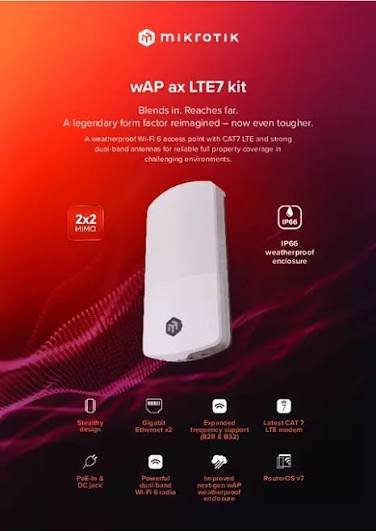
Select an image to view it. Click the main image to enlarge.
Mikrotik wAP ax LTE7 kit Price in Kenya
In stock
KES 39,999.00
KES 42,999.00
You save KES 3,000.00
Buy MikroTik wAP ax LTE7 Kit Dual-Band Wi-Fi 6 Outdoor LTE Router in Kenya. Review key specs, compatibility, setup guidance and accessories at Reisen SEO.
View product detailsNeed help choosing?
Talk to our team at +254 714 804 532
Product details
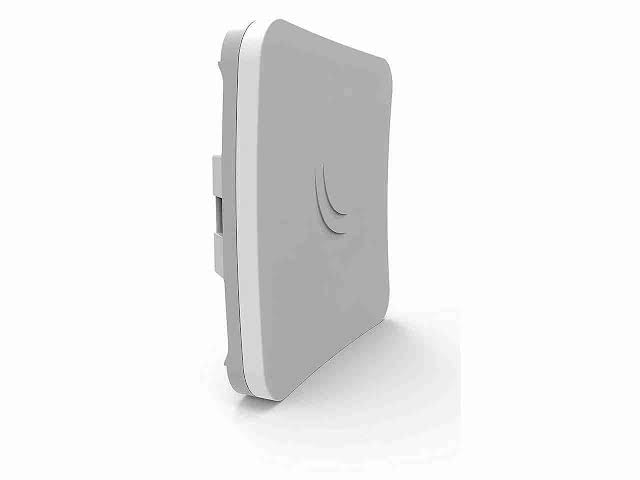
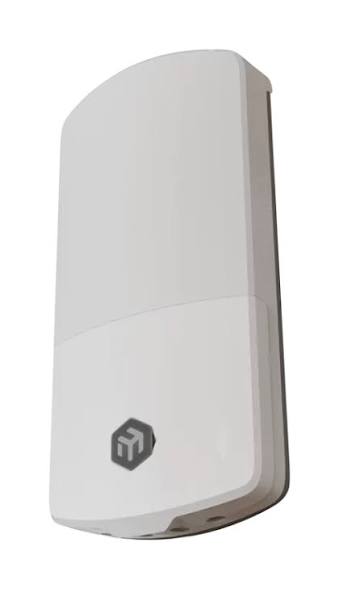
MikroTik wAP ax LTE7 Kit Dual-Band Wi-Fi 6 Outdoor LTE Router
MikroTik wAP ax LTE7 Kit Dual-Band Wi-Fi 6 Outdoor LTE Router is a outdoor LTE router and wireless access point intended for projects in Kenya where the equipment needs to fit an identifiable network design. Its purpose is to solve a defined connection problem: remote shop or kiosk requiring cellular backhaul. Before selecting equipment for a site, consider the required interface, the power source, the connected endpoints, and the services the new device must support. That is how the correct model becomes a useful part of the network.
It can be considered when rural hospitality outbuilding needing managed Wi-Fi is part of the project. Its important capabilities include dual-band Wi-Fi 6 access and LTE Cat7 WAN in one weather-resistant unit and two Gigabit Ethernet ports for wired handoff and local integration. A site can benefit from these functions only when the upstream equipment and the physical installation are compatible. Reisen focuses on the exact model identity so that buyers can distinguish it from similar-looking hardware with different power, radio or network interfaces.
For temporary field office with Ethernet-connected devices, the equipment should fit an end-to-end design with the correct input, output, installation location and operating conditions. Make the primary buying decision from the specifications below, then match cables, power, controls and any required supporting hardware. An orderly installation plan also makes commissioning and ongoing maintenance simpler for the next technician who works on the system.
Key Features and Benefits
· Dual-band Wi-Fi 6 access and LTE Cat7 WAN in one weather-resistant unit
· Two Gigabit Ethernet ports for wired handoff and local integration
· RouterOS v7 policy and management options
· IP66 enclosure for appropriately installed outdoor sites
How to Buy MikroTik wAP ax LTE7 Kit Dual-Band Wi-Fi 6 Outdoor LTE Router
Before ordering, confirm the model identity, micro SIM and compatible active mobile data plan, and operator LTE bands and usable reception at mounting point. The four buying decisions below help match the product to the intended installation and supporting equipment.

How to Buy MikroTik wAP ax LTE7 Kit Dual-Band Wi-Fi 6 Outdoor LTE Router: Match the model, interfaces, site requirements and order.
Key Specifications
|
Specification |
Details |
|
Model |
wAP ax LTE7 kit |
|
Product code |
wAPGR-5HaxD2HaxD&R11e-LTE7 |
|
Wireless |
Dual-band 2.4/5 GHz Wi-Fi 6; 2×2 MIMO |
|
Cellular |
LTE Category 7; theoretical 300 Mbps download / 100 Mbps upload |
|
Ethernet |
2 × Gigabit Ethernet |
|
PoE input |
802.3af/at; 18–57 V |
|
Operating system |
RouterOS v7, license level 4 |
|
Environmental rating |
IP66 |
|
Power |
13 W maximum |
Choosing the Right Model for Your Site
Exact-model selection matters. The listing refers to MikroTik wAP ax LTE7 Kit Dual-Band Wi-Fi 6 Outdoor LTE Router; compare that identity with the print on the unit and the manufacturer documentation. Related products may have different radio bands, power requirements, uplink interfaces or management capabilities. Do not choose a near match from a search result simply because the brand and the visible enclosure resemble the intended hardware.
Build a complete bill of materials. Typical additional requirements for this model can include Outdoor-rated Ethernet cable, surge protection appropriate to the installation, a compatible PoE switch or injector, SIM plan and mounting hardware. When those are already available, confirm they really match the specified standards; if they are not available, add them to the installation budget. An apparently inexpensive component can be the wrong economic choice when it needs replacement cables or incompatible optics.
Estimate the practical installation work. A site requiring rural hospitality outbuilding needing managed Wi-Fi may need access permissions, a network outage window, cable termination, physical mounting, firmware updates and final performance measurements. The chosen product should simplify the technical architecture and make servicing predictable. A quotation should distinguish hardware cost from labor and supporting equipment.
Consider long-term ownership. Preserve product code, firmware version, management credentials, configuration backup and cable labels in a handover record. This supports later troubleshooting, changes of Internet provider, additional users and accessory replacement. For high-importance applications, arrange a maintenance procedure or spare hardware rather than relying on ad hoc repair once service fails.
Product Architecture and Technical Functions

MikroTik wAP ax LTE7 Kit Dual-Band Wi-Fi 6 Outdoor LTE Router: Hardware features and interface selection guide.
Dual-band Wi-Fi 6 access and LTE Cat7 WAN in one weather-resistant unit. For remote shop or kiosk requiring cellular backhaul, this feature is valuable when it fits the wider network architecture. In practical purchasing terms, the associated consideration is micro SIM and compatible active mobile data plan. A technician should test this capability at the equipment interface and with the intended endpoint, rather than assuming it will behave identically in every environment. This helps distinguish MikroTik wAP ax LTE7 Kit Dual-Band Wi-Fi 6 Outdoor LTE Router from products that look similar but use a different network or power standard.
Two Gigabit Ethernet ports for wired handoff and local integration. For rural hospitality outbuilding needing managed Wi-Fi, this feature is valuable when it fits the wider network architecture. In practical purchasing terms, the associated consideration is operator LTE bands and usable reception at mounting point. A technician should test this capability at the equipment interface and with the intended endpoint, rather than assuming it will behave identically in every environment. This helps distinguish MikroTik wAP ax LTE7 Kit Dual-Band Wi-Fi 6 Outdoor LTE Router from products that look similar but use a different network or power standard.
RouterOS v7 policy and management options. For temporary field office with Ethernet-connected devices, this feature is valuable when it fits the wider network architecture. In practical purchasing terms, the associated consideration is 802.3af/at power source or compatible DC supply. A technician should test this capability at the equipment interface and with the intended endpoint, rather than assuming it will behave identically in every environment. This helps distinguish MikroTik wAP ax LTE7 Kit Dual-Band Wi-Fi 6 Outdoor LTE Router from products that look similar but use a different network or power standard.
IP66 enclosure for appropriately installed outdoor sites. For remote shop or kiosk requiring cellular backhaul, this feature is valuable when it fits the wider network architecture. In practical purchasing terms, the associated consideration is outdoor-rated cable route and weatherproof penetration. A technician should test this capability at the equipment interface and with the intended endpoint, rather than assuming it will behave identically in every environment. This helps distinguish MikroTik wAP ax LTE7 Kit Dual-Band Wi-Fi 6 Outdoor LTE Router from products that look similar but use a different network or power standard.
Understanding Each Key Specification
Model: wAP ax LTE7 kit. When planning remote shop or kiosk requiring cellular backhaul, use this stated parameter alongside micro SIM and compatible active mobile data plan. The manufacturer specification describes the product's capability; a complete system also requires matching counterparts and realistic site conditions. Keep this detail in the equipment schedule so installation and purchasing teams use the same model.
Product code: wAPGR-5HaxD2HaxD&R11e-LTE7. When planning rural hospitality outbuilding needing managed Wi-Fi, use this stated parameter alongside operator LTE bands and usable reception at mounting point. The manufacturer specification describes the product's capability; a complete system also requires matching counterparts and realistic site conditions. Keep this detail in the equipment schedule so installation and purchasing teams use the same model.
Wireless: Dual-band 2.4/5 GHz Wi-Fi 6; 2×2 MIMO. When planning temporary field office with Ethernet-connected devices, use this stated parameter alongside 802.3af/at power source or compatible DC supply. The manufacturer specification describes the product's capability; a complete system also requires matching counterparts and realistic site conditions. Keep this detail in the equipment schedule so installation and purchasing teams use the same model.
Cellular: LTE Category 7; theoretical 300 Mbps download / 100 Mbps upload. When planning remote shop or kiosk requiring cellular backhaul, use this stated parameter alongside outdoor-rated cable route and weatherproof penetration. The manufacturer specification describes the product's capability; a complete system also requires matching counterparts and realistic site conditions. Keep this detail in the equipment schedule so installation and purchasing teams use the same model.
Ethernet: 2 × Gigabit Ethernet. When planning rural hospitality outbuilding needing managed Wi-Fi, use this stated parameter alongside micro SIM and compatible active mobile data plan. The manufacturer specification describes the product's capability; a complete system also requires matching counterparts and realistic site conditions. Keep this detail in the equipment schedule so installation and purchasing teams use the same model.
PoE input: 802.3af/at; 18–57 V. When planning temporary field office with Ethernet-connected devices, use this stated parameter alongside operator LTE bands and usable reception at mounting point. The manufacturer specification describes the product's capability; a complete system also requires matching counterparts and realistic site conditions. Keep this detail in the equipment schedule so installation and purchasing teams use the same model.
Operating system: RouterOS v7, license level 4. When planning remote shop or kiosk requiring cellular backhaul, use this stated parameter alongside 802.3af/at power source or compatible DC supply. The manufacturer specification describes the product's capability; a complete system also requires matching counterparts and realistic site conditions. Keep this detail in the equipment schedule so installation and purchasing teams use the same model.
Environmental rating: IP66. When planning rural hospitality outbuilding needing managed Wi-Fi, use this stated parameter alongside outdoor-rated cable route and weatherproof penetration. The manufacturer specification describes the product's capability; a complete system also requires matching counterparts and realistic site conditions. Keep this detail in the equipment schedule so installation and purchasing teams use the same model.
Power: 13 W maximum. When planning temporary field office with Ethernet-connected devices, use this stated parameter alongside micro SIM and compatible active mobile data plan. The manufacturer specification describes the product's capability; a complete system also requires matching counterparts and realistic site conditions. Keep this detail in the equipment schedule so installation and purchasing teams use the same model.
Technical Selection Guide

Technical decision guide: Interpret the model specifications in a network design.
LTE network planning
A mobile data category describes the radio hardware but says little about achievable speed at a particular tower. Review the serving provider, APN, available LTE bands, signal quality, tower congestion and carrier-aggregation support. For a rural site, inspect reception at the installed height instead of assuming a phone speed test from inside the building proves the roof-mounted router will perform equally. An externally located device also changes lightning and cabling considerations.
WAN security and service resilience
RouterOS can segment management access from guest traffic, limit unnecessary services and establish a deliberate backup plan. Cellular IP addresses may be private behind carrier NAT, so incoming services should be designed around secure outbound tunnels or an approved provider arrangement rather than a publicly reachable address. Keep recovery credentials and configuration backups off the router.
Wi-Fi placement in challenging sites
The LTE reception point and the best Wi-Fi access point are not always the same location. The cellular device may belong on an outside wall with line of sight to the base station; users may be indoors behind concrete or metal. Where needed, use the Ethernet handoff to supply separate indoor access points, with properly sized PoE and safe cable routing.
Typical Applications in Kenya
Remote shop or kiosk requiring cellular backhaul
A practical example is remote shop or kiosk requiring cellular backhaul. In this environment, dual-band Wi-Fi 6 access and LTE Cat7 WAN in one weather-resistant unit can provide a useful technical building block, provided that the chosen topology actually needs the device's functions. Start by drawing the upstream connection, the intended endpoint and the power path. The total solution may include cable, a switch, fiber modules, mounted endpoints or a managed gateway. Making those dependencies explicit during procurement can prevent a correct product from being installed in the wrong role.
For this use case, pay attention to micro SIM and compatible active mobile data plan. A buyer can compare purchase options by asking what the technician must do before the system becomes serviceable. One of the relevant tasks is to confirm LTE band, SIM size and reception before selecting the location. That task is easier when mounting access, labeling, firmware and acceptance tests are considered before equipment arrives on site. After installation, check the actual client experience or service behavior rather than assuming the model's marketing rating is the site result.
Rural hospitality outbuilding needing managed wi-fi
A practical example is rural hospitality outbuilding needing managed Wi-Fi. In this environment, two Gigabit Ethernet ports for wired handoff and local integration can provide a useful technical building block, provided that the chosen topology actually needs the device's functions. Start by drawing the upstream connection, the intended endpoint and the power path. The total solution may include cable, a switch, fiber modules, mounted endpoints or a managed gateway. Making those dependencies explicit during procurement can prevent a correct product from being installed in the wrong role.
For this use case, pay attention to operator LTE bands and usable reception at mounting point. A buyer can compare purchase options by asking what the technician must do before the system becomes serviceable. One of the relevant tasks is to mount the IP66 enclosure upright as directed and provide a safe cable entry. That task is easier when mounting access, labeling, firmware and acceptance tests are considered before equipment arrives on site. After installation, check the actual client experience or service behavior rather than assuming the model's marketing rating is the site result.
Temporary field office with ethernet-connected devices
A practical example is temporary field office with Ethernet-connected devices. In this environment, routerOS v7 policy and management options can provide a useful technical building block, provided that the chosen topology actually needs the device's functions. Start by drawing the upstream connection, the intended endpoint and the power path. The total solution may include cable, a switch, fiber modules, mounted endpoints or a managed gateway. Making those dependencies explicit during procurement can prevent a correct product from being installed in the wrong role.
For this use case, pay attention to 802.3af/at power source or compatible DC supply. A buyer can compare purchase options by asking what the technician must do before the system becomes serviceable. One of the relevant tasks is to connect an 802.3af/at source or specified DC input and insert SIM. That task is easier when mounting access, labeling, firmware and acceptance tests are considered before equipment arrives on site. After installation, check the actual client experience or service behavior rather than assuming the model's marketing rating is the site result.
Compatibility and Planning Matrix

Compatibility matrix: Verify interfaces, power and installation prerequisites.
Micro SIM and compatible active mobile data plan: The advertised LTE rate is a modem category ceiling, not a guaranteed provider speed. For remote shop or kiosk requiring cellular backhaul, identify the actual counterpart device and compare the physical interface, power or radio standard. Confirm the relevant requirement while planning the materials list, not when the installer reaches the site. This makes the final installation more predictable and reduces avoidable returns caused by mismatched accessories.
Operator LTE bands and usable reception at mounting point: Radio coverage and weather resistance depend on mounting, cables and obstructions. For rural hospitality outbuilding needing managed Wi-Fi, identify the actual counterpart device and compare the physical interface, power or radio standard. Confirm the relevant requirement while planning the materials list, not when the installer reaches the site. This makes the final installation more predictable and reduces avoidable returns caused by mismatched accessories.
802.3af/at power source or compatible DC supply: Do not assume it provides PoE output from an Ethernet port. For temporary field office with Ethernet-connected devices, identify the actual counterpart device and compare the physical interface, power or radio standard. Confirm the relevant requirement while planning the materials list, not when the installer reaches the site. This makes the final installation more predictable and reduces avoidable returns caused by mismatched accessories.
Outdoor-rated cable route and weatherproof penetration: The advertised LTE rate is a modem category ceiling, not a guaranteed provider speed. For remote shop or kiosk requiring cellular backhaul, identify the actual counterpart device and compare the physical interface, power or radio standard. Confirm the relevant requirement while planning the materials list, not when the installer reaches the site. This makes the final installation more predictable and reduces avoidable returns caused by mismatched accessories.
How to Install and Use MikroTik wAP ax LTE7 Kit Dual-Band Wi-Fi 6 Outdoor LTE Router

Installation topology: Trace the upstream interface, outdoor LTE router and wireless access point and downstream service.
A Step by Step Guide to MikroTik wAP ax LTE7 Kit Dual-Band Wi-Fi 6 Outdoor LTE Router
Step 1: Confirm LTE band, SIM size and reception before selecting the location. Check the observed interface or service status before advancing, and document any cable, power or configuration setting that another technician would need to reproduce the result. At handover, retain a record of the equipment identity and acceptance test outcome.
Step 2: Mount the IP66 enclosure upright as directed and provide a safe cable entry. Check the observed interface or service status before advancing, and document any cable, power or configuration setting that another technician would need to reproduce the result. At handover, retain a record of the equipment identity and acceptance test outcome.
Step 3: Connect an 802.3af/at source or specified DC input and insert SIM. Check the observed interface or service status before advancing, and document any cable, power or configuration setting that another technician would need to reproduce the result. At handover, retain a record of the equipment identity and acceptance test outcome.
Step 4: Apply RouterOS updates, secure administrator login and configure LTE APN. Check the observed interface or service status before advancing, and document any cable, power or configuration setting that another technician would need to reproduce the result. At handover, retain a record of the equipment identity and acceptance test outcome.
Step 5: Set Wi-Fi SSID and security; test clients and wired handoff. Check the observed interface or service status before advancing, and document any cable, power or configuration setting that another technician would need to reproduce the result. At handover, retain a record of the equipment identity and acceptance test outcome.
Step 6: Record signal, service status and backup recovery settings. Check the observed interface or service status before advancing, and document any cable, power or configuration setting that another technician would need to reproduce the result. At handover, retain a record of the equipment identity and acceptance test outcome.
Testing, Commissioning and Maintenance

Deployment checklist: Plan, configure, test and document the installed device.
The advertised LTE rate is a modem category ceiling, not a guaranteed provider speed. If a fault occurs, check the physical power and link state first, then confirm that the intended task—connect an 802.3af/at source or specified DC input and insert SIM—was completed. Change only one part of the setup at a time and compare the result with the original acceptance measurements. This separates a faulty component from a mismatched supply, configuration problem or environmental constraint.
Radio coverage and weather resistance depend on mounting, cables and obstructions. If a fault occurs, check the physical power and link state first, then confirm that the intended task—apply RouterOS updates, secure administrator login and configure LTE APN—was completed. Change only one part of the setup at a time and compare the result with the original acceptance measurements. This separates a faulty component from a mismatched supply, configuration problem or environmental constraint.
Do not assume it provides PoE output from an Ethernet port. If a fault occurs, check the physical power and link state first, then confirm that the intended task—set Wi-Fi SSID and security; test clients and wired handoff—was completed. Change only one part of the setup at a time and compare the result with the original acceptance measurements. This separates a faulty component from a mismatched supply, configuration problem or environmental constraint.
What's in the Box
|
Specification |
Details |
|
1 |
wAP ax LTE7 kit unit |
|
2 |
24 V 0.8 A power adapter |
|
3 |
Gigabit PoE injector |
|
4 |
hose clamp |
|
5 |
K-95 kit |
|
6 |
plastic tie strap |
Package presentation and included accessories may differ with region, hardware revision, distribution bundle or the specific configured system. Check the product supplied against the identified model and order description.
Recommended Accessories and Related Products
A complete outdoor LTE router and wireless access point deployment may also require Outdoor-rated Ethernet cable, surge protection appropriate to the installation, a compatible PoE switch or injector, SIM plan and mounting hardware. Choose accessories by the actual site design and ensure each part is compatible with the specified hardware. Related products from the Reisen catalog can help complete a system without mixing unrelated power or network standards.
· Related: MikroTik KNOT Embedded LTE4 Industrial IoT Gateway
· Related: MikroTik GPOE-USB PoE-to-USB-C Power Adapter with 2.5G Ethernet
· Related: TP-Link Omada OC300 Hardware Network Controller
For exact technical specifications and model-specific documentation, consult the MikroTik official product reference.
Frequently Asked Questions
What is MikroTik wAP ax LTE7 Kit Dual-Band Wi-Fi 6 Outdoor LTE Router designed to do?
It is a outdoor LTE router and wireless access point intended for applications such as remote shop or kiosk requiring cellular backhaul and rural hospitality outbuilding needing managed Wi-Fi. Its role should be defined from the endpoint and the upstream network. Dual-band Wi-Fi 6 access and LTE Cat7 WAN in one weather-resistant unit. Choosing the right model means checking the required connection type and operating conditions, not simply selecting the highest advertised number.
How can I check compatibility with existing equipment?
Start with the manufacturer's product code and the exact hardware revision. Compare the required micro sim and compatible active mobile data plan and operator lte bands and usable reception at mounting point. Then check interface standards, available power and relevant firmware. If a converter, gateway or radio is involved, also confirm the counterpart technology. The documentation and as-built network plan should agree before the device is powered.
Will the advertised speed or capacity be achieved everywhere?
No marketing data-rate label guarantees application throughput at every site. The effective result depends on the selected interfaces, client capability, cable quality, upstream service, and installation conditions. For temporary field office with Ethernet-connected devices, measure the actual end-to-end path and compare it against the real business requirement rather than assuming one headline rating describes all connected users.
Which accessories should I order with this product?
The appropriate accessories depend on the project and supplied package. Consider Outdoor-rated Ethernet cable, surge protection appropriate to the installation, a compatible PoE switch or injector. Separate optional supporting equipment from what the manufacturer states is supplied. For a network extension, ask whether the far-end device, power source and matched cable or optics are already on site.
What should the installer test before handover?
Check power stability, physical fit, correct link or radio negotiation, secure management access and expected application traffic. One important task is to record signal, service status and backup recovery settings. Record the outcome and label serviceable connections so future troubleshooting starts from evidence.
Can the product be expanded as the business grows?
Expansion depends on interfaces, management features and the wider network design. RouterOS v7 policy and management options. A larger deployment may require additional compatible access points, switches, fiber links, controller resources or a change in gateway capacity. Plan the next stage around real endpoint counts and traffic rather than assuming all similarly named models are interchangeable.
What should a Kenyan buyer confirm before placing an order?
Confirm the exact model and hardware revision, the current selling price, availability, delivery destination and any installation accessories. Also confirm 802.3af/at power source or compatible dc supply and outdoor-rated cable route and weatherproof penetration. If the offered product is intended for a special regulatory band, application or power class, obtain the appropriate confirmation before installation.
Buy MikroTik wAP ax LTE7 Kit Dual-Band Wi-Fi 6 Outdoor LTE Router in Kenya
Choose MikroTik wAP ax LTE7 Kit Dual-Band Wi-Fi 6 Outdoor LTE Router when its confirmed capabilities match your network design. Compare the listed product with the existing outdoor LTE router and wireless access point requirements, review any additional components before installation and use the Reisen product page to check the current price and order details. For a larger project, prepare the expected quantity, installation location and connection specifications before requesting a quotation.
Additional information
| Product | Mikrotik wAP ax LTE7 kit Price in Kenya |
|---|---|
| Category | Mikrotik |
| Price | KES 39,999.00 |
| Availability | In stock |
Keep exploringMore in Mikrotik
Related products