Save 6%
Select an image to view it. Click the main image to enlarge.
Ubiquiti airMAX Powerbeam AC Gen2 PBE-5AC-Gen2 Price in Kenya
In stock
KES 17,000.00
KES 17,999.97
You save KES 999.97
Buy Ubiquiti PowerBeam AC Gen2 PBE-5AC-Gen2 in Kenya. Explore its 5GHz radio, 25dBi antenna, Gigabit port, compatibility and setup guide.
View product detailsNeed help choosing?
Talk to our team at +254 714 804 532
Product details
Ubiquiti airMAX PowerBeam AC Gen2 PBE-5AC-Gen2 Price in Kenya
Ubiquiti airMAX PowerBeam AC Gen2 PBE-5AC-Gen2 is built for a planned outdoor wireless network. It can carry a supported 5GHz airMAX AC link between a source LAN and a remote location. Use it when the path, far-end radio, mounting, and power plan fit the job. It is a network link component rather than a normal room Wi-Fi router.
Request the current PBE-5AC-Gen2 quotation from Reisen. Ask for the complete package, delivery terms, taxes, warranty, and any installation work needed. A model-only price does not show the cost of the full working setup.

Choose the exact model, confirm the quote, then agree payment and fulfillment.
Key Specifications
|
Feature |
Details |
|
Model |
PBE-5AC-Gen2 |
|
Product role |
5GHz airMAX AC radio |
|
Connection |
1 × Gigabit Ethernet |
|
Power |
24V passive PoE |
|
Antenna |
25dBi integrated dual-polarized antenna |
|
Management |
airOS; use firmware for exact model |
|
Package |
Confirm injector, mounts and any antenna |
A dish radio for a planned AC bridge
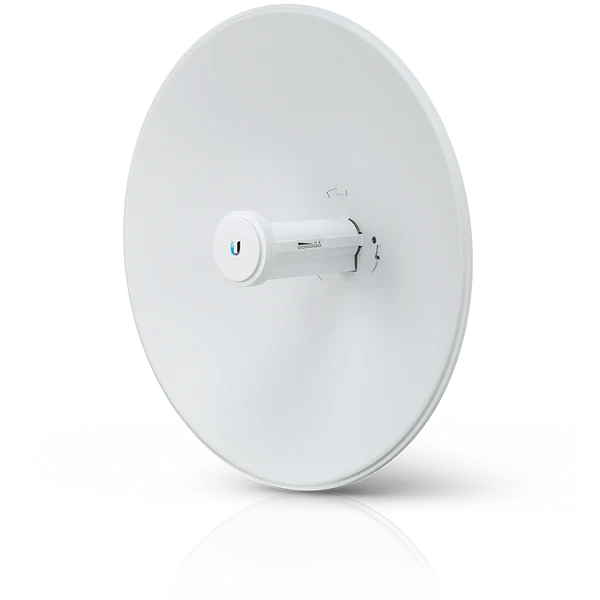
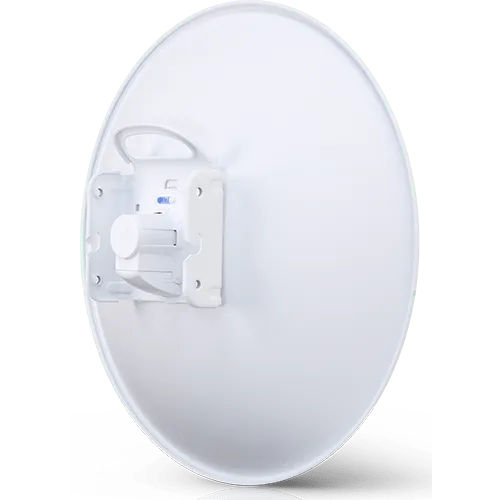
The PBE-5AC-Gen2 combines a 5GHz airMAX AC radio with a 25dBi dish antenna. It has a Gigabit Ethernet interface and a separate 2.4GHz management radio for setup. That management link is not a second client Wi-Fi service for the remote building. The 5GHz radio carries the planned outdoor link. This model makes sense when a surveyed path and a firm mount suit a directional dish. It remains different from the PBE-M5-400, PBE-5AC-500, and PBE-5AC-620. Keep the full code on the quote. Ask Reisen to confirm the injector and mounting parts in the actual package. For a building bridge, plan the remote endpoint, local Ethernet lead, outdoor cable, and any remote indoor access point together. The dish alone is only one active end of the service.
Compatibility

Check the exact model and the full installation before connecting equipment.
Match every connection in the complete system. A shared connector, brand name, U height, or frequency label alone does not prove a suitable fit.

Conceptual link path. Both active ends need compatible radios and approved local power.
Move a network link across open space
An outdoor radio can join 2 places when a cable route is costly or hard to build. One end connects to the existing LAN. The far end passes that link back to Ethernet for a switch, camera system, or indoor access point. Each active end still needs its own suitable power source. The radio does not create an internet subscription.
Start with the path and the service needed at the far building. Write down the traffic, the endpoint models, and how they will connect. This gives the installer a clear job. A pair serving a few office devices has different needs from a shared customer base station. Select the full system, then check the role of this particular radio inside it.
Match the radio family at both ends
The 5GHz label describes a frequency band, not a shared language between every wireless product. airMAX AC, airMAX M, UniFi, airFiber, and other radio systems have different roles and support rules. Check the exact pairing in the current firmware documentation. A familiar brand name does not remove this step.
For a new link, plan a supported pair or a supported base station and client layout. For a repair, note the model and firmware of the working far end before ordering. Keep a backup of the old settings and a rollback plan. A newer model can be a good upgrade but may require changes at both ends. Buying only one device does not always complete the repair.
Start the comparison with PBE-5AC-Gen2 product listing and related PBE-5AC-Gen2 option. Read the full model and package details. An alternative model may need different peer radios, power, or mounting parts.
Give the radio a clear path
A visible roof is a useful start, but it is not the whole path check. Radio energy needs clear space around the direct line as well. This zone is often called the Fresnel zone. Trees, roof edges, terrain, and future building work can reduce the usable signal. The installer should survey the actual mounting points before promising a link.
Choose a mount that can hold its aim in wind. A pole that bends may turn a good bench test into a poor outdoor link. Record the direction and height at both ends. Leave room for safe adjustment and later service. Keep the indoor power supply protected as required by its own rating. An outdoor radio does not make every part of the kit weatherproof.
Read antenna gain as one design input
Gain describes how the antenna directs energy compared with a reference. It does not promise a fixed distance or a speed. The result also depends on the far radio, noise, path clearance, channel choice, mounting height, and permitted power. A larger dish needs a suitable mount and accurate alignment to be useful.
Do not solve every weak link by raising transmit power. First check alignment, cable condition, noise, and the supported channel plan. Excess power can create other problems and must remain within local limits. A balanced link has usable readings at both ends. Compare those readings with the normal baseline rather than chasing a single large signal number.
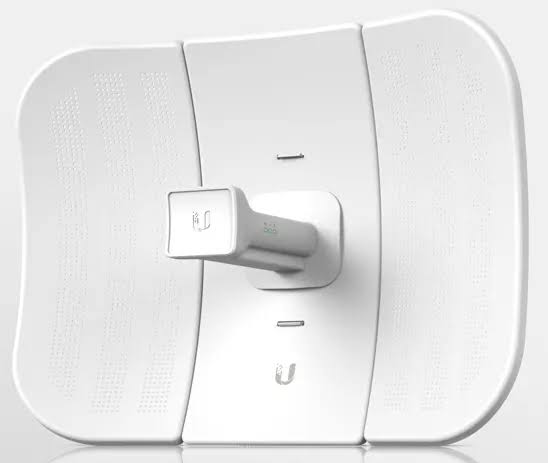
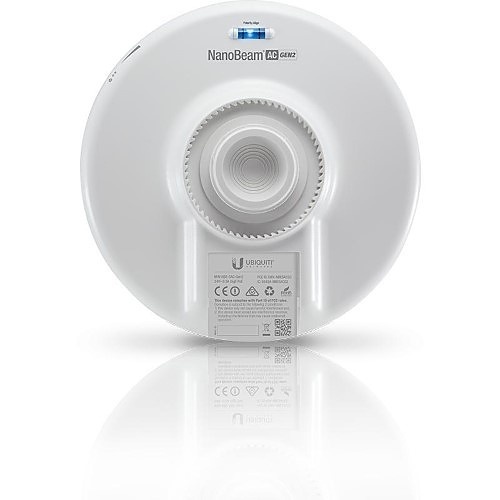
A smaller integrated outdoor design may be better for some paths. Review LiteBeam AC Gen2 alternative and NanoBeam AC Gen2 alternative against the survey and supported radio family.
Keep port speed separate from service speed
A Gigabit Ethernet socket describes the wired interface class. It does not guarantee a Gigabit radio link or a Gigabit internet service. Usable traffic passes through several limits: the provider, gateway, Ethernet lead, radio path, remote LAN, and client device. The lowest useful capacity in that chain can shape the experience.
Test both local and internet traffic. A local transfer across the bridge helps separate radio performance from the provider's package. Read the negotiated Ethernet rate and watch for errors. A damaged pair in a cable can lower the wired link rate while the radio still shows a strong signal. That fault should be fixed at the cable rather than hidden by changing wireless settings.
Choose channel width for the actual site
A wide channel can offer more capacity in a clean environment, but it also needs more clear spectrum. Nearby links and other users may leave less clean space. Start with a survey at both ends. Choose a lawful country setting, permitted frequency, and supported channel width that suits the path.
Keep the plan consistent across the supported radio pair. If the link serves several clients, plan shared airtime rather than assuming every client can use the entire headline capacity at once. Test during the busy period as well as at setup. A channel that looks quiet early in the day may face much more noise when nearby networks are active.
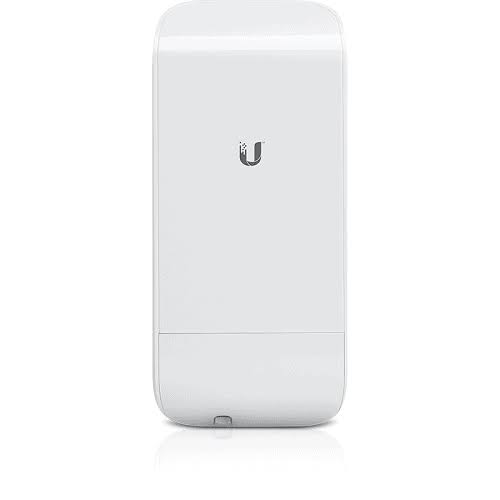
For a different endpoint or antenna format, compare NanoStation Loco5AC comparison and LiteAP 120 sector alternative. Similar band labels do not prove that 2 radios can pair.
Understand access point and station roles
For a simple supported pair, one radio normally serves as the access point and the other as the station. Those names describe the radio link. They do not mean that normal phones can join an airMAX base station as if it were an indoor Wi-Fi hotspot. Use a suitable local Wi-Fi access point for client coverage.
Plan which end holds each role before configuration. Give devices clear names that include their location. Keep the intended peer, security settings, channel plan, and network mode in the site record. If a base station will serve more than one client, make sure its antenna pattern and supported client types match the layout. A narrow dish and a sector serve different physical patterns.
Choose bridge or routed behavior deliberately
A bridge can carry one LAN across the radio link. In that design, the existing router may continue giving addresses to devices at the far end. A routed design creates a separate network and needs a suitable route and address plan. Either approach can work when it matches the service and is configured correctly.
Avoid adding a second DHCP service by accident. It can give devices conflicting settings and create faults that come and go. Give management interfaces unique addresses and keep a route back to them. If VLANs are used, plan the tags at the switch, radio, and remote port together. A radio with a good signal can still pass the wrong network if that plan is incomplete.
Match power before connecting the radio
Read the model label and its approved power method. A passive PoE source applies power in a different way from a standards-based PoE switch. Voltage, wiring, current capacity, and data support must all fit the radio. Do not choose a supply by plug shape alone. Keep the powered output away from ordinary laptop and switch ports.
Label the injector's LAN side and powered side. The unpowered LAN side connects toward normal network gear. The powered cable runs to the approved endpoint. Check whether the order includes the injector, mains lead, and mounting parts. A lower device price with separate accessories may have a different complete installed cost. Ask for the whole parts list before comparing quotations.
For a different radio platform or a sector layout, review MikroTik LHG 5 ac alternative and managed switches for the local LAN. Plan a supported complete link rather than mixing devices by appearance.
Build the outdoor cable route properly
Use cable and connectors suited to the outdoor route and the radio maker's instructions. Plan shield continuity, grounding, surge protection, strain relief, and drip loops as one installation. Do not leave a heavy cable hanging from the radio socket. Seal entries in the approved way while keeping drain and ventilation features clear.
Keep unnecessary joints out of exposed sections. Water can follow a cable into a connector or building entry. A route that looks neat in dry weather may fail during the first rains if it has unprotected joins. Record the full cable length and test it before the radio goes high on the pole. Replacing a poor lead on the bench is much easier than doing it after mounting.
Secure the settings and management access
Set a unique admin password and strong supported wireless security. Change default identifiers that would make the link easy to confuse with another site. Keep management access on a trusted network. Remote access should follow a planned secure method rather than exposing the setup interface directly to the internet.
Use firmware intended for the exact hardware and region. Back up settings before major changes. Schedule updates so the owner knows about any outage. Where a separate setup radio is fitted, treat it as a management tool rather than promised client Wi-Fi. Keep passwords out of public labels and shared invoices. The owner should have an agreed way to recover access later.
Align with measurements at both ends
Begin with the planned direction and then adjust in small steps. Read signal quality, chain balance, errors, and real traffic. Wait for readings to settle after each movement. Tighten the mount only after the final position is clear, then check again. Tightening can slightly move the assembly and change the result.
A stronger reading alone may not mean a better link. Noise and errors can make a strong connection unreliable. Save the final readings, channel settings, and mount photographs in the service record. A later technician can compare them with current conditions. That is far more useful than a note saying that the link worked on installation day.
For the wider network design, review Starlink Kenya Installers and MikroTik DISC Lite5 ac alternative. Starlink is an upstream internet service; the outdoor radio and its approved power system remain separate downstream parts.
Test the services people will use
Run traffic in both directions. Test browsing, calls, camera viewing, file transfers, or other real tasks expected at the far site. Watch for errors, restarts, delay, and dropped packets while the link is busy. Include the remote switch and access point in the test so the service is checked from end to end.
If only internet access fails, check the provider and gateway before rebuilding the radio configuration. If all local traffic fails as well, inspect the wired path, power, and addressing. Change one cause at a time and write down the result. A short repeatable test often finds the fault faster than several unrelated changes made together.
Keep a useful service record
Record the full model codes, serial numbers, firmware, addresses, power supplies, and cable routes. Mark which port is powered and who owns the management account. Save a tested backup in an agreed secure place. The record should explain what the owner can check first without disturbing the installation.
Before replacing a radio, read the far-end model again. Do not assume it is unchanged since the first order. Building work, tree growth, new local interference, or an aging cable may explain a fault. A new radio cannot repair every one of those causes. Match the replacement to the evidence and test the complete service after any change.
Quick Brand Comparison
|
Wireless family |
What to compare |
|
Ubiquiti airMAX AC |
Supported peer, antenna, power and firmware |
|
Ubiquiti airMAX M |
Older family; verify supported combinations |
|
MikroTik outdoor radio |
Different system; plan a complete supported link |
|
UniFi access point |
Client Wi-Fi role rather than an airMAX bridge |
Compare the complete role and installed cost. A different brand can require a different management platform, power source, mounting kit, or service. Keep an existing useful system in the comparison rather than replacing it solely to match a new product name.
Can It Be Used with Starlink?
Yes, it can form part of a downstream Ethernet network whose internet feed comes from Starlink. Use a suitable Starlink Ethernet handoff to the local gateway and then the approved radio link. It does not communicate directly with Starlink satellites or replace the dish. Each end of the radio bridge still needs its own approved power.
How to Set Up PBE-5AC-Gen2
1. Survey both ends
Record the planned mounting points, line of sight, path clearance, local noise, and service needed at the far end. Identify the exact remote radio. Check that the proposed airMAX AC pairing and firmware are supported. Keep a safe wired test path available before starting.
2. Prepare the complete parts set
Check the model label, mount, approved injector, outdoor cable, connectors, grounding parts, and surge protection. Do a bench test first using known-good short leads so a cable fault is not carried up the mast.
3. Connect power and the setup client
Connect the injector LAN side toward the computer or normal network. Connect its powered side only to the radio's approved input. Follow the supplied guide for the initial wired or management-radio access method. Use the actual label credentials and avoid assuming every generation has the same default.
4. Secure and name the devices
Set a unique admin password and supported wireless security. Enter the correct country and lawful radio settings. Give each end a useful location name and management address. Save a record before changing network modes. Keep setup access on a trusted local path.
5. Set the radio roles
Choose supported access-point and station roles for the link. Match the intended network name, security, channel plan, and supported width. For a shared base station, configure the approved clients and antenna layout. Do not treat the radio as a normal phone hotspot.
6. Apply the LAN plan
Choose bridge or routed operation deliberately. Keep management addresses unique and avoid a second unintended DHCP server. Match VLAN tags across the switch, radio, and far-end device if they are used. Check that a test client can reach the correct gateway through the link.
7. Mount and align
Use the surveyed supports and the maker's mounting instructions. Keep cable weight off the sockets and complete the grounding and protection plan. Adjust aim in small steps while reading both ends. Tighten the mount, then recheck signal quality, chain balance, and useful traffic.
8. Test the real service
Test local traffic and then internet service in both directions. Try the calls, camera feeds, or office tasks the owner expects. Record Ethernet rate, errors, radio readings, firmware, and final settings. Save a backup and explain the first checks to make if the service later fails.
Advantages
· Carries a planned outdoor network link without a continuous inter-building cable.
· Supports an Ethernet handoff for the remote LAN.
· Allows a supported airMAX AC deployment with suitable peers.
· Can serve a clear building-link or client role when surveyed correctly.
Disadvantages and Limits
· Needs a supported far-end radio and a suitable power source.
· Radio clearance, noise and alignment affect results.
· Does not replace an internet subscription or normal client Wi-Fi access point.
· Outdoor cable, mounting and protection add to the complete cost.
Troubleshooting
Separate radio, Ethernet, power, and provider faults. Compare current signal and error readings with the saved baseline. Check water entry, loose mounting, damaged cable, and supply labels before changing settings. If local traffic works but internet does not, test the upstream gateway and service as a separate step.
Frequently Asked Questions
Can 1 unit join 2 buildings?
A normal point-to-point link needs active radios at both ends. One new unit can be enough when the far building already has a supported working endpoint or base station. Confirm that exact model and firmware first. Each active end also needs suitable local power and cable connections.
Will normal phones join this as Wi-Fi?
Do not buy an airMAX radio as a normal room hotspot. Its main job is a supported outdoor radio link. A separate management radio, when fitted, is for setup. Add a suitable indoor or outdoor client Wi-Fi access point where people need phone and laptop coverage.
Does higher gain guarantee a longer link?
No. Gain is one input to the path design. Clearance, noise, the far-end radio, mounting, permitted power, and the chosen channel also matter. Ask for a surveyed path and a realistic link budget. A distance promise made from the antenna number alone is not a reliable buying basis.
Does Gigabit mean Gigabit internet?
No. Gigabit describes the Ethernet port class. The radio path, gateway, provider package, and client device can have lower usable capacity. Test a local transfer and the internet separately. This helps show whether a limit comes from the wireless bridge or another part of the service.
Can it use any PoE switch?
No. Check the exact model's approved voltage, wiring, and power method. Passive PoE and standards-based PoE are not interchangeable by default. Use a matched supply or an explicitly supported switch output. A connector that fits does not prove that the electrical arrangement is correct.
Can I replace an M-series radio with this?
Only after checking the supported pairing and operating mode. An airMAX AC device is not automatically a drop-in replacement for every M-series endpoint. You may need to change both ends or the base station plan. Retain the working settings and test the supported combination before site deployment.
Why does the link fail when it rains or gets windy?
Inspect mounting movement, water entry, connector condition, and the full power path. Tree movement and path blockage can also affect a marginal link. Compare current readings with the saved baseline. Do not assume a new radio is the answer before those common installation causes have been checked.
What should I send with a quotation request?
Provide the full model, site distance, clear-path information, far-end model, intended traffic, and needed accessories. Include outdoor cable, mounts, power supplies, protection, and remote LAN gear in the plan. This helps Reisen quote a complete working parts set rather than one isolated radio.
Why Shop with Reisen
Reisen brings network equipment and accessories into one catalogue, so you can plan the full job around the main product. Ask the team to check the exact model, package, and stock before payment. A clear parts list can reduce missed accessories and repeat orders. Keep the quotation tied to your real site rather than a generic product name.
Technical questions are easier to resolve when the order records the equipment already in use. Share the model labels, the intended role, and the result you need. Confirm current support, delivery, return, and warranty terms in writing. This gives you a useful purchase record and a clearer basis for help after the equipment arrives.
Complete the Setup with Reisen
Protect the suitable outdoor Ethernet route with ETH-SP Its ground connection is part of the installation, and it does not convert PoE voltage.
For a larger reflector format, compare PBE-5AC-620 A different dish changes mounting and alignment needs rather than guaranteeing a fixed distance.
Where a compact endpoint fits the survey, look at Loco5AC Include its separate power supply in the complete quote.
If the full NanoStation format is useful, examine NS-5AC Check both Ethernet roles and the exact power guide.
For a radio with a separately selected antenna, explore R5AC-Lite Match the RF connections, antenna pattern, and supported peers.
The local network can use RB260GSP Passive PoE-out is only for approved voltage and wiring matches.
For local data ports and a 1Gbps SFP handoff, choose a suitable setup around RB260GS This model does not power attached endpoints.
Browse the Reisen equipment shop for the rest of the planned parts. Keep a single bill of materials so the selected devices, accessories, and installation work can be checked together.
Use Reisen contact support to request the current package and stock details. Include the model, quantity, delivery area, and any existing equipment that must stay in the system.
Order the Right Package
Send the full model code and quantity with your location and target installation date. Include the parts you already own and ask which supplied accessories are still needed. Confirm the current price and stock, then agree payment and collection or delivery details. Keep the invoice, model labels, and final quote together.
Before booking installation, make sure the equipment and site are ready for the agreed work. Test the complete system at handover and save its layout or settings where relevant. A purchase is most useful when the selected product, supporting parts, and owner's needs fit the same clear plan.
Additional information
| Product | Ubiquiti airMAX Powerbeam AC Gen2 PBE-5AC-Gen2 Price in Kenya |
|---|---|
| Category | Ubiquiti Network Devices |
| Price | KES 17,000.00 |
| Availability | In stock |
Keep exploringMore in Ubiquiti Network Devices
Related products