Save 10%
Select an image to view it. Click the main image to enlarge.
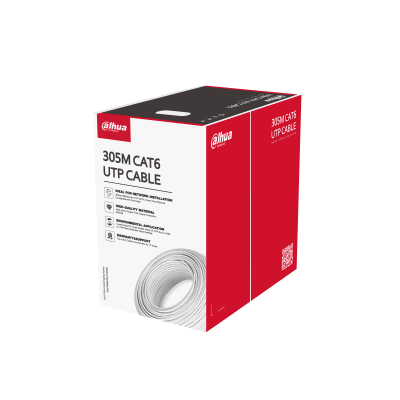
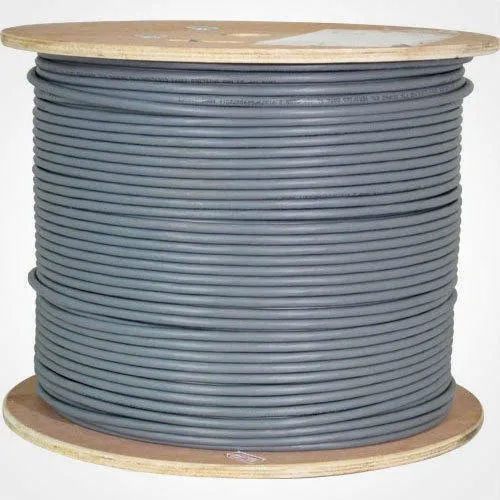
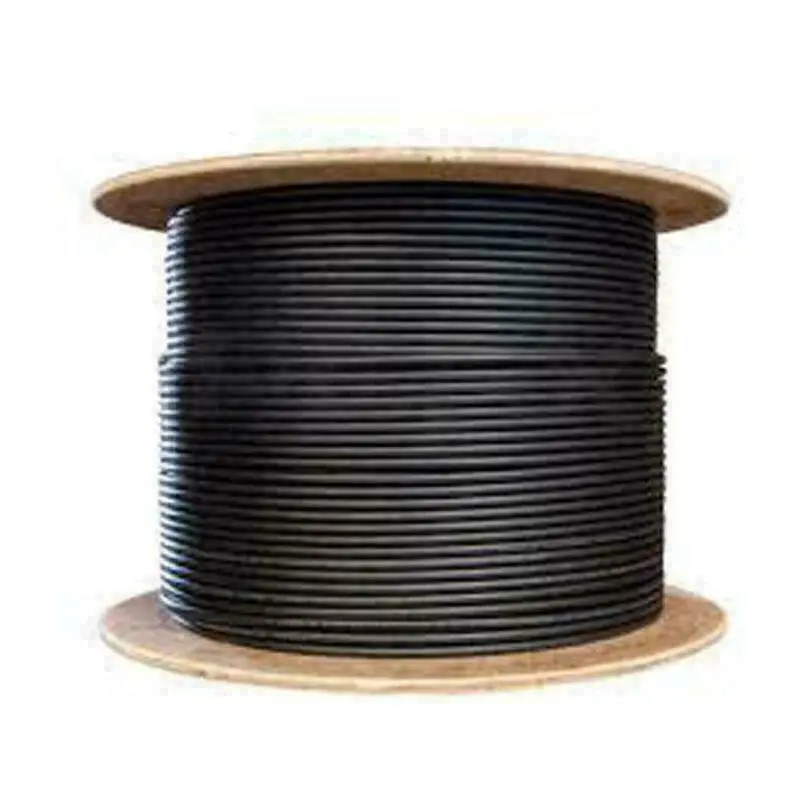
RDCOM CAT6 UTP Ethernet LAN Cable Price in Kenya
In stock
KES 4,500.00
KES 5,000.00
You save KES 500.00
Explore RDCOM CAT6 UTP Ethernet LAN cable in Kenya at ReisenSEO. Learn its uses and installation needs. Confirm cable construction, price and availability.
View product detailsNeed help choosing?
Talk to our team at +254 714 804 532
Product details
RDCOM CAT6 UTP Ethernet LAN Cable Price in Kenya
RDCOM CAT6 UTP Ethernet LAN Cable provides the physical connection between network outlets, patch panels, switches, and other Ethernet equipment. It suits structured cabling projects where installers need to cut each run to the route rather than join several ready-made patch cords. For offices, shops, home workspaces, and small equipment rooms, a correctly installed cable system can make later changes easier because each outlet is labeled and returns to a known location.
Explore the RDCOM CAT6 UTP at Reisen and select the complete model and supplied package needed for your installation.
For close cable comparisons, review Cat6 UTP 305m cable and another 305m Cat6 UTP option. Match conductor material, jacket rating, and tested specification rather than the category label alone.

Confirm your requirements with Reisen, then agree the quote and fulfillment arrangements.
Key Specifications
|
Feature |
Specification |
|
Cable category |
Cat6, as identified on the supplied cable |
|
Construction |
Unshielded twisted pair (UTP) |
|
Application |
Indoor Ethernet cabling, subject to jacket rating |
|
Supply format |
Bulk box; confirm the supplied length |
|
Termination |
Compatible Cat6 jacks, patch panels, or plugs |
|
Conductor material and gauge |
Confirm from the actual box and cable markings |
|
Power delivery |
Confirm conductor and installation suitability before PoE use |
How It Fits Your Network

A bulk box supplies multiple runs; its total length is not a single Ethernet-link distance.
Why cable selection matters
A network cable is part of a complete channel. Its performance depends on the conductors, connectors, workmanship, installed length, and connected equipment. A Cat6 label alone does not establish conductor material, fire classification, or verified channel performance. Confirm these details on the supplied box and jacket before approving a project specification. This is especially important where the quotation requires pure copper rather than copper-clad aluminum.
For an exposed route, assess a specifically rated outdoor cable alternative. Where electrical power will share the cable, compare the endpoint requirement with an appropriate PoE injector and a suitable conductor specification.
Planning the installation
Measure the actual route, including vertical sections, cabinet entry, service slack, and termination allowance. A bulk box supplies several separate runs; its total length is not permission to make one Ethernet link that long. Plan permanent links and patch leads within the limits of the selected cabling standard and equipment. Where the route exceeds ordinary copper Ethernet distances, assess fiber rather than adding concealed cable joins.
For the connected equipment, compare an 8-port Gigabit switch with a 16-port Gigabit switch. The cable channel and switch interfaces must both support the intended installation.

The whole channel must meet the design. Connector choice and workmanship affect the result.
Indoor use and cable protection
Keep this indoor cable in an environment consistent with its jacket rating. Exposure to sunlight, standing water, or direct burial requires a cable specifically designed for that setting. Avoid tight bends, crushed sections, excessive pulling force, and tightly cinched ties. Maintain the separation from electrical wiring required by the installation design. UTP construction has no overall metallic shielding, so installation practice is especially important near electrical interference.
If network management is required, compare the MikroTik switching range and UniFi switching range. Cable selection alone does not create VLAN or access-control features.
Terminations and testing
Choose connectors matched to the conductor type and diameter. A plug intended for stranded patch cable may be unsuitable for a solid-conductor permanent run. Preserve pair twists close to the termination and use the same intended wiring scheme at both ends. A basic wire-map test finds continuity and pair-order faults; a certification test evaluates more of the performance needed for a specified channel.
Complete the network around suitable TP-Link switching options and, where routing is required, a MikroTik hEX S gateway. Label each cable destination so later changes do not disturb unrelated services.
Prepare a complete cabling order
Specify the measured run schedule, conductor requirement, jacket classification, quantity, terminations, patch panel, faceplates, and test requirement. Keep the permanent cabling specification separate from active-equipment speed claims. Where PoE is intended, include its load and installation conditions in the selection. A clear schedule prevents a cheaper-looking cable from being substituted without checking the technical consequences.
Plan outlets around the work, not the furniture layout
For a small office, start with a schedule of desks, access points, printers, reception equipment, and any network-connected controllers. Allow for the places where a fixed connection is useful even if a laptop normally uses Wi-Fi. A cable run to a well-positioned access point can be more valuable than another outlet beside the internet router. Identify the central patching location before measuring routes so the quotation reflects a workable star layout. Moving a desk should normally involve changing patching and furniture leads, rather than pulling the permanent installation out of the wall. Keep spare outlet requirements visible in the schedule instead of concealing them in an unexplained extra box quantity.
Select conductors and terminations as one system
Ask for the conductor material, nominal size, solid or stranded construction, and the connector types intended for the supplied cable. Those details affect how the cable should be terminated and what the completed installation can reasonably be specified to deliver. A product described as Cat6 does not, by itself, answer every one of those questions. For a permanent installation, matched jacks and a patch panel give an organized termination arrangement; short factory-made patch leads can then connect equipment. Direct plugs may suit particular devices, but they still need to match the actual conductors and installation method. Approve substitutions against the written technical requirement before the installer cuts the replacement cable.
Account for the complete route and service allowance
Measure along the intended containment, including vertical drops, cabinet entry, corners, and the final outlet position. A straight-line measurement across a room is unlikely to match the installed route. Add accessible service allowance where it will help termination and future maintenance, while avoiding large untidy coils. Keep a record of each run length and destination. This supports sensible purchasing and makes it easier to identify which outlet should be tested when a user moves. The quantity printed on a bulk box describes material supplied, not a supported single Ethernet distance. Design each completed channel around the selected standard and equipment limits.
Protect performance during installation
A good-looking cable route can still have hidden problems if the cable has been stretched, crushed, kinked, or tightly trapped against an edge. Use containment and fixings suited to the route, and follow the supplied cable's handling requirements. Keep bends gradual and leave the jacket supporting the cable near terminations. Avoid stripping a long section of outer jacket simply to make the pairs easier to handle. Maintain the pair twists close to the connection point. Where the route crosses a challenging electrical environment, ask the installer to assess separation and the overall design rather than assuming that any unshielded cable will behave identically.
Use the correct test for the project
A simple continuity tester is useful for identifying missing conductors, reversed connections, and some termination faults. It is not equivalent to a documented certification test of a specified cabling channel. Decide the required acceptance test before work begins, especially where a business is paying for a defined category installation. Record the outlet identifier alongside the result and tester information. If a run fails, correct the fault and repeat the test instead of accepting a slower negotiated connection as a convenient workaround. Testing before equipment is installed also separates a cabling problem from later router, switch, or computer configuration issues.
Prepare for PoE without assuming every cable is equivalent
When cameras or access points will receive power through Ethernet, include their power standard and load in the project brief. Conductor material, connection quality, cable bundling, temperature, and run length all matter to the finished installation. Confirm suitability for the intended application rather than treating a Cat6 label as a complete power-design approval. Choose matched PoE sources and powered devices, and include any required patch components in the assessment. An ordinary data switch will not supply power simply because the cable is suitable. Where power delivery is not needed today, documenting the installed cable makes a later upgrade easier to evaluate.
Keep outdoor and indoor requirements separate
An indoor office route and an exposed building-to-building route are different purchasing decisions. Outdoor exposure may introduce sunlight, moisture, water entry, and electrical protection requirements that an indoor jacket was not designed to address. A conduit does not automatically make an unsuitable cable appropriate for every wet or exposed location. Ask for an explicitly rated alternative when the route requires one. For separate buildings, fiber may be a better engineering choice because it avoids a metallic data path between them. Select the medium as part of the site design, rather than extending an indoor copper order into a different environment without review.
Create a useful handover record
Label both ends of every run using the same identifier and keep the outlet schedule with the patching plan. Include photographs of the cabinet before it becomes crowded and record any inaccessible route sections. Give the owner the test results and a list of the installed termination components. This makes future service more predictable: an installer can locate a destination without unplugging unrelated users. Store spare material in its original packaging so the product markings remain available. A carefully documented cable system adds practical value beyond the first working connection because faults, moves, and expansions can be approached with evidence.
Build an accurate quotation for RDCOM CAT6 UTP
An accurate quotation starts with the complete product code, quantity, and intended job. Tell Reisen whether this is a new installation, an expansion, or a replacement for equipment already in service. Include the devices it must connect to and any known revision requirements. Ask for accessories and configuration work to be itemized so the product can be compared fairly with another offer. A lower headline amount may describe a different package or omit necessary components. Confirm the current price directly with Reisen; prices shown by other sellers are not a substitute for a quotation covering your actual order.
Check the package before scheduling installation
Confirm the exact contents supplied with the unit or cable order, including any adapter, mounting parts, or termination components that the project needs. Where an accessory is listed as optional, put it on the order rather than assuming it will be in the box. Check the hardware version and relevant labels before work begins, while discrepancies can still be resolved without interrupting service. Keep packaging and purchase records according to the applicable return process. For several sites, identify which equipment belongs to each location so a correct order is not accidentally mixed during deployment.
Agree what a successful handover will include
Write down a short acceptance checklist based on the intended service. It may include a working client connection, correct addressing, an application test, and a clear record of cable or port assignments. Ask for configuration records where the product has settings, or test results where the installation is primarily passive. A power light or visible network name is only a partial check. Where existing equipment is involved, identify who is responsible for faults outside the new product's scope. This avoids confusing a completed supply order with a complete redesign of the customer's wider network.
Protect the working installation during changes
If replacing existing equipment, record the current connections and configuration before disconnecting anything. Schedule work around the users who depend on the service and retain a practical recovery route. Change 1 part of the system at a time where possible, then test the effect before moving to the next change. Keep administrator details and backups secure rather than including passwords in an openly shared worksheet. A documented installation is easier to maintain and helps the owner distinguish a product fault from a changed cable, account, upstream service, or incompatible replacement accessory.
Compare total project value rather than isolated features
The most useful product is the one that meets the actual requirement with a clear installation and support plan. Consider accessories, compatible neighboring equipment, setup time, and future service access alongside the hardware itself. Do not pay for a feature the project cannot use, but do not omit a necessary capability merely to reduce the initial order. If the requirement has changed since the original specification, reassess the whole connection path before buying an identical replacement. A short description of the site and workload helps Reisen recommend a coherent package without relying on unsupported user counts or coverage claims.
Confirm commercial terms before completing payment
Ask Reisen to confirm availability, the quoted package, applicable warranty and return terms, and the agreed collection or delivery arrangements. These details should come from the current transaction rather than assumptions based on an older listing. If installation or remote setup is required, confirm whether it is included and what access or preparation the customer must provide. Keep the final quotation and the equipment model together in the order record. This makes the purchase easier to check on arrival and gives both parties a clear reference if an accessory or service detail needs clarification.
How to Set It Up
1. Check the box label, cable markings, conductor specification, and intended environment before cutting. Confirm the supplied quantity against the order.
2. Measure and mark each run, including termination allowance and accessible service slack. Assign a unique outlet identifier before installation.
3. Route the cable without crushing or sharply bending it. Protect entries and avoid using the cable to support other equipment.
4. Terminate onto compatible Cat6 jacks or a patch panel. Follow one chosen pinout consistently and preserve the pair geometry.
5. Test every run and record the result. Correct split pairs or termination faults rather than accepting a link light as proof of performance.
6. Label both ends and update the outlet schedule. Connect suitable patch leads and verify the negotiated Ethernet link at the actual equipment.
Troubleshooting
No link or intermittent connection
Check pair order, connector seating, strain relief, and the matching of plugs to conductor construction. Test the installed cable independently of the active equipment. Re-terminate a damaged end and repeat the test instead of accepting an intermittent link.
A lower speed than expected
Inspect all 4 pairs and the capabilities of both endpoints. A working Fast Ethernet link does not establish that a cable is suitable for Gigabit use. Replace suspect patch leads and use an appropriate channel test when the project requires certified performance.
Advantages
· Bulk format supports separately measured installation runs.
· UTP construction works with appropriate unshielded structured-cabling components.
· Labeled outlets simplify network changes and troubleshooting.
Disadvantages and Limitations
· The exact conductor material and fire rating must be confirmed.
· Indoor cable should not be assumed suitable for exposed outdoor routes.
· Poor connectors or installation can limit the finished channel.
Frequently Asked Questions
Does Cat6 automatically mean pure copper?
No. Confirm the conductor material on the actual product specification and packaging. Do not infer it from the category name.
Can I make a 305m Ethernet link from a box?
No. A box length is a supply quantity. Each link must meet its equipment and cabling-system limits.
Can it carry PoE?
Only use it after confirming conductor suitability, the PoE application, connectors, and complete installation design.
Are RJ45 plugs included?
Confirm the package. Bulk cable and termination components are normally separate items unless explicitly bundled.
Complete Your Order at Reisen
For a complete installation, also review TP-Link TL-SF1005D 5-Port 10/100Mbps Desktop Switch and TP-Link TL-SG1024D 24-Port Gigabit Desktop and Rackmount Switch. These have different roles or capabilities; choose them according to the system described above rather than assuming automatic interchangeability.
Request the current RDCOM CAT6 UTP price in Kenya from Reisen and confirm the exact hardware revision, supplied accessories, quantity, and any configuration work. Use Reisen’s contact page to share your requirements. Confirm applicable warranty, return terms, payment arrangements, delivery or collection options, and any installation charges before completing the order.
Build a Compatible System with Reisen
Consider Reisen’s 8-port Gigabit switch for a small group of cabled endpoints. Check the required interface, power source, and configuration before adding it to the order.
Consider Reisen’s 16-port Gigabit switch when a room needs more local sockets. Include the extra patch leads and installation work if this component is part of the project.
Consider Reisen’s EAP115 indoor access point where the cable feeds indoor Wi-Fi. Review its separate specifications against the intended workload and the neighboring equipment.
Consider Reisen’s TL-WA801ND access point for a defined legacy wireless installation. A compatible connection requires more than a similar connector or matching brand name.
Consider Reisen’s RB5009 wired router when the gateway needs more configuration control. Confirm where it sits in the network so the quotation covers its actual role.
Browse the relevant Reisen product category to assess the rest of the installation, and use the Reisen shop to prepare a combined order. Keep the RDCOM CAT6 UTP model code in your request so accessories, revision details, and setup work can be confirmed together.
Additional information
| Product | RDCOM CAT6 UTP Ethernet LAN Cable Price in Kenya |
|---|---|
| Category | Ethernet Cables |
| Price | KES 4,500.00 |
| Availability | In stock |
Keep exploringMore in Ethernet Cables