Save 13%
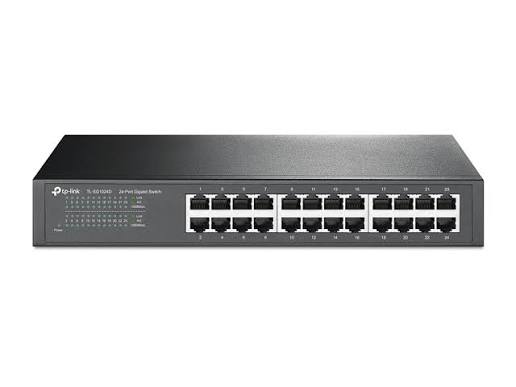
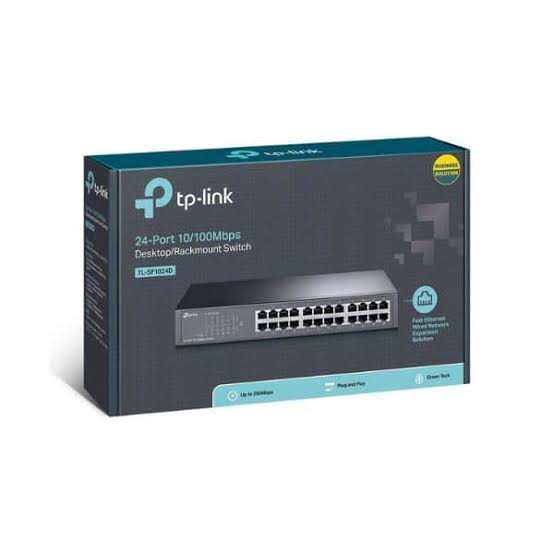
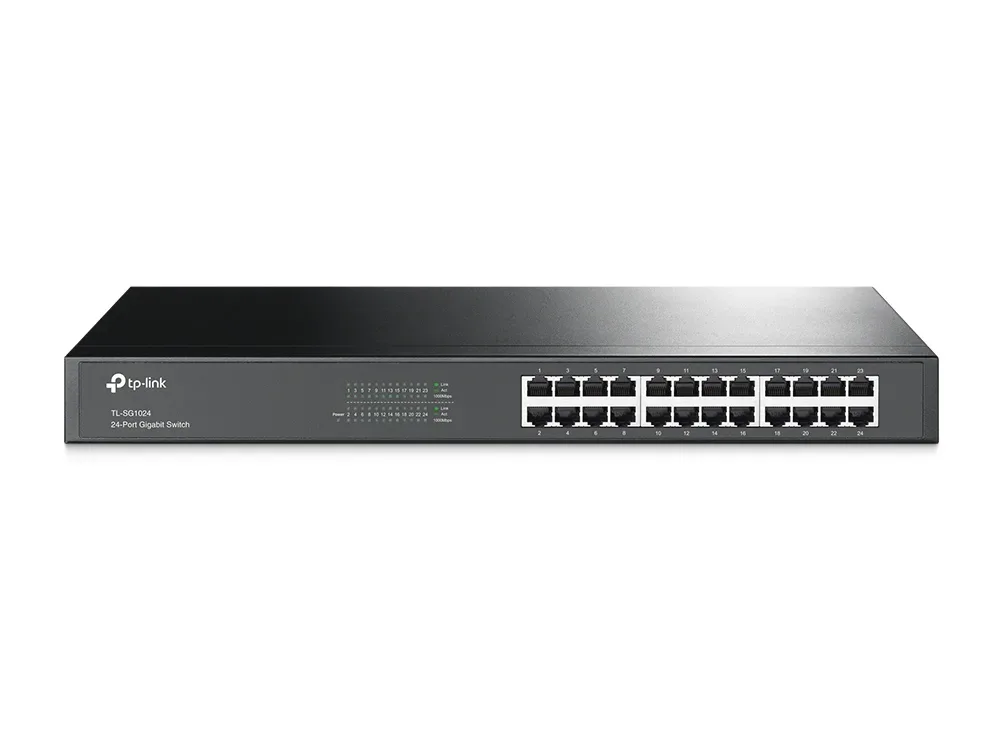
Select an image to view it. Click the main image to enlarge.
Tp-Link TL-SF1024D 24-Port Rackmount Switch Price in Kenya
In stock
KES 6,000.00
KES 6,900.00
You save KES 900.00
Buy TP-Link TL-SF1024D in Kenya at Reisen SEO. Expand your wired network with 24 Fast Ethernet ports and simple plug-and-play rackmount installation.
View product detailsNeed help choosing?
Talk to our team at +254 714 804 532
Product details
TP-Link TL-SF1024D 24-Port Fast Ethernet Switch Price in Kenya
Add 24 straightforward wired connections with the TP-Link TL-SF1024D. Its unmanaged design suits a basic LAN where devices need 10/100Mbps connectivity and no configurable switch features. Connect it to the existing router, then add compatible clients through tested Ethernet cables.
This is Fast Ethernet, not Gigabit. A 100Mbps port can be enough for a low-demand endpoint, but it can bottleneck a faster broadband feed or large file transfer. With 1 port used for an uplink, 23 ports remain for directly attached clients. The 4.8Gbps switching-capacity figure describes the combined full-duplex port aggregate; no single port runs at 4.8Gbps. There is no PoE output, setup login, or user-configured VLAN system. Check the exact revision’s mounting and power arrangement.
Looking to purchase TL-SF1024D in Kenya? Confirm the current stock, exact package, and total quotation with Reisen. Choose the product for the real installation rather than the model name alone.

Choose the exact model, confirm the complete package, approve the quote, and arrange delivery.
Key Specifications
|
Item |
Details |
|
RJ45 ports |
24 × 10/100Mbps |
|
Operation |
Unmanaged plug and play |
|
Switching capacity |
4.8Gbps aggregate |
|
Forwarding |
Store and forward |
|
PoE and Wi-Fi |
Not provided |
|
Port behavior |
Auto negotiation; Auto MDI/MDIX |
|
Installation |
Desktop or supported rack arrangement; check revision |
Compatibility

Use the exact supplied hardware or component specification for the final compatibility decision.
Compatibility depends on the complete connection, power, physical, and service design. Check the exact model at both ends before ordering.

Illustrative 1-uplink layout; all ports are 10/100Mbps.
A legacy-device network example
This switch can suit a collection of modest-bandwidth wired devices where the 100Mbps rate is accepted. It is less attractive for a new server backup path or a faster internet uplink that must cross the same port. With one uplink, mark the other 23 sockets by room or device. Cameras requiring PoE need their own approved power or a different switch. Do not buy this model for a managed guest VLAN design; there is no ordinary configuration interface for that purpose. If an office later adds a Gigabit file server, review the full traffic path rather than expecting the server’s faster adapter to remove the switch-port limit.
Add ports to a basic wired LAN
An unmanaged switch provides a simple meeting point for Ethernet devices. It learns where ordinary Ethernet traffic should be forwarded without requiring the user to create an account or configure a controller. The existing router remains the internet gateway. This makes the switch useful where straightforward port expansion is the actual need.
Count the uplink as well as the clients. A 24-port switch with 1 upstream connection leaves 23 ports for directly attached endpoints. More local devices can share the network through other switches, but their traffic still crosses the relevant shared uplinks. Plan a clear topology rather than adding small switches wherever a cable happens to reach.
For a small Gigabit network, compare 24-port Fast Ethernet switch listing and 5-port Gigabit switch choices. These are data-switch choices; they do not establish that every bulk cable is certified for the finished channel.
Choose Fast Ethernet with its limits in view
Each port on this model belongs to the 10/100Mbps class. That can suit low-demand office devices and legacy equipment. It does not provide Gigabit performance for a fast workstation or a large local backup. A faster internet package is also limited when its traffic crosses a 100Mbps port.
The switching-capacity total is an aggregate measure, not a single-client rate. Useful throughput is lower than the raw signaling rate after protocol overhead and other limits. Before buying many ports, decide whether the application needs more connections, more speed, or both. A smaller Gigabit switch can be a better fit for some modern workloads than a larger Fast Ethernet model.
Keep management and security upstream
There is no ordinary administrator login for this unmanaged switch. WinBox, Omada adoption, and a web VLAN menu do not apply to its basic operation. The router supplies addressing and security policy. Client devices still need suitable addresses and a working gateway to reach the internet.
Do not rely on this switch for configurable guest isolation, access-control lists, or a managed trunk policy. If the site requires controlled separation, choose a suitable managed switch and design the whole path. An unmanaged switch is useful because it avoids unnecessary administration, but it should not be bought for controls it does not provide.
For a different port count or speed class, examine TP-Link TL-SG1008D 8-port switch and TP-Link TL-SG1016D 16-port switch. Keep Fast Ethernet and Gigabit separate when choosing equipment for the cable plan.
Avoid uncontrolled loops
Connect one intended upstream path in a basic layout. Adding a second parallel cable between unmanaged switches is not a safe method to double bandwidth. It can create a loop that floods the network and affects many clients. If the project needs redundant paths or aggregation, select appropriate equipment and a deliberate design.
Label the uplink and room cables. Keep a simple drawing showing which switch feeds each area. When a desk moves, update the patching record instead of adding unknown links. A tidy physical network is easier to repair than a large chain of hidden switches. Shared-path faults can otherwise look like several separate computer problems.
For another local-network or cabling option, review D-Link 24-port Gigabit alternative and Cat6 bulk-cable option. Match the actual supplied material and interfaces rather than borrowing specifications between brands.
Supply device power separately
This switch has data ports, not PoE outputs. A camera, phone, or access point that needs PoE requires a suitable injector or a different switch. Check the endpoint’s standard and voltage separately. An RJ45 connector is not proof of power compatibility, and a passive source must not be connected blindly to ordinary data equipment.
Use the power arrangement specified for the exact switch revision. Keep the enclosure ventilated and supported. A rack-capable unit needs the correct brackets and fixings; a desktop installation needs a stable surface and cable support. Confirm supplied mounting parts before planning the equipment space. Do not hang the switch from the bundle of patch leads.
Test wiring before replacing electronics
Automatic negotiation chooses a supported common rate with the connected device. A faulty lead or poorly terminated outlet can interrupt the link or reduce reliability. Test with a known-good cable and endpoint to isolate a fault. The switch’s link indicator does not certify the cabling system.
Check local communication and internet access separately. If local clients can communicate but browsing fails, inspect the gateway, DNS, and provider connection. If only one client fails, begin with that cable and interface. If many clients fail together, look at shared power and uplinks first. This sequence avoids changing the entire network to repair one damaged patch lead.
For the wider network, examine Ethernet cable choices and MikroTik hEX S upstream router. The upstream gateway and cable type have separate roles in the finished installation.
For managed or higher-rate access, review UniFi Standard 24 managed alternative and Gigabit switch options. Select the switch from its required controls and speed, then validate every installed cable run.
Quick Brand Comparison
|
Family |
Main buying distinction |
|
MikroTik RouterOS or CRS |
Model-specific routing, switching, and power |
|
TP-Link unmanaged or consumer |
Exact speed, role, and revision |
|
UniFi managed equipment |
Controller ecosystem and supported interfaces |
|
Other comparable equipment |
Complete installed cost, compatibility, and service support |
Compare exact models and complete installation requirements. A brand family is a starting point, not evidence that every product has the same ports, power, software, or optical behavior.
Can It Be Used with Starlink?
Yes, it can add wired ports after a supported Starlink Ethernet LAN handoff. Keep a suitable gateway upstream. Its 100Mbps port class can limit a faster service, and it cannot power the dish or provide PoE to clients.
For terminal-side and site-connectivity planning, review Starlink Kenya Installers and SpaceLink Internet Kenya. Match the local network to the exact terminal generation and approved handoff. Local hardware capability and satellite service performance are separate limits.
How to Set Up TL-SF1024D
A Step by Step Guide
1. Check the required capacity
Count clients and reserve an uplink port. Confirm that 100Mbps ports and absence of PoE fit the project. If the site needs Gigabit transfers, VLAN control, or powered endpoints, choose suitable equipment before installation. Check the actual hardware revision and supplied power and mounting parts.
2. Place or mount the switch
Use a dry ventilated location with stable support and room for cable latches. Install approved rack brackets if the supplied version supports that arrangement. Keep vents clear and power leads accessible. Route cables so their weight does not pull on the switch or individual sockets.
3. Connect the approved supply
Use the specified power arrangement and correct mains cord for the delivered version. Check the power indicator. Keep electrical work within the site’s approved design. Do not substitute an adapter merely because a plug fits, and do not treat data ports as power inputs unless explicitly documented.
4. Connect one intended uplink
Run a tested Ethernet lead from the router’s LAN or planned upstream switch to one port. Avoid connecting a second parallel cable. Label the path so it can be identified later. Check the upstream router and DHCP service before adding the rest of the clients.
5. Add clients gradually
Connect devices one at a time and inspect link indicators. Use suitable separate power for equipment that requires it. Check that a computer receives the intended network address. There is no switch setup login or driver required for ordinary Ethernet forwarding on this unmanaged model.
6. Verify local and internet tasks
Test a local service first, then browsing and DNS through the router. Check a sample from every room or cable route. Remember the 100Mbps rate class when interpreting a file-transfer or internet test. If one cable fails, isolate it with a known-good patch lead.
7. Inspect the final cable layout
Make sure no patch lead creates an unintended loop. Label the uplink and endpoint cables and preserve suitable bend space. Keep power and data routes arranged for safe service. Confirm that the cabinet door does not press on connectors or block ventilation.
8. Record and hand over the network
Save a simple port and room schedule, hardware revision, power details, and test result. Explain that gateway and security settings live upstream. Provide an agreed support contact and keep spare known-good leads available. Recheck the layout after desk moves or added switches.
Advantages
· 24 wired ports in a simple unmanaged layout.
· No controller or switch login for basic forwarding.
· Automatic port negotiation reduces ordinary setup work.
Disadvantages and Limits
· 100Mbps port limit.
· No PoE output or Wi-Fi.
· No configurable managed VLAN or access-control policy.
Frequently Asked Questions
Does it need a login?
No ordinary switch administration account is required. It is an unmanaged model. Router login details apply to the separate gateway, not this switch.
Is it Gigabit?
No. Its ports support 10/100Mbps Fast Ethernet. Choose a Gigabit model when the required traffic or internet handoff needs more headroom.
Can it power access points?
No. Use a matching PoE injector, separate power adapter, or suitable PoE switch for endpoints that require power through Ethernet.
Does it create Wi-Fi?
No. It provides wired Ethernet switching. Add an appropriate access point for wireless clients.
Can I isolate guests with it?
It does not provide configurable managed-switch VLAN policy. Use suitable managed equipment and a gateway policy for controlled separation.
How many clients fit with one uplink?
With 24 physical ports and 1 used upstream, 23 remain for directly attached clients. Any further downstream switches share their relevant link capacity.
Complete the Installation with Reisen
Build a clear parts list around MikroTik CRS326-24G-2S+RM 24-Port Gigabit Switch and MikroTik CRS328-24P-4S+RM 24-Port Gigabit PoE+ Switch. Choose each item for a defined role and confirm the links, power, and supplied accessories before combining them.
For another part of the installation, review MikroTik hEX RB750Gr3 5-Port Gigabit Router and Easenet Cat6 Indoor Ethernet Cable. A shared brand does not prove compatibility. Read the actual interface and power requirements on both sides.
Keep the service and connection roles distinct when selecting TP-Link TL-WR820N N300 Wi-Fi Router and MikroTik cAP ac RBcAPGi-5acD2nD Wireless Access Point. These are complementary tools or network choices, not a promise that every item plugs directly into every other item.
The next stage of the project may need Netlink Gigabit Single-mode Media Converter and MikroTik CRS317-1G-16S+RM 16-Port 10G SFP+ Switch. Ask for a quotation that marks each item as required, optional, or an alternative, so the complete package stays easy to review.
For the wider network, examine MikroTik PowerBox Pro RB960PGS-PB Outdoor Router. Keep the main device, cable routes, and distribution equipment aligned with the planned service. Check each exact model before adding it to the order.
Choosing the right package in Kenya
If you are asking where to buy TL-SF1024D in Kenya, start with the exact model and the job it needs to do. Send Reisen the quantity, delivery location, and intended installation date. Include the equipment already in use and any important service requirement. A clear request helps distinguish a direct replacement from a new design that needs extra parts.
The cost of TL-SF1024D should be reviewed as part of the complete working package. Ask whether the quoted amount includes taxes, the required accessories, delivery, and any agreed technical work. Hardware, setup labor, and an ongoing provider subscription are different charges. Keep them itemized. This makes the order easier to approve and avoids comparing a bare unit with a fully prepared installation.
What’s in the Box
Confirm these items against the exact hardware version.
· TL-SF1024D switch
· Correct power cord
· Feet
· Rack brackets where supplied
· Installation guide
Network leads, an internet router, and PoE injectors are separate.
Check the sealed package and item list when it arrives. Keep the invoice and model or batch information. Photograph visible shipping damage before discarding the packing materials, and contact Reisen promptly if an item is missing or differs from the order. A package seen in a video may be from another region or revision, so use the actual quotation as the reference for your delivery.
Warranty
Ask Reisen to confirm the current warranty period, coverage, exclusions, and claim process for TL-SF1024D in writing before payment. This description does not set a new warranty duration. Confirm who handles assessment, whether a local service route is available, and which supporting records are required. Keep the invoice and any serial or batch details with the product records.
If a fault appears, record the symptoms and any safe checks already performed. Do not open sealed equipment, modify power connections, or attempt an unauthorized repair while seeking a warranty decision. For installation-related concerns, keep the wiring, power, handling, and test records available. They can help separate a product fault from a problem elsewhere in the system without assuming the outcome of a claim.
Return Policy
Confirm Reisen’s current return window, eligibility rules, assessment process, and delivery-charge responsibilities before ordering. Ask specifically about opened, cut, assembled, registered, configured, or specially sourced items where relevant. Do not assume that every product can be returned after installation or that a refund is automatic. The applicable written policy and the circumstances of the order determine the process.
If the wrong item arrives, keep it protected and contact the team with the order reference before using or altering it. Retain packaging and accessories while the issue is reviewed. For a compatibility concern, share the exact connected-device labels and intended use. Getting those details checked before dispatch is usually simpler than arranging a return after the installation has begun.
Product Guides and Documents
Keep the exact product identification, matching technical sheet, supplied quick guide, packing list, quotation, and test record together. For TL-SF1024D, ask for documents that match the actual hardware or component revision. A similar product’s guide can help explain a general idea, but its power ratings, preparation dimensions, or software controls must not be copied without verification.
Where a technical value is essential to the project, have it written into the approved specification. This may include optical parameters, interface rates, supported power, physical fit, or material grade. If no exact manufacturer SKU is supplied, request that identification before accepting a fixed performance promise. Clear documentation helps with replacements, future expansion, and handing the system to another technician.
Installation Manuals
Use the installation manual for the delivered unit as the final reference for assembly, safe handling, power, mounting, and recovery. The step-by-step guide on this page explains a practical workflow, but it does not replace model-specific dimensions or safety instructions. Ask Reisen for the matching manual before an installer travels to the site, especially when a missing adapter, bracket, or tool could stop the work.
Keep the installed layout and any approved settings with the manual. Record changes after maintenance rather than leaving the original plan out of date. For a provider-controlled product, retain the operator’s instructions as well. For passive components, keep the preparation and test procedure. This gives the owner a useful record instead of relying on memory when another part needs replacement.
Why Shop with Reisen
Reisen brings network equipment, connection parts, and installation accessories into one catalog. That lets you build the order around the job rather than buy a main device and discover missing parts later. Ask the team for current stock information, a clear itemized quotation, and technical checks for the models you already own. Confirm collection, delivery, and after-sales arrangements before approving the package.
We’re working to make Reisen a Leading eCommerce platform in Kenya and a Leading eCommerce platform in Africa through useful product information and clear buying support. For your order, focus on the promises written into the quotation: exact goods, condition, price, included parts, delivery terms, and agreed support. Keep those details together so follow-up questions can be handled against a clear record.
Order TL-SF1024D from Reisen
Ready to buy TL-SF1024D? Open TP-Link TL-SF1024D 24-Port Fast Ethernet Switch and confirm the current package with Reisen. Share your quantity, location, and intended use. If installation or configuration is required, request its scope and price separately. Approve the model and accessory list before payment, then arrange collection or delivery using the confirmed order details.
After delivery, check the package before the installation date. Complete the appropriate physical, connection, and service tests at handover. Save the invoice, guides, and test results for later support. A well-chosen product is most useful when the equipment, installation method, and owner’s needs fit the same plan.
Additional information
| Product | Tp-Link TL-SF1024D 24-Port Rackmount Switch Price in Kenya |
|---|---|
| Category | Network Switches |
| Price | KES 6,000.00 |
| Availability | In stock |
Keep exploringMore in Network Switches
Related products