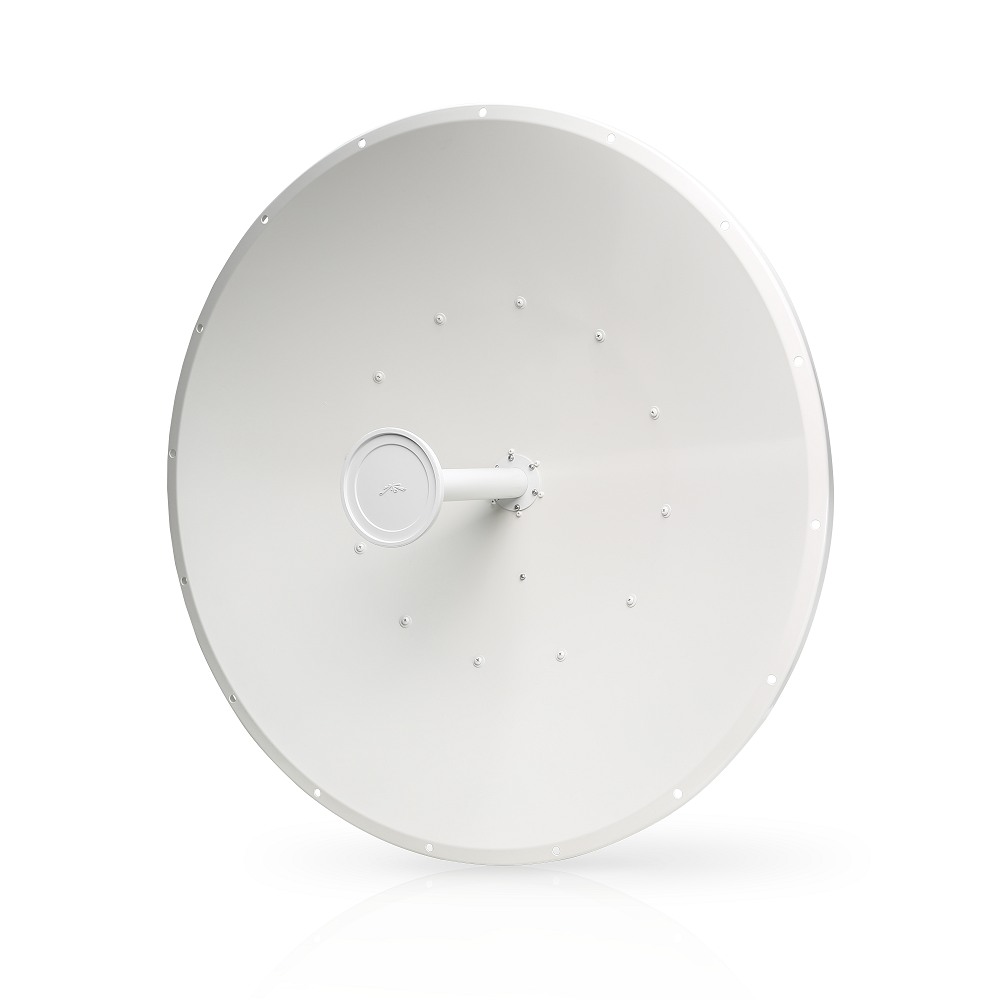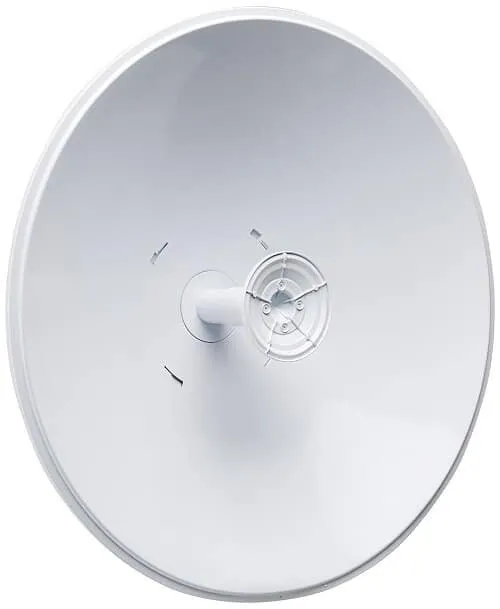
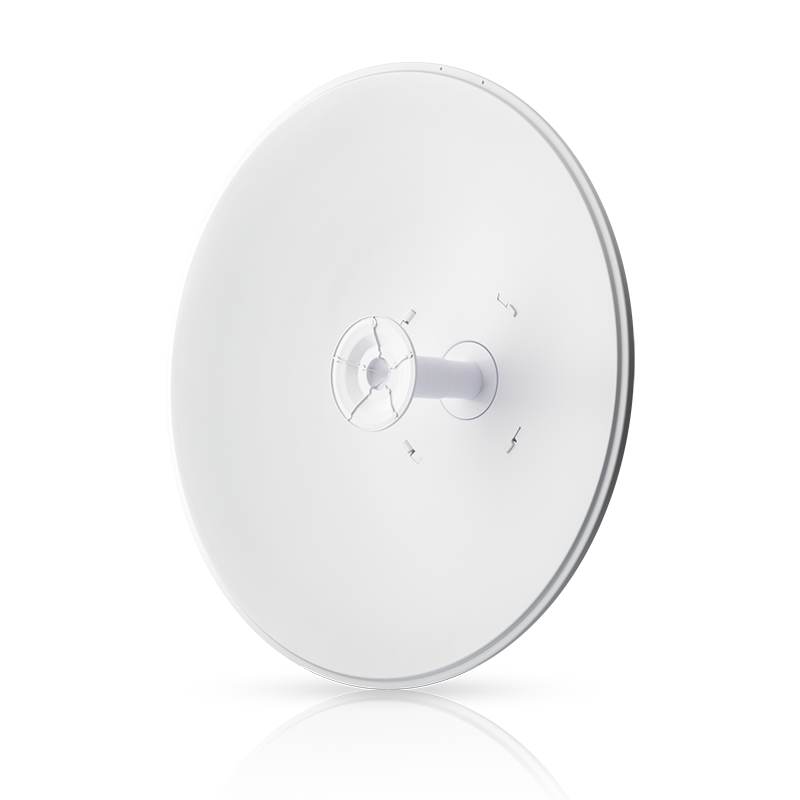
Ubiquiti airFiber X AF-5G30-S45 30dBi Antenna Price in Kenya
Focus a compatible 5GHz airFiber radio link with the Ubiquiti AF-5G30-S45. This 30dBi directional dish is a passive antenna, selected as part of a complete point-to-point system. It provides the RF antenna function; a separate radio handles data and power.
The antenna uses dual linear ±45° slant polarization. Keep the 2 RF chains mapped to the correct radio connections. It is not an all-in-one PowerBeam, does not have an Ethernet login, and cannot be powered by a PoE injector. The separate radio may need PoE, but power belongs to that radio. The dish, brackets, and mast create a substantial physical assembly. An installer must assess mounting support, wind exposure, access, and accurate alignment before raising it.
Looking to purchase AF-5G30-S45 in Kenya? Confirm the current stock, exact package, and total quotation with Reisen. Choose the product for the real installation rather than the model name alone.
Choose the exact model, confirm the complete package, approve the quote, and arrange delivery.
Key Specifications
|
Item |
Details |
|
Antenna type |
Passive directional dish |
|
Frequency range |
5.1–5.9GHz |
|
Gain |
30dBi |
|
Polarization |
Dual linear; ±45° |
|
Dimensions |
650 × 650 × 386mm |
|
Weight |
7.4kg including mount |
|
Radio |
Separate compatible airFiber radio required |
|
Ethernet and PoE |
Not antenna functions |
Compatibility
Use the exact supplied hardware or component specification for the final compatibility decision.
Compatibility depends on the complete connection, power, physical, and service design. Check the exact model at both ends before ordering.
The steps summarize the workflow; use the matching manual for exact dimensions and settings.
A matched dish and radio example
Pair the AF-5G30-S45 with a radio explicitly supported by its mounting and RF design, such as the appropriate airFiber X arrangement. Keep each chain on the correct ±45° connection and protect the jumpers as directed. The separate radio requires its own injector and Ethernet path; the dish does not. Compare the full assembly load and wind exposure with the mast design. A radio mounted successfully on the bench still needs a safe structural installation. For the final link, align both ends and save chain balance and traffic test results rather than using the 30dBi figure as a distance guarantee.
Complete a radio system with the right dish
This antenna is one part of a fixed wireless system. The radio converts network data to and from radio signals; the dish focuses the RF energy in the planned direction. A passive dish has no Ethernet port to configure and does not replace the radio, gateway, or internet provider. Keep those parts separate on the quotation so the finished system includes everything needed at both sites.
Start with the radio compatibility list. Match the frequency range, RF connectors, number of chains, polarization, mounting interface, and environmental requirements. A radio that can transmit near 5GHz is not automatically approved for every 5GHz antenna. Mechanical fit matters as much as the frequency label. Use the supported bracket and weatherproof RF connection arrangement for the exact combination.
For additional equipment in the wider installation, review PowerBeam AC Gen2 comparison. Match the actual hardware label and accessories before approving a cross-brand or cross-version replacement.
Understand what antenna gain means
Gain describes how the antenna concentrates energy relative to a reference. It is not an internet speed and does not create more transmitter power. A directional pattern can help a correctly designed link while requiring careful aiming. The link budget must account for the radio, feeder losses, path, receiving antenna, and permitted operating power.
Do not turn a gain figure into a fixed distance promise. Terrain, mounting height, interference, weather margin, and the chosen radio settings influence the result. A larger dish can add useful performance on a suitable path, but it also adds weight, wind loading, and service demands. Use a site-specific plan rather than assuming the biggest antenna is always the best purchase.
Keep both polarization chains correct
Dual-polarized systems use 2 RF paths. The specified slant orientation and correct chain connections matter to the intended radio operation. Label the chains during assembly and follow the radio and antenna guides. Do not swap them casually when troubleshooting. A working link with poor chain balance can hide an installation fault.
Use the correct RF jumpers and weatherproofing parts. Keep connectors clean and avoid damaging their threads. Tighten to the maker’s method rather than using excessive force. A loose, wet, or damaged connection can reduce performance even when the antenna is aimed correctly. Support the cables so they do not twist or pull on the radio sockets during wind or service work.
Compare fixed-wireless roles using RocketDish 5G30 dish alternative and airFiber 5XHD matching radio listing. The first check is the exact platform and required peer. A shared frequency does not prove compatibility.
Survey the path before ordering a pair
Record the sites, distance, obstacles, mounting positions, and planned service capacity. Both visual sight and Fresnel-zone clearance need assessment. A roof edge or line of trees can matter even if a small part of the far building is visible. Allow for future growth and construction where practical. Keep the proposed mounting position tied to a measured design.
The far end needs a compatible radio and antenna arrangement too. A new dish cannot correct an unsuitable peer or a missing network service. If replacing one antenna, inspect the existing radio, mounts, feeders, and settings first. The cause of a failing link may be a cable, moved mount, or new obstacle rather than insufficient antenna gain.
For an integrated or sector layout, review LiteAP GPS sector radio and LiteAP 120 sector alternative. These have different beam patterns and link roles. A site survey decides whether they are suitable alternatives.
Treat mounting as structural work
A dish assembly needs a suitable pole or mast and the correct mounting hardware. Have a qualified installer assess the structure, wind exposure, corrosion condition, and safe access. A convenient railing is not automatically an approved support. Include the full assembly weight and leverage when evaluating the mount.
Follow the installation sequence and fastener requirements for the exact antenna. Use safe lifting and work-at-height methods. Protect people below the work area and avoid unsecured loose parts. Route the radio’s Ethernet and grounding connections as part of the whole installation. Keep a way to service the radio without improvising access after the mast is loaded.
Align with measurements from both sites
Use the surveyed bearing for the initial position. Adjust slowly in small steps and watch signal quality, chain balance, errors, and useful traffic at both radios. Tighten the final mount and check the readings again. A narrow useful pattern can be missed when the dish is moved too quickly, and the strongest brief reading is not always the best stable position.
Save a commissioning baseline with the final configuration and test results. Include photographs of the assembled chain connections and mount for the owner’s service record. After a storm or maintenance visit, compare against that baseline before changing radio settings. The antenna itself has no login or firmware; management belongs to the connected radio.
For supported airMAX station planning, examine PowerBeam AC Gen2 integrated alternative and LiteBeam AC Gen2 client option. These are client options within a matched airMAX design, not automatic airFiber peers.
A separate MikroTik radio design can use NanoStation Loco5AC client option and MikroTik LHG 5 ac link alternative. Build a complete supported link in that ecosystem rather than assuming proprietary protocols interoperate.
Plan the downstream LAN or another radio option through MikroTik DISC Lite5 ac alternative and local managed switching. The switch handles local Ethernet distribution, while each radio still needs approved power and a compatible far end.
Quick Brand Comparison
|
Family |
Main buying distinction |
|
Ubiquiti airFiber |
Dedicated supported backhaul peer and antenna |
|
Ubiquiti airMAX |
Supported sector or station design |
|
MikroTik outdoor wireless |
Different radio ecosystem and configuration |
|
UniFi access point |
Ordinary client Wi-Fi role; not an automatic backhaul peer |
Compare exact models and complete installation requirements. A brand family is a starting point, not evidence that every product has the same ports, power, software, or optical behavior.
Planning a wider connectivity project
This item does not connect directly to a Starlink terminal or replace its dish. A separate compatible radio system can carry terrestrial LAN traffic downstream of a gateway, which is different from receiving satellite signals. For a separate satellite broadband or site-connectivity requirement, review Starlink Kenya Installers and SpaceLink Internet Kenya. Keep the internet service design separate from this item’s actual function and confirm any supporting local-network equipment independently.
How to Set Up AF-5G30-S45
A Step by Step Guide
1. Approve the full radio and antenna combination
Check the exact radio model against the supported antenna list. Confirm RF interfaces, polarization, mount, path, and both endpoints. Include the radio power source, outdoor Ethernet route, earthing, and surge protection. The dish alone cannot form a working link or connect directly to an Ethernet switch.
2. Check the mounting structure
Have a qualified installer assess the pole or mast, site access, wind exposure, and full assembly load. Plan safe lifting and work at height. Compare all mounting parts with the packing list before starting. Do not substitute unsuitable fixings or clamp the assembly onto an unverified structure.
3. Assemble using the model guide
Follow the exact antenna’s assembly sequence. Fit the radio mounting arrangement and supplied parts in their intended orientation. Keep RF ports protected while working. Check reflector and bracket alignment before raising the unit. Do not treat an assembly video for another dish size as a complete installation manual.
4. Connect the 2 RF chains correctly
Match each radio chain to its specified slant-polarization connection. Use approved RF jumpers and weather protection. Tighten according to the guide and support the cables so they cannot pull on sockets. Leave the radio unpowered while making these connections and avoid exposed or damaged connectors.
5. Install the radio and protected wiring
Mount the separate radio with its specified hardware. Complete the grounding and cable-protection design. Run the approved outdoor Ethernet cable with strain relief and a drip loop. Keep the power injector in its permitted environment. Check the entire physical assembly before powering the radio.
6. Configure the radio before final alignment
Use the radio’s own setup guide to set the supported peer role, legal country, channel, security, and management address. Enter the actual antenna information where required. Check permitted output power with antenna gain accounted for. There are no configuration settings inside the passive dish.
7. Aim and commission the pair
Adjust both ends gradually while monitoring signal, noise, chain balance, and errors. Tighten the mount and recheck for movement. Run bidirectional traffic and real service tests using wired endpoints. Do not approve the installation from a single signal bar or an unrecorded quick internet test.
8. Document inspection and maintenance
Save the radio settings, antenna model, mounting details, final readings, and test results. Schedule checks appropriate to the exposed site. Inspect for loose mounts, corrosion, water entry, or damaged RF jumpers after severe weather. Keep access and repair responsibilities clear for the owner.
Advantages
· 30dBi directional antenna for a supported radio system.
· Dual slant polarization and a defined compatible assembly.
· Radio and antenna can be selected as separate system components.
Disadvantages and Limits
· Radio, power system, and network equipment are separate.
· Mounting load and alignment need professional assessment.
· Gain is not a guaranteed distance or throughput figure.
Frequently Asked Questions
Is a radio included?
The antenna should be treated as a separate component unless the quotation lists a radio. Confirm the compatible radio, injector, and all connection parts for the complete link.
Does the antenna need PoE?
The passive antenna does not. The connected radio needs its own approved power arrangement. Do not connect an Ethernet lead or injector to an RF port.
Can I use it with any 5GHz radio?
No. Match the manufacturer-supported combination, RF connectors, polarization, bracket, and power limits. Frequency overlap alone does not prove a suitable complete system.
Does 30dBi state a distance?
No. Gain is an antenna characteristic. The path survey and link budget determine whether the desired route and service target are practical.
Will it provide Wi-Fi directly to phones?
This dish belongs to a fixed directional radio link. A separate suitable access point serves ordinary phone and laptop Wi-Fi at the site.
Can it receive Starlink satellites?
No. It is not a Starlink terminal or a replacement dish. A complete terrestrial radio link may carry downstream LAN traffic from an internet gateway, which is a different role.
Complete the Installation with Reisen
Build a clear parts list around Ubiquiti airFiber 5XHD AF-5XHD 5GHz Backhaul Radio and Ubiquiti LiteAP GPS LAP-GPS 5GHz Sector Access Point. Choose each item for a defined role and confirm the links, power, and supplied accessories before combining them.
For another part of the installation, review MikroTik PowerBox Pro RB960PGS-PB Outdoor Router and Easenet Cat6 Indoor Ethernet Cable. A shared brand does not prove compatibility. Read the actual interface and power requirements on both sides.
Keep the service and connection roles distinct when selecting MikroTik hEX RB750Gr3 5-Port Gigabit Router and MikroTik CRS326-24G-2S+RM 24-Port Gigabit Switch. These are complementary tools or network choices, not a promise that every item plugs directly into every other item.
The next stage of the project may need MikroTik cAP ac RBcAPGi-5acD2nD Wireless Access Point and Netlink Gigabit Single-mode Media Converter. Ask for a quotation that marks each item as required, optional, or an alternative, so the complete package stays easy to review.
For the wider network, examine TP-Link TL-SF1024D 24-Port Fast Ethernet Switch. Keep the main device, cable routes, and distribution equipment aligned with the planned service. Check each exact model before adding it to the order.
Choosing the right package in Kenya
If you are asking where to buy AF-5G30-S45 in Kenya, start with the exact model and the job it needs to do. Send Reisen the quantity, delivery location, and intended installation date. Include the equipment already in use and any important service requirement. A clear request helps distinguish a direct replacement from a new design that needs extra parts.
The cost of AF-5G30-S45 should be reviewed as part of the complete working package. Ask whether the quoted amount includes taxes, the required accessories, delivery, and any agreed technical work. Hardware, setup labor, and an ongoing provider subscription are different charges. Keep them itemized. This makes the order easier to approve and avoids comparing a bare unit with a fully prepared installation.
What’s in the Box
Items identified in the manufacturer guide.
· Dish assembly
· Pole-mount parts
· airFiber radio mounting arrangement
· Weatherproof RF jumpers
Confirm all hardware against the current packing list. The radio, injector, mast, earthing system, and network cables are separate unless quoted together.
Check the sealed package and item list when it arrives. Keep the invoice and model or batch information. Photograph visible shipping damage before discarding the packing materials, and contact Reisen promptly if an item is missing or differs from the order. A package seen in a video may be from another region or revision, so use the actual quotation as the reference for your delivery.
Warranty
Ask Reisen to confirm the current warranty period, coverage, exclusions, and claim process for AF-5G30-S45 in writing before payment. This description does not set a new warranty duration. Confirm who handles assessment, whether a local service route is available, and which supporting records are required. Keep the invoice and any serial or batch details with the product records.
If a fault appears, record the symptoms and any safe checks already performed. Do not open sealed equipment, modify power connections, or attempt an unauthorized repair while seeking a warranty decision. For installation-related concerns, keep the wiring, power, handling, and test records available. They can help separate a product fault from a problem elsewhere in the system without assuming the outcome of a claim.
Return Policy
Confirm Reisen’s current return window, eligibility rules, assessment process, and delivery-charge responsibilities before ordering. Ask specifically about opened, cut, assembled, registered, configured, or specially sourced items where relevant. Do not assume that every product can be returned after installation or that a refund is automatic. The applicable written policy and the circumstances of the order determine the process.
If the wrong item arrives, keep it protected and contact the team with the order reference before using or altering it. Retain packaging and accessories while the issue is reviewed. For a compatibility concern, share the exact connected-device labels and intended use. Getting those details checked before dispatch is usually simpler than arranging a return after the installation has begun.
Product Guides and Documents
Keep the exact product identification, matching technical sheet, supplied quick guide, packing list, quotation, and test record together. For AF-5G30-S45, ask for documents that match the actual hardware or component revision. A similar product’s guide can help explain a general idea, but its power ratings, preparation dimensions, or software controls must not be copied without verification.
Where a technical value is essential to the project, have it written into the approved specification. This may include optical parameters, interface rates, supported power, physical fit, or material grade. If no exact manufacturer SKU is supplied, request that identification before accepting a fixed performance promise. Clear documentation helps with replacements, future expansion, and handing the system to another technician.
Installation Manuals
Use the installation manual for the delivered unit as the final reference for assembly, safe handling, power, mounting, and recovery. The step-by-step guide on this page explains a practical workflow, but it does not replace model-specific dimensions or safety instructions. Ask Reisen for the matching manual before an installer travels to the site, especially when a missing adapter, bracket, or tool could stop the work.
Keep the installed layout and any approved settings with the manual. Record changes after maintenance rather than leaving the original plan out of date. For a provider-controlled product, retain the operator’s instructions as well. For passive components, keep the preparation and test procedure. This gives the owner a useful record instead of relying on memory when another part needs replacement.
Why Shop with Reisen
Reisen brings network equipment, connection parts, and installation accessories into one catalog. That lets you build the order around the job rather than buy a main device and discover missing parts later. Ask the team for current stock information, a clear itemized quotation, and technical checks for the models you already own. Confirm collection, delivery, and after-sales arrangements before approving the package.
We’re working to make Reisen a Leading eCommerce platform in Kenya and a Leading eCommerce platform in Africa through useful product information and clear buying support. For your order, focus on the promises written into the quotation: exact goods, condition, price, included parts, delivery terms, and agreed support. Keep those details together so follow-up questions can be handled against a clear record.
Order AF-5G30-S45 from Reisen
Ready to buy AF-5G30-S45? Open Ubiquiti airFiber X AF-5G30-S45 30dBi Antenna and confirm the current package with Reisen. Share your quantity, location, and intended use. If installation or configuration is required, request its scope and price separately. Approve the model and accessory list before payment, then arrange collection or delivery using the confirmed order details.
After delivery, check the package before the installation date. Complete the appropriate physical, connection, and service tests at handover. Save the invoice, guides, and test results for later support. A well-chosen product is most useful when the equipment, installation method, and owner’s needs fit the same plan.